

CodeRabbit
CodeRabbit · Coding
CodeRabbit is an AI code review tool that comments on pull requests, flags bugs and security issues, and chats about the changes, aimed at teams who want faster reviews.
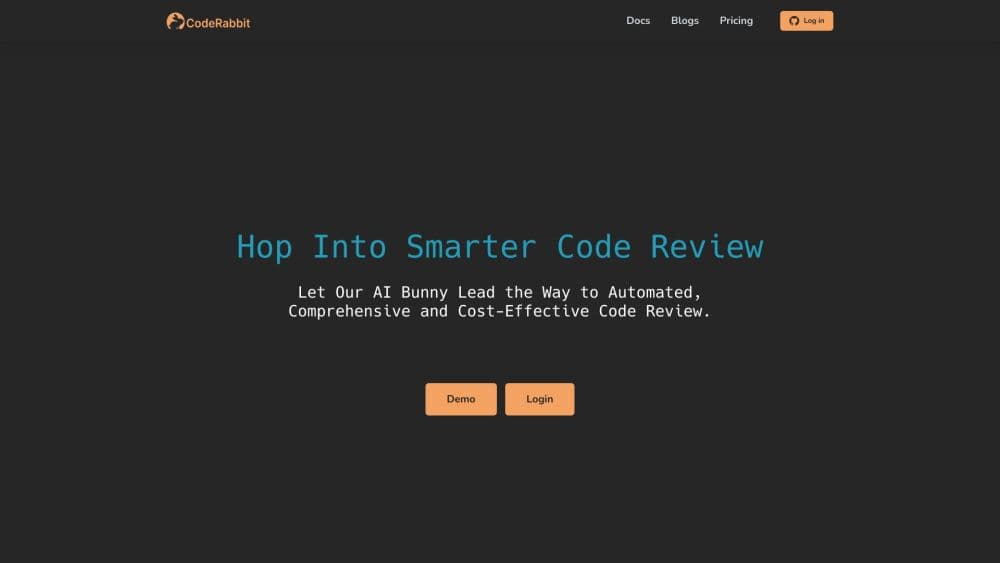
About CodeRabbit
What Is CodeRabbit
CodeRabbit is an AI code reviewer that reads your pull requests and posts line-by-line feedback before a teammate has to. Install it on a repository and it reviews each new PR automatically, summarizing the change, pointing out bugs, suggesting fixes, and answering questions in a chat thread. This PR review automation works with GitHub, GitLab, Bitbucket, and Azure DevOps, plus a VS Code extension and a command-line tool for reviews before you even push.
The problem it targets is the review bottleneck. AI coding agents now open pull requests faster than people can read them, so reviewers skim, approve late, or miss things. CodeRabbit tries to be the first pass: it catches the obvious defects, explains what a large diff actually does, and lets a human focus on design and judgment instead of typos and null checks.
The limit is that it reviews, not decides. It can be wrong, it can comment on code that's fine, and its suggestions still need a human to accept or reject. Pricing runs per developer, so the cost scales with team size, and the most capable options sit behind higher plans. For a solo developer on a small repo, the free tier does little beyond summaries.
Getting Started
- Sign in at coderabbit.ai with your Git provider account and pick the repositories you want reviewed.
- Install the CodeRabbit app on the repo, which adds it as a reviewer that triggers on pull requests against your main branch.
- Open a test pull request and watch the summary comment appear, with a walkthrough of the changes and review effort.
- Reply in the PR thread or use commands like
@coderabbitai reviewto ask for changes, explanations, or a full re-review. - Tune the setup: add code guidelines, set review profiles, and link other repos so cross-repo impacts get caught.
Product Information
A quick look at CodeRabbit's pricing, supported platforms, and performance.
Best for
The users, tasks, and scenarios where this tool fits best.
Users
- Engineering teams on GitHub, GitLab, Bitbucket, or Azure DevOps
- Solo developers and small startups
- Teams flooded by AI-generated pull requests
Tasks
- Catching bugs before merge
- Reviewing large diffs you did not write
- Fixing findings in one click
- Answering questions about a change
Scenarios
- A fast-moving team shipping many small PRs
- Onboarding onto an unfamiliar codebase
- Keeping a critical repo clean between audit cycles
Key features
Automated Pull Request Reviews
The core of the product is a review posted on every pull request. CodeRabbit reads the diff, comments line by line, and summarizes what changed and how hard it is to review. It triggers on PRs to your main branch and can be re-run on demand. The value is a consistent first pass that never skips a PR because the reviewer was busy.
PR Summaries and Walkthroughs
Each pull request gets a plain-language summary and a structured walkthrough, with sequence diagrams when a change is complex. The summary tells you what the code does, not just what lines moved, which is what makes a large diff readable. For reviewers picking up someone else's work, this is often the fastest way in.
CodeRabbit Chat
You can ask questions about a change inside the PR thread, and the chat answers with the file and codebase in context. Anything from "why did this line change" to "write a test for this function" runs through the same conversation. It turns review from a one-way report into a back-and-forth you can steer.
Autofix and Finishing Touches
One-click Autofix applies the tool's suggested changes directly, and Finishing Touches handle the cleanup jobs people put off, like resolving merge conflicts, simplifying code, and writing docstrings. These are the tasks that stall a PR after review, so automating them shortens the path to merge.
Security Review and Deep Scan
Higher plans add continuous security review that checks static analysis, secrets, dependencies, and infrastructure on every PR, with severity and reachability context. Deep Scan is a separate, usage-based option that hunts exploitable vulnerabilities across committed code. For teams that treat security as part of review rather than a later step, this is the reason to move up a plan.
Triage and PR Prioritization
Triage puts every open pull request into one cross-repository queue, ranked by value, urgency, and risk. It suggests the right reviewer and lets you review, reassign, or close from the queue. When a team is buried, ranking the backlog is the difference between shipping the important changes and clearing the noisy ones.
Multi-Platform and Multi-Repo Support
CodeRabbit reviews on GitHub, GitLab, Bitbucket, and Azure DevOps, runs in VS Code, Cursor, and the command line, and can link repositories so cross-repo breaking changes get detected. The breadth means a team with a mixed toolchain does not need a separate reviewer per platform.
Pros and cons
Pros
- Reviews every pull request automatically, so quality checks do not depend on one reviewer being free.
- The walkthrough and semantic summary make large, unfamiliar diffs genuinely readable.
- Autofix and Finishing Touches remove the small cleanup work that stalls PRs after review.
- A free tier and open-source access let individuals and public projects start without paying.
Cons
- It reviews but does not decide. Suggestions still need a human to accept or reject, and it can flag code that's fine.
- Pricing is per developer, so the cost climbs quickly as a team grows, and security features sit on the priciest plans.
- The most useful features, like Triage and continuous security review, are locked to Team and Advanced, not the entry plan.
- Review rate limits are enforced per developer, so a heavy PR day can hit the cap before the work is done.
Frequently asked questions
CodeRabbit reviews pull requests with AI. It posts line-by-line comments, flags bugs and security issues, summarizes the change, and answers questions about the code, all before a human reviewer steps in. Teams use it to cut review time and catch problems earlier in the pipeline.
Related content
Explore related tools, skills, and articles for CodeRabbit.
CodeRabbit Alternatives

Base Code
Base44 (Wix) · Coding · ProductivityBase Code is a shared cloud development environment from Base44. Teammates describe changes to an existing GitHub codebase in chat, preview them live and send them back as pull requests.

Google EmbeddingGemma 2
Google DeepMind · Writing · Image · CodingGoogle EmbeddingGemma 2 is a 740M-parameter open model that turns text, code, images, audio, and video frames into vectors in one 768-dimension space, running on phones and laptops.

GitGlow
GitGlow · Coding · ProductivityGitGlow is a local-first desktop Git client that lets independent developers review their own code and their AI agents' changes in one place before shipping.