

Coderrr
Akash Nath · Coding
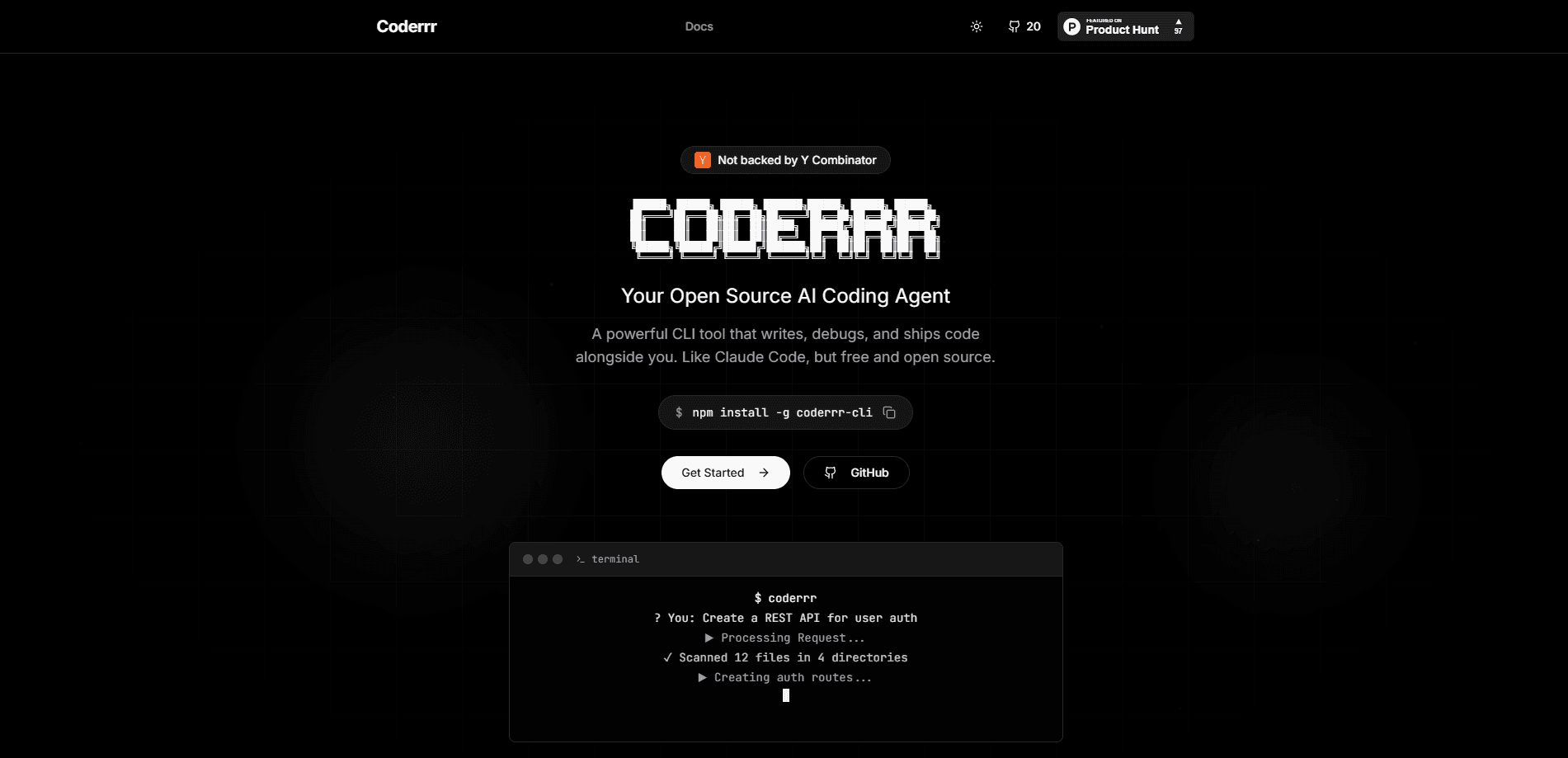
Coderrr is a free, open-source CLI coding agent that plans before it edits. You describe a change in plain language from your terminal, and the tool reads your code, drafts a written plan, then stops and waits. Nothing touches your files until you approve, after which it implements the plan task by task and runs the code in a sandbox to check its own work. It's a terminal coding tool first: no browser tab, no IDE plugin.
About Coderrr
What Is Coderrr
Coderrr is an open-source coding agent that runs in your terminal. It sits somewhere between a chat assistant and a fully autonomous coding bot, and its defining trait is restraint: it won't change a single file until you say so.
That restraint is the whole idea.
The pitch is simple. Most AI coding tools jump straight from your prompt to edits, which is exactly when things go wrong. Coderrr splits the work in two. First it plans, producing real markdown files you can read and edit. Then, only after you approve, it executes. Write tools aren't even present during the planning phase, so the agent can't sneak in an edit while it's still thinking. Think of it as a plan-then-execute agent by design.
It's built for developers who want AI help without handing over the keys. A 72-star project on GitHub, it ships under the MIT license and installs in one command.
Who is this for? Mainly people who have been burned before. Once you've watched an autonomous agent mangle a working branch, a plan step you can read and reject starts to look less like friction and more like a feature.
Getting Started
- Install the package with
pipx install coderrr(oruv tool install coderrr). - Run
coderrr configto pick a provider and model. Ollama works out of the box with no key. - Start a task with a plain-language request, like
coderrr run "add rate limiting to the API". - Review the plan Coderrr writes to
.coderrr/specs/, edit it if you want, then approve. - Let it execute: for each task it reads, edits, runs the code in a sandbox, verifies, and marks it done.
Product Information
A quick look at Coderrr's pricing, supported platforms, and performance.
Best for
The users, tasks, and scenarios where this tool fits best.
Users
- Solo developers and indie hackers
- Teams on a tight budget
- Developers wary of autonomous agents
Tasks
- Adding a feature to an existing codebase
- Refactoring a module
- Writing tests alongside new code
Scenarios
- Picking up work you left mid-project
- Learning a new codebase
- Quick experiments on a local model
Key features
Plan-First Approval Flow
Every task begins with a written plan, not an edit. Coderrr reads your code, pulls relevant skills, and generates requirements.md, design.md, and tasks.md before doing anything else. The plan is shown to you, and the tool stops. This matters because you can correct course in plain English before any file changes, which is far cheaper than undoing a bad patch. It's the core loop that separates this terminal coding tool from agents that edit as they go.
Write Tools Locked Out During Planning
The agent isn't asked to refrain from editing; it simply has no editing tool available while it plans. Write tools are absent from the model's tool list entirely, and approval is the event that unlocks them. It's a structural safeguard rather than a polite request, which is a meaningful difference when you're pointing an AI at a real repo. Structure beats promises.
Sandboxed Code Execution
Coderrr has no tool that runs commands against your working tree. Commands execute in a sandbox, and the agent reads the real exit code and output. No guessing. The default scratch tier uses a throwaway copy of the project, which limits the blast radius of a bad instruction. When Docker is available, it automatically upgrades to a container with networking off and all capabilities dropped. That upgrade matters, because a network-isolated container stops the agent from pulling in a dependency or pinging an endpoint you never approved during the run.
Spec Files as Agent Memory
Plans live in .coderrr/specs/NNN-slug/ and are meant to be committed alongside your code. Beyond documentation, they double as the agent's memory: a later session reads tasks.md to learn where things stand instead of replaying a chat log. You can edit those files before approving to steer the work. That last part is underrated, since it lets you, for example, drop a task you don't want run today and keep a record of the decision inside the repo itself.
Provider Flexibility Over Plain HTTP
Coderrr reaches every provider over plain HTTP, so no provider SDKs get installed. It supports Ollama, Anthropic, OpenAI, Google, and OpenRouter. The default is gemma4:31b-cloud through Ollama, usable on a free account. API keys resolve from environment variables first, then the OS keyring, then a config file written with restricted permissions.
Reusable Skills Registry
Skills are markdown guidance about how to approach a class of problem, fetched when the agent decides it needs them and deleted after use. They add no executable capability, so a poor skill can only give bad advice to an agent whose tools are already gated. You can browse the same registry yourself with coderrr skills search. That's a smart boundary, because it means an untrusted skill pulled from a public index can sway the agent's judgment without ever gaining the power to touch your disk.
MCP Server Support
You can connect your own MCP servers, and their tools become tools Coderrr can call: Figma, Linear, Notion, or something internal to your company. No extra install is needed, since the client is plain HTTP like every other connection in the tool. From inside a session, you paste a URL and you're set. Handy. For teams that already run a Model Context Protocol server for ticketing or design handoffs, this is the piece that folds Coderrr into work you're doing anyway rather than a separate island.
Pros and cons
Pros
- Free and open source under the MIT license, with no subscription for the tool itself.
- The approval gate means nothing on disk changes until you explicitly say so.
- Sandboxed execution reports real exit codes back to the agent, so it can catch its own mistakes.
- Committing spec files keeps a readable record of what was planned and what's left.
- Works with local models, so you can run it without an account or an API bill.
Cons
- Fully local models are noticeably weaker at the multi-turn tool use the agent loop depends on. Results can disappoint.
- The scratch sandbox limits accidental damage, but it's not a barrier against deliberately hostile code. A seatbelt, not a vault.
- Dependency directories aren't copied into the scratch tier, so the agent may need to install them before tests run.
- No public API and no graphical interface, which rules it out for anyone who wants a point-and-click experience.
Frequently asked questions
Yes. The tool itself is free and open source under the MIT license, and the default setup runs through a free Ollama account. You only pay if you choose a paid provider like Anthropic, OpenAI, or Google for stronger models.
Related content
Explore related tools, skills, and articles for Coderrr.
Coderrr Alternatives
Forefront
Forefront · CodingForefront is a web platform for building with open-source AI. It lets you fine-tune leading open-source language models on your own data, evaluate how they perform, and run them through an API or export them to host yourself. Developers who want the convenience of a closed-source platform but insist on owning their models and data are the target audience here.

Startkit
StartKit.AI · CodingStartkit is a boilerplate for building AI SaaS and AI wrapper products. Think of it as an AI startup boilerplate with the boring parts already wired up: authentication, Stripe and Lemon Squeezy payments, usage limits, transactional email, and an AI API starter that talks to OpenAI, Anthropic, Groq, or Llama. You clone the repo, set your price, and start on the part of your product that people actually pay for. It's Next.js under React and Tailwind, so most of the boilerplate code already feels familiar.
Testim
Tricentis · CodingTestim is an AI-powered test automation platform for building and running end-to-end tests across web, mobile, and Salesforce applications. It leans on machine learning to keep tests stable when an interface changes, so teams spend less time fixing broken selectors. Not bad for an automated testing tool you can start using today. You create tests by recording actions in a browser, then optionally add JavaScript when you need more control. It's a solid pick for busy QA teams.