

Codync
leepokai · Coding · Productivity · Chatbot
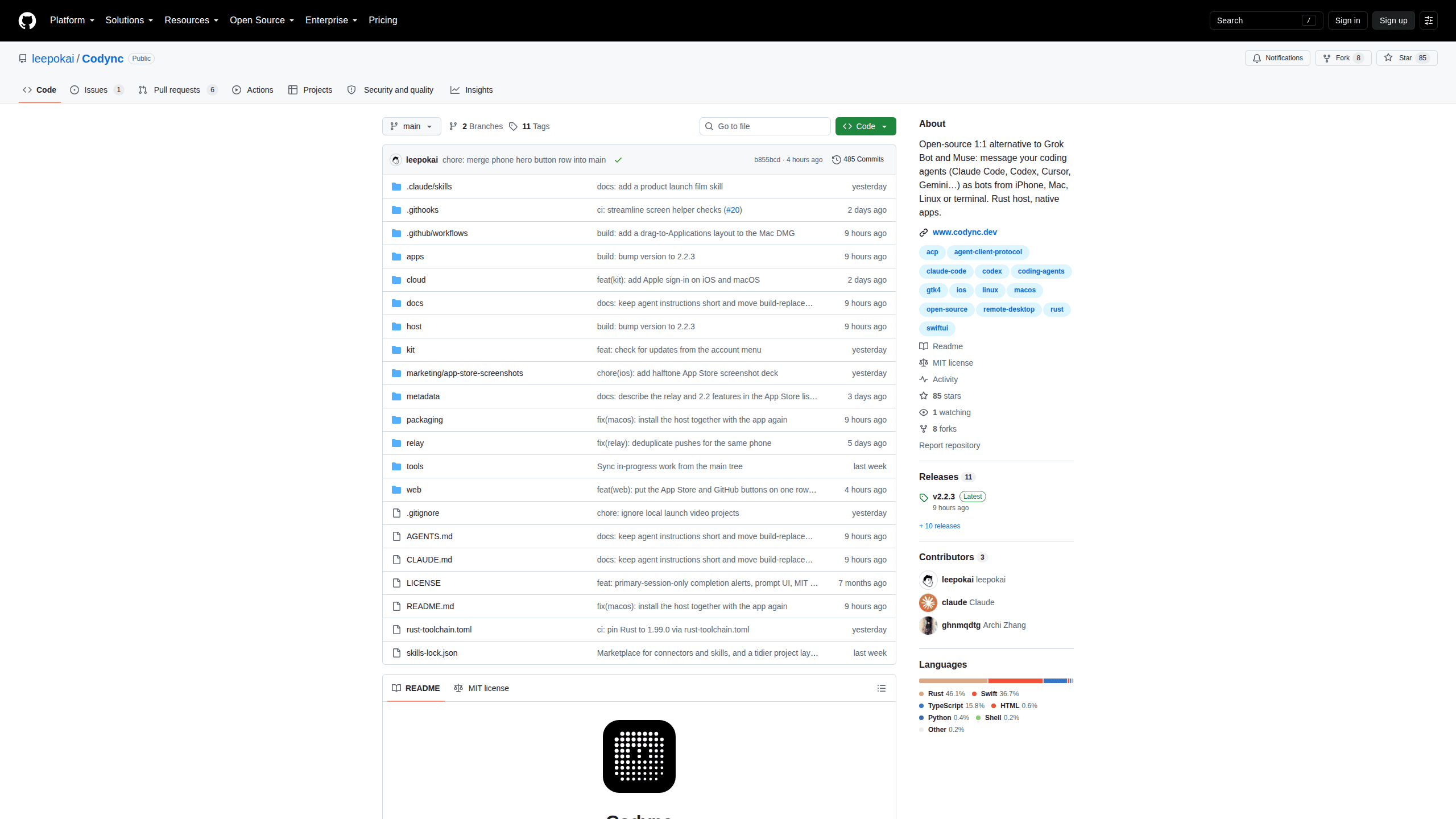
Codync turns the coding agents already installed on your computer into named bots you message and approve from an iPhone, desktop app or terminal. It's free, open source and self-hosted.
About Codync
What Is Codync
Codync is an open-source Grok Bot alternative for people who already pay for a coding agent. Instead of opening a laptop to babysit Claude Code or Codex, you give each agent a name, a project folder and a set of standing instructions, then message it the way you'd message a colleague.
The host is a small Rust program for macOS, Windows and Linux. It talks to your agents over the Agent Client Protocol, keeps every transcript in a local SQLite file under ~/.codync, and serves the iPhone, desktop and terminal clients from the same source of truth. Around 40 agents work with it, including Claude Code, Codex, Cursor, Gemini, Copilot, Pi, OpenCode and Grok Build.
On the phone it behaves like an AI coding agent for iPhone, but the work happens on your machine. Nothing runs in the cloud on your behalf: if the computer sleeps or a subscription lapses, its bots stop. There's also no Android app, so the phone side is iPhone-only.
Getting Started
- Install the app with Homebrew (
brew install --cask leepokai/codync/codync), the curl script or the Windows installer. The macOS and Windows builds set up the host as a background service. - Install and sign in to the coding agents you already use. Codync finds them on first launch and fetches anything else from the ACP registry when a bot needs it.
- Pair your iPhone by scanning the QR code from "Pair iPhone", or run
codync-host pair. An Apple or Google sign-in is optional. - Create a bot: pick an agent, a project folder and a permission policy, then send the first message from the phone, the desktop window or
codync-host tui.
Product Information
A quick look at Codync's pricing, supported platforms, and performance.
Best for
The users, tasks, and scenarios where this tool fits best.
Users
- Developers who already pay for Claude Code, Codex or another agent
- Privacy-minded self-hosters
- Solo builders and small teams juggling several agents
Tasks
- Reviewing agent edits while away from your desk
- Running several agent workflows at once
- Getting a second opinion between agents
- Watching subscription limits
Scenarios
- Commutes and lunch breaks
- Headless servers and cloud VMs
- Several computers
Key features
Bots built from agents you already use
Each bot has a name, an avatar, standing instructions, a project folder and a permission policy. Behind it sits whichever agent you picked: Claude Code, Codex, Gemini, Copilot or anything else in the ACP registry. Codync detects installed agents on its own and downloads the rest on first use, so a Claude bot can hand work to a Codex bot without extra setup.
Remote agent approvals from your phone
When an agent wants to run a command or write a file, the request lands in the chat as an approval card. Push text is sealed to the phone's key, so the relay never reads what a bot said. Approve it, reject it or reply with a correction, then put the phone away again.
Local-first data with an encrypted relay
Transcripts, bot settings and memory sit in SQLite on your machine, not on a vendor server. Remote access runs through a hosted Cloudflare relay that forwards ciphertext only, with end-to-end encryption between phone and host. On the same Wi-Fi or over Tailscale, the app connects directly and skips the relay.
Group chats and bot-to-bot help
A group chat holds several bots plus you. Mention one with @name or let everyone answer in turn for up to three rounds, and reply to any message in the thread. Bots can ask each other for help too: tell one to get a review from another, and the reply arrives as a new turn.
One host, four kinds of client
The Rust host runs on macOS, Windows and Linux, headless servers included. The iPhone app is native SwiftUI with widgets and Live Activities, one Electron build covers Mac, Windows and Linux desktops, and codync-host tui gives you a chat window over SSH.
Remote screen and voice calls
On iPhone you can mirror and control the computer over WebRTC with hardware H.264, which covers the moments when an agent needs a click only a person should make. Voice calls let you talk to a bot hands-free and hear replies read aloud. Remote screen is iPhone-only for now, and Windows desktops don't support it yet.
Pros and cons
Pros
- Free under Apache 2.0, with no paid tier and no per-seat billing.
- Runs on the subscriptions you already have, so there's no second model bill.
- Supports roughly 40 agents, and one chat can mix Claude, Codex and Gemini bots.
- Chats and keys stay on your hardware, and the phone link is end-to-end encrypted.
- The Rust host is light enough for a home server, and the terminal UI covers SSH sessions.
Cons
- No Android app, so the phone experience needs an iPhone.
- Your computer has to stay awake and online for bots to keep working.
- Windows trails macOS and Linux: no remote screen, no on-device speech, and the unsigned installer makes SmartScreen ask for confirmation.
- Headless setup is terminal work, and agents fetched through npx need Node.js installed.
Frequently asked questions
It gives each coding agent on your machine a named chat and a phone client. You send an instruction from the iPhone, the agent works in your project folder, and you get a notification when it finishes or needs an approval.
Related content
Explore related tools, skills, and articles for Codync.
Codync Alternatives

Base Code
Base44 (Wix) · Coding · ProductivityBase Code is a shared cloud development environment from Base44. Teammates describe changes to an existing GitHub codebase in chat, preview them live and send them back as pull requests.

Google EmbeddingGemma 2
Google DeepMind · Writing · Image · CodingGoogle EmbeddingGemma 2 is a 740M-parameter open model that turns text, code, images, audio, and video frames into vectors in one 768-dimension space, running on phones and laptops.

GitGlow
GitGlow · Coding · ProductivityGitGlow is a local-first desktop Git client that lets independent developers review their own code and their AI agents' changes in one place before shipping.