

CoIsland
CoIsland (independent developer, Montréal) · Coding · Productivity
CoIsland is a Mac notch app that watches 39 engineering tools, turns changes into alerts you can act on, and hands the messy ones to a coding agent.
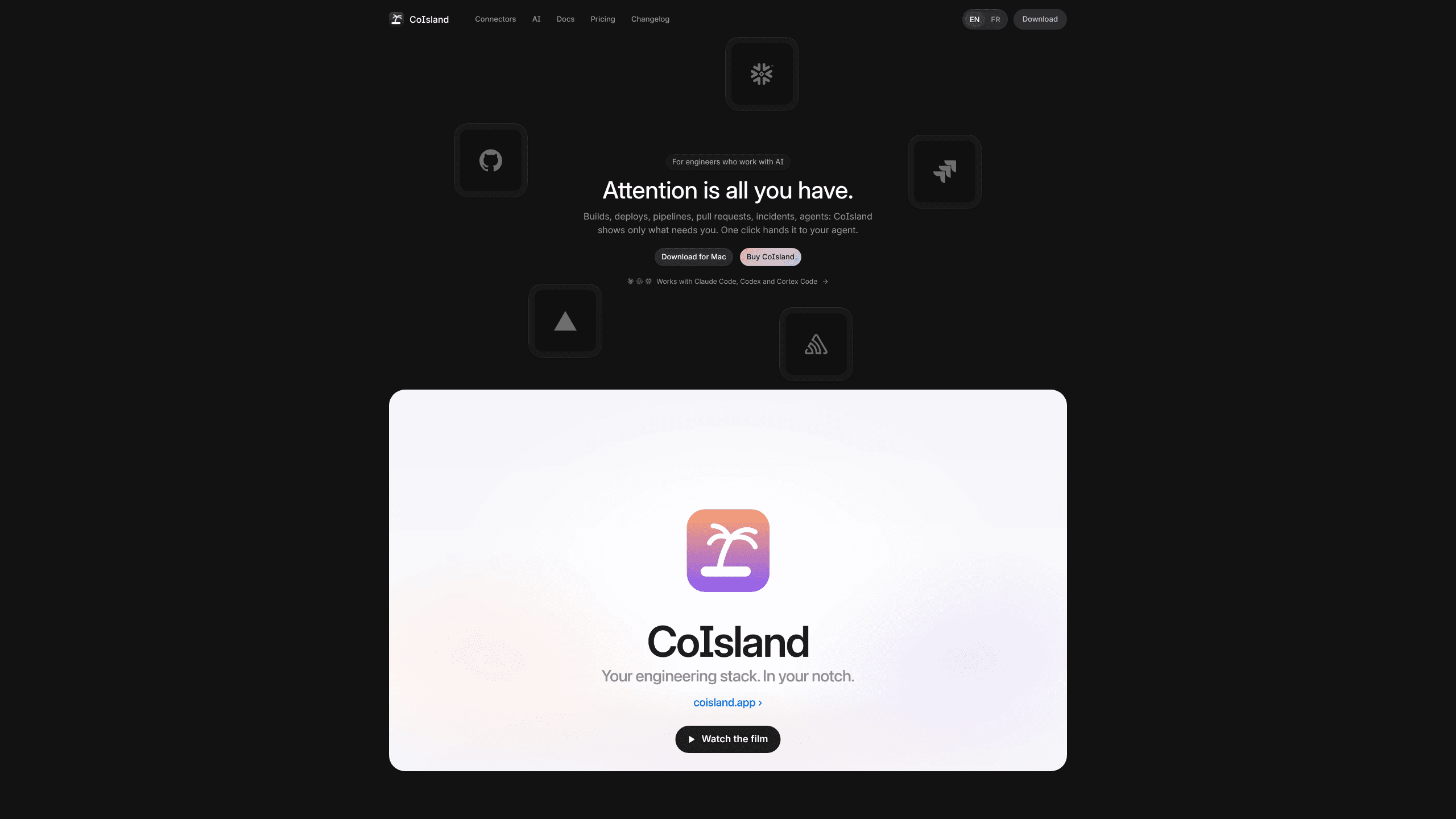
About CoIsland
What Is CoIsland
CoIsland is an engineering stack monitor that lives in the notch at the top of your Mac screen. You connect the tools you already work in, describe what you want to know about each one, and the app checks it on a schedule you set. When something fires, it shows up above every window instead of in a tab you forgot to open.
The app runs on your Mac alone. There's no CoIsland account, no CoIsland server, and each connector's token stays in the macOS Keychain. Setup stays short because of it: download the app, paste a token, write one query.
It's a developer monitoring app, not a replacement for a full observability platform. Alerts and history stay on the machine, so a team can't share one inbox, and nothing runs while your Mac is asleep. For one developer with three projects, that trade is usually the reason to install it.
Getting Started
- Download CoIsland, drag it into Applications and open it. A short tour introduces the island, then lets you work a demo alert.
- Add a connector. Pick a tool, paste its token or sign in, and run the test before you save. Tokens remain in the macOS Keychain, and Snowflake credentials can be imported from the files the Snowflake CLI already uses.
- Create a monitor. Start from an example or write the check in the tool's own language, such as JQL for Jira or a saved search for Sentry, then choose a schedule. Thirty seconds and five minutes are both allowed.
- Work the alert when it lands. Acknowledge it, add a note, resolve it, or hand it to an AI agent and keep the final say on anything destructive.
Product Information
A quick look at CoIsland's pricing, supported platforms, and performance.
Best for
The users, tasks, and scenarios where this tool fits best.
Users
- Solo developers and indie hackers
- Platform and DevOps engineers on call
- Engineering students with coursework and a job
- Small teams without an observability budget
Tasks
- Watching builds and deploys
- Triaging reviews and tickets
- Checking data and API health
- Passing context to an AI agent
Scenarios
- A build fails at 11pm and you're away from the desk
- Three workspaces at once (job, side project, coursework)
- A flaky endpoint that only fails under load
Key features
Alerts that only carry what fired
The island expands from the notch and lists new, acknowledged and resolved alerts, each with its rows, notes and activity. You decide when an alert moves to the next state, and no rule closes one for you. That matters when a red build is expected and you don't want it cleared before you've read it.
39 connectors across seven groups
Connectors cover calendar and mail, code and deploys, issues and docs, errors and on-call, data, web and scripts, plus Stripe for billing. GitHub, GitLab, Jira, Linear, Sentry, Datadog, Snowflake, Postgres and a plain HTTP check sit in the same list, so a work stack and a hobby stack can share one app. Each connector is read-only where the vendor allows it, and setup is a token rather than an OAuth dance through a browser.
Monitors written in each tool's own language
A monitor is one query plus a schedule. You write JQL for Jira, a search string for Sentry, a Linear filter or a SQL statement for Snowflake, so the checks match how you already think about each tool. Anything that returns rows can become an alert, and a shell command covers the internal script nobody wrote a dashboard for.
One-click coding agent handoff
Any alert can go to Claude Code, Codex or Cortex Code, which opens in a terminal underneath the alert with the whole incident as its first message. Claude Code and Codex start in their auto modes and ask before anything destructive, while Cortex Code asks before it acts at all. The coding agent handoff is what separates this from a plain notification list: the agent starts with context instead of a blank prompt, and it still can't close the alert.
Dashboards that show which monitors earn their place
CoIsland keeps history for 62 days and charts alerts over 24 hours, 7 days or 30 days against the previous period. You get actionability, median time to acknowledge, median time to resolve and a list of the noisiest monitors. That turns "too many alerts" into a decision about which two checks to delete.
Local first monitoring with no account
The app talks to your tools directly from the Mac. There's no relay server, no telemetry and no sign-in, and credentials live in the Keychain rather than a vendor database. The appeal of local first monitoring is mostly about blast radius: a breach at CoIsland can't leak tokens it never stored, and uninstalling leaves nothing behind on someone else's disk.
Pros and cons
Pros
- Free Community tier with no card and no account, so you can test the workflow on a real repository before paying.
- One-time Lifetime price from $29 for up to two Macs, with every future update included and a 30-day refund window.
- Broad connector list for a young app: GitHub, Jira, Sentry, Datadog, Snowflake and Stripe in one place, with a token-based setup.
- Native Swift build for Apple Silicon, which keeps memory use low and lets the island sit above full-screen apps without a browser engine.
- Alert quality metrics (actionability, time to acknowledge, time to resolve) give you a reason to prune monitors instead of collecting them.
Cons
- Apple Silicon and macOS 14 are required, so Intel Macs and older systems can't run it at all.
- The free tier runs two monitors on dev tools, which is tight if you want build, ticket and database checks at the same time.
- Alerts and history stay on one Mac, so teammates can't share the same inbox or dashboard.
- The Lifetime licence covers two Macs, and a third machine needs another key.
Frequently asked questions
CoIsland watches developer tools from the Mac notch and shows only the changes that need a person. It replaces the loop of checking GitHub, Jira, a deploy dashboard and an inbox by hand, and it can hand a single alert to a coding agent when you want help fixing it.
Related content
Explore related tools, skills, and articles for CoIsland.
CoIsland Alternatives

Base Code
Base44 (Wix) · Coding · ProductivityBase Code is a shared cloud development environment from Base44. Teammates describe changes to an existing GitHub codebase in chat, preview them live and send them back as pull requests.

Google EmbeddingGemma 2
Google DeepMind · Writing · Image · CodingGoogle EmbeddingGemma 2 is a 740M-parameter open model that turns text, code, images, audio, and video frames into vectors in one 768-dimension space, running on phones and laptops.

GitGlow
GitGlow · Coding · ProductivityGitGlow is a local-first desktop Git client that lets independent developers review their own code and their AI agents' changes in one place before shipping.