

Coldtea.ai
Coldtea · Coding
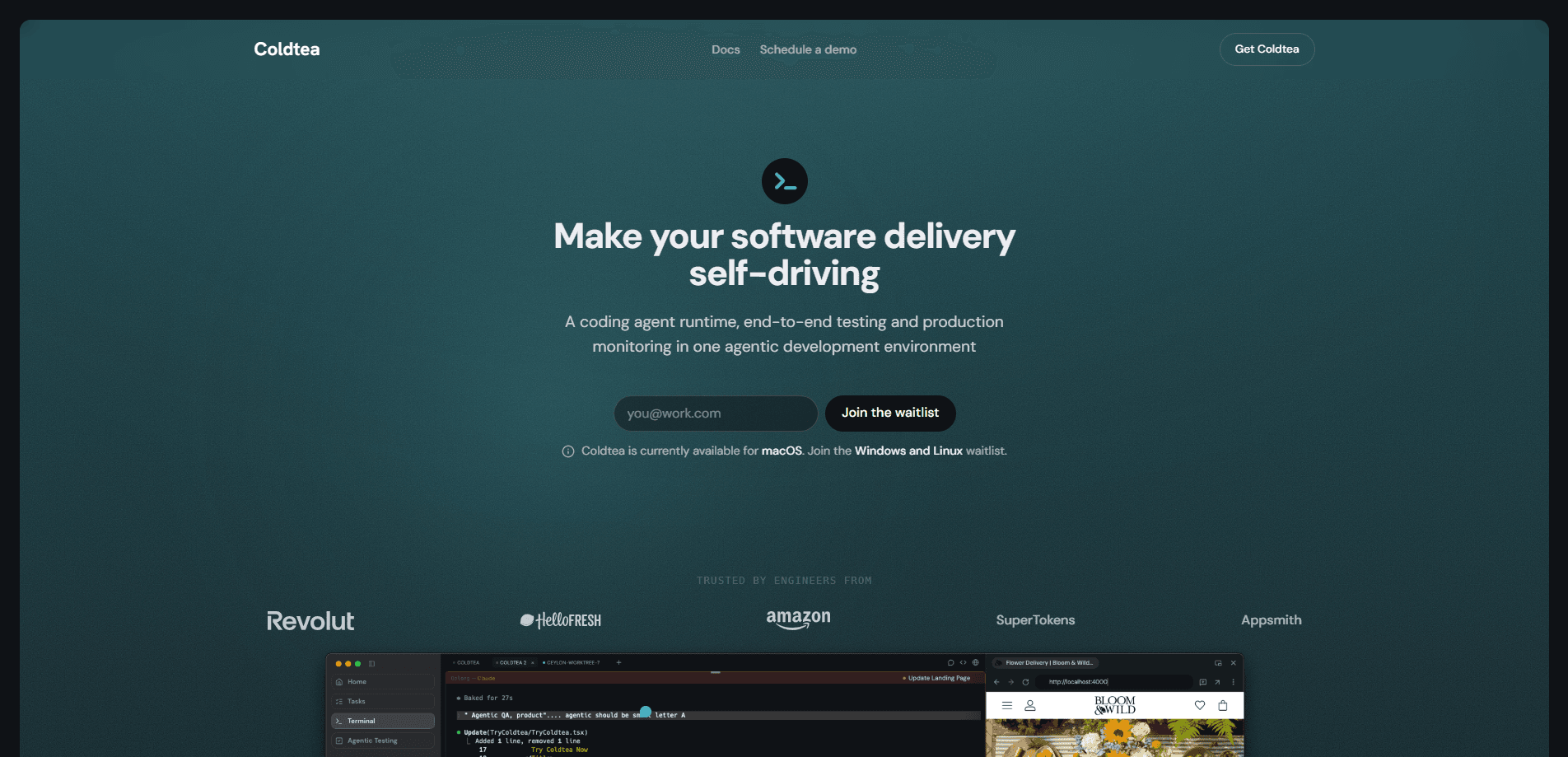
Coldtea.ai is an agentic development environment that puts your coding agent CLIs in a browser tab and wraps them in the work that usually lives somewhere else. You keep Claude Code, Codex, Gemini, or OpenCode, and Coldtea adds parallel worktrees, an editor, annotated diffs, task tracking, end-to-end QA testing, and production monitoring around them. It ships as a desktop app with cloud runs, so an agent can keep working after you close your laptop.
About Coldtea.ai
What Is Coldtea.ai
Coldtea.ai is a development environment built for people who already run coding agents from a terminal and want the rest of the delivery loop in the same place. Instead of replacing your CLI with a chat box, it launches the tools you installed and surrounds them with project context: files, tasks, plans, session logs, and review surfaces. The pitch is simple. You should be able to see what an agent did before you trust it. Can you check the diff? Yes. Can you read the plan? Yes.
It also covers the parts of shipping that agent tools tend to skip. Automated QA testing comes from Matcha, a testing agent that drives your web or mobile app against a URL or a build and hands back a verdict with evidence. It runs on every pull request or on a schedule you set. Production monitoring agents watch the tools you already run, like PostHog, Sentry, and Vercel. What breaks there turns into work your agents can pick up.
The biggest limitation is that Coldtea won't make an unsafe command safe. Local agents run through your shell with your user permissions, so if an agent asks to delete files or touch secrets, that request deserves the same caution it gets in any terminal. Slash commands, permission prompts, and model selection still belong to the CLI agent you launched, not to Coldtea. It's macOS only, so Windows and Linux users are waiting.
Getting Started
- Install the Coldtea desktop app and sign in. The app creates a TeaHouse, your team workspace, on first run.
- Point Coldtea at a local Git repository and make sure at least one supported agent CLI, such as Claude Code or Codex, is installed with provider auth.
- Open the repo and start a session so you can watch the agent work in a visible terminal pane.
- Review the diff and leave comments or annotations directly on the lines you care about.
- Set up a cloud run or a scheduled QA test once the local loop feels right.
Product Information
A quick look at Coldtea.ai's pricing, supported platforms, and performance.
Best for
The users, tasks, and scenarios where this tool fits best.
Users
- Software engineers who already drive agent CLIs and want one workspace instead of five tools, provided they work on macOS.
- Small product teams that need QA and production monitoring tied to the same sessions their agents run in.
- Tech leads reviewing agent output who want diffs, plans, and run evidence in one place before anything ships.
Tasks
- Running parallel attempts at one task
- Automated regression testing on every pull request, with a verdict and evidence instead of a manual pass.
- Turning production incidents into agent work by connecting PostHog, Sentry, Vercel, and similar tools.
Scenarios
- Starting a long agent run before a flight and checking on it from a phone at the gate.
- Pairing a builder agent and a reviewer agent in split panes so they go back and forth until the change is right.
- Handing a teammate a shareable artifact, like a report or preview, as a single link with nothing to install.
Key features
Terminal panes for any CLI agent
Coldtea hosts a real terminal, so anything that runs in one runs here. Split a tab into panes. Run Claude, Codex, opencode, or Gemini in each, and let them message each other. A builder and a reviewer trading notes until the change is clean is the workflow the panes exist for. Your credentials stay yours. So do your plan and rate limits, because Coldtea orchestrates the agents without proxying them or reselling tokens.
Parallel worktrees
One repository, many agents, no collisions. Each run gets its own worktree on its own branch, which means several attempts at the same task stay isolated from one another. It removes the step where you stash work or wait for a teammate to finish before an agent can touch a file. No more stepping on toes.
Cloud runs that survive a closed laptop
A cloud run executes on a hosted machine and streams into a pane, then opens a pull request when it finishes. Shut the lid. Lose wifi. Board a plane. The run carries on to the end without you. You can check progress from any device with a browser and reconnect in about a second, further along than you left it.
An editor and annotated diffs
An editor sits beside the terminal so you can read a change and tweak a line yourself without leaving the tab. Point at an exact line in the editor or the terminal, leave a note, and the agent sees precisely what you meant. Review stops being a separate app you switch to.
Tasks with plans and logs
Every task carries its implementation plan and session logs, so a fresh agent picks up work knowing what the last one did. Tasks sync with Linear, Jira, and GitHub issues, which keeps intent attached to the code instead of buried in a chat thread. Handoffs get easier when the context travels with the task.
Agentic QA testing with Matcha
Matcha, the testing agent, drives your web or mobile app against a URL or a build and returns a verdict backed by evidence. Trigger it on every pull request for regression checks, or put it on a schedule. For teams that ship small changes all day, this is the feature that catches the break before a user does. That matters more than any dashboard.
Production monitoring that becomes work
Coldtea connects the observability tools you already run, including PostHog, Sentry, and Vercel. Monitoring agents watch production, investigate what breaks, and report findings and fixes that sync back to tasks. The loop closes here. What breaks in production comes back as work your coding agents can pick up.
Pros and cons
Pros
- Keeps your existing CLI agents and credentials rather than forcing a new model or chat interface.
- Cloud runs keep working after you close the laptop, so long jobs no longer depend on your hardware staying awake.
- QA testing and production monitoring live beside the code, cutting the tool-switching that hides regressions.
- Parallel worktrees let several agents work one repo without stepping on each other.
- Task plans and session logs make agent handoffs far less lossy.
Cons
- It's macOS only right now, which rules out Windows and Linux developers.
- Local agents inherit your shell permissions, so a careless agent command carries the same risk it always did.
- Pricing isn't published on the site, so you'll have to contact the team or check the app before budgeting.
- The value depends on already using agent CLIs. If you don't, this is a lot of setup for a workflow you haven't started.
Frequently asked questions
Coldtea.ai is an agentic development environment for running coding agent CLIs and managing the work around them. It covers building, reviewing, testing, and monitoring in one macOS app instead of across separate tools.
Related content
Explore related tools, skills, and articles for Coldtea.ai.
Coldtea.ai Alternatives
Forefront
Forefront · CodingForefront is a web platform for building with open-source AI. It lets you fine-tune leading open-source language models on your own data, evaluate how they perform, and run them through an API or export them to host yourself. Developers who want the convenience of a closed-source platform but insist on owning their models and data are the target audience here.

Startkit
StartKit.AI · CodingStartkit is a boilerplate for building AI SaaS and AI wrapper products. Think of it as an AI startup boilerplate with the boring parts already wired up: authentication, Stripe and Lemon Squeezy payments, usage limits, transactional email, and an AI API starter that talks to OpenAI, Anthropic, Groq, or Llama. You clone the repo, set your price, and start on the part of your product that people actually pay for. It's Next.js under React and Tailwind, so most of the boilerplate code already feels familiar.
Testim
Tricentis · CodingTestim is an AI-powered test automation platform for building and running end-to-end tests across web, mobile, and Salesforce applications. It leans on machine learning to keep tests stable when an interface changes, so teams spend less time fixing broken selectors. Not bad for an automated testing tool you can start using today. You create tests by recording actions in a browser, then optionally add JavaScript when you need more control. It's a solid pick for busy QA teams.