

ColibotAI
Edoardo Guzzi · Writing
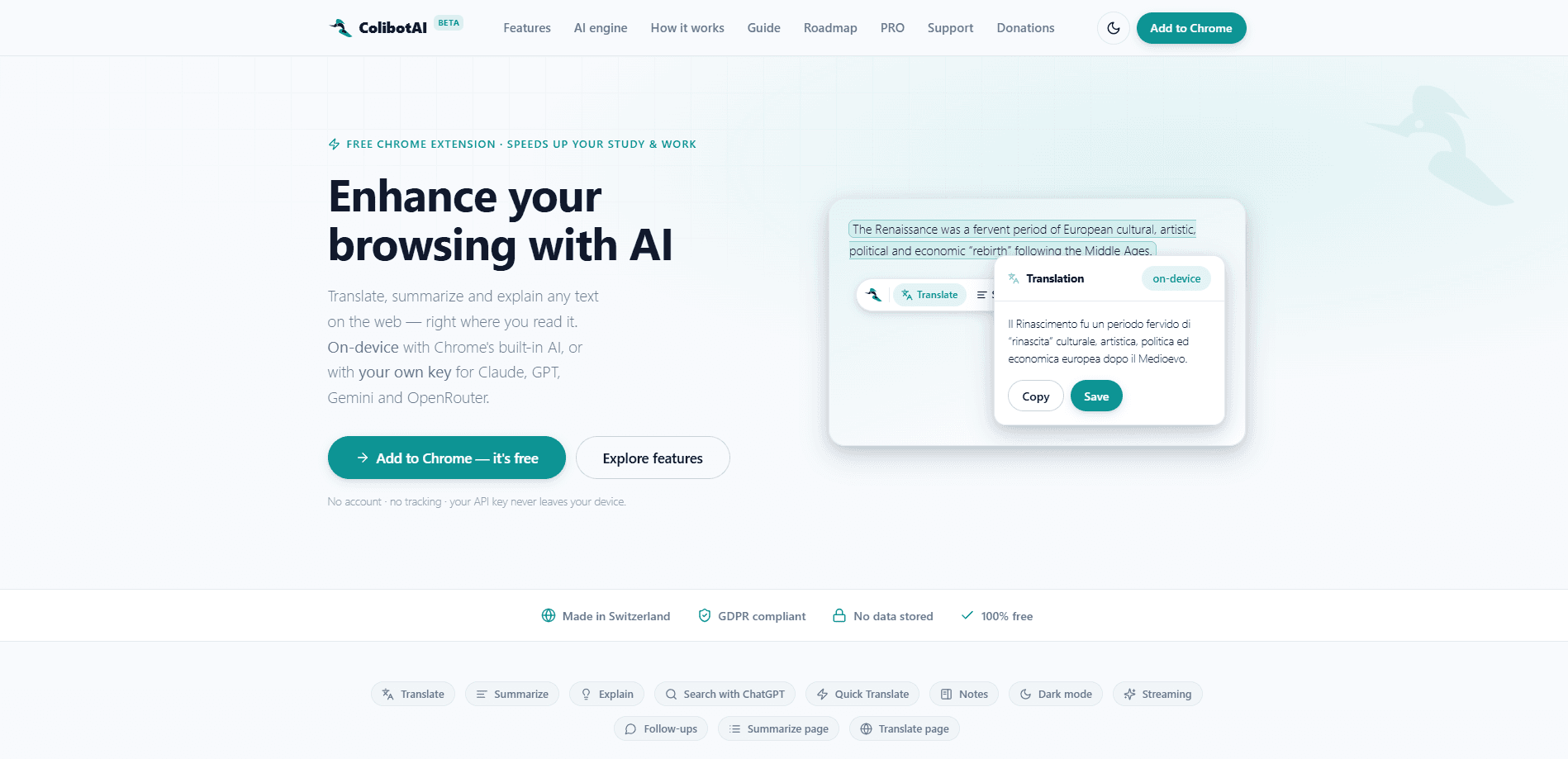
ColibotAI is a free Chrome extension that brings AI translation, summarization and explanation right into the page you're reading. It runs on Chrome's built-in on-device AI for private, zero-cost results, or you can plug in your own key for GPT, Claude, Gemini and OpenRouter. Use it to translate web text, summarize articles or explain a hard passage without leaving the page. No account. No tracking. Still free.
About ColibotAI
What Is ColibotAI
ColibotAI is a browser extension that puts an AI assistant behind every text selection on the web. Highlight a paragraph and it can translate it, condense it down to the essentials, or explain the parts you don't follow. The catch most tools have, sending your text to a company server, doesn't apply here by default. On a machine where Chrome's on-device model is available, everything happens locally.
The extension is built for people who read across languages and dense subjects all day. Students working through foreign research. Translators checking phrasing. Anyone losing the thread halfway down a long article. Instead of copying text into a separate chatbot tab, you work in place.
So where does it fall short? The main limitation is scope. ColibotAI is a Chrome extension only, so Firefox and Safari users are left out, and the on-device path depends on Chrome shipping its built-in model to your specific hardware and operating system before anything works locally.
Getting Started
- Install ColibotAI from the Chrome Web Store and pin it to your toolbar.
- Open the extension popup and, if you want cloud models, paste in an API key from OpenAI, Anthropic, Google or OpenRouter. It's validated instantly with a zero-token check.
- Highlight any text on a page and use the selection toolbar to translate, summarize or explain it.
- For whole-page jobs, use the one-click Summarize page or Translate page actions, then adjust the summary depth to Short, Medium or Long.
- Save anything useful to the notes side panel, where you can search, annotate and export it later.
Product Information
A quick look at ColibotAI's pricing, supported platforms, and performance.
Best for
The users, tasks, and scenarios where this tool fits best.
Users
- Students reading research or textbooks in a second language
- Translators and language learners
- Privacy-conscious professionals
Tasks
- Translating web text in a highlighted passage
- Summarizing a long article
- Explaining dense or technical text
Scenarios
- Working through foreign-language news or documentation during the day
- Research sessions where you need to capture quotes
- Reading on a machine with sensitive material
Key features
Hybrid AI engine
ColibotAI gives you a choice of engines rather than locking you to one. It starts with Chrome's free on-device model when your setup supports it, then falls back to your own API key when you want a specific cloud model. That split means you get privacy and zero cost by default. Raw capability on demand.
Translate, summarize and explain in place
The core trio works on whatever you highlight. Translation covers a broad language range. Summarization pulls out the key points and drops the filler. Explain mode reworks difficult passages into plain context. Nothing leaves your reading flow to open a chat window.
Bring your own key and local models
You can point ColibotAI at OpenAI, Anthropic, Google or OpenRouter, or connect it to your own server. It works as a BYOK translation tool too, which means your key stays yours and your text goes straight to the provider you picked. It accepts any OpenAI-compatible endpoint, plus local setups like Ollama, LM Studio and llama.cpp, so a private model running on your own hardware is a perfectly valid target if you'd rather keep everything in-house.
Token-saving answer reuse
Re-run text that's near-identical to something you've already processed, and ColibotAI reuses the saved answer instead of calling the model again. The similarity threshold is adjustable, and that matters a lot if you're paying per token through a cloud provider and quietly watching the monthly bill climb.
Notes side panel
Any result can be saved as a searchable note. From the side panel you can annotate, filter, import and export to JSON, and re-use old findings. No more hunting for that one good summary you saw last week. It turns scattered lookups into a small working library you can revisit.
Whole-page summarize and translate
Beyond selections, the extension can summarize articles or translate an entire page in one click. Summaries come at Short, Medium or Long depth, and translated pages restore to the original with a single tap. Page translation runs in place.
Streaming answers and follow-ups
Results appear live as they're generated rather than after a pause. On any result you can ask a follow-up question without re-selecting the text. The original stays as context for the next exchange, which keeps quick back-and-forth reading sessions flowing without breaking your place on the page.
Light, dark and bilingual interface
The interface follows your system theme and ships in English and Italian, with accessibility built in from the ground up. Small detail. Big difference if you live in dark mode.
Pros and cons
Pros
- Runs free on Chrome's on-device AI, with no account and no tracking on the default path.
- Bring your own key covers GPT, Claude, Gemini and OpenRouter, plus any OpenAI-compatible local server.
- Answer reuse and a configurable similarity threshold cut token spend on repeat text.
- Selection-level and whole-page translation, summarization and explanation live in one extension.
- Notes panel with search, annotation and JSON export keeps results retrievable.
Cons
- Chrome only, so Firefox, Safari and mobile browsing aren't supported.
- On-device mode depends on Chrome's built-in model being available on a given machine.
- The richest cloud results need your own paid API key, which adds setup and cost.
- Roadmap features like more depth controls are still shipping, so the tool is moving but not settled.
Frequently asked questions
Yes. The extension itself is 100% free and runs on Chrome's on-device AI at no cost. Costs only enter the picture if you choose to attach a paid key from a cloud provider like OpenAI or Anthropic.
Related content
Explore related tools, skills, and articles for ColibotAI.
ColibotAI Alternatives

Google EmbeddingGemma 2
Google DeepMind · Writing · Image · CodingGoogle EmbeddingGemma 2 is a 740M-parameter open model that turns text, code, images, audio, and video frames into vectors in one 768-dimension space, running on phones and laptops.

MePersona
MePersona, Inc. · Writing · Productivity · MarketingMePersona is an AI unified inbox for creators. It learns your voice, drafts replies to fan messages from 12 platforms, and sends only what you approve.

Fluence
Yay Software (Yannick Huchard) · Writing · Voice & Language · ProductivityFluence is an Android app that reads PDFs, EPUBs, Word files and web articles aloud, follows each sentence as it speaks, and answers questions about the text on the phone itself.