

Colossal
Colossal · Other
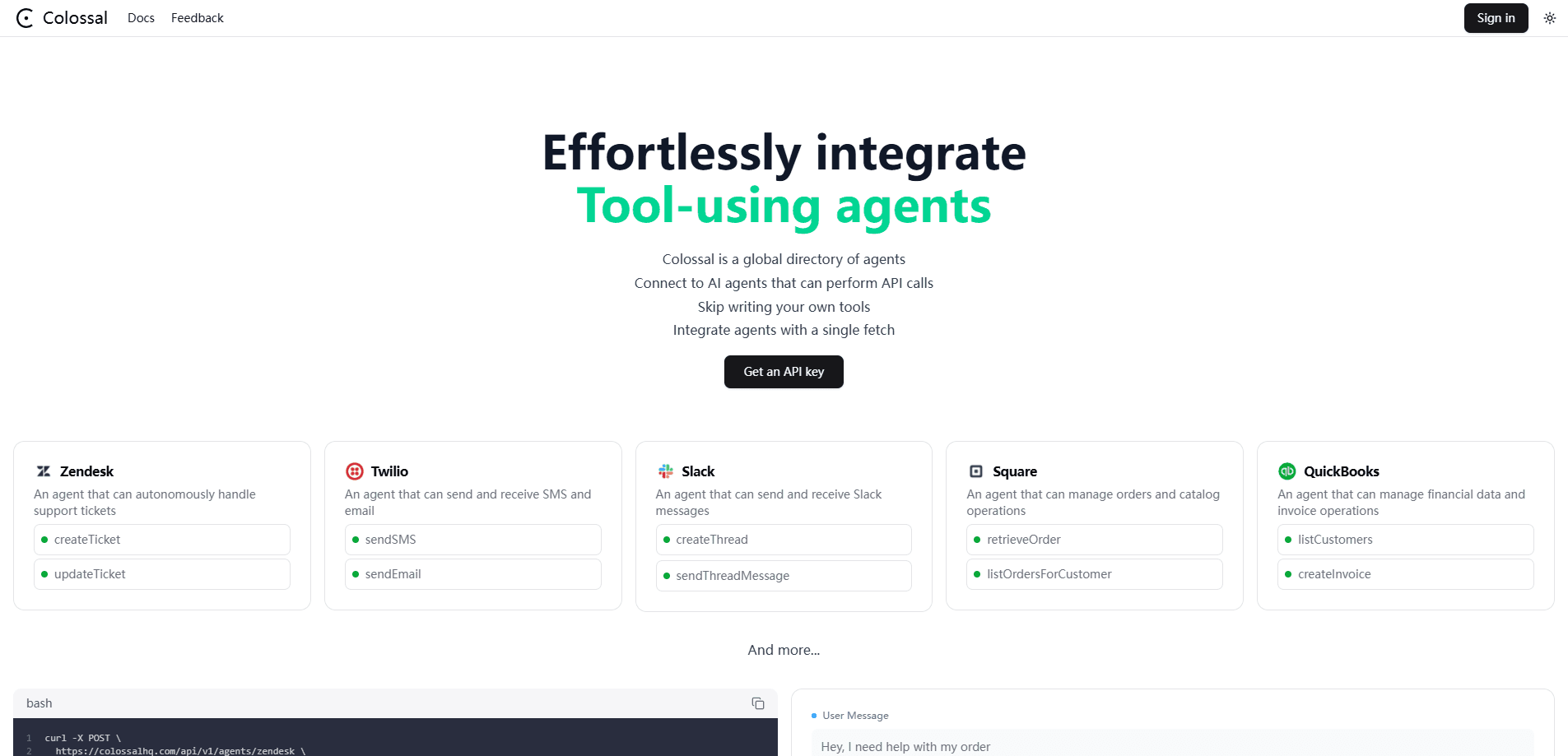
Colossal is a global directory of pre-made AI agents that carry out real API calls, so developers can drop tool-using agents into their own LLM apps without building each integration.
About Colossal
What Is Colossal
Colossal is an AI agent directory of ready-made agents that do real work through API calls. Instead of wiring each business tool into your app by hand, you pick an agent from the catalog and call it. The catalog covers jobs like handling support tickets, sending and receiving SMS or email, posting to Slack, managing orders and product catalogs, and working with financial and invoice data.
The company frames the product as an AI operating system for business. The pitch is that sales intake, research, proposals, invoicing, and connected workflows live in one system that stays accountable, rather than scattered across tools that never talk to each other. For developers, the practical piece is the agent endpoint: you send a request with your own model provider details and the credentials for the app you want the agent to reach, and it runs the calls. That shape is what lets teams integrate AI agents that touch real systems without owning every connector.
The main limits matter before you commit. Colossal is aimed at developers and teams who can connect accounts and pass API keys, not at casual users who expect a finished app out of the box. You bring your own LLM provider, so cost and quality follow whatever model you pick. As a young product, the catalog and its docs change often, and the public information on pricing is thin.
Getting Started
- Sign in at colossalhq.com and get an API token from the dashboard.
- Pick an agent from the directory, such as the one for a support inbox or for invoicing.
- Call the agent endpoint with your model provider details and the credentials for the target app.
- Set run options, like streaming tool calls and a step limit, to control how far the agent goes.
- Read the response, then fold the agent into your own workflow or app.
Product Information
A quick look at Colossal's pricing, supported platforms, and performance.
Best for
The users, tasks, and scenarios where this tool fits best.
Users
- Developers building LLM apps
- Backend and platform engineers
- Small product teams
- Support and ops teams with engineering help
Tasks
- Handling support tickets
- Sending and receiving SMS and email
- Posting and reading Slack messages
- Managing orders and catalogs
- Working with invoices and financial data
- Prototyping a tool-using agent
Scenarios
- A team automating a support inbox
- A startup adding messaging without a new microservice
- A developer comparing agent APIs
- An ops group linking finance data
- Someone learning how agents call tools
Key features
Pre-made agents for common business tools
The core of Colossal is a directory of agents that already know how to reach a given tool. There are agents for support tickets, SMS and email, Slack messages, orders and catalogs, and financial and invoice operations. You pick the one that matches the job instead of writing the connection yourself.
One endpoint for tool-using agents
Every agent runs through a single API shape. You post to the agent path, pass your model provider and its credentials, then add the credentials for the target app and a few run options. That consistency means a developer learns one request format and reuses it across the catalog.
Bring your own model provider
Colossal does not lock you to one model. You pass your provider details, such as an OpenAI key, in the request, so the agent runs on the model you already pay for. It keeps model choice and cost in your hands while the directory handles the tool calls.
Run controls for each agent
Each request takes options that shape how far the agent goes. Streaming tool calls let you watch the steps as they happen, and a step limit caps how many calls one run makes. Those controls help you manage latency, cost, and the risk of an agent looping on a task.
Account-level credentials
Because agents act on real systems, the request carries the credentials for the target account, like a support subdomain, an email address, and an API token. That design keeps each integration scoped to the account you name, so an agent only touches what you hand it.
Directory model that grows with the catalog
Colossal positions itself as the largest global directory of ready-to-use agents for developers. As the catalog grows, teams can add a new capability by choosing another agent rather than building a fresh connector, which shortens the path from an idea to a working automation.
Pros and cons
Pros
- Turns a messy integration job into one API call, which saves build time for each business tool.
- Covers high-value jobs out of the box, including support, messaging, Slack, orders, and invoicing.
- Lets you keep your own model provider, so you are not forced onto one vendor's model.
- Run options like streaming and a step limit give control over cost and how far an agent goes.
- The directory model means new capabilities arrive as new agents, not new code.
Cons
- Built for developers, so anyone without API skills and account credentials cannot use it directly.
- You supply the LLM provider, which means model cost and quality ride on your own choice and budget.
- Public pricing is not listed, so teams cannot estimate spend before they sign in and ask.
- As a young product, the agent catalog and its docs can shift, which adds review work before you ship.
Frequently asked questions
Colossal is a directory of ready-made AI agents that perform real API calls. Developers call an agent to handle jobs like support tickets, SMS and email, Slack messages, orders and catalogs, and invoicing, instead of building each integration from scratch.
Related content
Explore related tools, skills, and articles for Colossal.
Colossal Alternatives

Odyssey 3
Odyssey · OtherOdyssey-3 is Odyssey's foundation world model. It simulates physics in real time, turns a prompt into an interactive environment, and adapts to robots, cars and games.

JarvisCore
Prescott Data · Coding · Productivity · OtherJarvisCore is an open source Python runtime where AI agents work as equal peers on an agent mesh, claim tasks from a shared ledger, and reach external services through a zero-trust broker.
Clef
Cloudflare · Business · OtherClef is Cloudflare's open-source decision model for Workers AI. It returns calibrated probabilities for typed questions, not generated text, so agents can classify, route, and act fast.