

ComfortCall
Comforto · Voice & Language · Marketing
ComfortCall is a privacy-first app that sends a real, verified phone call on demand, so you can step out of small talk, ease anxiety, or feel safe on the way home.
About ComfortCall
What Is ComfortCall
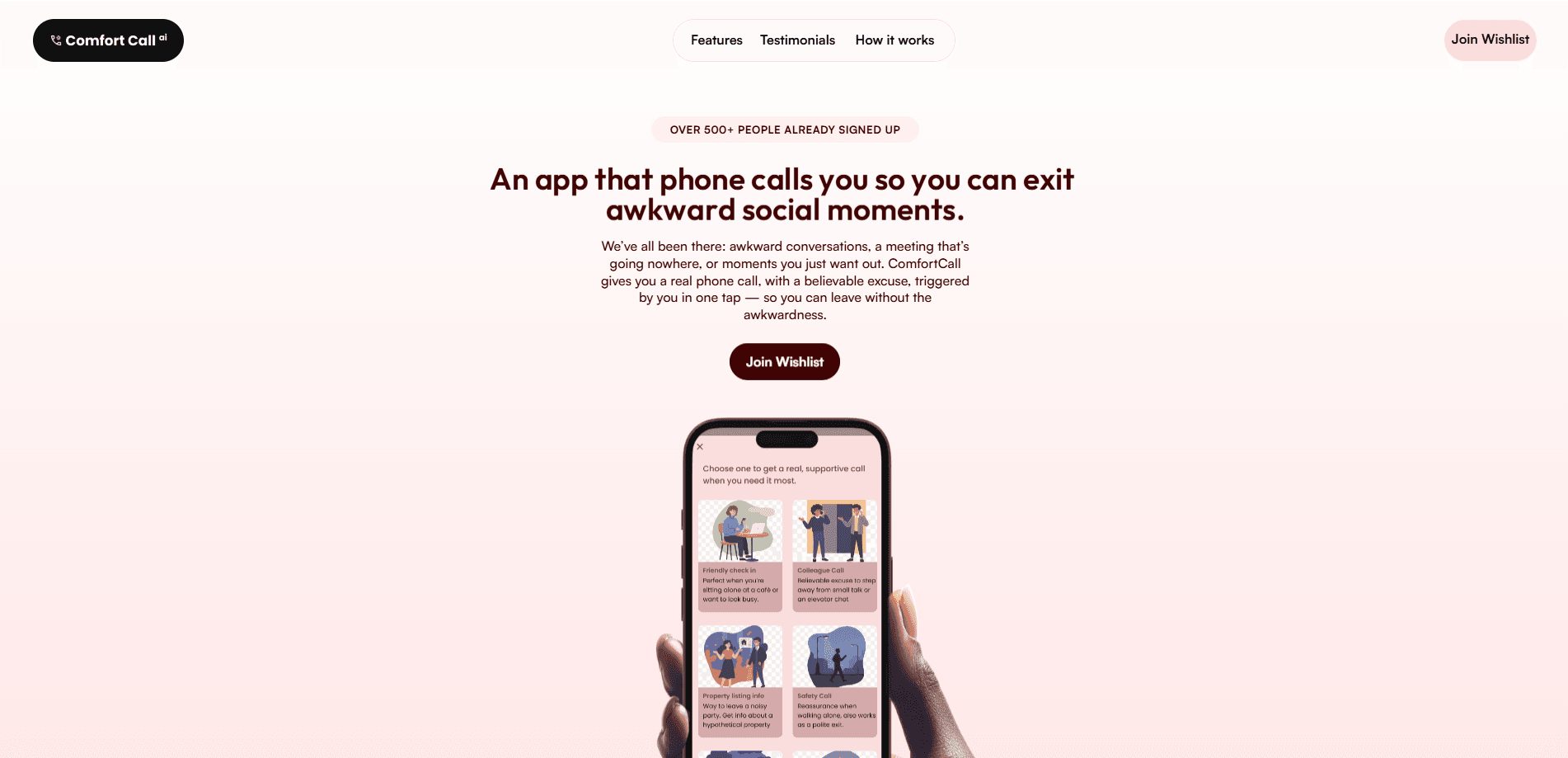
ComfortCall is a support app that rings your phone with an actual inbound call at the moment you need an exit. It isn't a recording and it isn't a fake call screen. A verified number dials you, and a friendly voice on the other end gives you a believable reason to leave a conversation, a room, or an awkward moment.
The idea targets a common problem. Walking away from small talk, sitting alone at a cafe, or heading home after dark can feel harder than it should. ComfortCall turns that into one tap: pick a scenario, and your phone rings with a natural excuse.
The biggest caveat is that the app hasn't shipped yet. As of late 2025 it's a waitlist page with more than 500 people signed up, so there's no public build, no confirmed pricing, and no app store listing to try. What's described here reflects the developer's own product page, not a tested release.
Getting Started
- Join the wishlist on the official ComfortCall site with your name and phone number, which the page says it won't share.
- Pick a caller scenario once you're in: friendly check-in, colleague reminder, doctor's office, or a safety call.
- Tap for an instant call or schedule one for a later time, like a reminder to pick up groceries.
- Answer when the verified number rings, let the voice guide the moment, then step away.
Product Information
A quick look at ComfortCall's pricing, supported platforms, and performance.
Best for
The users, tasks, and scenarios where this tool fits best.
Users
- People with social anxiety
- Anyone walking home at night
- Remote workers and students
Tasks
- Leaving small talk
- Breaking off an awkward conversation
- Building a reason to look busy
Scenarios
- Sitting alone at a cafe
- Leaving a party early
- Walking home after dark
Key features
Real Calls From Verified Numbers
ComfortCall dials you from numbers the company says it owns, so nothing is spoofed and nothing looks like a home-made fake call screen. It's a fake call alternative that uses a genuine line instead of a ringtone trick. If someone glances at your phone, they see a normal incoming call on the lock screen.
Scenario Selection
You pick the caller to match the moment: a friend checking in, a colleague with a reminder, a doctor's office, or a safety check. Each one frames the call so the excuse fits what you're trying to leave behind.
Privacy-First Design
The developer states the app doesn't read your contacts and doesn't copy your phone's interface. Name, phone number, date of birth, and sensitive information stay unshared, and calls only happen when you trigger them.
Instant or Scheduled Calls
You can fire a call on the spot or set one to arrive later. That's what turns it into a reminder tool too, like a nudge to grab groceries or send a file at a set time.
Scheduled Task Reminders
The reminder scenarios go beyond excuses. A scheduled support call can bring up a pending task, so the same mechanism doubles as a gentle prompt you can answer in public without looking at your screen.
Supportive Caller Voice
Behind each call is a voice meant to feel calm and reassuring rather than robotic. The privacy policy names ElevenLabs for AI voice, alongside Twilio for the calls and Firebase for sign-in and storage.
Pros and cons
Pros
- Calls come from verified numbers, not spoofed ones, so they hold up if someone sees your screen.
- Four distinct scenarios cover small talk, work, medical, and safety moments.
- Instant and scheduled options let one tool handle both quick exits and task reminders.
- The privacy stance is specific: no contacts access, no UI mimicry, and no data selling.
- Free plan is listed, which lowers the cost of trying it once it ships.
Cons
- The app isn't released yet, so you can't test any of it now.
- Pricing beyond the free plan is unknown, and there's no app store listing.
- Scheduled calls depend on you planning ahead, which doesn't help in a surprise situation.
- A real call only works with a working phone and signal, so it's a poor fit offline.
Frequently asked questions
No. It sends a real inbound call from a number the developer says it owns, not a ringtone trick or a fake call screen. The point is that it looks and sounds like a normal call.
Related content
Explore related tools, skills, and articles for ComfortCall.
ComfortCall Alternatives

Foley
Hanamori Labs, LLC · Voice & Language · Productivity · AI AssistantFoley is a voice to-do list that turns a spoken sentence into a filed task, complete with project, date and time, then helps you plan the day around what is already there.

HireKey
HireKey · Voice & Language · Productivity · LeaningHireKey is an AI job search copilot built by a former tech recruiter. It checks role fit, tailors resumes, runs interview practice and tracks every application.

Fluence
Yay Software (Yannick Huchard) · Writing · Voice & Language · ProductivityFluence is an Android app that reads PDFs, EPUBs, Word files and web articles aloud, follows each sentence as it speaks, and answers questions about the text on the phone itself.