

AI Comic Factory
Jonathan Bilcke (jbilcke-hf), open source · Writing · Image
AI Comic Factory is a free, open-source AI comic generator that turns a single story prompt into a full comic page with styled panels, captions, and dialogue bubbles.
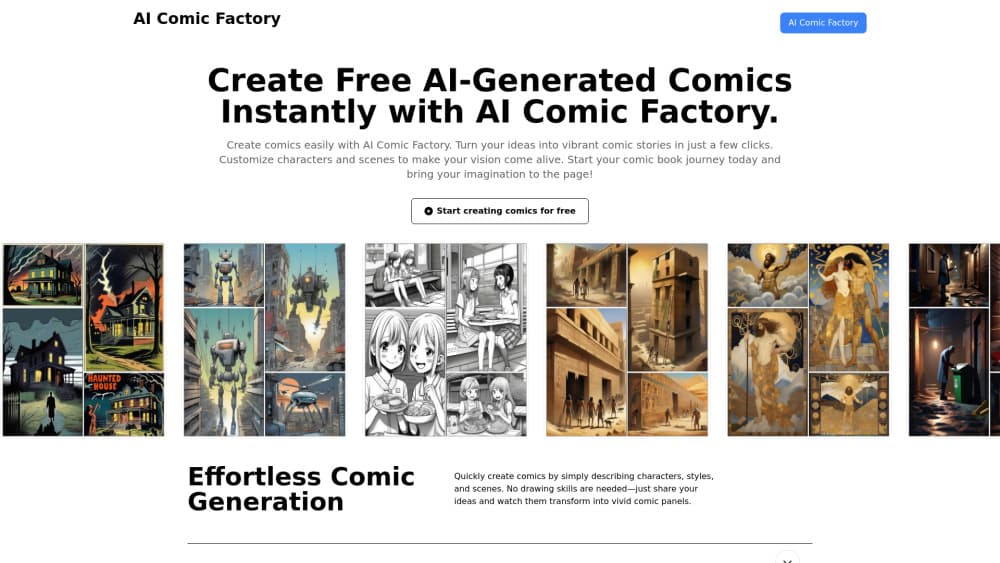
About AI Comic Factory
What Is AI Comic Factory
AI Comic Factory is a web tool that writes and draws comic pages from one text prompt. You type a story, pick a style and a page layout, and the app builds the panels for you. No drawing skill is required at any point.
It works in two stages. A language model turns your idea into a story outline and short scene descriptions for each panel. An image model then draws those scenes, and the app arranges them on the page you picked. The project is open source under the Apache 2.0 license and runs publicly as a Hugging Face Space, so you can use the hosted version or run your own.
The main limitation is longevity of the free path. The free hosted version runs on Hugging Face's shared inference quota, not a subscription, and the project disabled its own free SDXL/LLM API in late October 2025. It also caps anonymous users at one comic before sign-up, and the story around any panel is fixed once generated, so fixing a weak image means redrawing or editing rather than reshaping the plot.
Getting Started
- Open the Hugging Face Space or the aicomicfactory.app site. Sign in with a Hugging Face account if you plan to generate more than one comic.
- Write a story in the first box and a style hint in the second, for example a detective dog and a rainy night scene.
- Pick a style preset such as Japanese, Franco-Belgian, or American (modern), and choose one of the grid layouts.
- Press Go and wait for the panels to render. Turn captions and speech bubbles on or off from the top menu before or after generating.
- Get the PDF through the print dialog, or export the page and convert it to JPG for sharing.
Product Information
A quick look at AI Comic Factory's pricing, supported platforms, and performance.
Best for
The users, tasks, and scenarios where this tool fits best.
Users
- People with no drawing skills
- Indie creators and social media posters
- Teachers and trainers
- Comic fans and hobbyists
Tasks
- Turning a short story into panels
- Producing a one-page comic for social posts
- Visualizing a script or pitch
- Exploring art styles
Scenarios
- A quick classroom activity
- Drafting a comic strip for fun
- Testing a story idea before a bigger project
Key features
One prompt to a full comic page
The whole workflow starts from a single story prompt. You describe the characters, the scene, and roughly what happens, and the tool splits that into panels with their own scene descriptions. If the story is long enough, it continues onto further pages so a multi-page comic stays consistent instead of restarting from scratch each time.
25+ visual style presets
Styles are grouped into American, Asian, and European families. You get manga and Nihonga from the Asian set, Franco-Belgian bande dessinée from the European side, and several American eras, plus oddities like Klimt, Glass, Voynich, Egyptian, and Pixel. Each preset carries its own prompts and negative prompts, so the model is pushed toward one look and away from the others.
Multiple page layouts
Pages follow fixed grid templates rather than freeform placement. The standard layouts cover a classic four-panel grid, a taller three-row arrangement, and larger multi-panel blocks. If you cannot decide, the Random option picks one for you. Layouts are shared across pages, which keeps a longer story visually even.
Captions and speech bubbles
Each panel can carry a caption at the top and dialogue rendered as bubbles. Both are toggles in the top menu, so you can compare a clean page against a narrated one. The dialogue text is generated by the language model alongside the scene, which means the words and the picture come from the same story pass.
Redraw and edit per panel
You are not stuck with a bad panel. Redraw repeats image generation for a single panel until it looks right, and the prompt editor lets you fix the wording that the model used. That panel-level control matters more here than in a single-image generator, because one weak frame drags down the whole page.
Model and provider flexibility
The backend is not locked to one service. Story generation supports Hugging Face Inference API, a dedicated Inference Endpoint, OpenAI, Groq, and Anthropic, while rendering supports the Hugging Face inference API, a custom endpoint, Replicate, and VideoChain. Anyone running their own copy can point it at local or proprietary models with a bit of code.
Open source and self-hostable
The full code sits on GitHub and the Hugging Face Space under the Apache 2.0 license. You can read how a page is assembled, fork it, swap in different models, and host it yourself, which is rare for a generator this approachable.
Pros and cons
Pros
- Free and open source, so there's no license fee to test or reuse the tool.
- Style and layout choices are concrete: presets and grid templates produce a page instead of loose single images.
- Per-panel redraw and prompt editing give real control over weak frames.
- Self-hosting is possible, and the provider setup lets you run it on models you already pay for.
- Works in a browser with no install, so the barrier to a first comic is low.
Cons
- The free hosted version depends on shared inference quota, which can slow down or throttle at busy times.
- Anonymous visitors get one comic before they're asked to sign up, which limits a casual first look.
- The output is grids of generated panels, not a full illustration app, so there's no freeform page design or vector editing.
- Story text is decided up front, so a plot that doesn't work still has to be redrawn rather than rewritten into shape.
- Panel-to-panel character consistency relies on the underlying models and is not guaranteed.
Frequently asked questions
AI Comic Factory is a free web tool that turns one text prompt into a comic page. A language model writes the story and panel descriptions, and an image model draws each panel into a layout you pick.
Related content
Explore related tools, skills, and articles for AI Comic Factory.
AI Comic Factory Alternatives

Google EmbeddingGemma 2
Google DeepMind · Writing · Image · CodingGoogle EmbeddingGemma 2 is a 740M-parameter open model that turns text, code, images, audio, and video frames into vectors in one 768-dimension space, running on phones and laptops.

MePersona
MePersona, Inc. · Writing · Productivity · MarketingMePersona is an AI unified inbox for creators. It learns your voice, drafts replies to fan messages from 12 platforms, and sends only what you approve.

Fluence
Yay Software (Yannick Huchard) · Writing · Voice & Language · ProductivityFluence is an Android app that reads PDFs, EPUBs, Word files and web articles aloud, follows each sentence as it speaks, and answers questions about the text on the phone itself.