

Compose for macOS
Compose AI, Inc. · Writing · Productivity
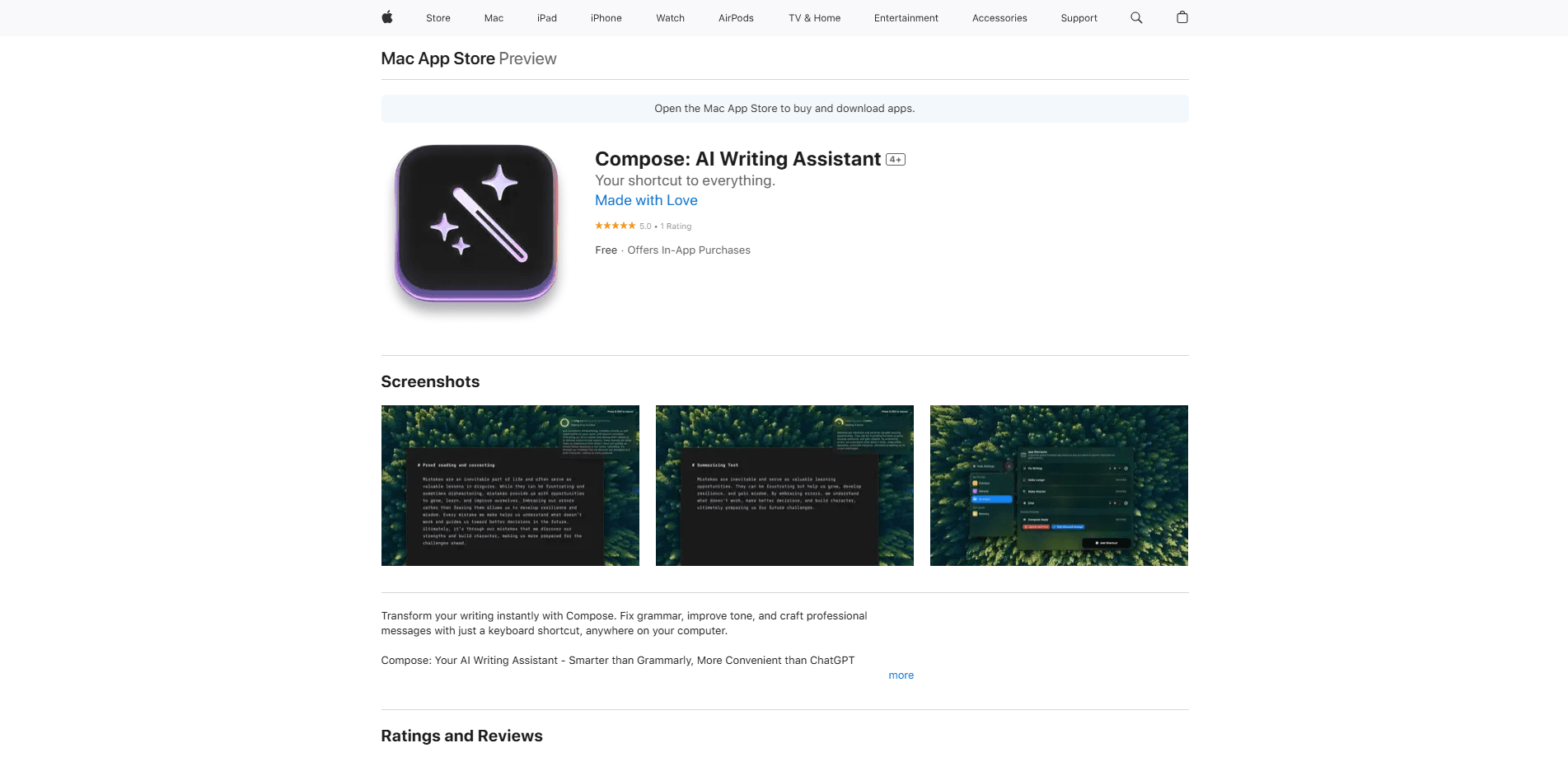
Compose for macOS is an AI writing assistant for Mac. It rewrites and autocompletes text inside any app through a keyboard shortcut, and learns your personal writing voice.
About Compose for macOS
What Is Compose for macOS
Compose for macOS is the desktop writing assistant built by Compose AI, Inc. It runs quietly on your Mac and works system-wide, so the same AI sits inside Mail, Slack, Notes, your browser or any other text field. You highlight what you wrote, hit a shortcut and ask for the change you want. The tool rewrites the sentence, extends it, shortens it or fixes the grammar without you ever leaving the app you're typing in.
The product aims at a specific kind of friction. Writing eats a large slice of the workday for anyone who spends hours in chat, email and documents, and small edits pile up fast. Compose AI frames its tool as a personal writing assistant that removes that overhead, and the company says it cuts writing time by about 40% for its users. Beyond rewriting, it autocompletes as you type and studies how you phrase things, then suggests wording that sounds like you rather than a generic template.
Two limits are worth knowing before you commit. The personalization features that make the assistant feel like your own voice live in the paid tier, so the free version gives you the core autocomplete and rewrite tools but not the full style matching. And the app covers English writing well, which matters if your job runs on another language.
Getting Started
- Install the app from the Mac App Store and sign in with your Compose account
- Leave it running in the background so the shortcut stays active across every app on your Mac
- Pick your shortcut key, then select any text and trigger it to see the rewrite and autocomplete options
- Let it read a few samples of your writing, then keep the suggestions that match your tone and decline the ones that don't
Product Information
A quick look at Compose for macOS's pricing, supported platforms, and performance.
Best for
The users, tasks, and scenarios where this tool fits best.
Users
- Knowledge workers who write all day
- Non-native English speakers
- Solo founders and small teams
- Support and sales staff
Tasks
- Rewriting a rough draft
- Autocompleting while you type
- Fixing grammar and tone
- Shortening long text
- Matching your voice
Scenarios
- Catching a mistake before you hit send
- Writing in a second language
- High-volume reply work
- Switching between apps
- Late-stage editing
Key features
System-Wide Keyboard Shortcut
The shortcut is the heart of the app. Compose for macOS stays out of your way and lets you call the assistant from inside any text field on your Mac, whether that's Mail, a browser tab, a chat window or a document. You select what you want to change, trigger the shortcut and choose an action. Nothing gets moved into a separate editor, and you never lose your place. That is what separates it from a browser-only tool you can only reach inside one website.
Autocomplete Everywhere
The assistant completes phrases as you type rather than making you stop and wait for an idea. It predicts the next stretch of your sentence and lets you accept it with a keystroke. Most people run into this constantly: a reply you've half written, a line in a document where a suggestion would save a few seconds. The company puts its own figure on the payoff, claiming Compose AI cuts writing time by around 40% for the people who use it daily.
Personalized To Your Voice
The platform studies how you write and suggests phrases that match your style, not a canned template. Compose AI describes this as learning your voice, and it's the feature that decides whether the suggestions feel like your own words or like someone else's. This part is the reason to step up to the paid plan, because the personalization tools sit behind the premium tier while the basic autocomplete and rewrite stay free.
Rewrite, Shorten And Fix
Every shortcut call gives you a menu of edits rather than a single output. You can rephrase a sentence, make it shorter, change its tone or run an AI grammar and tone pass that cleans up spelling, all in place. That range matters more than it sounds, since most real editing is small: a clumsy clause, a comma in the wrong spot, a message that reads too stiff for the person you're writing to. The app handles those edits without a round trip through a separate writing site.
Universal Integration
Compose for macOS is built to blend into the tools you already use instead of asking you to adopt a new one. It works across the applications on your Mac, so your writing flow stays where it was. The company calls this an unobtrusive universal integration, and the point is that you don't reopen your text in another program or paste it into a web page just to improve it.
Pros and cons
Pros
- Works inside any app on your Mac through one shortcut, so your text never has to leave the window you're in
- Free tier covers the core autocomplete and rewrite tools with no cost to start
- The voice-matching personalization keeps suggestions close to how you actually write
- Covers several edits in one menu, from grammar fixes to tone changes and shortening
Cons
- The personalization features sit behind the paid plan, so the free version feels more generic
- Runs on macOS only, which rules it out if you write across Windows and Mac machines
- The app's strength is English writing, so it's a weaker fit if your main work language is not English
- Autocomplete and rewrite suit short-form editing more than long-form drafting from scratch
Frequently asked questions
Compose for macOS is an AI writing assistant from Compose AI, Inc. that runs on your Mac and works inside any application. You select text, use a keyboard shortcut and ask it to rewrite, shorten or fix what you wrote, and the AI text rewriter also autocompletes as you type.
Related content
Explore related tools, skills, and articles for Compose for macOS.
Compose for macOS Alternatives

Google EmbeddingGemma 2
Google DeepMind · Writing · Image · CodingGoogle EmbeddingGemma 2 is a 740M-parameter open model that turns text, code, images, audio, and video frames into vectors in one 768-dimension space, running on phones and laptops.

MePersona
MePersona, Inc. · Writing · Productivity · MarketingMePersona is an AI unified inbox for creators. It learns your voice, drafts replies to fan messages from 12 platforms, and sends only what you approve.

Fluence
Yay Software (Yannick Huchard) · Writing · Voice & Language · ProductivityFluence is an Android app that reads PDFs, EPUBs, Word files and web articles aloud, follows each sentence as it speaks, and answers questions about the text on the phone itself.