

Composio
Composio · Coding · Other
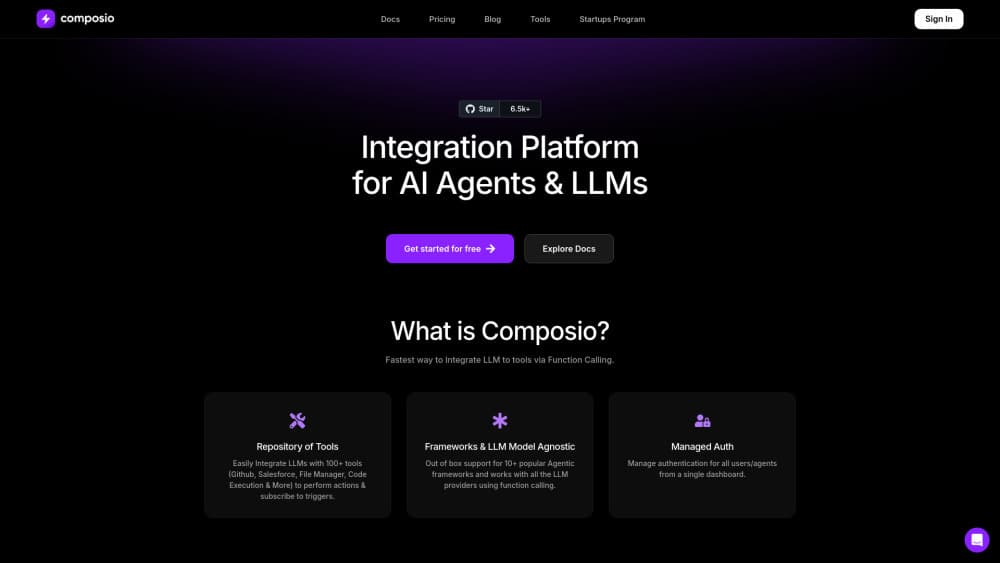
Composio is an AI agent integration platform that gives assistants secure, authenticated access to 1,500+ apps through tool calling.
About Composio
What Is Composio
Composio is a connection layer for AI agents. It sits between a language model and the outside world, turning apps like Gmail, Slack, GitHub, and Notion into tools an agent can call without you writing custom glue code for each one.
The problem it solves is authentication. Every app handles logins differently, and OAuth management for dozens of services gets messy fast. Composio handles token refresh and error retries too. That lets your agent focus on deciding what to do rather than how to log in. It works with Claude, ChatGPT, the Vercel AI SDK, LangGraph, and other frameworks. Broad reach. Minimal glue code.
The main tradeoff: Composio doesn't think for you. It only executes what your model decides, so you still need a capable LLM and a clear task. It also leans toward developer workflows. Non-coders will hit a wall early. Why? Because almost everything runs through code.
Getting Started
- Create a free account at composio.dev through the developer signup flow.
- Grab your API key from the dashboard and add the agent SDK to your project. Python and TypeScript are both supported.
- Call
composio.create()with a user ID to open a session, which handles tool discovery and auth automatically. - Connect the apps you need, then pass the session tools to your agent framework.
- Run a task and let the agent pick the right tool, or test individual calls from the sandboxed workbench.
Product Information
A quick look at Composio's pricing, supported platforms, and performance.
Best for
The users, tasks, and scenarios where this tool fits best.
Users
- Developers building AI agents
- Small product teams
- Automation tinkerers using Claude Code or Codex
Tasks
- Connecting an agent to email, calendars, and messaging apps
- Building approval workflows
- Pulling data from SaaS tools into an agent
Scenarios
- Prototyping a support assistant that reads tickets and posts updates
- Running an internal tool that reads from a CRM and writes to a project tracker
- Hooking an existing MCP client like Cursor into more apps
Key features
1,500+ App Toolkits
Composio ships ready-made tools for more than 1,500 apps, spanning email, chat, project management, CRM, and developer services. Each toolkit exposes specific actions, so an agent can create an issue, send a message, or update a record without you writing the API call yourself. The breadth is the point. You rarely build a connector from scratch. But does that breadth hold up in practice? Mostly yes, and the depth per app does vary.
Managed Authentication
OAuth consent, token storage, refresh, and scopes are handled for every connected account. No login flow per app. No tokens piling up in your database as plaintext. This is the feature that saves the most time for teams integrating many services, because you stop rebuilding the same consent screen and refresh logic for every new app you connect.
Sessions for Tool Discovery
A session is the context an agent runs in. When you create one, Composio automatically surfaces the right tools, checks auth, and keeps toolkit versions aligned. It's the recommended path for running tools, and it removes a lot of the wiring that usually lives in your own code.
Triggers and Webhooks
Triggers deliver events from connected apps to your webhook, which means an agent can respond to things as they happen. A new support ticket, a fresh message, or a file update can kick off a workflow automatically. It turns Composio from a request-response layer into something closer to an event system, which is what you want when an agent needs to react rather than wait for a prompt.
MCP Support
Sessions can be exposed through a hosted MCP endpoint, so existing MCP clients like Claude Desktop or Cursor can use Composio's tools directly. If you already run an MCP setup, this is the shortest path to adding new apps without touching your stack. It just works.
Sandboxed Workbench
Composio provides a test environment where you can run individual tool calls and inspect results before wiring them into an agent. It's handy for debugging auth issues or checking what a tool actually returns, rather than guessing from documentation. Big time-saver.
Custom Tools and MCP Servers
Beyond the built-in catalog, you can bring your own tools and MCP servers. That matters when your agent needs access to internal systems that Composio doesn't cover out of the box, and it keeps everything under one interface.
Pros and cons
Pros
- Handles authentication and token refresh across 1,500+ apps, which removes weeks of glue code on multi-app integrations.
- Generous free tier at 100,000 tool calls and 50,000 triggers per month, with no credit card required.
- No per-seat pricing, so adding team members doesn't inflate the bill.
- Works across major frameworks and MCP clients, so you're not locked to one agent stack.
- Sandboxed workbench makes debugging individual tool calls straightforward.
Cons
- Aimed at developers, so non-coders will find the SDK and CLI approach out of reach.
- It doesn't provide any reasoning or model, so you still pay separately for an LLM to drive decisions.
- The Scale plan's $29 monthly credit expires each billing cycle and doesn't roll over, which can waste budget on quiet months.
- Coverage depth varies by app, and some niche services may only offer a handful of actions, so it's worth checking the toolkit list before you commit to a workflow.
Frequently asked questions
Composio connects AI agents and LLMs to external apps through tool calling. It manages the authentication and request formatting so an agent can act on services like Gmail, Slack, or GitHub without custom integration code.
Related content
Explore related tools, skills, and articles for Composio.
Composio Alternatives

Base Code
Base44 (Wix) · Coding · ProductivityBase Code is a shared cloud development environment from Base44. Teammates describe changes to an existing GitHub codebase in chat, preview them live and send them back as pull requests.

Google EmbeddingGemma 2
Google DeepMind · Writing · Image · CodingGoogle EmbeddingGemma 2 is a 740M-parameter open model that turns text, code, images, audio, and video frames into vectors in one 768-dimension space, running on phones and laptops.

GitGlow
GitGlow · Coding · ProductivityGitGlow is a local-first desktop Git client that lets independent developers review their own code and their AI agents' changes in one place before shipping.