

Consensus
Consensus · Coding
Consensus is an AI academic search engine and research assistant that answers questions using peer-reviewed papers rather than open web pages. You type a question in plain language. It pulls matching studies from a corpus of more than 220 million papers, then writes a cited summary of what those studies found and where the peer-reviewed sources disagree. So it suits students, clinicians, and researchers who need real scientific sources instead of a chatbot's best guess.
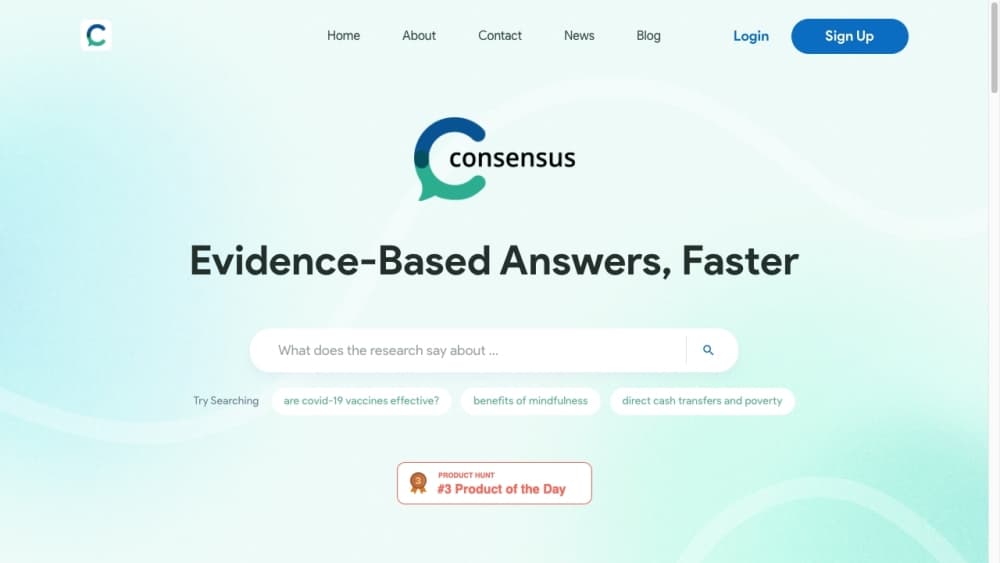
About Consensus
What Is Consensus
Consensus is a research tool built around one constraint: only scholarly literature counts. Where a general chatbot answers from whatever it absorbed during training, Consensus runs a scientific paper search over actual journal articles, conference papers, and preprints, then summarizes them with links back to each source. That difference matters most when you need to defend an answer to a supervisor, a reviewer, or a patient.
Consensus, the company behind it, was founded in 2021 by Christian Salem and Eric Olson and now based in San Francisco. The product works as a web app, with a mobile app on Google Play and iOS, plus integrations that let you run Consensus searches inside ChatGPT, Claude, and Microsoft 365 Copilot. Its corpus comes from Semantic Scholar, OpenAlex, and the company's own crawl of the scholarly web. The team describes coverage as nearly all high-impact journals plus the full PubMed index.
The obvious limit? Scope. Consensus won't tell you the capital of Germany, and it won't help with anything outside peer-reviewed research. It also isn't a writing tool. It hands you evidence and citations, not finished prose. If your question is medical, legal, or personal rather than scientific, you're using the wrong instrument. And the free tier caps the number of Deep reviews and AI messages you get each month, so heavy users run into the paywall quickly.
Getting Started
- Create an account at consensus.app, or sign in through the ChatGPT or Claude integration if you'd rather stay inside a tool you already use.
- Type a research question in plain language. Keywords work ("cash transfers and poverty"), full research questions work, and yes/no phrasing works best because it triggers the Consensus Meter.
- Narrow the results with filters for publication date, study type, sample size, journal quartile, citation count, open-access status, and academic field.
- Open individual papers to read extracted findings, or use Ask Paper to ask follow-up questions about a single study.
- Save papers into Collections, then export citations in RIS, BibTeX, or CSV format for whatever reference manager you use.
Product Information
A quick look at Consensus's pricing, supported platforms, and performance.
Best for
The users, tasks, and scenarios where this tool fits best.
Users
- Students and grad students
- Clinicians and health professionals
- Researchers and R&D teams
Tasks
- Checking whether a claim is actually settled
- Building a literature review
- Interrogating one paper
Scenarios
- Before a journal club or a supervisor meeting
- Early-stage project scoping
- Fact-checking a claim you saw in the news
Key features
AI Answers Grounded in Peer-Reviewed Papers
Every response starts with retrieval, not generation. Consensus scans its corpus using semantic search and keyword matching, picks the most relevant papers, and only then writes a summary that cites each source. That means you can trace any sentence back to the study it came from. It's the main reason people pick this over a general AI chatbot.
Consensus Meter and Consensus Snapshot
Ask a yes/no question. The Meter shows the split of scientific opinion, backed by an overview of the papers on each side. The Snapshot view goes further and reports four quality indicators for each position: how recent the papers are, how many are meta-analyses, systematic reviews, or randomized controlled trials, the average journal rank, and citation counts. It's a blunt instrument. A one-paper position still looks like a position. Still beats guessing.
Pro Search and Deep Review Modes
Pro Search is the everyday literature review tool: it answers questions with citations in a conversational format. Deep Review takes longer. It produces a full literature review across a larger set of studies, which you want when you need the state of a field rather than a single answer. Think hours of reading, compressed. Plan tiers are largely defined by how many Deep reviews you get: 3 on Free, 15 on Pro, 200 on Deep, and 50 per user on Teams.
Ask Paper
Ask Paper turns one study into a conversation. Instead of skimming a 20-page PDF for the sample size or the measurement method, you open the paper and ask. Done. It saves the most time on a narrow question, and it behaves least like a search engine.
Study Snapshots, Citation Graph, and Collections
Study Snapshots pull out key findings and the methods behind them so the results list is scannable. The Citation Graph shows how papers relate to one another. That helps when you're hunting the foundational work behind a recent result. Collections hold papers you want to keep, and everything exports to RIS, BibTeX, or CSV.
Filters and Complex Queries
Filters cover publication date, study type, sample size, journal quartile, citation count, academic field, country, and open-access status. You can also ask comparative questions ("carbon taxes vs cap-and-trade") or request a format like a pros-and-cons list. Filtering for human randomized controlled trials is the difference between a useful answer and a pile of animal studies.
API and MCP Access
The Consensus API is a single REST endpoint. It returns ranked papers with titles, authors, journals, publication years, citation counts, and links, and it supports the same filters as the web app. It shares a monthly call pool with MCP usage. That pool is 30 calls on Free, 500 on Pro, 2,000 on Deep. Extra calls cost $0.05 each for paid users. Not free, but cheap. API keys are self-serve from your account dashboard.
Pros and cons
Pros
- Every AI answer carries citations back to the original paper, so claims stay checkable.
- The corpus covers more than 220 million papers, drawing on Semantic Scholar, OpenAlex, and Consensus's own crawl. Full PubMed coverage is included.
- The Consensus Meter gives a quick read on whether a yes/no question is actually settled in the literature.
- Filters for study type, sample size, and journal quartile let you exclude weak evidence. No scrolling required.
- A free tier and a self-serve API make it cheap to test before committing. Low risk.
Cons
- Anything outside peer-reviewed literature returns nothing useful. It can't replace a general search engine for everyday questions.
- The free tier is thin for real work: 3 Deep reviews, 10 Pro messages, and 30 API calls a month won't carry a thesis.
- Deep reviews burn through credits fast, and the jump from $20 to $65 per month is steep for occasional users.
- Consensus summarizes and links. It doesn't draft your paper, so you still do the writing.
Frequently asked questions
Consensus is used to answer research questions with peer-reviewed evidence. It searches scientific papers, summarizes what they found, and cites each source. That makes it useful for literature reviews, evidence checks, and coursework where claims need backing. It isn't built for general knowledge questions.
Related content
Explore related tools, skills, and articles for Consensus.
Consensus Alternatives
Forefront
Forefront · CodingForefront is a web platform for building with open-source AI. It lets you fine-tune leading open-source language models on your own data, evaluate how they perform, and run them through an API or export them to host yourself. Developers who want the convenience of a closed-source platform but insist on owning their models and data are the target audience here.

Startkit
StartKit.AI · CodingStartkit is a boilerplate for building AI SaaS and AI wrapper products. Think of it as an AI startup boilerplate with the boring parts already wired up: authentication, Stripe and Lemon Squeezy payments, usage limits, transactional email, and an AI API starter that talks to OpenAI, Anthropic, Groq, or Llama. You clone the repo, set your price, and start on the part of your product that people actually pay for. It's Next.js under React and Tailwind, so most of the boilerplate code already feels familiar.
Testim
Tricentis · CodingTestim is an AI-powered test automation platform for building and running end-to-end tests across web, mobile, and Salesforce applications. It leans on machine learning to keep tests stable when an interface changes, so teams spend less time fixing broken selectors. Not bad for an automated testing tool you can start using today. You create tests by recording actions in a browser, then optionally add JavaScript when you need more control. It's a solid pick for busy QA teams.