

ContentBot - AI Content Automation and Workflows
ContentBot · Writing · AI Detection
ContentBot is an AI content platform that writes blog posts, runs automated content workflows, and turns CSV files into bulk copy, with a built-in AI humanizer.
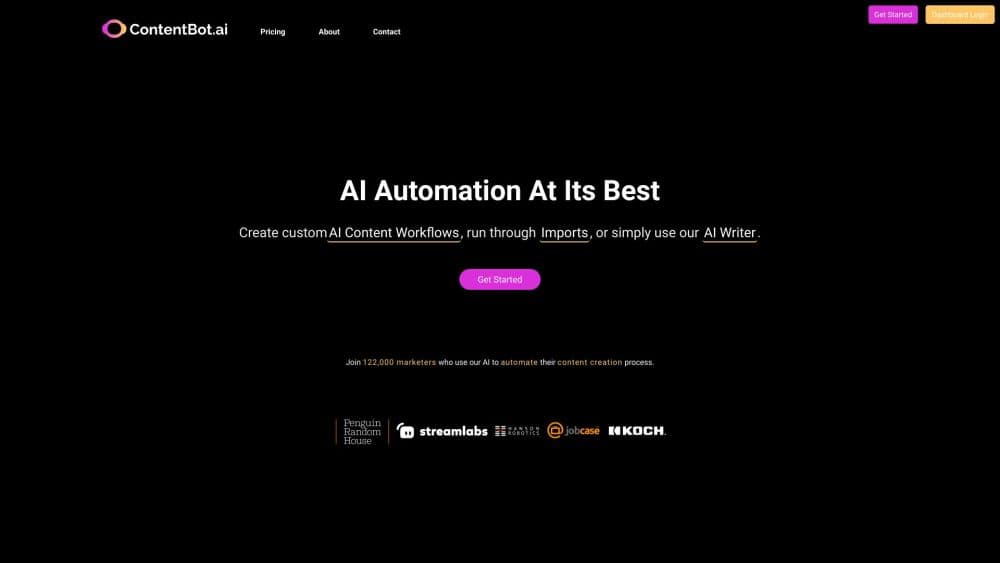
About ContentBot - AI Content Automation and Workflows
What Is ContentBot
ContentBot is a browser-based AI writing tool built for people who publish a lot. It started in 2021 as a prompt library for copywriters and grew into three connected products: an AI blog writer that produces full posts, a visual flow builder that runs content tasks on a schedule, and an importer that pushes a spreadsheet of prompts through the model in one go.
The product targets a specific bottleneck. A marketing team can usually decide what to publish faster than it can write, format, link, and schedule the pieces. ContentBot moves those steps into one workspace, so a single person can keep several blogs or a product catalog moving without hiring for every channel.
The limits matter as much as the features. Everything is billed in words, so trial and error costs allowance, and the writing still needs a human pass before it goes live. The blog writer pulls facts from sources you name, but it does not verify claims on its own. Detector scores from the humanizer change as detection tools update, so treat a passing score as a snapshot.
Getting Started
- Create an account on the ContentBot site. The free signup advertises 50,000 words to test the writer, the flow builder, and imports.
- Choose an entry point. The AI blog writer takes a title and outline, Flows starts from a blank canvas or a prebuilt template, and Imports starts with a CSV file.
- Add your sources. For blog posts, pick internal pages to link and external references to cite, then select which facts from each source should appear in the draft.
- Review the draft and adjust it. Change the tone, expand a section, or run the text through the humanizer before it reaches your CMS.
- Publish through WordPress, Zapier, or a direct export, or let a flow handle publishing on a schedule.
Product Information
A quick look at ContentBot - AI Content Automation and Workflows's pricing, supported platforms, and performance.
Best for
The users, tasks, and scenarios where this tool fits best.
Users
- Content marketers running several blogs
- SEO specialists and agencies
- Ecommerce operators with large catalogs
- Solo founders and newsletter writers
Tasks
- Drafting a full blog post
- Producing product descriptions at scale
- Rewriting text to read less like a machine
- Scheduling recurring content
- Translating and localizing copy
Scenarios
- A two-person agency managing twelve client blogs
- A store preparing a seasonal launch with 300 new SKUs
- A publisher testing a new niche
Key features
AI Blog Writer With Smart Linking
The blog writer takes a title and builds a post with headings, an intro, body sections, and a conclusion. What separates it from a plain generator is the linking step: you choose internal pages from your own site, and it inserts links where they fit the argument instead of dumping them at the end. External citations come from sources you name or from references the tool suggests, and you pick which of the pulled facts make it into the draft. It also places AI-generated images between sections, which cuts a separate design step for simple posts.
Visual Flow Builder for AI Content Automation
Flows is a drag-and-drop canvas where triggers, actions, and filters connect into a pipeline. A trigger can be a timer, a new row, or an incoming document; actions cover generating text, translating, checking plagiarism, creating a document, sending email, waiting, or publishing to WordPress. Filters stop weak output before it goes live, and a human approval step can hold a post until someone signs off. Prebuilt flows cover common jobs such as a weekly post or a batch of social messages, so you can start from a working example.
CSV Imports for Bulk Content
Imports turns a spreadsheet into a queue of prompts. You upload a CSV, map columns to variables, and either apply one prompt to every row or store a different prompt in each line. The system runs the file in the background and emails you when the batch finishes. Row limits depend on the plan: 50 rows on Premium and 500 on Premium+, which is the main reason heavy catalog work pushes teams toward the top tier.
AI Humanizer With Detector Scores
The humanizer rewrites AI text to read more like a person wrote it, then shows scores from detector services such as ZeroGPT and Winston AI. If a score stays high, you run it again. That feedback loop is more useful than a vague promise, because you can see the result before publishing. Keep in mind that detectors retrain, so a score that passes today may not pass next month.
Built-In Writing Tools and Commands
Beyond long-form posts, the workspace includes a library of short tools: blog topic ideas, outlines, intros, listicles, product descriptions, landing page copy, ad copy, brand names, slogans, a summarizer, a tone changer, and a sentence rewriter. Power users can type commands such as /outline, /expand, /summarize, and /changetone inside the editor, which keeps a draft in one place instead of moving between screens.
Publishing, Integrations, and Language Coverage
ContentBot connects to WordPress for direct publishing and to Zapier for everything else, including Google Docs, Notion, Shopify, Medium, Mailchimp, and Tumblr. A Chrome extension covers drafting inside the browser. The writer handles more than 110 languages, which makes the same workflow usable for regional sites without a separate tool for each market.
Pros and cons
Pros
- Unlimited seats on every plan, including the entry tier, so cost does not climb with each editor you add.
- Three ways to produce content, the blog writer, flows, and imports, draw on one word balance instead of separate subscriptions.
- The blog writer adds internal and external links plus sourced facts, which removes the most tedious part of publishing at volume.
- The flow builder includes approval steps and quality checks, so automation does not have to mean publishing unchecked text.
- More than 110 languages and a Chrome extension cover most small-team workflows without extra tools.
Cons
- The plan cards list quotas but not monthly rates. The only figure on the site is a $29/month answer in the FAQ, so you compare word counts first and confirm the price at checkout.
- Billing runs on words, so regenerating a draft you dislike and running the humanizer twice both eat into the same balance.
- Flows are capped at three on the Premium plan, and imports stop at 50 rows, which forces high-volume users into Premium+.
- Product notes and API documentation look dated, with the last release note from September 2023 and developer pages marked legacy, so integration work often lands on Zapier.
Frequently asked questions
ContentBot produces written content at volume: blog posts, product descriptions, landing page copy, ad text, and social messages. It also automates the surrounding work, such as pulling facts from sources you choose, inserting links, checking output, and publishing to WordPress on a schedule.
Related content
Explore related tools, skills, and articles for ContentBot - AI Content Automation and Workflows.
ContentBot - AI Content Automation and Workflows Alternatives

Google EmbeddingGemma 2
Google DeepMind · Writing · Image · CodingGoogle EmbeddingGemma 2 is a 740M-parameter open model that turns text, code, images, audio, and video frames into vectors in one 768-dimension space, running on phones and laptops.

MePersona
MePersona, Inc. · Writing · Productivity · MarketingMePersona is an AI unified inbox for creators. It learns your voice, drafts replies to fan messages from 12 platforms, and sends only what you approve.

Fluence
Yay Software (Yannick Huchard) · Writing · Voice & Language · ProductivityFluence is an Android app that reads PDFs, EPUBs, Word files and web articles aloud, follows each sentence as it speaks, and answers questions about the text on the phone itself.