

ContentRadar
ContentRadar Ltd. · Writing · Marketing
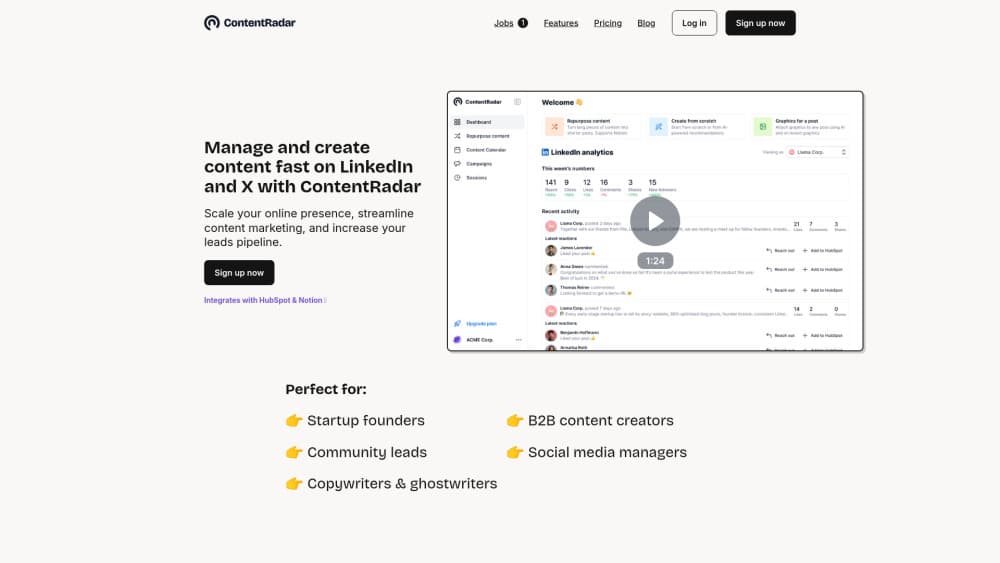
ContentRadar is an AI content tool for LinkedIn and X. It turns blog posts, videos, PDFs and notes into post drafts and carousels, then schedules them, with team workspaces and analytics.
About ContentRadar
What Is ContentRadar
ContentRadar is a web app from ContentRadar Ltd., a Berlin company founded in 2023. It handles one job: getting B2B content out of a folder and onto LinkedIn and X without a marketer losing a full day to it.
Most social tools start at the calendar. ContentRadar starts at the raw material. You paste a blog URL, a YouTube link, a PDF or a Notion draft, and the tool proposes several post drafts in your tone of voice. From there you edit, turn a strong post into a carousel, drop it on a shared calendar and schedule it.
The limits matter too. It covers LinkedIn and X only, with no Instagram, TikTok or video editing. Free accounts get a 7 day Pro trial, then fall back to Starter with 50 AI generations and 50 scheduled posts a month. Teams that need more than one workspace go through a custom Business plan.
Getting Started
- Sign up at contentradar.ai with email or LinkedIn. The 7 day Pro trial doesn't ask for a card.
- Connect the LinkedIn profile or page and the X account you want to publish from.
- Give the AI writing assistant a source: a blog URL, a YouTube link, a PDF, a Notion page or a short prompt. Add a few past posts so it picks up your voice.
- Pick a draft, edit it, generate a carousel if the idea deserves one, then schedule it on the shared calendar.
Product Information
A quick look at ContentRadar's pricing, supported platforms, and performance.
Best for
The users, tasks, and scenarios where this tool fits best.
Users
- Startup founders
- Marketing managers
- Agencies and ghostwriters
- Recruiters and employer brand teams
Tasks
- Turning a blog post into a week of LinkedIn posts
- Building a LinkedIn carousel without a designer
- Planning a monthly content calendar
- Scaling employee advocacy
Scenarios
- A B2B team with no dedicated social hire
- An agency juggling client accounts
- A founder who writes well but posts twice a quarter
Key features
Content Repurposing From Blogs, Videos, PDFs and Notion
This is the core of the product. Drop in a blog URL, a YouTube link, a PDF report or a Notion draft, and ContentRadar returns several post options pulled from that source. You can ask for short summaries, standalone posts or a thread, then keep the one that reads best. The output holds the source's ideas, not its sentences, so it still needs an edit pass.
AI Writing Assistant With Brand Voice
The assistant writes from a prompt or from your notes, and it can learn from posts you have already published. Feed it a handful of samples and the drafts start matching your sentence length and vocabulary. Post suggestions inside the chat help when you know the topic but not the angle. Everything lands as an editable draft with a schedule button attached.
LinkedIn Carousel Generator
A text post can become a swipeable carousel in a few clicks. ContentRadar breaks the text into slides, then lets you set background colors, fonts and an author profile with a headshot. The company reports a 1.6x performance lift for carousels, which is a vendor claim rather than an independent test. Useful for step-by-step tips, survey data and testimonials.
Social Media Scheduling and Cross-Posting
Posts go out to LinkedIn and can cross-post to X with one click, or the other way around. The calendar shows time, author and account for every slot, and topic labels make it easy to spot a month of nothing but product news. You can connect multiple accounts, which is what makes the tool workable for agencies.
LinkedIn Analytics With HubSpot Lead Capture
The analytics view tracks reach, clicks, likes, comments, shares, new followers and engagement rate across posts. You can compare periods to see whether a change in format helped. HubSpot users can push people who engage into the CRM as leads, which closes the loop between a post and a pipeline conversation.
Shared Workspaces, Approvals and Slack Alerts
Team members share a content library, drafts and calendar. Reviewers comment and approve inside the app instead of a long email thread. Slack alerts fire when a post goes live, with a direct link so teammates can react or comment while the post still has reach. This is the part that makes ContentRadar a team tool rather than a personal scheduler.
Pros and cons
Pros
- Repurposing accepts several source types, including YouTube links and PDFs, which covers most B2B content formats.
- Brand voice training uses your own published posts, so drafts need less rewriting after the first week.
- Carousel builder removes the usual design handoff for a LinkedIn slide deck.
- Shared calendar and in-app approvals fit small teams without a separate project tool.
- Starter at $14 a month is cheap for a solo operator testing a posting habit.
Cons
- LinkedIn and X only. Anyone running Instagram, TikTok or YouTube Shorts needs another tool.
- Starter caps you at 50 AI generations and 50 scheduled posts a month, so an active agency hits the limit fast.
- No public API. Automation beyond HubSpot, Notion and Slack isn't possible without manual work.
- Scheduling by time zone isn't supported yet, which is a real gap for teams posting for clients in other countries.
Frequently asked questions
ContentRadar is used to create, repurpose and schedule LinkedIn and X content. You bring a blog, video, PDF or note, and it produces post drafts, carousels and a publishing calendar. It suits B2B marketers more than consumer brands.
Related content
Explore related tools, skills, and articles for ContentRadar.
ContentRadar Alternatives

Google EmbeddingGemma 2
Google DeepMind · Writing · Image · CodingGoogle EmbeddingGemma 2 is a 740M-parameter open model that turns text, code, images, audio, and video frames into vectors in one 768-dimension space, running on phones and laptops.

MePersona
MePersona, Inc. · Writing · Productivity · MarketingMePersona is an AI unified inbox for creators. It learns your voice, drafts replies to fan messages from 12 platforms, and sends only what you approve.

Fluence
Yay Software (Yannick Huchard) · Writing · Voice & Language · ProductivityFluence is an Android app that reads PDFs, EPUBs, Word files and web articles aloud, follows each sentence as it speaks, and answers questions about the text on the phone itself.