

ContextPool
ContextPool · Coding · Leaning
ContextPool is a persistent memory system for AI coding agents. It captures the engineering insights your agent picks up during a session, things like bugs, fixes, and design decisions, then recalls them the next time you start a chat. It works alongside tools such as Claude Code, Cursor, Windsurf, and Kiro, so you spend less time re-explaining context you've already covered and more time actually shipping code you care about. Think of it as AI agent memory that outlasts a single chat.
About ContextPool
What Is ContextPool
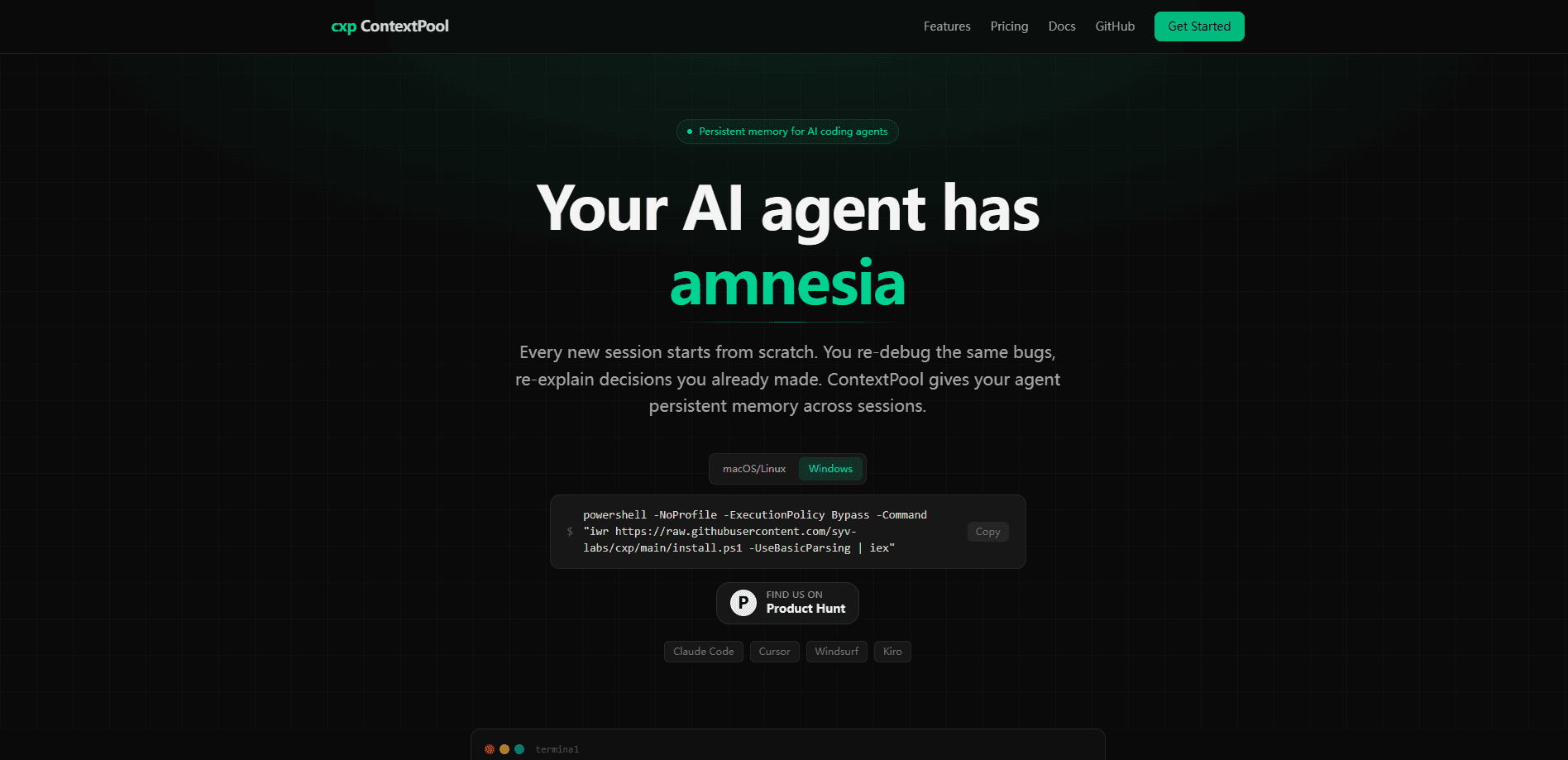
ContextPool is a cross-session memory layer for AI coding agents. The product's own framing is blunt: your AI agent has amnesia. Every new session starts from a blank slate, so you re-debug the same bugs and re-explain decisions you already made. ContextPool sits on top of that and remembers what happened.
It targets a specific pain point for developers who lean on coding agents daily. Assistant tools are good within a single conversation but forget everything once it ends. When you come back the next morning, you're back to square one. Here's the problem. ContextPool extracts the parts worth keeping, a confirmed fix, a reason a library was rejected, an architectural choice, and stores them so the agent can pull them back into context on demand.
The biggest limitation is that it's an early, narrow product. It's built for AI coding agents rather than general note-taking, and it currently names only a handful of compatible tools. If you don't use one of those agents, it won't help you yet. As a developer productivity tool, it's still growing.
Getting Started
- Create an account on the ContextPool website and connect the coding agent you use (Claude Code, Cursor, Windsurf, or Kiro).
- Let the agent run through a normal session, working on code and resolving issues as usual.
- Review the insights ContextPool captured at the end of the session, and drop anything you don't want kept.
- Start a new session and let the agent recall the relevant memories so it picks up where you left off.
- Search your stored memories whenever you need to recover a past fix or decision.
Product Information
A quick look at ContextPool's pricing, supported platforms, and performance.
Best for
The users, tasks, and scenarios where this tool fits best.
Users
- Developers who run a coding agent every day and are tired of re-explaining the same context each session.
- Solo builders and small teams without a shared wiki to fall back on, who need the agent itself to carry project knowledge.
- Engineers juggling several repos, where decisions in one project are easy to forget when you switch to another.
Tasks
- Recovering why a bug was fixed a certain way, so you don't undo a deliberate workaround.
- Keeping track of architectural decisions and rejected approaches across long-lived projects.
- Cutting the setup prompt you type at the start of every new agent session.
Scenarios
- Picking up a project after a weekend away and having the agent recall last week's changes.
- Switching between two codebases and wanting each agent session to remember its own history.
- Onboarding a teammate's agent onto a codebase by sharing the insights already captured.
Key features
Cross-Session Memory
The core of ContextPool is memory that survives between sessions. When a coding agent hits a bug, lands a fix, or settles on a design choice, ContextPool pulls that insight out and keeps it. The next session starts with that history available, so the agent doesn't treat your project like it's brand new. That's the whole point.
Insight Extraction
ContextPool doesn't just archive raw chat logs. It extracts the engineering insights that matter, the fixes, the reasons behind decisions, the gotchas worth remembering long after the conversation that produced them. That filter matters. A pile of transcripts isn't useful. A short list of confirmed fixes is. The product's pitch is that you get signal, not noise.
Recall on Demand
Stored memories are meant to be recalled when they're relevant, not dumped wholesale into every prompt. When you start a new task, the agent can surface the memories that apply to what you're working on. It keeps the agent grounded without burying it in stale detail.
Support for Major Coding Agents
ContextPool names the agents it works with directly: Claude Code, Cursor, Windsurf, and Kiro. Rather than forcing you onto a new editor, it plugs into the coding agent you already run, which means there's nothing new to learn on the editor side before you see any benefit. Support is limited to that list for now, so check yours before committing. Worth a look either way.
Reduced Re-Explanation
The practical payoff is fewer repeated prompts. Instead of restating your stack, your conventions, and the bug you solved last Tuesday, you start the session and let the agent pull the context back. Over a week of daily use, that adds up. Does memory alone justify paying? That depends on how much time you lose to re-explaining. For daily agent users, the answer is usually yes.
Pros and cons
Pros
- Solves a real, well-known problem: coding agents forget everything between sessions.
- Integrates with popular agents like Claude Code, Cursor, Windsurf, and Kiro instead of a new tool.
- Extracts useful insights rather than hoarding raw transcripts.
- A free plan lets you test whether memory actually improves your workflow before paying.
Cons
- It's a young product with limited public documentation, so pricing and API details are hard to pin down before you sign up for anything.
- Agent support covers a short, named list; if you use something else, it won't help yet.
- Memory is only as good as what the agent captures, so a noisy session can leave gaps.
- There's no mobile app; it's built for desktop coding work, not phone use.
Frequently asked questions
ContextPool is a persistent memory system for AI coding agents. It captures engineering insights, such as bugs, fixes, and design decisions, during a session and recalls them in later sessions so your agent stops starting from scratch.
Related content
Explore related tools, skills, and articles for ContextPool.
ContextPool Alternatives
Forefront
Forefront · CodingForefront is a web platform for building with open-source AI. It lets you fine-tune leading open-source language models on your own data, evaluate how they perform, and run them through an API or export them to host yourself. Developers who want the convenience of a closed-source platform but insist on owning their models and data are the target audience here.

Startkit
StartKit.AI · CodingStartkit is a boilerplate for building AI SaaS and AI wrapper products. Think of it as an AI startup boilerplate with the boring parts already wired up: authentication, Stripe and Lemon Squeezy payments, usage limits, transactional email, and an AI API starter that talks to OpenAI, Anthropic, Groq, or Llama. You clone the repo, set your price, and start on the part of your product that people actually pay for. It's Next.js under React and Tailwind, so most of the boilerplate code already feels familiar.
Testim
Tricentis · CodingTestim is an AI-powered test automation platform for building and running end-to-end tests across web, mobile, and Salesforce applications. It leans on machine learning to keep tests stable when an interface changes, so teams spend less time fixing broken selectors. Not bad for an automated testing tool you can start using today. You create tests by recording actions in a browser, then optionally add JavaScript when you need more control. It's a solid pick for busy QA teams.