

Continue
Continue (acquired by Cursor) · Coding
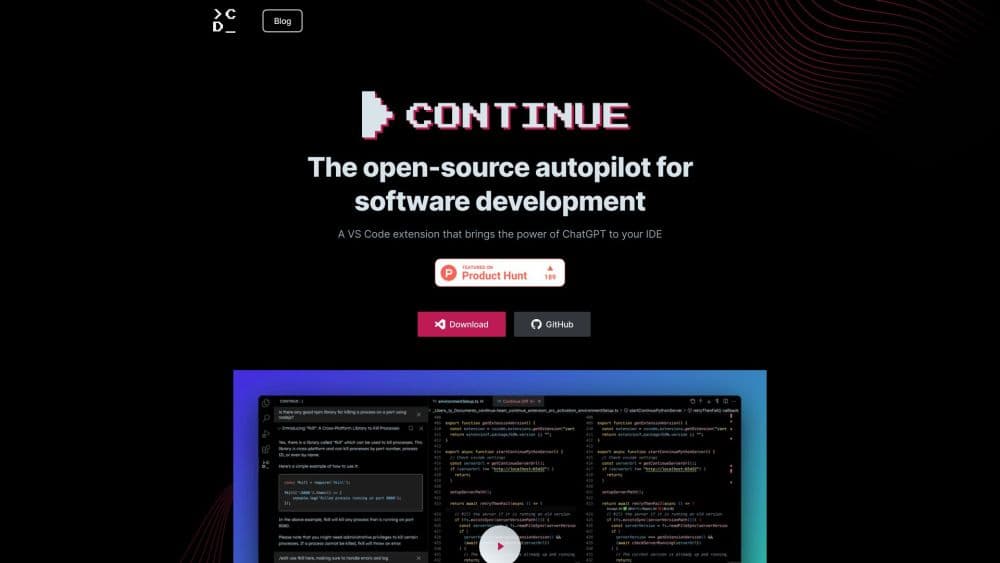
Continue is an open source AI code assistant for VS Code and JetBrains that pairs autocomplete and chat with an agent, and lets you plug in nearly any AI model you want.
About Continue
What Is Continue
Continue is an open source coding agent that runs inside the editors you already use. It ships as a VS Code extension, a JetBrains plugin, and a terminal tool called cn, and it handles the everyday jobs a developer expects from AI: finishing lines as you type, explaining code you select, and editing a file without leaving it.
The idea that sets it apart from a fixed, subscription-only assistant is control. Continue doesn't lock you to one company's model. You point it at whatever provider you trust, from Anthropic and OpenAI to a local model running through Ollama, and you decide which model handles chat, edits, and autocomplete. Because the project is open source, teams can also inspect and extend it instead of trusting a closed box.
That flexibility comes with a trade-off. Continue is a toolkit rather than a finished product with one support number. Setup means editing a config file and choosing providers, which is quick for a developer who lives in an IDE but not for someone hoping for a one-click install. Continue was acquired by Cursor, and the company says the open source codebase remains freely available as a foundation for others.
Getting Started
- Install the Continue extension in VS Code from the marketplace, or the plugin in JetBrains, then reload the editor.
- Open the Continue panel and pick a model provider, or log in with a Continue account to use its hosted setup.
- Add an API key for the provider you chose, or point autocomplete at a local model through Ollama.
- Select code and press Cmd/Ctrl + L to send it to chat, or switch the mode selector to Agent to let the model make changes.
- Review each proposed tool call, apply the changes, and keep the config file in your project if you want the setup to travel with your team.
Product Information
A quick look at Continue's pricing, supported platforms, and performance.
Best for
The users, tasks, and scenarios where this tool fits best.
Users
- Developers who want to choose their own model
- Privacy-conscious teams
- Engineering teams standardizing their setup
Tasks
- Writing code faster with autocomplete
- Understanding unfamiliar code
- Running multi-step edits
Scenarios
- Working in a large existing codebase
- Automating repetitive fixes
- Keeping work on your own machine
Key features
Agent Mode
Agent mode gives the chat model the tools it needs to act on your codebase, not just talk about it. You describe a task in plain language, and the agent decides which tools to use, edits files, and runs commands to finish the job. By default it asks permission before each tool call, and you can set policies to allow or block specific tools.
Chat and Plan Modes
Chat mode is pure conversation with no tools, for explanations and questions. Plan mode sits in between and uses read-only tools so the model can explore your project and outline an approach without touching a single file. You cycle between the three modes with Cmd/Ctrl + . so you can pick the right level of control per task.
Tab Autocomplete
Autocomplete predicts code inline as you type. Press Tab to accept a full suggestion, Esc to reject it, and Cmd/Ctrl + right arrow to take it word by word. It runs on whatever model you assign the autocomplete role, and Continue recommends Codestral for quality or a small Qwen coder for a local setup.
Bring Your Own Model
Continue isn't tied to one vendor. It supports top providers like Anthropic, OpenAI, Google Gemini, Azure, and Amazon Bedrock, plus a long list of others, and local options including Ollama, LM Studio, and llama.cpp. You assign each role, chat, edit, apply, autocomplete, and embeddings, its own model.
Continue CLI
The cn command brings the same agent to the terminal. It runs in an interactive session where you approve tool calls, or in headless mode with cn -p to run one prompt and exit. Flags let you add models, MCP servers, and rules, and a CONTINUE_API_KEY environment variable covers headless and CI use.
Custom Agents and MCP Tools
You can define custom agents and rules in a config file, so the assistant follows your team's conventions. Continue also speaks the Model Context Protocol, letting you add MCP servers that hand the agent extra tools. That's how it reaches beyond code, into databases, docs, or internal services.
Open Source and Local First
The whole project is open source, so you can read the code, extend it, and self-host the pieces you need. Combined with local models through Ollama, that makes Continue a fit for teams that care about privacy and want to avoid sending source code to an outside service.
Pros and cons
Pros
- You pick the model, so you can use frontier providers or keep everything local for privacy.
- One extension covers autocomplete, chat, editing, and an agent, so you don't juggle separate tools.
- Being open source means teams can inspect the code and shape it to their own workflow.
- The config file travels with the project, giving everyone on a team the same setup.
- An MCP layer and a CLI let it reach beyond the editor, into scripts and CI.
Cons
- Setup means editing a config and choosing providers, which is more work than a one-click assistant.
- Quality depends on the model you connect, so a free local model won't match a paid frontier one.
- The hosted Continue path and Cursor's acquisition add uncertainty about how long the current setup stays as-is.
- Autocomplete needs a fast, cheap model assigned to it, or it feels slow.
Frequently asked questions
Continue is an AI coding agent that runs in VS Code, JetBrains IDEs, and the terminal. It handles autocomplete, explains and writes code in chat, and edits files and tools on your behalf.
Related content
Explore related tools, skills, and articles for Continue.
Continue Alternatives

Base Code
Base44 (Wix) · Coding · ProductivityBase Code is a shared cloud development environment from Base44. Teammates describe changes to an existing GitHub codebase in chat, preview them live and send them back as pull requests.

Google EmbeddingGemma 2
Google DeepMind · Writing · Image · CodingGoogle EmbeddingGemma 2 is a 740M-parameter open model that turns text, code, images, audio, and video frames into vectors in one 768-dimension space, running on phones and laptops.

GitGlow
GitGlow · Coding · ProductivityGitGlow is a local-first desktop Git client that lets independent developers review their own code and their AI agents' changes in one place before shipping.