

CopilotForXcode
intitni · Coding
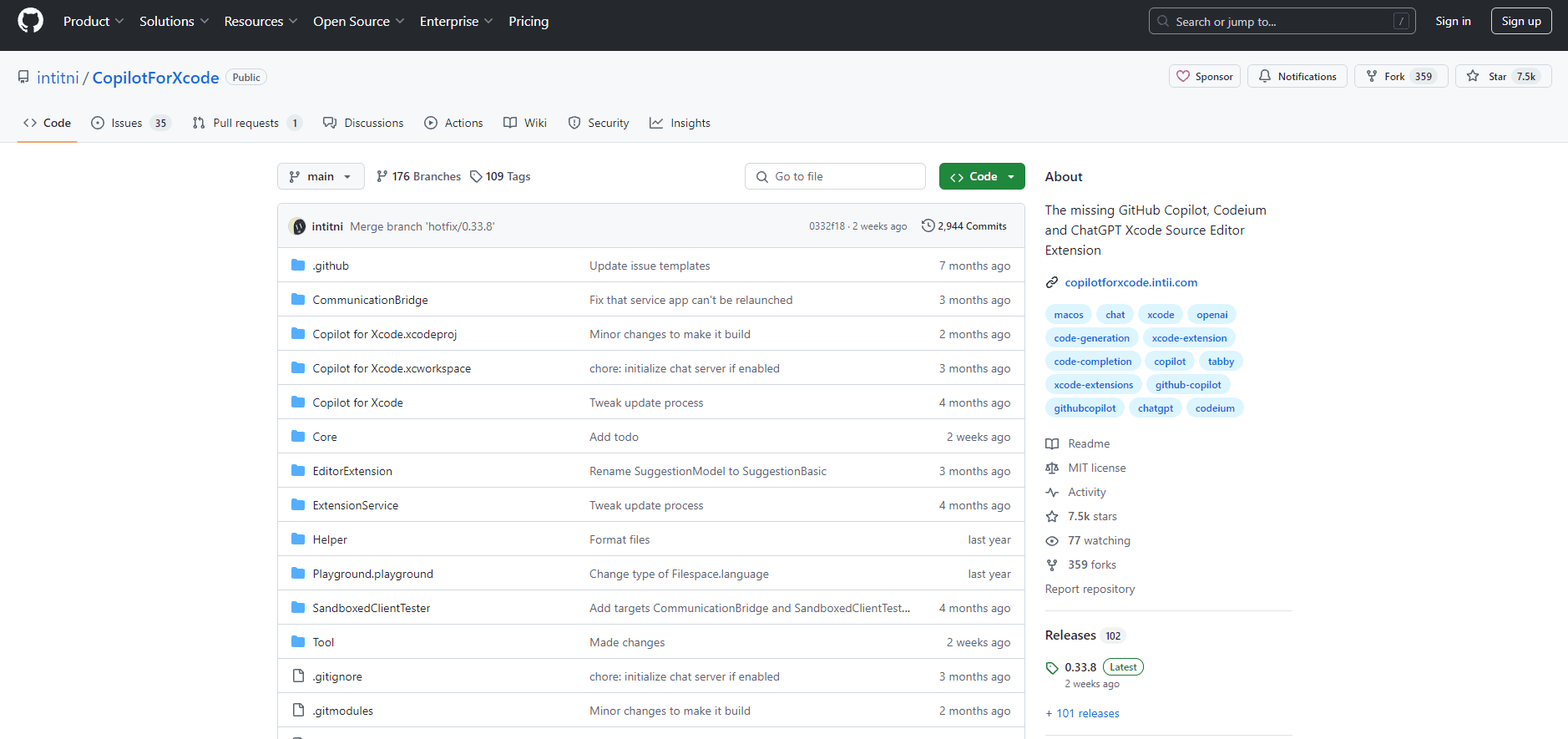
CopilotForXcode is a free Xcode Source Editor Extension that brings GitHub Copilot, Codeium, and ChatGPT into Apple's Xcode.
About CopilotForXcode
What Is CopilotForXcode
CopilotForXcode is an open-source extension for Xcode, Apple's code editor for building iPhone, iPad, and Mac apps. It puts AI coding help right inside the editor where you already work. No browser tab required. The project is the work of one developer, intitni, and it's been around long enough to gather a steady following among Mac developers. Think of it as an Xcode coding assistant that sits quietly in the background until you need it.
The main problem it solves is simple: Xcode shipped without any built-in AI assistant for years. If you wanted GitHub Copilot-style suggestions, you were stuck copying code into ChatGPT or waiting for Apple to add something. This extension fills that gap by wiring third-party providers into Xcode's Source Editor. It supports GitHub Copilot, Codeium, and ChatGPT, plus other models available through an OpenAI-compatible API key.
One important limit: it only runs on macOS, and it isn't a plug-and-play download. Setup takes a few steps because macOS makes extensions earn their permissions slowly. There's no paid tier of its own either. The AI providers you connect may charge you separately.
Getting Started
- Install the app. You can run
brew install --cask copilot-for-xcodein Terminal, or download Copilot for Xcode.app from the latest GitHub release. Make sure the app ends up in your Applications folder. - Open the app once, then enable the source editor extension inside Xcode's settings so Xcode knows the extension exists.
- Grant Accessibility API and folder access permission to the extension app, since it needs to read your editor and suggest changes.
- Set up your accounts and models in the host app. GitHub Copilot needs an active subscription and Node installed for the Copilot language server; Codeium needs an account; chat features need a valid OpenAI API key or another model.
- Optionally, set key bindings and tune each feature's settings so suggestions, chat, and prompt-to-code behave the way you like.
Product Information
A quick look at CopilotForXcode's pricing, supported platforms, and performance.
Best for
The users, tasks, and scenarios where this tool fits best.
Users
- Indie iOS and Mac developers
- Developers already paying for GitHub Copilot
Tasks
- Writing boilerplate app code
- Explaining unfamiliar code
- Refactoring by instruction
Scenarios
- Debugging a stubborn build error late at night
- Keeping a coding flow going
- Sharing one assistant setup across two AI providers
Key features
Inline Code Suggestions
The core feature mirrors GitHub Copilot's signature behavior. As you type, the extension suggests the next line or block, and one keypress accepts it. AI code suggestions come from GitHub Copilot or Codeium, so quality depends on the provider you connect. The difference from a plain Copilot setup is that this works directly in Xcode's editor rather than a separate IDE.
Chat Inside Xcode
A chat panel lets you talk to a model about your current project without opening a browser. You can ask it to explain a function, find a bug, or draft a snippet, and it keeps the conversation in the context of the file you're editing rather than starting fresh every time you switch windows. It needs a valid OpenAI API key or access to another model, so it isn't free out of the box.
Prompt to Code
This is the feature that separates CopilotForXcode from simpler suggestion tools. You describe what you want in plain language, and the extension modifies your selected code to match. It turns a vague request like "make this a loop" into a real edit you can review before accepting. Big time saver.
Custom Commands
You can build your own commands to extend chat and modification, then trigger them with a keyboard shortcut or a curl call. That means team-specific tasks, like generating a unit test stub or enforcing a naming pattern, can become one-click actions. It's a light automation layer, not a full plugin system. Still, it covers the common cases well.
Xcode Chat Proxy
Newer builds add an Xcode Chat Proxy that lets you point the built-in Xcode agent and even Codex at the models configured in Copilot for Xcode. It also ships an MCP server that exposes tools Xcode normally lacks, such as symbol search, reading your debug area, and grepping through Swift package checkouts. If you live in Xcode's own agent panel, this is the feature to watch.
Open Source and Self-Hostable
The whole project is source-available, and the author invites anyone worried about the Accessibility permission to read the code and build it themselves. Because it works by watching keyboard events and reading the editor, that transparency matters. You can audit exactly what runs. No closed binary, no guesswork.
Pros and cons
Pros
- Free and open source, with no subscription of its own.
- Works with GitHub Copilot, Codeium, and ChatGPT, so you aren't locked to one provider.
- Prompt-to-code turns plain-language requests into real edits inside Xcode.
- Custom commands let you automate project-specific chores.
- Setup is documented step by step, including key bindings and hotkeys.
Cons
- The install and permission process is fiddly; you must enable the extension, then grant Accessibility and folder access before anything works.
- It needs third-party accounts, so "free" still means paying GitHub, Codeium, or OpenAI separately.
- Suggestion features depend on the provider you connect, and adding GitHub Copilot requires Node installed to run the language server.
- It's a one-developer project and asks for an Accessibility permission that watches your keyboard input in every app, so you should review the code yourself if that makes you uneasy.
Frequently asked questions
It adds AI coding help to Xcode, Apple's app-building editor. You get inline code suggestions, a chat panel, and prompt-to-code editing without leaving the editor, powered by providers like GitHub Copilot, Codeium, and ChatGPT.
Related content
Explore related tools, skills, and articles for CopilotForXcode.
CopilotForXcode Alternatives
Forefront
Forefront · CodingForefront is a web platform for building with open-source AI. It lets you fine-tune leading open-source language models on your own data, evaluate how they perform, and run them through an API or export them to host yourself. Developers who want the convenience of a closed-source platform but insist on owning their models and data are the target audience here.

Startkit
StartKit.AI · CodingStartkit is a boilerplate for building AI SaaS and AI wrapper products. Think of it as an AI startup boilerplate with the boring parts already wired up: authentication, Stripe and Lemon Squeezy payments, usage limits, transactional email, and an AI API starter that talks to OpenAI, Anthropic, Groq, or Llama. You clone the repo, set your price, and start on the part of your product that people actually pay for. It's Next.js under React and Tailwind, so most of the boilerplate code already feels familiar.
Testim
Tricentis · CodingTestim is an AI-powered test automation platform for building and running end-to-end tests across web, mobile, and Salesforce applications. It leans on machine learning to keep tests stable when an interface changes, so teams spend less time fixing broken selectors. Not bad for an automated testing tool you can start using today. You create tests by recording actions in a browser, then optionally add JavaScript when you need more control. It's a solid pick for busy QA teams.