

CoPilot.Live
Shopsense Retail Technologies (Fynd) · Coding · Chatbot
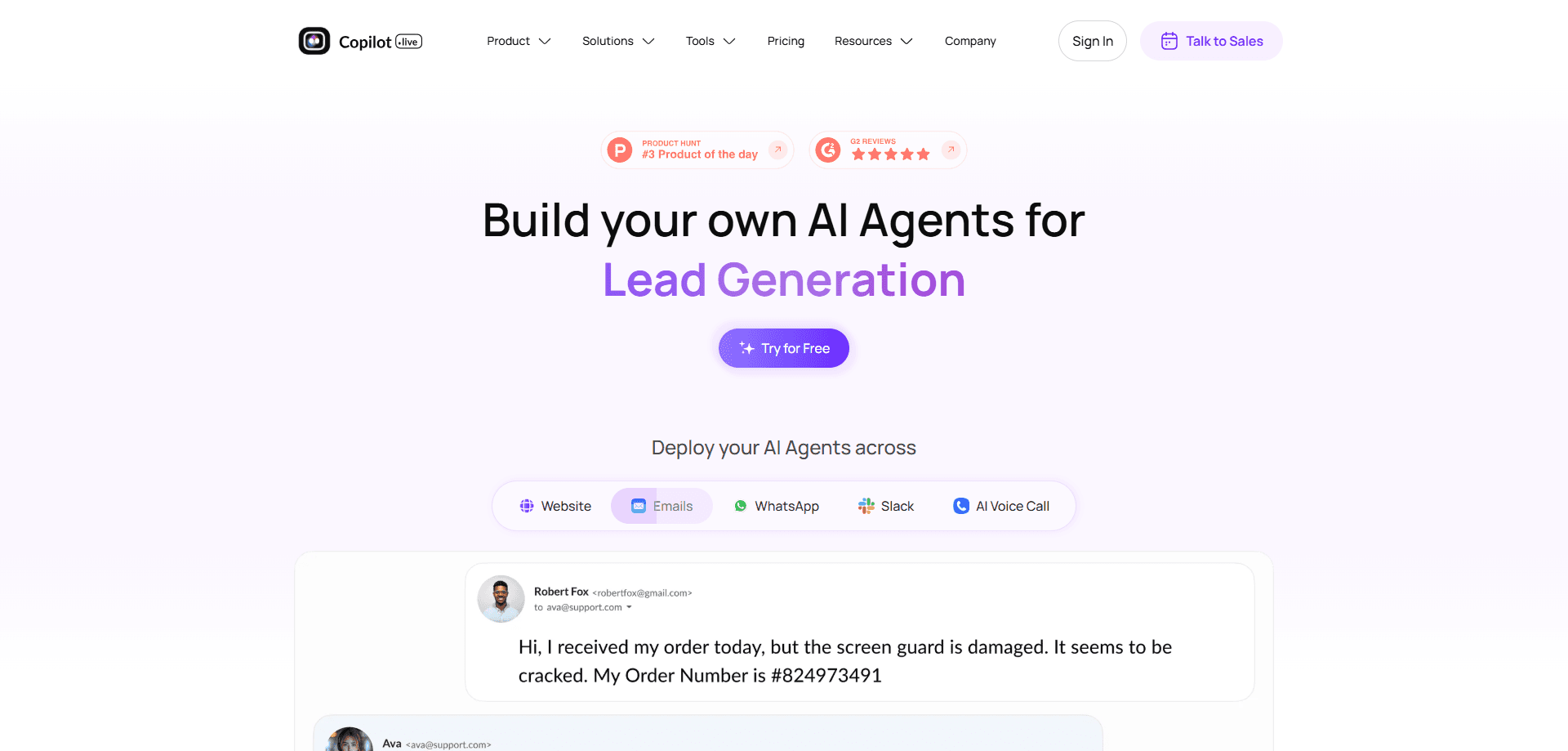
CoPilot.Live is a no-code platform for building custom ChatGPT-powered AI agents that handle customer chats on your website, WhatsApp, voice, email and Slack.
About CoPilot.Live
What Is CoPilot.Live
CoPilot.Live is a no-code AI agent platform. You feed it your own content, pick a large language model and deploy a chatbot that answers customers like a trained support rep. The company behind it, Shopsense Retail Technologies (also known as Fynd), has since rebranded the product as Fynd Kaily, and the old copilot.live address now redirects to kaily.ai. The core pitch is unchanged: build a knowledgeable assistant without writing code.
The platform targets teams that get flooded with the same questions. Instead of routing every visitor to a human, you point the agent at your docs, help center or product catalog and let it answer on its own. When a case needs a person, it hands the conversation over with the full history attached.
There are limits worth knowing. Deeper automation such as custom AI workflows and voice calls sit on the higher paid plans, and freeing yourself from the platform means rebuilding your agent elsewhere. The free trial runs for 30 days, so you can test the fit before committing.
Getting Started
- Sign up at copilot.live, which now opens the Fynd Kaily console, and start a 30-day free trial
- Create an agent and point it at your data sources, such as a website, PDFs or a help center
- Pick the language model, adjust the appearance and set the instructions the agent should follow
- Deploy it to your channels: website widget, WhatsApp, voice, email, Slack or a mobile app
- Review conversations and analytics in the dashboard, then refine answers as needed
Product Information
A quick look at CoPilot.Live's pricing, supported platforms, and performance.
Best for
The users, tasks, and scenarios where this tool fits best.
Users
- Small support teams
- Ecommerce and retail brands
- Marketers and solo founders
- Agencies building for clients
Tasks
- Answering repeated questions
- Qualifying leads
- Booking and scheduling
- Human handoff
- Multilingual support
Scenarios
- An online store at peak season
- A website after hours
- A WhatsApp helpdesk
- A voice line for a service business
Key features
No-Code Agent Builder
You build an agent by describing what it should do and pointing it at content, not by writing code. The console walks you through naming the agent, setting its tone and choosing a model. Anyone who can edit a help doc can get a working bot live, which is the platform's biggest draw for non-technical teams.
Bring Your Own Data Sources
Connect a website, upload PDFs or link a help center, and the agent answers from that material. Changes to your source docs sync across automatically, so the bot does not quote a policy you retired last month. Fresh data in means fewer wrong answers out.
AI Workflows for Real Actions
Workflows let the agent do more than talk. With a no-code builder you trigger actions such as collecting a lead, booking a slot or updating a record, and it can reach outside tools through MCP integrations. This is what separates a helpful bot from one that only recites your FAQ.
Multichannel Deployment
One agent runs across a website widget, WhatsApp, voice calls, email, Slack, a public webpage and iOS or Android apps. You build once and reuse, which matters for brands whose customers live in different apps. Voice is the standout, since most rivals stop at text chat.
Human Handoff With Full Context
When the agent hits a question it cannot handle, it passes the chat to a person and carries the conversation history along. The customer does not start over, and the rep sees what was already asked. It keeps automation from becoming a dead end.
Analytics and Templates
The dashboard tracks resolution time, CSAT and conversation volume, so you can see where the agent helps and where it stumbles. Ready-made templates cover roles such as sales rep, support agent and shopping assistant, giving teams a starting point instead of a blank page.
Model Choice, Including GPT and Gemini
You are not locked to one model. The platform supports GPT-3.5, GPT-4o, GPT-4o mini, GPT-4, Gemini 1.5 Flash, Gemini 1.5 Pro and Claude 3.5 Sonnet on higher plans. Switching lets you trade cost against quality as your needs change.
Pros and cons
Pros
- Build a working AI agent without code, which puts it within reach of support and marketing teams
- One agent covers web, WhatsApp, voice, email, Slack and mobile apps, so you do not rebuild per channel
- Human handoff carries the full transcript, which keeps customers from repeating themselves
- Free 30-day trial, and the entry plan at $39/mo is affordable for small teams
- Supports several leading models, so you can pick between cost and answer quality
Cons
- Custom workflows and voice calls are reserved for the higher Business and Enterprise plans, so the cheap tier is limited
- The free trial ends after 30 days with no permanent free tier for a live agent
- The product rebranded to Fynd Kaily and the old copilot.live name may confuse people following older reviews
- Moving off the platform means rebuilding your agent, since there is no clean export
Frequently asked questions
CoPilot.Live is a no-code platform for building custom AI agents powered by models like ChatGPT. You connect it to your own content and deploy a chatbot that answers customers on your website, WhatsApp, voice, email and Slack. The product has since been rebranded as Fynd Kaily.
Related content
Explore related tools, skills, and articles for CoPilot.Live.
CoPilot.Live Alternatives

Base Code
Base44 (Wix) · Coding · ProductivityBase Code is a shared cloud development environment from Base44. Teammates describe changes to an existing GitHub codebase in chat, preview them live and send them back as pull requests.

Google EmbeddingGemma 2
Google DeepMind · Writing · Image · CodingGoogle EmbeddingGemma 2 is a 740M-parameter open model that turns text, code, images, audio, and video frames into vectors in one 768-dimension space, running on phones and laptops.

GitGlow
GitGlow · Coding · ProductivityGitGlow is a local-first desktop Git client that lets independent developers review their own code and their AI agents' changes in one place before shipping.