

Copilot Hub
Unknown · Other · Chatbot
Copilot Hub is a web platform for building AI assistants that answer from your own documents, websites, and Notion pages, plus a public library of ready-made copilots.
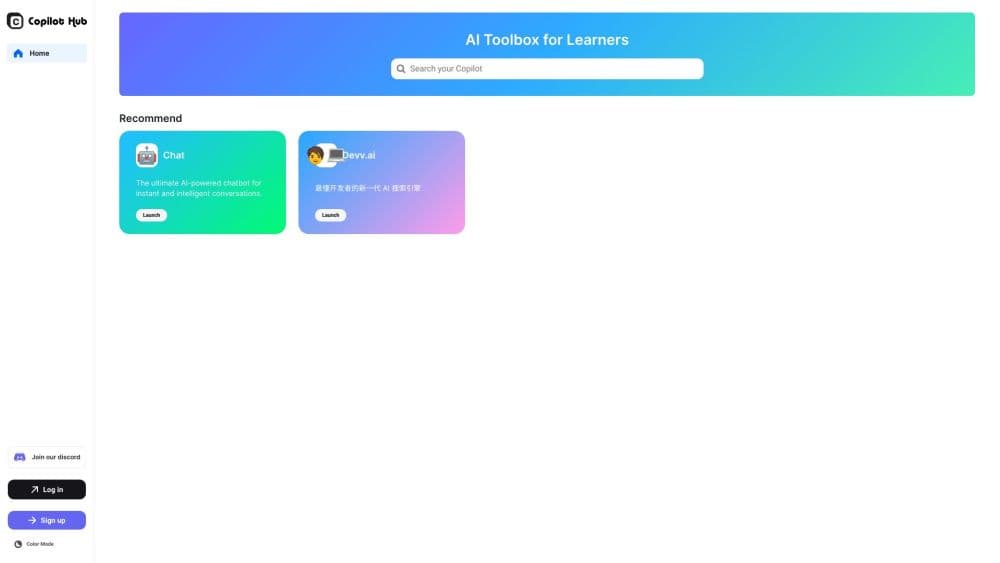
About Copilot Hub
What Is Copilot Hub
Copilot Hub is an AI copilot platform that turns your files into a working assistant. You describe the job, attach the material the assistant should read, and publish the result as a link other people can open. The promise was a custom AI chatbot in minutes, with no code and no model setup.
The product had two halves. One was a library of shared assistants covering study, writing, and coding, so you could start from someone else's setup. The other was the builder: you fed it your own material and got answers grounded in that material instead of generic model output.
Before you plan around it, know where it stands in 2026. The copilothub.ai domain now redirects to Devv, an AI coding agent, and the old app is no longer reachable. New accounts can't be created. Treat this page as a record of what the tool did and who it suited, not as a buying guide for today.
The core idea still holds up. A focused assistant reading a defined set of sources beats a general chatbot when the question is about your own notes, your own handbook, or your own syllabus. That's why the category grew after Copilot Hub stopped.
Getting Started
- Open app.copilothub.ai and sign in with an email address or a Google account. There was no desktop app to install.
- Create a copilot and give it a name plus a short description, so the library listing and the share link make sense to whoever opens it.
- Add sources. The builder accepted uploaded documents, website URLs, and Notion pages, and treated each as material the assistant could quote.
- Write the instructions: tone, answer length, what to do when a source doesn't cover the question. This paragraph did most of the work in shaping replies.
- Test with real questions from your own workflow, fix the sources that produced weak answers, then publish. Sharing produced a public link that anyone could open without an account.
Product Information
A quick look at Copilot Hub's pricing, supported platforms, and performance.
Best for
The users, tasks, and scenarios where this tool fits best.
Users
- Students
- Knowledge workers
- Small support teams
Tasks
- Turning a folder of PDFs into something you can question
- Drafting in a fixed house style
- Answering recurring questions from a website's own content
- Getting a first read on unfamiliar material
Scenarios
- Exam season
- Onboarding a new hire
- Triaging a support inbox
Key features
Answers Grounded in Your Sources
The assistant replied from the material you attached rather than from general training data alone. That's the difference between a custom AI chatbot that knows your handbook and one that guesses. Quality tracked the sources: clean text, one topic per file, and current versions produced sharp answers.
Copilot Builder With Instructions
Each copilot carried a name, a description, and an instruction block for tone and behavior. The block was where you told it how long to answer, whether to quote, and what to say when the material ran out. Small edits there changed output more than switching anything else.
Document, Website, and Notion Imports
You could load files, paste URLs, or connect a Notion workspace, which covered the three places most personal knowledge actually lives. Importing a whole site was the fastest route for teams whose answers already sat in public help pages.
Public Library of Shared Assistants
The library held ready-made copilots you could open and question without building anything. It worked as a demo reel for the builder: try someone else's assistant, then copy the pattern for your own material.
Shareable Links
Publishing produced a public page, so a copilot could be handed to classmates, colleagues, or customers as a link. No plugin, no install, no account for the reader. That low friction was the product's best argument.
Prompt Starters
Assistants shipped with suggested questions on the opening screen, which helped first-time visitors see what the copilot could actually do. In practice those starters did more for adoption than a blank chat box would.
Pros and cons
Pros
- Setup took minutes and never asked for code, which made it usable for people who don't build software.
- Answers came from your own files, so a copilot over a course reading list stayed on topic.
- The shared library gave you a working example before you committed to building anything.
- The free plan let you test one real use case before deciding whether to pay.
- Everything ran in the browser, so there was nothing to install on a locked-down laptop.
Cons
- The service is effectively gone. The domain redirects to Devv and no new accounts are possible, so you can't use it for a project starting today.
- Answer quality depended on your source hygiene. Scanned PDFs and sprawling documents produced confident but wrong replies, and you had to catch that yourself.
- Documentation and pricing were thin. You learned what a copilot cost by using it, which made budgeting awkward.
- It stayed a standalone tool. There were no connectors for Slack, a CRM, or a ticketing system, so the answers lived outside the places work happens.
Frequently asked questions
Copilot Hub was a browser-based AI assistant builder. You attached documents, websites, or Notion pages, wrote instructions, and published a copilot that answered from that material.
Related content
Explore related tools, skills, and articles for Copilot Hub.
Copilot Hub Alternatives

Odyssey 3
Odyssey · OtherOdyssey-3 is Odyssey's foundation world model. It simulates physics in real time, turns a prompt into an interactive environment, and adapts to robots, cars and games.

JarvisCore
Prescott Data · Coding · Productivity · OtherJarvisCore is an open source Python runtime where AI agents work as equal peers on an agent mesh, claim tasks from a shared ledger, and reach external services through a zero-trust broker.
Clef
Cloudflare · Business · OtherClef is Cloudflare's open-source decision model for Workers AI. It returns calibrated probabilities for typed questions, not generated text, so agents can classify, route, and act fast.