
CopyFrog AI
CopyFrog · Writing · Image · Marketing · Other
CopyFrog AI is a web platform that writes marketing copy, generates product images, and turns prompts into short videos, using GPT-4o and Stable Diffusion models under a credit system.
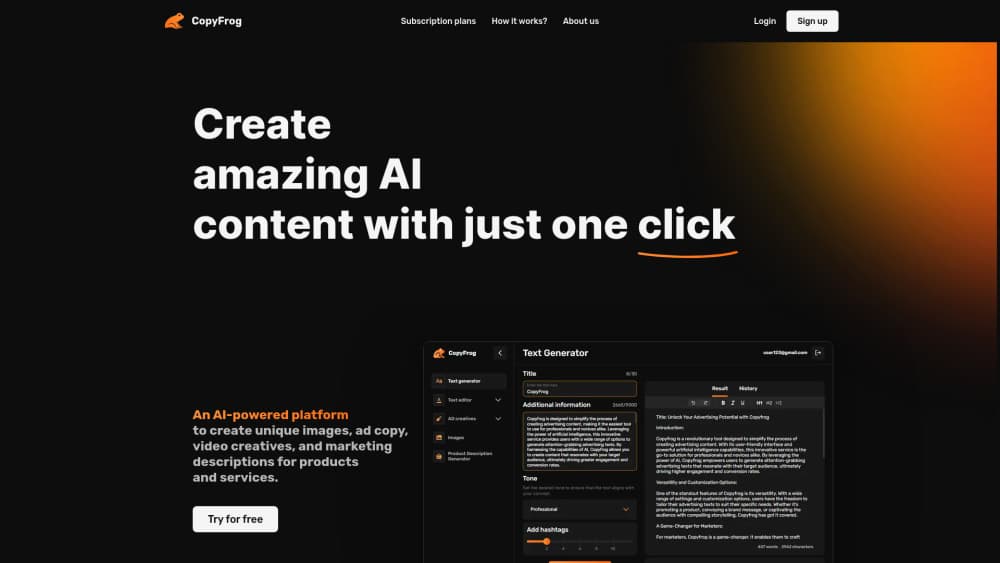
About CopyFrog AI
What Is CopyFrog AI
CopyFrog AI is an AI content creation platform that packs a copywriting tool, an image generator, and a video generator into one browser dashboard. The pitch is simple: describe a product or an ad idea, pick a tone, and walk away with text and visuals that match. The team behind it works out of France and is part of the La French Tech Côte d'Azur program.
The text side runs on GPT-4o and GPT-4o mini, tuned with prompts built by linguists. Images come from Stable Diffusion and Flux models with custom settings the company says its artists adjusted by hand. Video generation went live later and turns a written scene into a short clip with motion and lighting.
Credits drive everything. Each generation spends credits, and the size of your monthly allowance depends on your plan. The company states it claims no copyright over generated text, so you can publish what you make. The catch is that per-plan credit limits aren't published in a clear table, and unused mini pack credits expire after a month.
Getting Started
- Create an account on copyfrog.ai and confirm your email.
- Pick a tool from the dashboard: text, image, video, product description, or ad creatives.
- Fill in the brief. For a product description, that means keywords, a short overview, and a tone.
- Generate, then edit the result in the built-in editor or download it.
- Upgrade to a monthly plan or a mini pack when your trial credits run out. The trial ends on its own, so there's no cancellation step.
Product Information
A quick look at CopyFrog AI's pricing, supported platforms, and performance.
Best for
The users, tasks, and scenarios where this tool fits best.
Users
- Small e-commerce sellers
- Bloggers and solo marketers
- Agencies juggling several brands
Tasks
- Writing product descriptions at scale
- Making ad creative variants
- Cleaning up product photos
- Drafting short promo videos
Scenarios
- Launching a new product page
- Keeping a social calendar filled
- Testing ad angles before spending
Key features
AI Copywriting and Text Editor
The text generator produces social posts, articles, and marketing copy from a short prompt. A separate editor rewrites existing text, adjusts length, and shifts tone without you rebuilding the whole piece. It's the part most users touch first, and it handles blog intros and captions better than long structured documents.
Product Description Generator
You supply keywords, a product overview, and a tone, and the tool returns a description written for search and for shoppers. The output tends to follow a benefit-first pattern, so expect to trim a line or two if your brand voice is drier. For catalogs with dozens of SKUs, this is the fastest route from spec sheet to listing.
AI Image Generator
Images are rendered with Stable Diffusion and Flux models using settings the company tuned in-house. Prompts lean toward product and lifestyle shots, and results hold up at web resolution. Fine detail on hands, text, and small logos still needs a second pass, as with most diffusion models.
Photo Editing Tools
Background removal and object removal work inside the same dashboard. You upload a product photo, cut the backdrop, and drop in a clean surface color without opening Photoshop. Edges on hair and glass are the usual weak spot, so check close-ups before you publish.
AI Video Generator
The video generator takes a written scene and returns a short clip with motion, lighting, and atmosphere. It's built for social teasers and product spins, not for narrated explainers or anything needing precise timing. Clip length and credits per render vary, so test one before committing a campaign to it.
AI Chatbot and Marketing Assistant
A GPT-4 powered chat window answers strategy questions, suggests copy angles, and refines ideas in real time. Treat it as a brainstorming partner rather than a fact source: it doesn't browse for you, and specifics like local regulations need checking elsewhere.
Pros and cons
Pros
- Text, images, video, and editing live in one dashboard, which cuts tool switching for small teams.
- The product description generator takes keywords and tone directly, so output needs less rewriting than generic chat prompts.
- Image models are tuned for product visuals, and the built-in background removal saves a separate editing step.
- A free trial starts without a card and ends automatically, so testing costs nothing but time.
- The company claims no copyright over generated text, which simplifies publishing.
Cons
- Credits expire on mini packs after one month, so occasional buyers lose whatever they don't spend.
- Per-plan credit allowances aren't published clearly, which makes cost planning guesswork until you upgrade.
- Video output is short and stylized, so it won't replace a proper production tool for anything longer than a teaser.
- There's no documented public API, which rules it out for teams that want to automate generation inside their own stack.
Frequently asked questions
It generates marketing text, product images, short videos, and ad creatives from prompts in a browser dashboard. Think of it as a copywriting tool, an AI image generator, and a video teaser maker sold as one subscription.
Related content
Explore related tools, skills, and articles for CopyFrog AI.
CopyFrog AI Alternatives

Claude for Google Workspace
Anthropic · Writing · Productivity · BusinessClaude for Google Workspace puts Claude in a sidebar inside Google Docs, Sheets, and Slides, where it reads the file you have open and edits it in place.

Claude Haiku 5.5
Anthropic · Writing · Coding · ChatbotClaude Haiku 5.5 is Anthropic's fastest and cheapest small model, built for high volume tasks at $0.10 per million input tokens with a 1M token context window.

NoteWorthy
Suman Hansada · Writing · Productivity · AI AssistantNoteWorthy is a notes app for iPhone, iPad and Mac that writes titles, tidies formatting, summarizes long notes and files each one with on-device AI. No account, no upload, no network requests.