

Copylime
Copylime · Writing
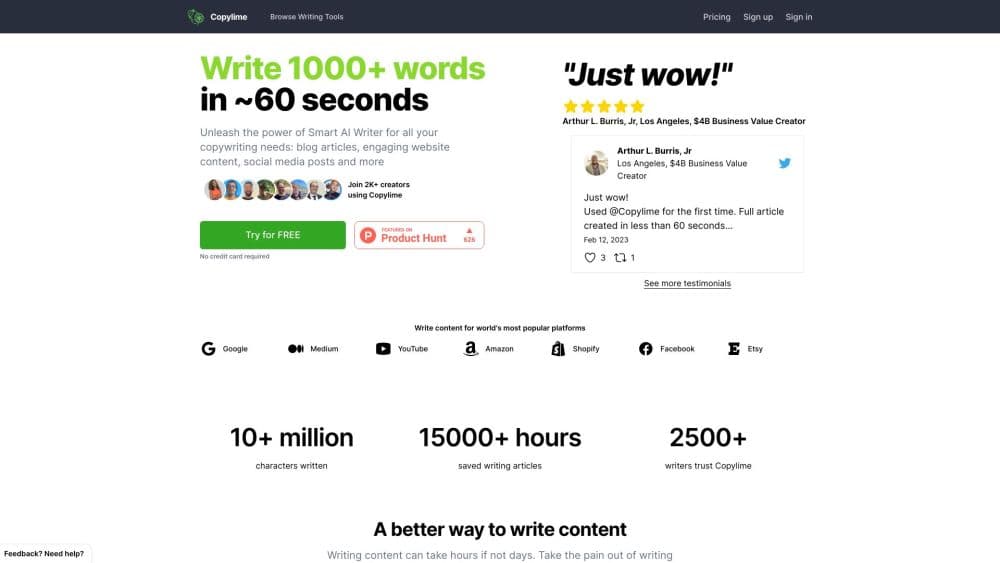
Copylime is an AI copywriting tool for blogs, essays, ads and books, built on 40+ focused generators with keyword-driven SEO articles, tone controls, and pay-per-use word bundles.
About Copylime
What Is Copylime
Copylime is a browser-based writing tool built for people who have the topic in their head and nothing on the page. You feed it a keyword, a title, or a rough outline, and it types back a draft you can edit, extend, or publish. The product comes from Peter Szeremi and first showed up on Product Hunt around September 2022, aimed at bloggers, marketers, and founders who write their own copy.
The library is the main selling point. Instead of one chat box that handles everything, this AI copywriting tool splits writing into more than 40 single-purpose tools: an article writer, a headline maker, a listicle builder, a rewriter, product descriptions, cold emails, essay outlines, book chapters. The SEO article writer alone earns the page its keep on content sites, and the essay writing tool does the same for students. Each one asks for the exact inputs the job needs, which keeps the prompt engineering on its side of the table.
Two things will shape your experience. Output is a starting draft rather than a finished post, so expect editing time on anything you publish. And the account model is usage-based: you buy words, they never expire, and one request costs one credit. Heavy writers need to watch word budgets the way they'd watch minutes on a phone plan.
Getting Started
- Sign up on copylime.com with an email address. The site sends a magic login link, so there's no password to invent, and the free account starts with 30 credits.
- Pick a tool from the left-hand panel. For a blog post, open Article Writer and enter your SEO keywords, a page title, an approximate word count, and the H2 headings you want covered, one per line.
- Set the delivery. Choose a tone from the built-in list (professional, informative, persuasive, friendly, humorous and others) and pick a language, with English US and UK, Spanish, German, Dutch, Italian, French, Polish, Portuguese, Swedish, Indonesian, Japanese, and both Chinese scripts available.
- Click Create content and let it run. A full article usually lands in under a minute, and you can regenerate any section that misses.
- Edit and export. Copy the draft into your editor, rewrite the parts that sound generic, and run the Paraphrase or Rewriter tool when a paragraph needs a different angle.
- Watch your word balance. Every generation draws from the same word pool, and the FAQ says future tools may charge more than one credit when they output more text.
Product Information
A quick look at Copylime's pricing, supported platforms, and performance.
Best for
The users, tasks, and scenarios where this tool fits best.
Users
- Bloggers and niche site owners
- Freelance copywriters
- Small business owners
- Self-publishing authors
Tasks
- Drafting an SEO blog post from a keyword
- Rewriting existing copy
- Building a sales page
- Generating email sequences
- Outlining an essay or a book
Scenarios
- A content site publishing daily
- A one-person marketing team behind schedule
- Student work with a deadline
- Testing an idea before a launch
Key features
Keyword-to-Article Workflow
An AI content generator is only as good as its inputs, and the Article Writer asks for SEO keywords, a page title, a target word count, and your own H2 headings, then writes the sections around your structure instead of inventing its own. That control is the difference between a usable draft and a generic essay, and the word count field lets you aim at 800, 1,500, or 2,000 words in one pass. Copylime's own pitch is a finished article in about 60 seconds, which lines up with what most users report on short pieces.
A Tool for Each Writing Job
The library covers blog, sales, ad, email, website, essay, personal, and book categories, with over 40 generators in total. Article Section Writer, Paraphrase, Article Ideas, Outline, Introduction, and Conclusion handle editing tasks, while separate builders exist for AIDA, PAS, Before-After-Bridge, and Feature-Benefit-Outcome sales frameworks. When one screen handles every request, writers tend to cram context into one box. A dedicated form for each job solves that, and it's the most practical part of this copywriting software.
Tone and Language Controls
Each generator carries a tone selector with around thirty options, from Professional and Informative to Humorous, Academic, Urgent, or Empathetic, plus the ability to add a custom tone. Language support runs to thirteen variants, including both English spellings and both Chinese scripts. For anyone writing in a second language, that list is more valuable than it looks, because the output arrives in the target language rather than needing a translation pass.
Rewriter and Paraphrase Tools
Two separate tools target text you already wrote. The Rewriter rebuilds a passage to change its voice or emphasis, and Paraphrase swaps the phrasing but keeps the meaning intact. Both work on content from any source, so the practical use is de-duplicating drafts, softening an overtly promotional paragraph, or turning a client's notes into publishable sentences.
Book and Essay Modules
Long-form work has its own section. Book tools split a manuscript into idea and title, characters, story plot, outline, introduction, chapter opening, chapter, paragraph, and conclusion. Essay tools follow the same breakdown with idea and title, outline, introduction, section, paragraph, and conclusion. Writing a 40,000-word book in one prompt rarely works, and these smaller steps are the more realistic path for a first-time author.
Credit-Based Pricing
Copylime bills in words rather than seats, and that credit-based pricing is the model to understand before signing up. The free tier includes 2,000 words with no card, and the pay-as-you-go bundles are 20,000 words for $10, 40,000 for $20, and 60,000 for $30, all one-time purchases. The Unlimited Pro plan runs $29 per month or $348 per year for daily writing, tied to one user seat. Purchase words never expire, and the FAQ puts one credit at one use.
Pros and cons
Pros
- Dedicated forms per writing job cut the prompt-writing work, and the SEO article writer takes your own H2 outline so the draft follows your plan.
- Word purchases never expire and start at $10, so a one-off project doesn't turn into a monthly subscription.
- The tone list and thirteen language variants make it usable for non-English content and brand voice tests.
- Refunds are simple on paper: any purchase is refundable within seven days if 100% of the words are unused.
- The book and essay modules cover long projects in steps, which is more useful than asking one bot for 40,000 words.
Cons
- Output needs heavy editing before publishing. Generic phrasing and thin arguments show up often, especially on competitive topics where the model has little to add.
- No API and no team workspace. Agencies with several writers share one login or buy the Pro plan for a single seat.
- Word-based billing gets hard to predict. The FAQ warns future tools may cost more than one credit per run, so a launch week can burn through a bundle faster than expected.
- The interface still carries older copy, and the annual Pro price sits at $348, close to the yearly cost of a general chatbot subscription that covers more tasks.
Frequently asked questions
Copylime generates written drafts. You give it a keyword, title, or outline, and it returns an article, ad, email, essay, or book chapter depending on the tool you open. It's a drafting tool, not a booking system or an editor with a grammar checker.
Related content
Explore related tools, skills, and articles for Copylime.
Copylime Alternatives

Google EmbeddingGemma 2
Google DeepMind · Writing · Image · CodingGoogle EmbeddingGemma 2 is a 740M-parameter open model that turns text, code, images, audio, and video frames into vectors in one 768-dimension space, running on phones and laptops.

MePersona
MePersona, Inc. · Writing · Productivity · MarketingMePersona is an AI unified inbox for creators. It learns your voice, drafts replies to fan messages from 12 platforms, and sends only what you approve.

Fluence
Yay Software (Yannick Huchard) · Writing · Voice & Language · ProductivityFluence is an Android app that reads PDFs, EPUBs, Word files and web articles aloud, follows each sentence as it speaks, and answers questions about the text on the phone itself.