
Corrector App
Grammar Buddies LTD · AI Detection
Corrector App is a free online checker for grammar, spelling, and punctuation in English, Tagalog, and more than 25 other languages, with an AI content detector alongside it.
About Corrector App
What Is Corrector App
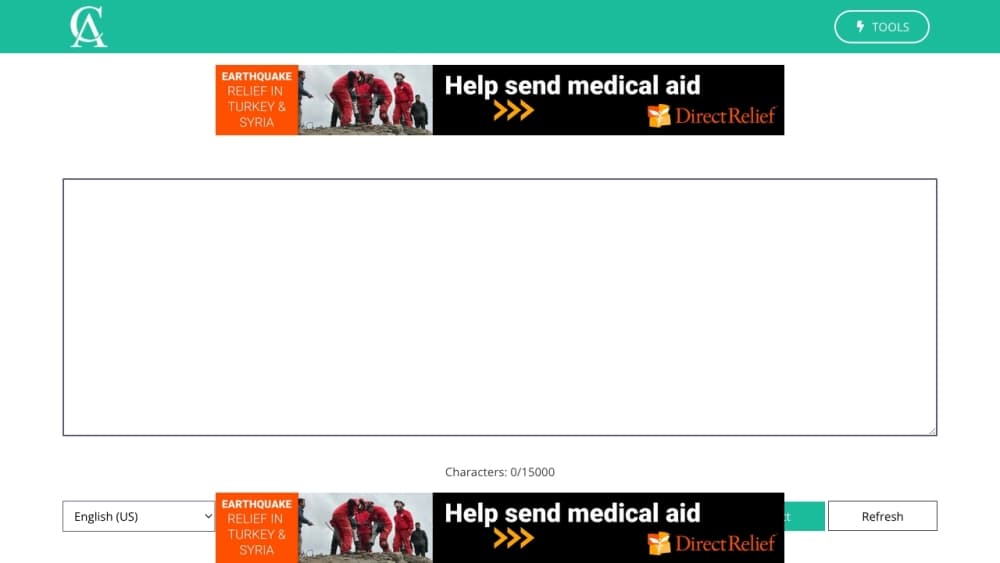
Corrector App is a browser-based proofreading tool from Grammar Buddies LTD, a London-registered company. You paste text into the page, press check, and get corrections for spelling, grammar, and punctuation, each with a short note explaining the error so you can decide whether to accept it.
The product sits in the same corner as LanguageTool and Grammarly, and the site credits LanguageTool as part of its engine. What separates it is the price: there is no paid plan at all. The company says the tool has always been free and pays for itself with advertising, which is the trade you make. The checker also doubles as a reading aid for people writing in a second language, since it explains rules rather than silently rewriting.
The limits follow from that model. Pages carry ad placements, which many users find distracting. The workspace handles up to 15,000 characters at a time, so book manuscripts and long reports have to go in sections. The tool explains and flags, and the choice of what to accept stays with you, so it works as a safety net rather than a full editing service.
Getting Started
- Open corrector.app in a browser and pick your language or English variant from the list at the top of the checker.
- Paste or type your text into the box, up to 15,000 characters per check.
- Press the check button and read the suggestions, each with a note on what went wrong.
- Click a suggestion to replace the flagged word and continue until the list is clear.
- Install the Chrome, Firefox, or Edge extension if you want the same check on web forms outside the site.
Product Information
A quick look at Corrector App's pricing, supported platforms, and performance.
Best for
The users, tasks, and scenarios where this tool fits best.
Users
- Students writing essays
- Non-native English speakers
- Small business owners and freelancers
- Speakers of less common languages
Tasks
- Checking an email before sending
- Proofreading a blog post or product page
- Screening a submitted text for AI writing
- Learning a second language
Scenarios
- Daily email and chat messages
- Before submitting coursework
- Editing a client document under time pressure
- Reviewing text from a freelancer or agency
Key features
Grammar and Spelling Check
The core checker scans the text for misspellings, agreement errors, wrong verb forms, and missing or misplaced words, then highlights each one with a suggested replacement. Click a flagged item to apply the fix, or skip it if the original was deliberate. The notes explain the rule, which helps when the same mistake keeps coming back.
Punctuation Checking
Commas, apostrophes, quotation marks, and missing full stops get flagged alongside spelling. Punctuation errors rarely break meaning on their own, but they change how a sentence reads, and a page full of them makes otherwise good writing look careless.
English Variant Selection
You can pick which English to check against, from US and UK to Canadian, Australian, South African, and New Zealand spelling and usage. That matters for anyone writing for a specific market, since a US spelling in a UK job application reads as an error, not a preference.
Language Coverage Beyond English
The online spell checker covers more than 25 languages, including Spanish, French, German, Portuguese, Italian, Russian, Polish, Dutch, Swedish, Danish, Norwegian, Greek, Romanian, Slovak, Slovenian, Finnish, Indonesian, Malay, Turkish, Chinese, Japanese, Korean, Arabic, Persian, and Tamil. Tagalog gets its own pitch on the site, which is unusual for a free tool.
AI Content Detector
A separate tool estimates how much of a pasted text reads as AI-generated, aimed at teachers, editors, and publishers screening submissions. The site limits a check to 800 words. The output is a percentage, and the company itself warns against relying on a single number, so treat it as a signal that prompts a closer read.
Browser Extensions and Mobile Apps
Corrector App ships extensions for Chrome, Firefox, and Edge, plus apps for iOS and Android and a Kindle edition. The extensions bring the check into web forms, while the mobile apps cover phone typing. None of them is required to use the web checker.
Pros and cons
Pros
- No payment at any point: the checker, the AI detector, and the extensions are free, with no trial period or premium tier to upgrade into.
- No sign-up: you paste text and check it, so there is no account, password, or email confirmation standing between you and a correction.
- Broad language list: more than 25 languages with several English variants, well past what most free checkers offer.
- Explanations with each fix: the tool states the rule behind a correction, which is more useful to a learner than a silent replacement.
Cons
- Advertising pays the bills: pages carry ad placements that take attention away from the text box, and skipping them needs your own ad blocker.
- 15,000 character ceiling: long documents have to be split into chunks, and the checker works section by section rather than as a whole.
- Detector accuracy is limited: the AI score is an estimate on up to 800 words, and text that is heavily edited by a person can still land on the wrong side.
- No workflow integrations: there is no Word add-in or Google Docs plugin, so document work means copying text out and back in.
Frequently asked questions
Corrector App is a grammar checker for students, office writers, and anyone else who needs a fast pass over pasted text, and it explains the grammar, spelling, and punctuation mistakes it finds. It covers English in several regional variants plus more than 25 other languages, and a separate tool on the same site estimates how much of a text was written by AI.
Related content
Explore related tools, skills, and articles for Corrector App.
Corrector App Alternatives
Isgen AI
Isgen · AI DetectionIsgen AI is a web-based AI detector that scores text for machine authorship and shows you which sentences and phrases push the number up. It's built for teachers, editors, students, and writers. Their question is simple: did this draft come from ChatGPT, GPT-5, Claude, Gemini, DeepSeek, or another model? You paste or upload content, run a scan, and get a Human, AI, and Mixed breakdown in seconds. There's also a companion editor that scores text while you write it.
Humanizeai Tools
Humanizeai Tools · Writing · AI DetectionHumanizeai Tools is a web-based AI humanizer that rewrites machine-generated text so it sounds like a person wrote it, which is the whole point of the category it belongs to. Paste a draft from ChatGPT, Claude, or Gemini, run it through the tool, and it swaps out the phrases and sentence patterns that AI detectors flag. If your goal is to make AI text sound human before you publish it, this is the kind of tool built for exactly that. It suits students, bloggers, and marketers who need copy that reads naturally and clears tools like GPTZero, Copyleaks, and Winston AI after a single pass.

Hidemyai
Hidemyai · Writing · AI DetectionHidemyai is an AI content humanizer. It rewrites text from ChatGPT, Jasper, and similar tools so the result reads like a person wrote it. You paste your draft, pick a document type and tone, and the service returns a version meant to bypass AI detectors such as Originality.ai, Turnitin, and ZeroGPT. It targets writers, marketers, and students who lean on AI drafts but can't ship copy that sounds robotic. The promise is simple: make AI content undetectable.