

Cosyra: AI Coding Terminal
Portable Software · Coding
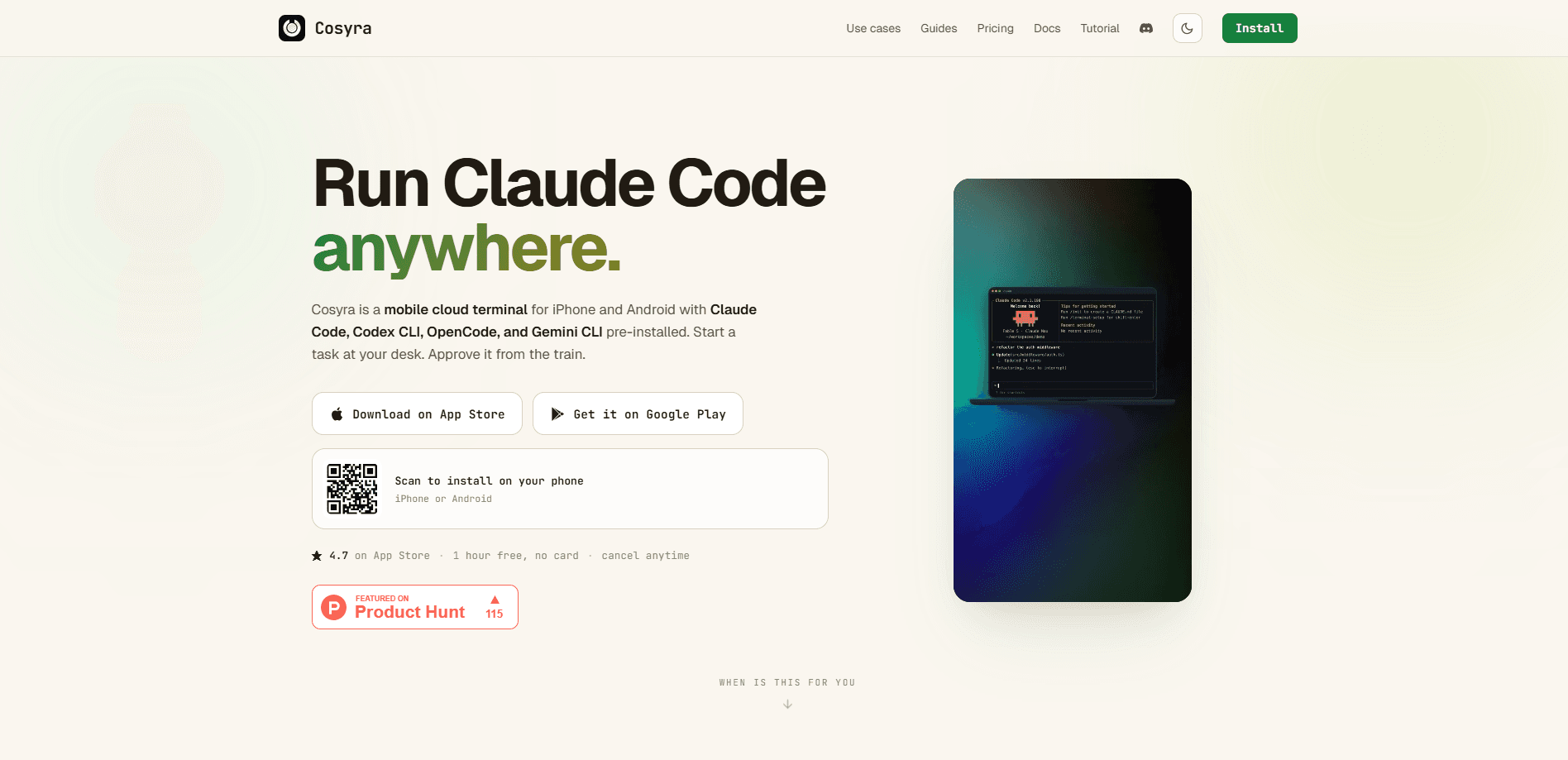
Cosyra: AI Coding Terminal is a mobile cloud coding terminal that hands you a persistent Ubuntu 24.04 workspace on iPhone and Android, with Claude Code, Codex CLI, OpenCode, and Gemini CLI already installed. You point the app at your own repo and your own AI keys, so an AI coding agent on phone hardware keeps working while your laptop is shut. To run Claude Code on iPhone or Android, you open the app, start a session, and let the agent go. It doesn't try to turn your phone into a full IDE. Think of it as a remote coding workspace you carry in your pocket and check in on from the couch.
About Cosyra: AI Coding Terminal
What Is Cosyra: AI Coding Terminal
Cosyra runs your coding session on a virtual machine in the cloud and streams the interface to a phone app, a web client, or a private command-line tool. The workspace is a full Ubuntu 24.04 container on x86_64, so the terminal commands and agent CLIs behave the way they do on a desktop. Nothing heavy runs on the phone itself.
The problem it solves is interruption. A long build, a refactor, or an agent working through a task list used to stop the moment you closed the laptop or left the desk. Not anymore. With Cosyra, the session keeps running in the background, and you reconnect whenever you want. Your files, diffs, and agent sessions are still there.
Two limits matter up front. Cosyra covers the workspace, not the AI bill; you connect your own Anthropic, OpenAI, or OpenRouter account and pay that provider separately. And there's no free tier for the workspace itself. Stripe subscriptions start at $20 per month, and the only free path is a 7-day trial through the App Store app.
Getting Started
- Install Cosyra from the App Store or Google Play, then create an account in the mobile app (self-serve CLI signup is still in testing).
- Start a subscription. Core runs $20 per month and Pro runs $30, and both include a persistent workspace with hibernation.
- Connect your own AI provider account, such as Anthropic, OpenAI, or OpenRouter, since Cosyra doesn't bundle model access.
- Open a workspace, clone or create a repo, and launch an agent like Claude Code or Codex CLI from the terminal.
- Review the diffs the agent produces, attach screenshots or files if a task needs context, and let the session run when you put the phone down.
Product Information
A quick look at Cosyra: AI Coding Terminal's pricing, supported platforms, and performance.
Best for
The users, tasks, and scenarios where this tool fits best.
Users
- Solo developers
- Developers who commute or travel
- Vibe-coding beginners
Tasks
- Reviewing agent output
- Long-running refactors
- Quick fixes away from a desk
Scenarios
- A build that takes 40 minutes and would otherwise block your only laptop.
- Checking on a background agent during a lunch break instead of waiting until you're back home.
- Prototyping on a trip when you left the work machine behind but still want to push commits.
Key features
Persistent Ubuntu Workspace
Every account gets its own Ubuntu 24.04 (x86_64) container that stays alive between sessions. You can hibernate it and pick up later without reinstalling tooling or re-cloning a repo. So what does that buy you? Real continuity. That persistence is the reason a mobile cloud coding terminal makes sense at all; without it, you'd just be restarting from scratch every time.
Pre-Installed Agent CLIs
Claude Code, Codex CLI, OpenCode, and Gemini CLI come installed, so there's no setup dance before your first prompt. That matters on a phone, where fiddling with package managers is miserable. Nobody wants that. You can still install anything else you need, because it's a normal Linux environment.
Bring Your Own Keys
Cosyra doesn't mark up model usage. You connect your own Anthropic, OpenAI, or OpenRouter account, and the app says your keys live in a dedicated managed key vault rather than the company's database. The upside is cost control and provider choice. The catch is that two bills now exist: one for the workspace and one for the AI provider.
File Viewer and Diff Review
The agent writes the code, but Cosyra assumes you'll want to check it. A native file viewer browses the workspace, and a diff view shows each change file by file. Trust matters here. You can also attach photos, screenshots, or files straight into a session when a task needs visual context.
Cloud Services in the Workspace
Linear, AWS, Google Cloud, Vercel, Netlify, and others can be installed inside the workspace, so the agent can reach the same services your project depends on. That keeps deploy previews and issue tracking within reach instead of forcing a jump back to a desktop. Fewer context switches. Less friction.
Isolation and Encryption
Each workspace runs in a per-user Kubernetes namespace on a Cosyra-controlled Azure AKS cluster, hardware-virtualized rather than sharing a kernel, according to the company. Traffic is encrypted in transit, storage and keys are encrypted at rest, and Cosyra states it doesn't train models on your code. After you cancel, data persists for 30 days before deletion.
Pros and cons
Pros
- The workspace keeps running when your laptop closes, so long agent tasks don't stop mid-way.
- Agent CLIs are pre-installed, which removes the most annoying part of mobile setup.
- Bring-your-own-key pricing keeps model costs transparent and lets you pick a provider.
- The mobile app plus web client and private CLI share one account across devices.
- Per-user VM isolation and a managed key vault give a clearer security story than a shared container.
Cons
- There's no free workspace tier, so you can't evaluate it without paying or using the App Store's 7-day trial.
- AI model costs aren't included, so the total price depends on how heavily you use your provider.
- Session time is capped at 120 workspace hours per month, which heavy users could hit.
- CLI signup and browser checkout are still in testing, so the smoothest path today is the mobile app.
Frequently asked questions
Cosyra gives developers a persistent cloud development environment they can drive from a phone. Instead of keeping a laptop open to babysit an AI coding agent, you start the session in the app and check on it later. It's built for people who want their agents always available, not tied to one machine.
Related content
Explore related tools, skills, and articles for Cosyra: AI Coding Terminal.
Cosyra: AI Coding Terminal Alternatives
Forefront
Forefront · CodingForefront is a web platform for building with open-source AI. It lets you fine-tune leading open-source language models on your own data, evaluate how they perform, and run them through an API or export them to host yourself. Developers who want the convenience of a closed-source platform but insist on owning their models and data are the target audience here.

Startkit
StartKit.AI · CodingStartkit is a boilerplate for building AI SaaS and AI wrapper products. Think of it as an AI startup boilerplate with the boring parts already wired up: authentication, Stripe and Lemon Squeezy payments, usage limits, transactional email, and an AI API starter that talks to OpenAI, Anthropic, Groq, or Llama. You clone the repo, set your price, and start on the part of your product that people actually pay for. It's Next.js under React and Tailwind, so most of the boilerplate code already feels familiar.
Testim
Tricentis · CodingTestim is an AI-powered test automation platform for building and running end-to-end tests across web, mobile, and Salesforce applications. It leans on machine learning to keep tests stable when an interface changes, so teams spend less time fixing broken selectors. Not bad for an automated testing tool you can start using today. You create tests by recording actions in a browser, then optionally add JavaScript when you need more control. It's a solid pick for busy QA teams.