

Cotypist
Cotypist · Writing
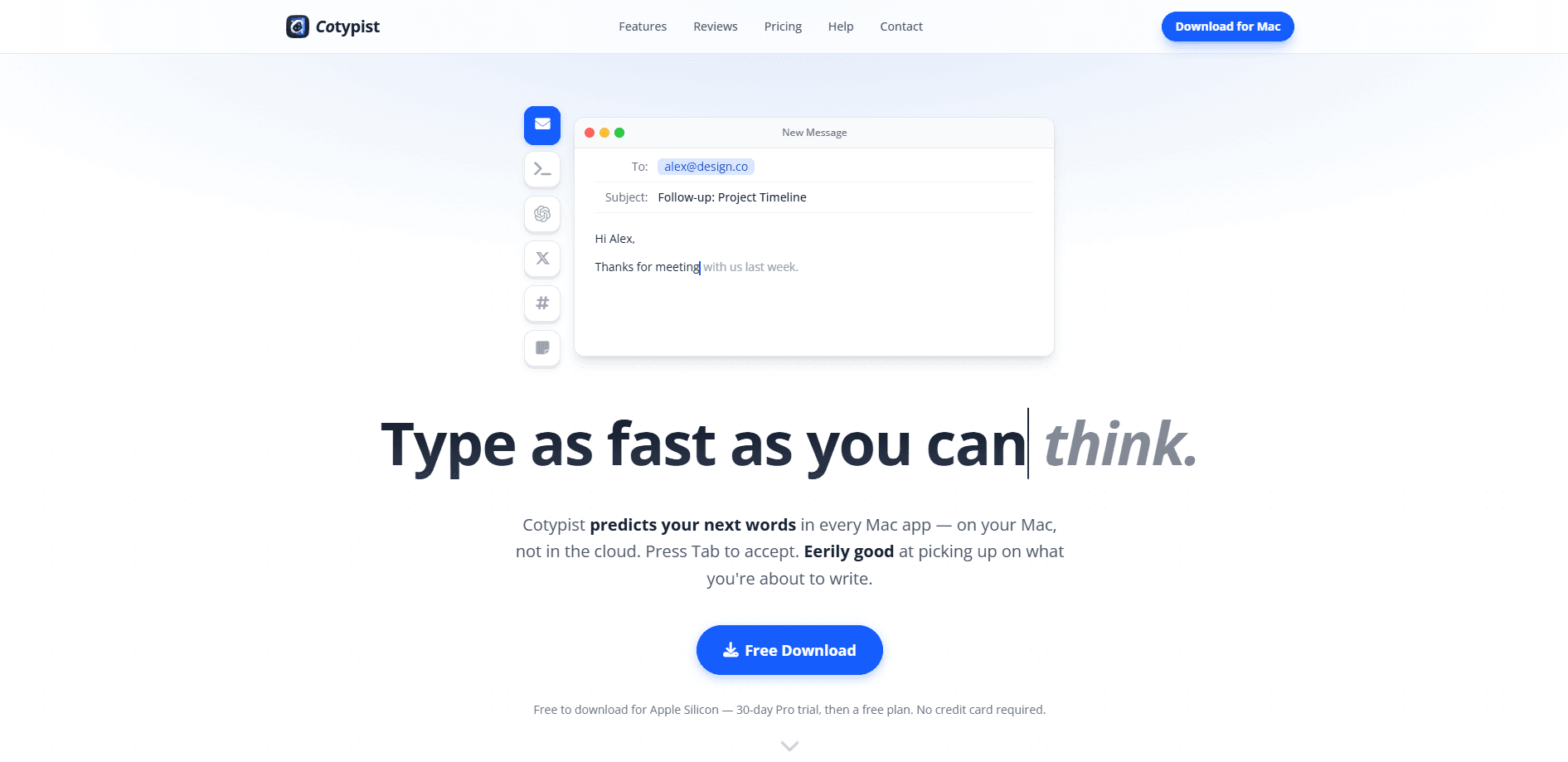
Cotypist is an AI autocomplete for Mac users who write all day. It predicts your next words inline, right inside the app you're already typing in, and you press Tab to accept the suggestion. Think Apple Mail, Slack, Notion, Obsidian, or a browser tab. This isn't a chatbot you open and prompt. It's an on-device writing assistant that sits in the background. It works offline, keeps your drafts on your machine, and learns your vocabulary, your names, and the way you phrase things. Same writing. Less typing.
About Cotypist
What Is Cotypist
Cotypist is a system-wide writing assistant that lives on your Mac and finishes your sentences as you type. It doesn't generate paragraphs for you to edit afterward. It suggests the words you were probably about to write anyway, then lets you take them with a single key. The whole point is staying in your flow instead of stopping to explain what you want to a chatbot.
The appeal is privacy. Every suggestion is computed on your machine, so nothing you draft gets uploaded to a server or folded into someone else's training data. That matters if you write client emails, private notes, or anything you'd rather not hand to a cloud service.
So what's the catch? Mostly the hardware.
The tradeoff is that it's Apple Silicon only. If you're on an older Intel Mac, Cotypist won't run. You also need to be comfortable with a helper tool reading the text fields you type in, even if that processing never leaves the device.
It's a tradeoff. Private, but local access is still access.
Getting Started
- Download the Cotypist app from the official website and drag it into your Applications folder.
- Launch it and grant the macOS permissions it asks for, so it can offer suggestions inside other apps.
- Open any Mac app and start typing the way you normally do; suggestions appear inline as you go.
- Press Tab to accept the next word, or keep pressing to take more of the line; just keep typing to ignore a suggestion.
- Optionally adjust completion length and add custom or per-app writing instructions in the settings.
Product Information
A quick look at Cotypist's pricing, supported platforms, and performance.
Best for
The users, tasks, and scenarios where this tool fits best.
Users
- Writers who draft long emails, articles, or reports every day
- Privacy-conscious professionals handling client or personal text
- Non-native English speakers who write in a second language
Tasks
- Replying to a backlog of emails
- Drafting Notion docs or Slack updates
- Fixing typos as you go
Scenarios
- Writing at your desk for hours
- Working on a flight or offline
- Juggling several apps in one workflow
Key features
Inline suggestions with Tab acceptance
Cotypist predicts your next words and shows them right where you're typing. Press Tab to take the next word, or hold the habit and press again to accept a longer chunk. If the guess is wrong, you don't dismiss anything; you just keep typing, and it usually corrects itself within a letter or two. No pop-ups. No menus.
On-device processing that works offline
All the prediction happens on your Mac rather than in the cloud. That's what lets it run with no internet connection and keeps your writing out of any remote training set. Cotypist markets this as the kind of privacy you'd expect from a keyboard. It's the main reason people pick this offline AI autocomplete over cloud-based tools.
System-wide coverage across Mac apps
You don't install Cotypist into each app. Once it's running, suggestions appear in Apple Mail, Slack, Notion, Obsidian, your browser, and most other Mac text fields. Same behavior everywhere, no per-app configuration to babysit. That's inline text prediction across your whole desktop, not just one editor.
Personalization that learns your voice
The more you write, the closer its suggestions get to how you actually phrase things. It picks up your vocabulary, the names you use, and your habits, so the output sounds like you wrote it rather than a generic assistant. Paid tiers expose stronger personalization controls. Want it tuned harder? Upgrade.
Inline typo correction
Cotypist spots a misspelling in the word you're typing and offers the fix inline. Tab applies it, with no pop-up window and no red underline to clean up later. It's the autocorrect you'd want, sitting quietly inside the writing surface. Type it once. Move on.
Emoji and mid-line completions
Type a colon and the relevant emoji appears, so you can drop a reaction into a chat message without leaving the keyboard. Mid-line completion also lets Cotypist fill gaps in the middle of a sentence, not just at the end, which suits editing and revising.
Configurable completions and custom instructions
Plus and Pro users can set how long completions run, write their own instructions, and add per-app instructions so the tone shifts between, say, a formal email client and a casual chat app. Pro unlocks the full model catalog and sync across up to three Macs.
Pros and cons
Pros
- Works in almost every Mac text field, so you learn one tool instead of ten.
- On-device processing keeps drafts private and keeps suggestions coming offline.
- Word-by-word acceptance lets you blend AI help with your own writing mid-sentence.
- Learns your phrasing and vocabulary, so suggestions sound like you.
- Free plan with 100 completed words a day, plus a 30-day Pro trial, lowers the commitment.
Cons
- Apple Silicon only, which rules out Intel Macs entirely.
- Requires granting system-wide text access, a real privacy consideration even with local processing.
- The free plan caps you at 100 completed words per day, so heavy writers hit the ceiling fast.
- No Windows, Linux, or mobile version, so it doesn't fit a cross-platform workflow.
Frequently asked questions
It's an AI autocomplete tool that predicts your next words as you type anywhere on a Mac. Suggestions appear inline, and you press Tab to accept the next word or a longer span. It's built to speed up writing without taking over the way a chatbot would.
Related content
Explore related tools, skills, and articles for Cotypist.
Cotypist Alternatives

Google EmbeddingGemma 2
Google DeepMind · Writing · Image · CodingGoogle EmbeddingGemma 2 is a 740M-parameter open model that turns text, code, images, audio, and video frames into vectors in one 768-dimension space, running on phones and laptops.

MePersona
MePersona, Inc. · Writing · Productivity · MarketingMePersona is an AI unified inbox for creators. It learns your voice, drafts replies to fan messages from 12 platforms, and sends only what you approve.

Fluence
Yay Software (Yannick Huchard) · Writing · Voice & Language · ProductivityFluence is an Android app that reads PDFs, EPUBs, Word files and web articles aloud, follows each sentence as it speaks, and answers questions about the text on the phone itself.