

Cove
Cove · Writing · Productivity
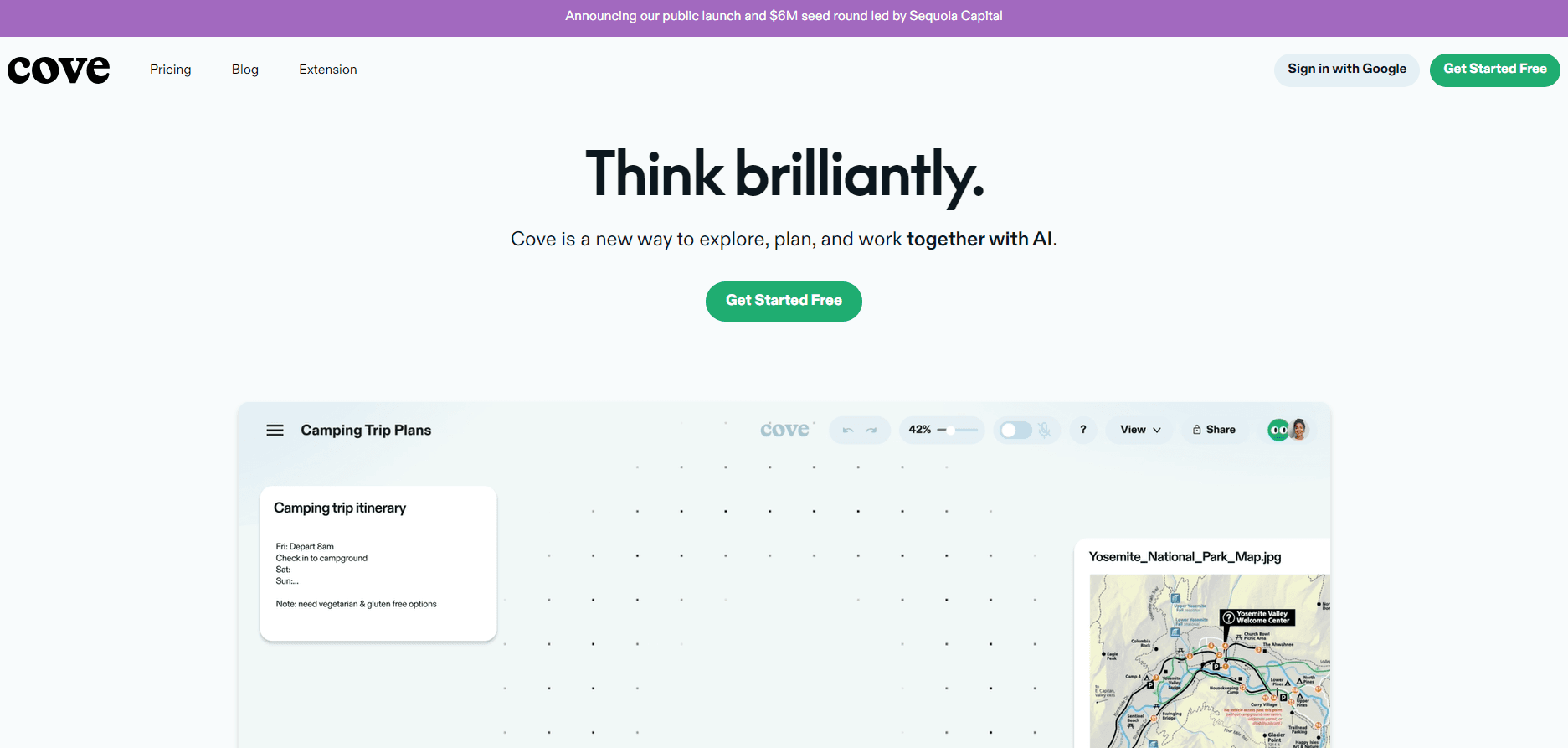
Cove is an AI visual workspace and browser AI assistant that gives you a canvas to think and plan on with an AI collaborator right inside your browser.
About Cove
What Is Cove
Cove bills itself as a visual workspace for thinking with AI. You get a blank canvas instead of a chat box. You drop ideas, links, screenshots, and notes onto it as you work. An AI partner sits alongside you the whole time, so the thinking happens in one shared space rather than scattered across ten open tabs.
Most people already do this research somewhere. You read a few articles, save a couple of pages, and lose track of which fact came from where. Cove's pitch is that the canvas keeps the raw material and the reasoning in the same place. That's useful when a project is big enough that you can't hold it all in your head. Small projects don't need it. Think of it less as a browser AI assistant and more as a room where the work happens.
The catch is expectation-setting. Cove is a thinking and organizing tool. It's not an all-in-one document suite, and it's not a task manager. If you need a finished report with strict formatting, you'll still export your work and polish it elsewhere. And because it runs in the browser, an unstable connection can interrupt a session, which means a flaky hotel Wi-Fi or a spotty mobile hotspot can stall the work you were counting on finishing between meetings.
Getting Started
- Go to cove.ai and create an account, or sign in if you already have one.
- Start a new canvas and give the project a name so you can find it later.
- Add your starting material: paste a link, drop in a screenshot, or type a note about what you're trying to figure out.
- Talk to the AI collaborator about the material on the canvas, and let it help you arrange, connect, and expand your ideas.
- Save the canvas and return to it whenever the project needs another pass.
Product Information
A quick look at Cove's pricing, supported platforms, and performance.
Best for
The users, tasks, and scenarios where this tool fits best.
Users
- Researchers and analysts who collect a lot of sources and need one place to make sense of them.
- Writers and content planners who want to outline ideas visually instead of in a linear doc.
- Students working through a long project who need a study space that holds notes, links, and AI help together.
Tasks
- Early project planning
- Research synthesis
- Brainstorming and outlining
Scenarios
- Starting a new project on a Monday morning and needing to get the shape of it down fast.
- Revisiting a stalled project and needing the original context to be right where you left it.
- Comparing options side by side when a decision depends on several sources at once.
Key features
Canvas-Based Workspace
Cove drops you onto an open canvas rather than into a linear document. You put notes, links, and images wherever they make sense, then move things around as your thinking changes. It suits messy work. Non-linear thinking fits it better than a top-to-bottom page. Most project planning tools force you into rows and columns. This one doesn't.
Built-In AI Collaborator
An AI partner works on the same canvas as you instead of in a separate chat window. It can help you arrange material, expand on a note, or push back on an assumption. The source material stays visible next to it the whole time. That closeness to your own notes is what separates it from a plain chatbot. Simple stuff, handled together. It's the difference between asking a question into the void and asking one with your evidence laid out in front of you. What does that look like in practice? You paste a paragraph, ask the AI to challenge it, and watch it reference your own sources back at you.
Browser-Native Research Flow
Because Cove lives in the browser, the pages you're reading and the canvas you're thinking on sit in the same place. You can pull in a link you just found without switching apps, which cuts down on the tab juggling that normally breaks a research session.
Visual Organization of Ideas
Cove treats ideas as things you arrange in space, not just lines of text. Grouping, linking, and repositioning let you see how pieces relate before you commit to an order. For planning work, that visual pass often surfaces gaps a written outline hides, and it does so without forcing you to write full sentences before the idea is ready. Moving a single sticky note can reframe the whole question.
Shared Project Context
A canvas keeps your sources and your reasoning together. When you come back after a break, the context is still intact. No re-reading. You don't have to reconstruct why you made a decision from a pile of bookmarks. Everything is where you left it.
Pros and cons
Pros
- Keeps research material and your thinking in one visual space instead of scattered tabs.
- Strong for project planning: your goals, sources, and open questions stay on one screen.
- The AI collaborator works directly on your canvas, which fits how research actually unfolds.
- Browser-based setup means nothing to install and quick access from any machine you're signed in on.
- It works as a project planning tool and research canvas in one, so you don't need a separate stack for early-stage work.
- Free to start, so you can test whether the canvas approach fits your workflow before paying.
Cons
- It's a thinking tool, not a document suite, so final formatting still happens elsewhere.
- Running in the browser means a weak connection can interrupt a session and you may lose flow.
- As a newer product, some features and integrations are still maturing, so don't expect the depth of an established suite.
Frequently asked questions
Cove is an AI visual workspace for thinking, researching, and planning. You gather sources and ideas on a canvas and work through them with an AI collaborator beside you. Anyone who treats research as a project rather than a single sitting will get the most out of it.
Related content
Explore related tools, skills, and articles for Cove.
Cove Alternatives

Google EmbeddingGemma 2
Google DeepMind · Writing · Image · CodingGoogle EmbeddingGemma 2 is a 740M-parameter open model that turns text, code, images, audio, and video frames into vectors in one 768-dimension space, running on phones and laptops.

MePersona
MePersona, Inc. · Writing · Productivity · MarketingMePersona is an AI unified inbox for creators. It learns your voice, drafts replies to fan messages from 12 platforms, and sends only what you approve.

Fluence
Yay Software (Yannick Huchard) · Writing · Voice & Language · ProductivityFluence is an Android app that reads PDFs, EPUBs, Word files and web articles aloud, follows each sentence as it speaks, and answers questions about the text on the phone itself.