

Coworker AI
Coworker AI · Coding
Coworker AI is an enterprise AI agent platform that plugs into 50+ business tools, keeps one shared picture of your company, and routes each task to the model that fits it best. Instead of a chatbot bolted onto a browser tab, it reads across Slack, Salesforce, Jira, and the rest, then ships real outputs like documents, decks, code, and automated workflows. Think of it as AI agents for business work, not just chat. The pitch is simple: your team gets smarter AI answers without paying frontier-model prices for every request. So where does it actually help?
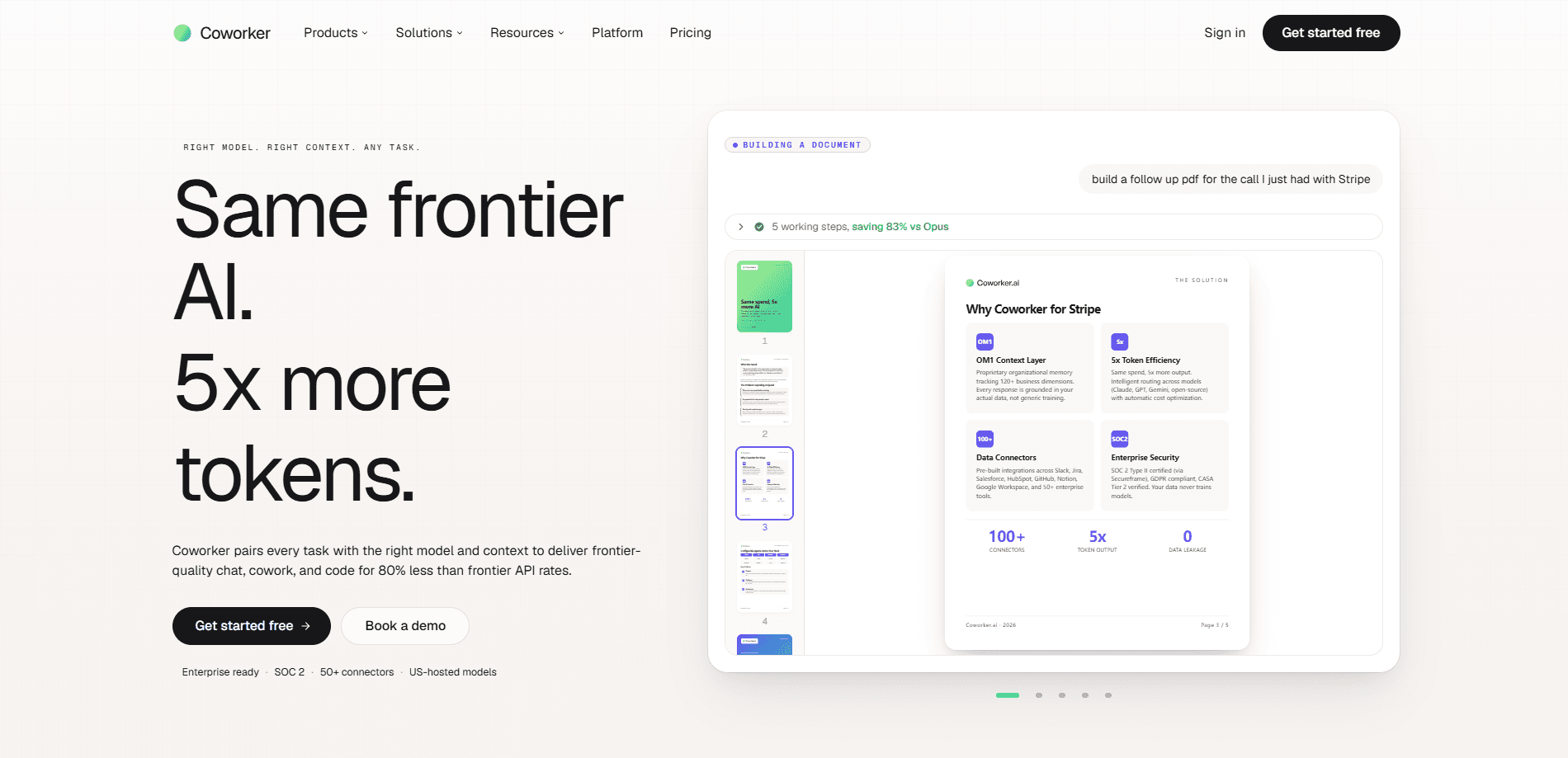
About Coworker AI
What Is Coworker AI
Coworker AI is an enterprise AI agent platform built around two pieces of infrastructure. The first is Organizational Memory, a knowledge graph that learns from every connected data source so your AI stops rebuilding context from scratch. The second is model routing, which sends each request to the cheapest model that still clears your quality bar, drawing on Anthropic, OpenAI, Google, and open-weight providers like Moonshot and Z.ai.
The company's own benchmarks put the savings at 9x cheaper with its memory layer alone, and 51x cheaper once routing is added. Treat those numbers as vendor claims, not independent results. What matters more for buyers is that the platform is SOC 2 Type II certified, GDPR compliant, and never trains on your data.
The biggest limitation is fit, not capability. Pro starts at $29.99 per user per month and Max runs $149.99, so this is priced for teams and businesses rather than solo users hunting for a free AI chat app. If you just want a general assistant, the overhead of connectors and permissions setup won't pay off. That's the honest trade-off.
Getting Started
- Sign up for a Coworker AI workspace and pick a plan, or book a demo if you need to scope Enterprise.
- Connect your business tools through OAuth. Coworker has 50+ native connectors, and each one inherits the permissions already in place.
- Install Coworker MCP into the AI client your team already uses, such as Claude Code, Cursor, or ChatGPT, or open the native apps for Work, Code, Meetings, and Agents.
- Give an agent a task in plain language and let it read, write, and act across your connected tools.
- Review the drafted output, whether that's a deck, a report, or a scheduled workflow, and approve it before it goes out.
Product Information
A quick look at Coworker AI's pricing, supported platforms, and performance.
Best for
The users, tasks, and scenarios where this tool fits best.
Users
- Enterprise teams
- Operations and sales staff
- Developers
Tasks
- Cross-tool research
- AI workflow automation
- Meeting follow-through
- Artifact generation
Scenarios
- Onboarding a new team member who needs to find the right context fast instead of pinging five colleagues.
- Weekly reporting where the numbers live in one system and the narrative lives in another.
- Cost control on AI spend when a team is burning through frontier-model tokens on tasks a smaller model could handle.
Key features
Organizational Memory (OM2)
OM2 is a knowledge graph that reads every connected tool continuously and stores what it learns as connected facts about people, projects, customers, and decisions. The point is recall over rebuild. Instead of your AI re-reading tools each session, answers get pre-synthesized and pulled back in a fraction of a second. Access policies live inside each fact. Permission boundaries travel with the data.
Model Routing
Coworker AI routes each task across five providers and 22 models, from Anthropic, OpenAI, and Google to open-weight options from Moonshot and Z.ai. The router picks the cheapest model that still meets the quality bar for the task, and new models get added as they ship without any migration on your side. If you'd rather bring your own models, BYOM is supported on your own infrastructure.
Coworker MCP
The Model Context Protocol server exposes your company's data and workflows to any MCP-compatible client, including Claude Code, Cursor, ChatGPT, and Windsurf. Setup usually takes under 30 minutes. Configure the endpoint, authenticate with your Coworker credentials, and the connection is live. It's included on every plan. There's no separate tier to buy.
50+ Native Connectors
Coworker AI ships more than 50 read-and-write connectors covering CRM, comms, support, docs, code, and data. Salesforce, HubSpot, Slack, MS Teams, Jira, Linear, Notion, Google Workspace, GitHub, Zendesk, Intercom, and Snowflake are all on the list. Agents push updates back into those tools. A task doesn't end with a summary sitting in a separate tab.
Native Apps: Work, Code, Meetings, Agents
Beyond the MCP connection, Coworker runs its own apps. Work answers questions and acts across your tools in natural language, Code writes and ships in a secure sandbox, Meetings listens and drafts actions, and Agents learn a workflow and run it in the background. Each one is routed to the right model for the job.
Permission-Aware Agents
Every connector inherits the access controls already set on your tools, so users only reach data they were authorized for to begin with. No new login system. No separate SSO map to maintain. For regulated teams, that's often the difference between a pilot and a rollout.
Enterprise Security
Coworker AI is SOC 2 Type II certified, GDPR compliant, and CASA Tier 2 certified, with data encrypted at rest and in transit. The company says it doesn't train on customer data, and models are US-hosted. Enterprise plans add SSO, custom SLAs, and a dedicated success manager.
Pros and cons
Pros
- One shared context layer across 50+ business tools means less copy-pasting and fewer forgotten tabs.
- Model routing can cut AI spend substantially, since routine tasks no longer default to the most expensive model.
- Coworker MCP works inside the clients your team already has open, so adoption doesn't demand a new habit.
- Connectors respect existing permissions, which keeps security review short for most teams.
- Native apps cover the full loop from question to drafted output to approved action.
Cons
- There's no free plan, and $29.99 per user per month adds up quickly for a large team.
- The value depends heavily on connecting your tools, so a team that lives in one app gets little from it.
- Enterprise pricing is custom, which means a sales conversation before you can see real numbers.
- The cost and quality savings come from the vendor's own benchmarks, and independent results aren't available yet.
Frequently asked questions
It connects your business tools, keeps one shared memory of your company, and runs AI agents that read, write, and act across those tools. Outputs are finished work like documents, decks, code, and scheduled workflows, not just chat replies.
Related content
Explore related tools, skills, and articles for Coworker AI.
Coworker AI Alternatives
Forefront
Forefront · CodingForefront is a web platform for building with open-source AI. It lets you fine-tune leading open-source language models on your own data, evaluate how they perform, and run them through an API or export them to host yourself. Developers who want the convenience of a closed-source platform but insist on owning their models and data are the target audience here.

Startkit
StartKit.AI · CodingStartkit is a boilerplate for building AI SaaS and AI wrapper products. Think of it as an AI startup boilerplate with the boring parts already wired up: authentication, Stripe and Lemon Squeezy payments, usage limits, transactional email, and an AI API starter that talks to OpenAI, Anthropic, Groq, or Llama. You clone the repo, set your price, and start on the part of your product that people actually pay for. It's Next.js under React and Tailwind, so most of the boilerplate code already feels familiar.
Testim
Tricentis · CodingTestim is an AI-powered test automation platform for building and running end-to-end tests across web, mobile, and Salesforce applications. It leans on machine learning to keep tests stable when an interface changes, so teams spend less time fixing broken selectors. Not bad for an automated testing tool you can start using today. You create tests by recording actions in a browser, then optionally add JavaScript when you need more control. It's a solid pick for busy QA teams.