

Co Writer - your AI platform for creative writing
Unknown · Writing
Co Writer is a web-based AI writing platform for fiction and creative projects. You brainstorm ideas, draft scenes and revise prose while you keep control of voice, structure and final wording.
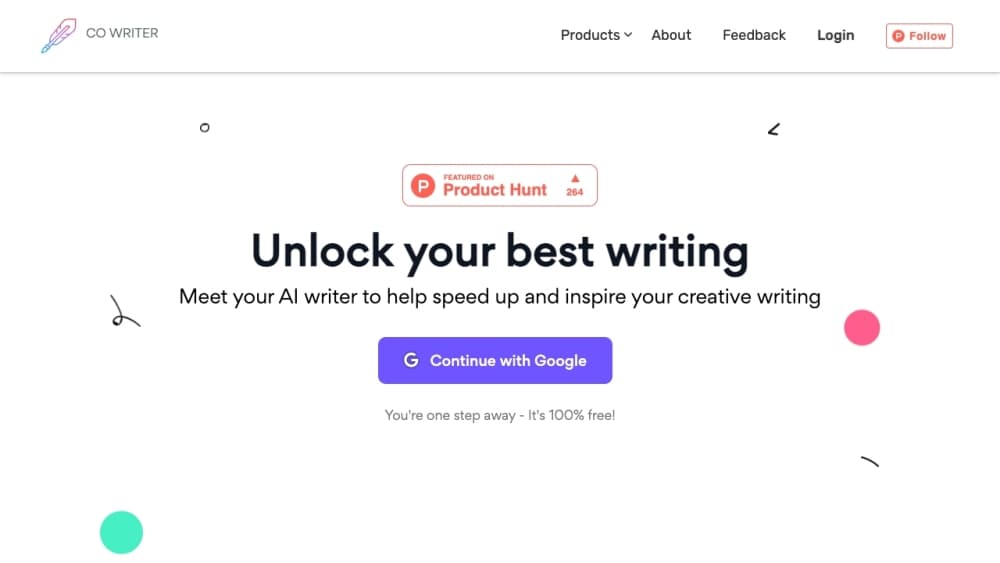
About Co Writer - your AI platform for creative writing
What Is Co Writer
Co Writer is an AI writing platform aimed at creative work rather than ad copy. You bring a premise, a half-finished chapter or a page of messy notes. The tool answers with draft passages, alternative phrasings and questions about the story you're telling. That's the whole pitch: get the author past the empty page without taking the pen away.
The design fits long projects better than one-off prompts. Character details, plot threads and earlier scenes sit next to the manuscript, so you can pull them into a prompt when a chapter needs continuity. A general chatbot forgets that context. A co-writing tool is supposed to keep it.
One thing to know before you invest time. The original address, cowriter.org, no longer serves the product; it now resolves to an unrelated company site. Treat this page as a record of what Co Writer offered, and check that the service is live before you build a workflow around it. The craft advice holds either way. AI prose drifts over long drafts, and the writer who reviews every paragraph keeps the voice intact.
Getting Started
- Open the site and create a free account with an email address or a Google login.
- Start a project, then paste a premise, an outline or an existing chapter into the workspace.
- Write a short brief: genre, point of view, tense and the tone you want the scene to hit.
- Generate a draft or highlight your own sentences and ask for a rewrite in a different register.
- Edit the result in the same window, keep what works, and export the manuscript when the chapter is done.
Product Information
A quick look at Co Writer - your AI platform for creative writing's pricing, supported platforms, and performance.
Best for
The users, tasks, and scenarios where this tool fits best.
Users
- Novelists working on a first draft
- Hobby writers who stall after chapter three
- Non-native English writers polishing fiction
Tasks
- Breaking a stalled scene
- Rewriting a passage in another tone
- Keeping character details straight
Scenarios
- Outlining before a drafting month
- Fixing a chapter after beta feedback
- Drafting in a second language
Key features
Prompt-Driven Scene Drafting
You describe a beat in plain language and the tool writes a passage in the voice you set. It's most useful for the connective tissue between big moments, the walk to the station or the argument at breakfast, where the plot doesn't move but the reader still needs to be there. Output arrives as editable text, not a locked block.
Idea and Outline Generation
Feed it a genre, a theme and two characters, and it returns premises, twist options and a chapter skeleton. The value isn't the first answer. It's the tenth one, the option you'd never have written yourself and can now push against.
Tone and Style Rewriting
Highlight a paragraph and ask for a different register: bleaker, lighter, more formal, more clipped. This is where an AI prose editor earns its place in a fiction writing software stack, because the rewrite works on your sentences instead of inventing new ones. Compare two versions side by side before you choose.
Character and Plot Notes
Projects hold notes on people, places and unresolved threads. When a scene needs a detail from chapter two, you pull it from the notes rather than scrolling the manuscript. Small feature, real time saved.
Continuity Support for Long Drafts
The platform is built to carry earlier context into a new prompt, which matters once a manuscript passes twenty thousand words. Ask it what a character knows at a given point and it answers from the material you've loaded. Treat the answer as a draft summary and check it against your own text.
Manuscript Export
Finished sections leave the workspace as plain text or a document you can open in a standard word processor. No lock-in on the file itself, so a draft can move into any editor or self-publishing pipeline later.
Pros and cons
Pros
- Drafting and rewriting sit in one window, so you don't lose the thread by switching tabs.
- The rewrite tools respect your sentences, which keeps the manuscript sounding like you wrote it.
- Short prompts are enough to get moving, even on a day when the plot refuses to cooperate.
- Project notes make continuity checks fast once a book gets long.
Cons
- The service is no longer reachable at its original address, so new users can't sign up or confirm current pricing.
- Voice flattens over long drafts. Budget editing time, or the middle chapters will read like a different author.
- No public API is documented, which rules out wiring the tool into a custom writing setup.
Frequently asked questions
It's an AI writing platform for creative projects. Writers use it to draft scenes, generate plot options, rewrite passages in a new tone and keep story notes in one place. It isn't a grammar checker bolted onto a text box.
Related content
Explore related tools, skills, and articles for Co Writer - your AI platform for creative writing.
Co Writer - your AI platform for creative writing Alternatives

Claude for Google Workspace
Anthropic · Writing · Productivity · BusinessClaude for Google Workspace puts Claude in a sidebar inside Google Docs, Sheets, and Slides, where it reads the file you have open and edits it in place.

Claude Haiku 5.5
Anthropic · Writing · Coding · ChatbotClaude Haiku 5.5 is Anthropic's fastest and cheapest small model, built for high volume tasks at $0.10 per million input tokens with a 1M token context window.

NoteWorthy
Suman Hansada · Writing · Productivity · AI AssistantNoteWorthy is a notes app for iPhone, iPad and Mac that writes titles, tidies formatting, summarizes long notes and files each one with on-device AI. No account, no upload, no network requests.