

Coze
ByteDance · Coding · Chatbot
Coze is ByteDance's AI agent development platform for building chatbots, automations, and multi-agent apps without coding. It runs in the browser and ships on iOS and Android.
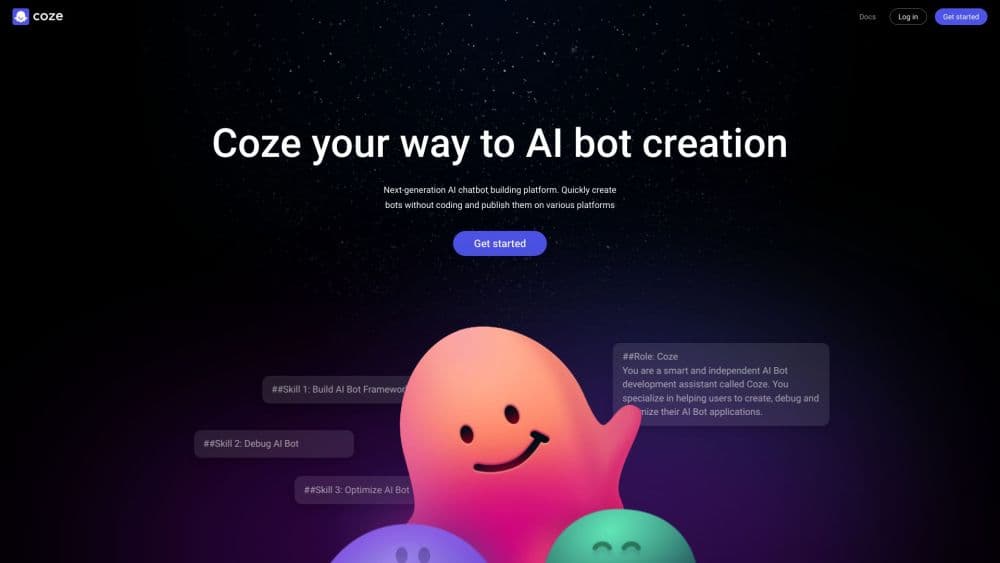
About Coze
What Is Coze
Coze is an AI agent platform from ByteDance, the company behind TikTok and Doubao, and it doubles as a no-code AI agent builder. You assemble agents from building blocks, pick a model, wire up plugins and workflows, drop in a knowledge base, then publish to chat apps, messaging channels, or your own site.
The draw is speed. A general chatbot tool stops at chatting, but this AI agent platform lets a support bot pull from your docs, call an API, and hand off to a second agent when a task gets complex. People use it for customer service, research helpers, and content pipelines.
Two limits matter. Data lives on ByteDance cloud unless you self-host the open source edition, and the strongest models burn credits fast on the free tier. Teams with strict compliance needs should look hard at the self-hosted path before committing.
Getting Started
- Sign up at coze.com with an email, Google, or a linked account, then open a personal or team workspace.
- Create an agent, name it, and write the prompt that sets its role and rules.
- Add skills: attach plugins for search or images, connect a knowledge base, and build a workflow for multi-step tasks.
- Test the agent in the live preview pane, then adjust the prompt and tools until replies land right.
- Publish to a channel like Telegram, Discord, or a shareable web link, or call it through the API.
Product Information
A quick look at Coze's pricing, supported platforms, and performance.
Best for
The users, tasks, and scenarios where this tool fits best.
Users
- Non-coders with an idea
- Small business owners
- Developers prototyping fast
Tasks
- Customer support
- Multi-step automation
- Content and research
Scenarios
- Launching a chatbot for a small site
- Automating a recurring report
- Testing an agent idea before coding
Key features
No-Code Visual Agent Builder
You drag blocks onto a canvas to define how an agent thinks and acts, with no programming required. Each agent holds a prompt, a set of skills, and its own memory, so the setup stays readable even as it grows.
Workflow Automation
Workflows link steps into an automated chain, like a search that feeds a model that writes a summary. You build the flow visually and reuse it across agents, which turns a repeated manual task into one triggered run.
Plugins and Tool Integrations
A plugin library adds abilities like web search, image generation, and third-party APIs. You attach only what an agent needs, and developers can publish custom plugins so a bot reaches services the built-in set does not cover.
Knowledge Base and RAG
Upload documents and the agent grounds its answers in your own material instead of guessing. This retrieval layer keeps replies tied to real sources, which matters most for support and internal Q&A bots.
Multi-Agent and Multi-Model Support
One agent can hand work to another, so a complex job splits across specialists that each handle a piece. You also pick the model per agent, swapping between options as cost or quality needs shift.
Publishing and Channel Deployment
Finished agents publish to messaging apps, web widgets, or a public link in a few clicks. The same bot reaches users wherever they already chat, so you do not rebuild it for each channel.
Open Source Self-Hosting
Coze Studio and Coze Loop are open source under Apache 2.0, so teams can run the platform on their own servers. That path keeps data in-house and lets developers extend the engine for private or commercial use.
Pros and cons
Pros
- Building an agent needs no coding, so non-technical users can ship a working bot fast.
- Plugins, workflows, and knowledge bases sit in one place, cutting the number of separate tools you juggle.
- The API and SDK let you move a proven design into your own app without starting over.
- Open source editions allow self-hosting, which helps when data has to stay on your own servers.
Cons
- The hosted version keeps data on ByteDance cloud, a blocker for teams with strict data rules.
- Advanced models drain credits quickly, so heavy daily use on the free tier runs out and pushes you to pay.
- Deep customization has limits, which frustrates builders who need tight control over complex business logic.
- The gap between the international and China versions means features and models differ by region.
Frequently asked questions
Coze is used to build AI agents and chatbots without coding. People create support bots, research helpers, and automation flows, then publish them to chat apps or their own sites.
Related content
Explore related tools, skills, and articles for Coze.
Coze Alternatives

Base Code
Base44 (Wix) · Coding · ProductivityBase Code is a shared cloud development environment from Base44. Teammates describe changes to an existing GitHub codebase in chat, preview them live and send them back as pull requests.

Google EmbeddingGemma 2
Google DeepMind · Writing · Image · CodingGoogle EmbeddingGemma 2 is a 740M-parameter open model that turns text, code, images, audio, and video frames into vectors in one 768-dimension space, running on phones and laptops.

GitGlow
GitGlow · Coding · ProductivityGitGlow is a local-first desktop Git client that lets independent developers review their own code and their AI agents' changes in one place before shipping.