
扣子 - Code
ByteDance · Coding · China AI
Coze is ByteDance's platform for building AI agents and chatbots without writing code. You describe what you want, drop in plugins, a knowledge base and a workflow, then publish the result to chat apps, messaging tools or your own systems. In short, it's a no-code AI builder that leans on workflow automation rather than scripting. The Chinese edition runs at coze.cn and adds a set of ready-made AI office assistant helpers for writing, slides, spreadsheets and image generation.
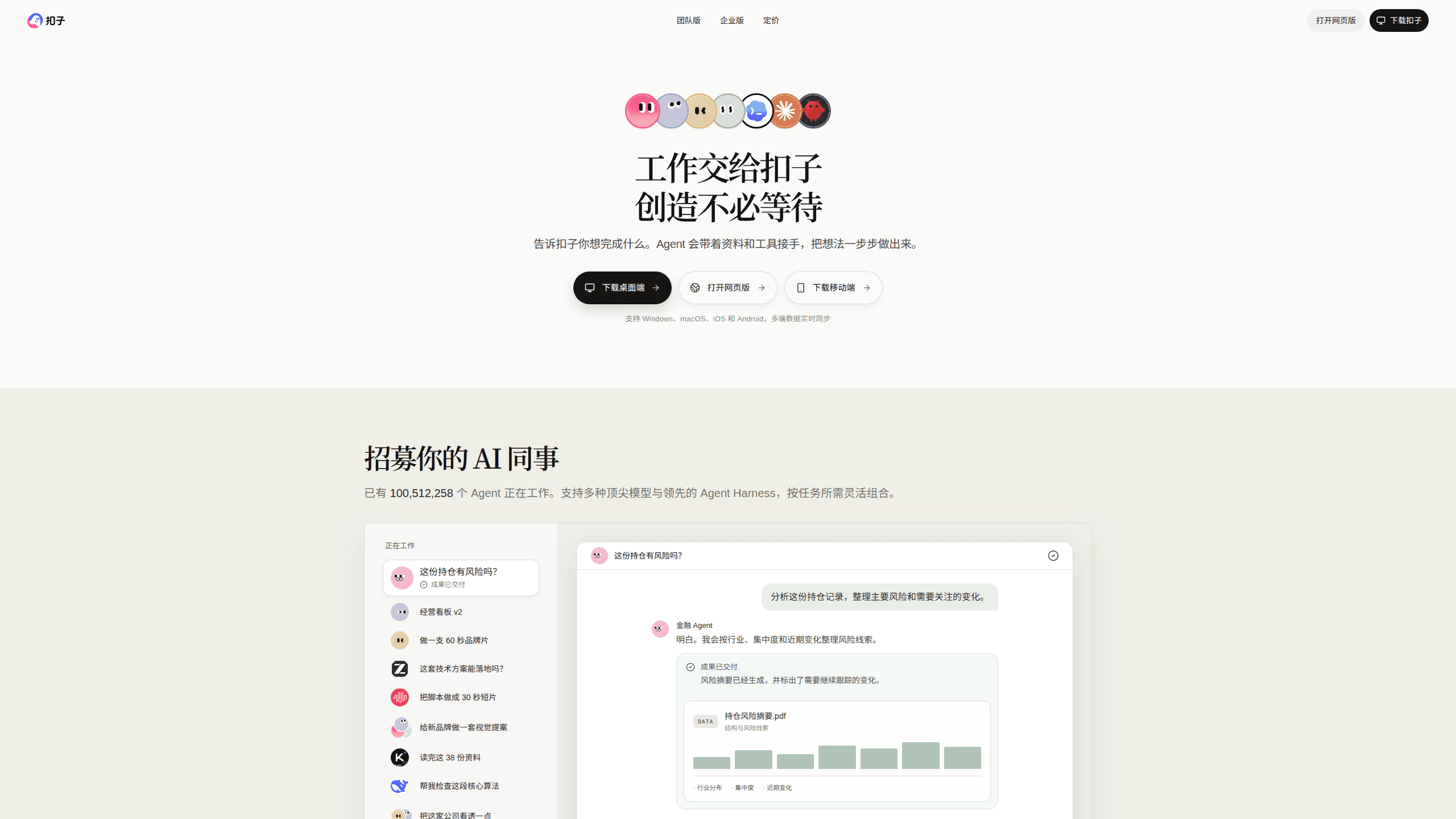
About 扣子 - Code
What Is Coze
Coze is a no-code AI agent platform built by ByteDance. It targets people who want a working chatbot or automation but don't have a development team: marketers, students, ops staff, and small businesses that just want something that answers questions or runs a routine.
The core idea is assembly rather than programming. You pick a large language model, write the agent's persona and reply rules, then attach plugins for search, image generation or data lookup. It works as an AI chatbot builder. No code. A visual workflow editor handles the multi-step logic, which makes it a practical tool for AI workflow automation, and a knowledge base lets the agent answer from your own documents. When it's done, one button pushes the agent out to social platforms and messaging apps.
The catch is scope. Coze's Chinese edition only calls domestic models such as Doubao, Kimi and DeepSeek, so it won't behave like the overseas Coze build that taps GPT-class models. That's a hard limit. Heavy usage also runs into quota and billing limits once you move past hobby projects, and those limits arrive sooner than most people expect when a bot gets real traffic.
Getting Started
- Sign up at coze.cn with a phone number or a ByteDance account, then land in your personal workspace.
- Click Create Agent, name it and describe what it should do in the persona and reply logic field.
- Attach the tools it needs, such as a search plugin, an image generator or a document knowledge base.
- If the task has several steps, open the workflow editor and wire the nodes into a sequence.
- Test in preview, then publish to a chat app, messaging platform or the web.
Product Information
A quick look at 扣子 - Code's pricing, supported platforms, and performance.
Best for
The users, tasks, and scenarios where this tool fits best.
Users
- Non-programmers
- Marketers and content teams
- Small business owners
Tasks
- Building a support chatbot
- Automating a repeated office chore
- Generating decks and documents
Scenarios
- A solo creator shipping a niche assistant
- A team standardizing answers
- Early prototyping
Key features
No-Code Agent Builder
The heart of Coze is a visual editor where you set the agent's persona, reply logic and tools. You don't write code, you configure. A 30-second bot is realistic for something simple, and the same editor scales up when you start adding plugins and workflows, which is where the platform earns its keep.
Visual Workflow Editor
When a task needs more than one step, the workflow canvas lets you chain nodes together. A model node handles reasoning, plugin nodes fetch data, and output nodes shape the final result. It scales well. This is where Coze stops being a toy chatbot and starts handling real processes.
Plugin Library
Coze ships with a large set of plugins covering search, image generation, weather, web reading and more. You add them to an agent to extend what it can do beyond plain conversation. Plug in, power up. The DeepSeek integration, for instance, layers tool calling on top of a model that otherwise can't generate images or read a webpage.
Knowledge Base
You upload your own documents and the agent answers from them instead of guessing. That keeps replies grounded in your actual content, which matters for support bots and internal helpers where a wrong answer is worse than no answer. Upload once, reuse often.
Multi-Platform Publishing
Once an agent works, you publish it to messaging apps, social platforms or your own channels with one action. Build once, ship many. The same agent can serve users across several entry points without rebuilding it each time.
Office Assistant Suite
The Chinese edition bundles an AI office assistant for writing, presentations, spreadsheets, design, podcasts and image generation. They share one workspace, so a brief can move from a draft to a slide deck without switching products. Handy, that.
Cloud and Mobile Continuity
Coze syncs files and agent work between desktop, cloud and phone. You can issue instructions from mobile while an agent keeps running, and the same content stays available across devices. Nice for busy days.
Pros and cons
Pros
- Genuinely no-code, so non-developers can ship a working agent without engineering support.
- Wide plugin and model selection covers search, image generation and tool calling in one place.
- Free tier is usable for learning and small projects.
- Publishing to multiple channels cuts the work of getting an agent in front of users.
Cons
- The Chinese edition only calls domestic models, so results differ from the overseas build that uses GPT-class models.
- Quota and usage limits bite quickly once you move past a hobby project, and paying for volume gets expensive.
- Complex workflows still need trial and error, and the drag-and-drop editor has a learning curve.
- Agents can produce confident but wrong answers, so anything customer-facing needs review.
Frequently asked questions
Coze builds AI agents, chatbots and small automations without code. People use it for support assistants, content drafting, research summaries and routine office tasks that follow the same steps every time.
Related content
Explore related tools, skills, and articles for 扣子 - Code.
扣子 - Code Alternatives
Forefront
Forefront · CodingForefront is a web platform for building with open-source AI. It lets you fine-tune leading open-source language models on your own data, evaluate how they perform, and run them through an API or export them to host yourself. Developers who want the convenience of a closed-source platform but insist on owning their models and data are the target audience here.

Startkit
StartKit.AI · CodingStartkit is a boilerplate for building AI SaaS and AI wrapper products. Think of it as an AI startup boilerplate with the boring parts already wired up: authentication, Stripe and Lemon Squeezy payments, usage limits, transactional email, and an AI API starter that talks to OpenAI, Anthropic, Groq, or Llama. You clone the repo, set your price, and start on the part of your product that people actually pay for. It's Next.js under React and Tailwind, so most of the boilerplate code already feels familiar.
Testim
Tricentis · CodingTestim is an AI-powered test automation platform for building and running end-to-end tests across web, mobile, and Salesforce applications. It leans on machine learning to keep tests stable when an interface changes, so teams spend less time fixing broken selectors. Not bad for an automated testing tool you can start using today. You create tests by recording actions in a browser, then optionally add JavaScript when you need more control. It's a solid pick for busy QA teams.