

CraftBot
CraftOS · Other
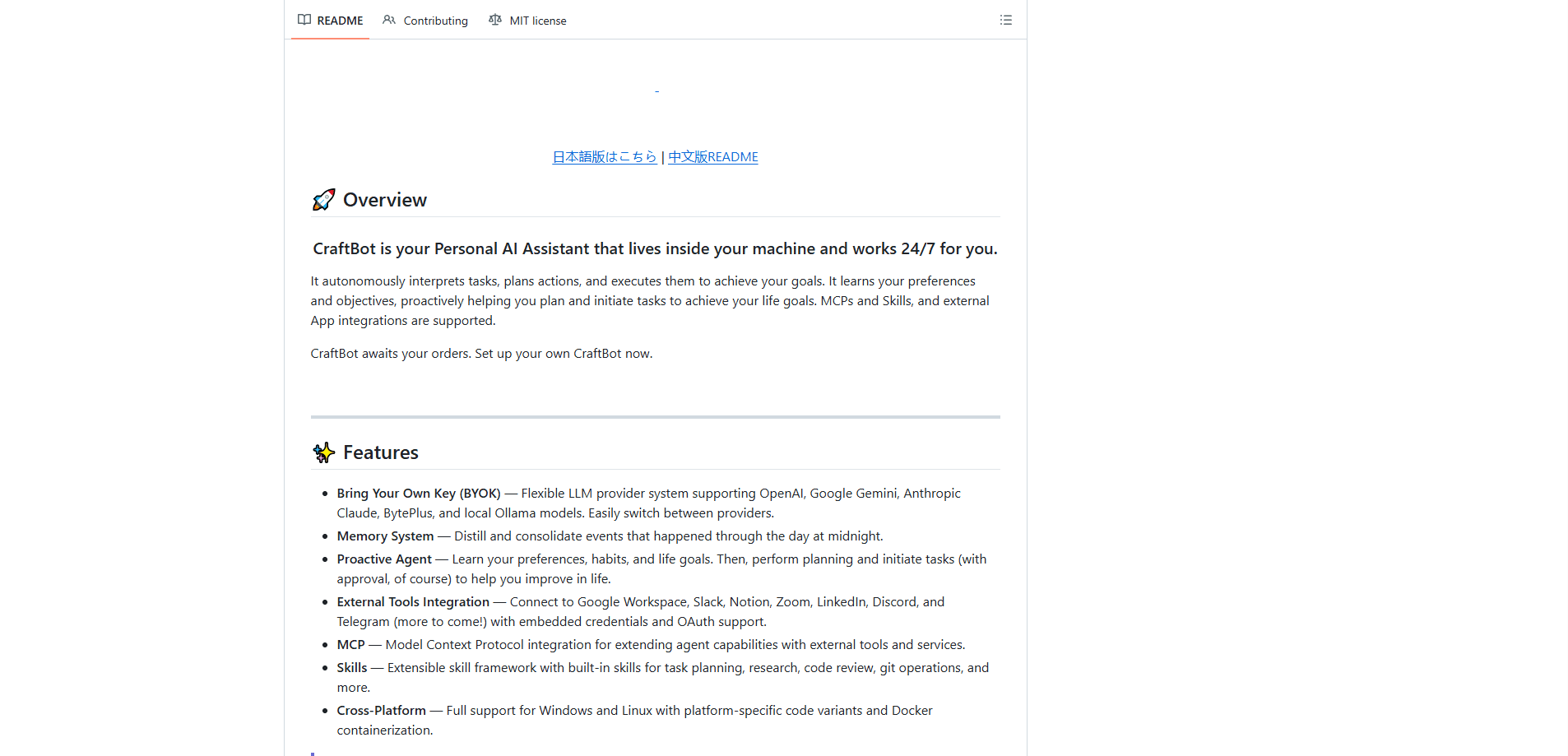
CraftBot is a self-hosted AI agent that runs on your own machine and does more than answer chat prompts. It builds and operates its own SaaS-style tools, plans and executes multi-step tasks the way a remote employee would, and keeps a long-term memory of your preferences and goals. You bring your own API keys from OpenAI, Google Gemini, Anthropic Claude, OpenRouter, or a local Ollama model, so the agent runs on hardware and accounts you control.
About CraftBot
What Is CraftBot
CraftBot is an open source AI assistant from CraftOS that goes past the usual "chat plus tool calls" pattern. The pitch is that it can build, evolve, and then operate its own SaaS tools, and it uses that tool layer to automate work with you. Around that core, it ships the standard parts of an AI agent platform: task execution, persistent memory, and a plugin system for outside apps.
The problem it solves is fragmentation. Most people juggle a chat assistant, a handful of paid subscriptions, and a pile of manual steps that never quite line up. CraftBot instead lets you spin up custom internal tools, called Living UIs, that grow as your needs change. The tradeoff is setup. This isn't a website you sign into. You install it on your own machine or server, manage Python and Node.js dependencies, and wire up your own model keys. So who is this actually for? Mostly people who don't mind doing that work.
Memory works through a hybrid system: retrieval, a knowledge graph, and an agent file system. CraftBot also reviews the day's events at midnight and consolidates them, a process the team calls dreaming. It's an unusual design, and it's the reason the agent can reference things you mentioned weeks ago without you re-explaining them. That's rare. Most assistants forget by morning.
Getting Started
- Make sure you have Python 3.10 or newer, plus Node.js 18 or newer if you want the browser interface.
- Clone the repository and run
python craftbot.py install, which installs packages, registers auto-start, and launches the app. - Open the browser UI from the desktop shortcut, or run the CLI mode with
python run.py --cliif you skip Node.js. - Add a model provider key, or point CraftBot at a local Ollama model, then pick an agent profile or a playbook to begin.
Product Information
A quick look at CraftBot's pricing, supported platforms, and performance.
Best for
The users, tasks, and scenarios where this tool fits best.
Users
- Developers and power users who are comfortable running Python and Node.js tools on their own hardware, since there's no hosted version to sign up for.
- Small teams that want a shared internal tool layer, like a custom CRM or dashboard the agent can read and update.
- Privacy-minded users who'd rather pay per API call through their own provider account than trust a closed hosted assistant.
Tasks
- Turning a repeated workflow into a one-click playbook, such as drafting weekly reports or triaging inbound requests.
- Building a lightweight internal app, from a kanban board to a habit tracker, without hiring a developer.
- Connecting an agent to Google Workspace, Slack, Notion, or Telegram so routine messages and docs get handled automatically.
Scenarios
- Solo operators who want an always-on assistant doing background planning and follow-ups while they work on something else.
- Research and planning work where you need the agent to remember goals set weeks ago, not just the current chat.
- Anyone experimenting with local models who wants a full agent platform without spending tokens on a hosted service.
Key features
Agent Profiles and Playbooks
CraftBot ships with more than 40 prebuilt agent profiles covering roles like a CEO agent, finance agent, marketing lead, and devops engineer, all importable in one click from the project's Agent Bundles repo. On top of that, there are 120 ready-made playbooks across 19 categories, so you can pick a task and let the agent run it without writing prompts from scratch. It's the fastest way in if you don't already know what to automate. No blank page. Just pick one and go.
Living UI
A Living UI is a system, app, or dashboard that grows with your needs. You can build one by describing it in plain language, install one from the community marketplace, or point CraftBot at an existing Go, Node.js, Python, Rust, or static project and let it wrap that as a Living UI. The agent stays aware of the interface state, so it can read current form values, query app data through the REST API, and trigger actions for you.
Self-Hosted With Bring Your Own Keys
CraftBot runs on your own machine instead of someone else's servers. It's a true BYOK AI agent: supports a flexible provider system with OpenAI, Google Gemini, Anthropic Claude, OpenRouter, and others, or you can host a model yourself through Ollama and spend zero tokens on a hosted API. Because you supply the keys, the cost model is whatever your provider charges, not a flat subscription.
Memory System
The memory layer is a second brain built from your interactions with CraftBot, combining retrieval, a knowledge graph, and an agent file system. It also consolidates the day's events at midnight, which is how the agent keeps a coherent picture of your goals instead of losing context between sessions. Practically, that means fewer reminders about things you've already explained.
External Tools Integration
You can connect CraftBot to apps like Google Workspace, Slack, Notion, Zoom, LinkedIn, Discord, and Telegram using OAuth or your own API key. Multiple accounts per integration are supported, which matters if you keep separate work and personal logins. The integration list is growing, according to the project.
Skills and MCP Support
CraftBot ships with access to 150 or more MCP servers and 170 or more skills, and new ones install quickly. It can also create or improve a skill from a task you just finished, so a workflow you run once can be saved for reuse. For anyone building a personal automation library, this is the plumbing that makes it stick.
Browser UI and CLI
You can run CraftBot through a browser interface for everyday interaction, or through the CLI for scripting and headless environments. The CLI path doesn't need Node.js, which is handy on servers where you don't want a full desktop stack. Same agent, two entry points. Pick whichever fits.
Pros and cons
Pros
- Self-hosted with bring-your-own-keys support, so you control data and costs instead of paying a flat subscription.
- The Living UI system lets you build and evolve custom internal tools, from a kanban board to a CRM, without outside developers.
- A memory system with retrieval, a knowledge graph, and nightly consolidation keeps long-term goals in view.
- Broad integration support across Google Workspace, Slack, Notion, Zoom, and messaging apps, with multiple accounts per service.
- MIT license means you can host and monetize it, as long as you credit the project.
Cons
- Setup is hands-on. You need Python 3.10 or newer, and Node.js 18 or newer for browser mode, so it isn't a fit for non-technical users.
- There's no hosted cloud version or public REST API for external callers, which rules out quick integrations from other tools.
- The model keys and usage costs are yours to manage, so heavy use means real API bills or a capable local GPU for Ollama.
Frequently asked questions
The software itself is free and open source under the MIT license. You pay for what you use indirectly: either API costs from providers like OpenAI, Anthropic, or Google, or the electricity and hardware for a local model. There's no subscription tier.
Related content
Explore related tools, skills, and articles for CraftBot.
CraftBot Alternatives
BinkBink
BinkBink · OtherBinkBink is a free online game platform and AI game maker that lets anyone turn a short text description into a playable browser game. You can jump into hundreds of community-made games. Or describe your own idea and play it in seconds, then share it with friends. Want to create your own game? You don't need to code. No engine setup, no download, no hassle.

Audiogen
Audiogen Inc. · OtherAudiogen is an AI music generator built by Audiogen Inc., a small research team that spent about 2.5 years training its own generative music model and designing a web interface around it. Instead of a plain text box, this AI music tool turns the timeline into a beginner-friendly Generative Audio Workstation, or GAW, where inpainting, extending, remixing and stem editing work more like painting on a canvas. The product is still in beta, so access runs through a waitlist or an invite. Paid plans aren't published yet.

Aiml API
AIMLAPI OÜ · OtherAiml API is a unified AI model API that puts more than 1000 models from OpenAI, Google, Anthropic, and others behind one endpoint and one bill. You write code against a single OpenAI-compatible schema, then switch between chat, image, video, and audio models by changing a model string. It suits developers and small teams who want multi-model access without juggling a dozen separate provider accounts, and it removes the usual billing headache that comes with testing several vendors. One key covers it all.