
Cratecode
Cratecode LLC · Coding · Leaning
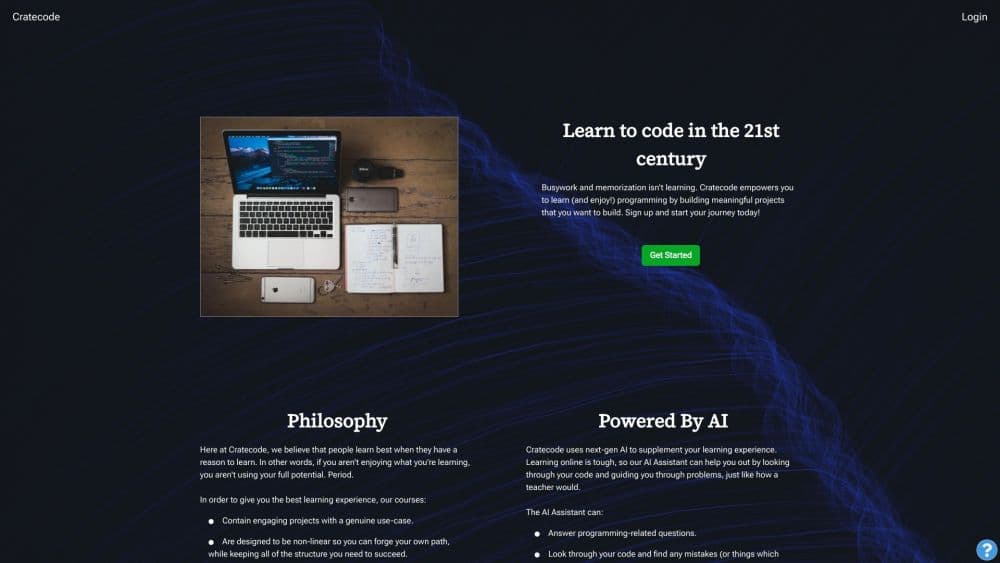
Cratecode is a free platform to learn to code for free through interactive coding lessons and an AI coding assistant that runs code in your browser and reviews your work.
About Cratecode
What Is Cratecode
Cratecode is a browser-based coding sandbox. Sign in, and you land in a workspace that pairs a lesson document with a live editor, a file explorer, and a terminal. Code runs in the page. When you hit Run, output appears in the console and the lesson keeps its own files.
The idea behind it is that people learn code when they have a reason to. Lessons lean on projects with a visible outcome, such as a calculator, a Discord bot, or a Mandelbrot renderer that draws itself on screen. Courses are built to be non-linear as well, so you can jump to recursion or file handling without finishing a fixed syllabus first. Progress tracking measures how much you have covered rather than how far you still have to go.
AI is a support layer, not the teacher. The assistant reads the code in your workspace and points at what is going wrong, with an explanation and a small example. It answers programming questions too, and it will walk you through a hard problem step by step. In plain terms, it behaves like a mentor sitting next to you.
Two limits matter before you start. Every AI interaction costs the platform money, so the assistant works best on real problems rather than idle chat, and some functions stay locked in preview mode until you create an account. Content quality also varies. Cratecode accepts lessons written by users, and some reference articles carry a notice that AI generated them. Read them as background, then verify anything you plan to rely on.
Getting Started
- Open cratecode.com and sign up with an email address, or continue with Google, GitHub, or LinkedIn. Preview mode lets you look around without an account, but it keeps no progress.
- Read the welcome lesson first. It walks you through the workspace layout: the editor, the console below it, the folder icon for the file manager, and the toolbox panel where lessons live.
- Pick a starting point. Python basics, JavaScript fundamentals, or the Rust track are the usual entry points. You can skip straight to a topic that interests you.
- Run and edit code. Double click a file in the explorer, change it, then press Run and read the output in the console. You can also type commands directly into the terminal.
- Call the AI assistant when you are stuck. Open the robot button on mobile or the right-side panel on desktop, then press Look at my Code or type a specific question.
Product Information
A quick look at Cratecode's pricing, supported platforms, and performance.
Best for
The users, tasks, and scenarios where this tool fits best.
Users
- Complete beginners
- Self-taught learners who stall on theory
- Programmers picking up Rust
- Students preparing coursework
Tasks
- Writing a first program without installing anything
- Debugging an error message
- Working through a Rust concept such as the borrow checker
- Building a small project end to end
- Filling gaps in one narrow topic
Scenarios
- A free afternoon with a laptop
- Classroom demos or study groups
- Testing whether coding is for you
Key features
In-Browser Editor and Terminal
Every interactive coding lesson opens as a real working project in the browser code editor, not a multiple choice quiz. You get a text editor, a file explorer with create, rename, and delete, and a terminal below the editor. Every example runs where you read it, so changing a value and pressing Run is a single click. Because nothing is installed locally, the same file behaves identically on a school laptop, a Chromebook, or a home machine.
AI Code Review and Tutoring
As an AI coding assistant, the tool handles three jobs. It answers programming questions, it reads your workspace and reports bugs along with a fuller explanation and code samples, and it guides you through a difficult problem in steps. You press Look at my Code to start a review, or add an optional question when you want a specific answer. The platform describes the tone as similar to a teacher looking over your shoulder.
Non-Linear Course Structure
Lessons connect as a graph rather than a list. Prerequisites exist, but you are not forced to finish an entire track before touching the topic you actually need. Somebody who already writes Python can move straight to back-end lessons, and someone who only wants Rust can stay in the Rust track. Progress is tracked against what you have completed, which keeps a half-finished path from feeling like failure.
Project-Based Lesson Design
Many lessons end with something you can show. The calculator series grows from input and output to full arithmetic, the Discord bot lesson ends with a working bot in a server, and the Rust set includes a Mandelbrot fractal and a chat app backend. Working code with a visible result gives you a reason to keep going, which is the stated design goal.
Rust Track and Systems Topics
Cratecode carries a serious Rust section, unusual for a free beginner site. It starts with syntax, then moves through ownership and borrowing, structs and traits, enums, lifetimes, and async Rust, with a chat backend as the closing project. Assembly gets coverage too, including NASM tutorials on registers, the stack, and function calls for people who want to understand what the compiler does.
User-Generated Lessons and Forking
Anyone with an account can publish a lesson, and existing ones can be forked into your own copy to edit. That turns the platform into a place to teach as well as learn. The tradeoff is uneven quality, since nothing replaces a careful editor. Forking does let you build a private variation of a lesson for a class or study group.
Pros and cons
Pros
- Free to use, with the full lesson library and AI assistant available without a subscription.
- Code runs in the browser with no install, which removes the usual setup barrier for beginners.
- Lessons are short, varied, and connected to projects that produce a visible result.
- The AI assistant reviews the code in your workspace instead of answering in the abstract.
- The Rust material is deeper than what most free learning sites offer.
Cons
- Content quality swings between carefully built courses and thin user submissions, so you need to judge before you commit time.
- Some reference articles are AI generated, which means facts should be double checked against other sources.
- There are no certificates or structured credentials, which matters if you are building something for a resume.
- The AI assistant needs an account and is better at reading code than at teaching broad concepts from scratch.
Frequently asked questions
Cratecode is a free online platform for learning programming. Lessons run inside the browser alongside a code editor and terminal, and an AI assistant reviews the code you write and explains any problems it finds.
Related content
Explore related tools, skills, and articles for Cratecode.
Cratecode Alternatives

Base Code
Base44 (Wix) · Coding · ProductivityBase Code is a shared cloud development environment from Base44. Teammates describe changes to an existing GitHub codebase in chat, preview them live and send them back as pull requests.

Google EmbeddingGemma 2
Google DeepMind · Writing · Image · CodingGoogle EmbeddingGemma 2 is a 740M-parameter open model that turns text, code, images, audio, and video frames into vectors in one 768-dimension space, running on phones and laptops.

GitGlow
GitGlow · Coding · ProductivityGitGlow is a local-first desktop Git client that lets independent developers review their own code and their AI agents' changes in one place before shipping.