

Create a Meme
Create a Meme · AI Assistant
Create a Meme is a free online meme generator with 700+ templates, plus an AI studio that writes captions, generates original artwork, and turns ideas into short video memes.
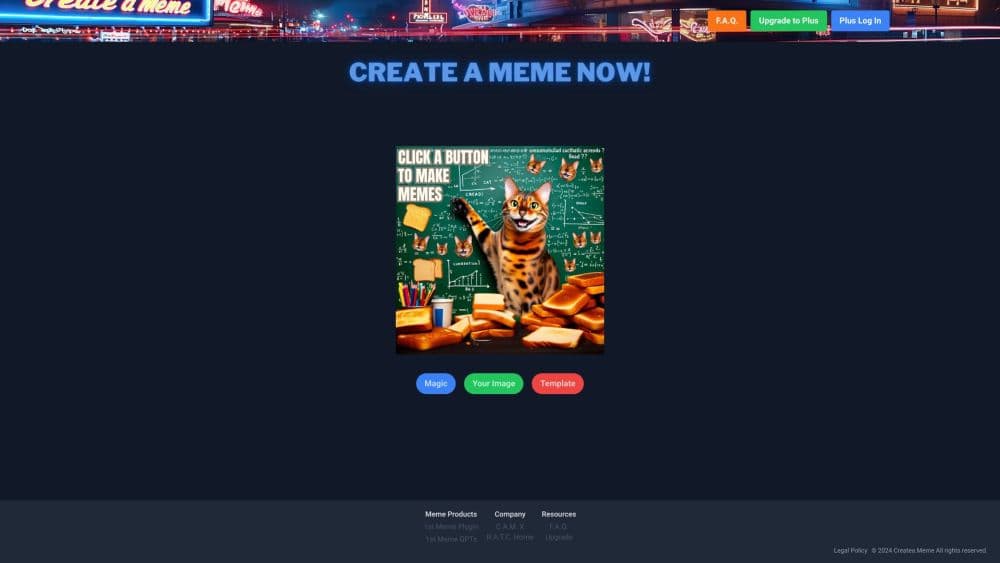
About Create a Meme
What Is Create a Meme
Create a Meme is a browser-based meme tool with two halves. The Classic editor is a straight-up free meme generator: pick from more than 700 hand-picked meme templates, drop in your own image, type a caption, and download the result. It opens without an account, which is why it works for a quick joke in a group chat.
The other half is Magic, an AI studio at magic.createa.meme. You describe a scene and the AI picks a format, writes the caption, or generates a complete image from scratch. Magic also handles image edits, background removal, resizing for social platforms, and short videos made with models from several vendors.
The difference matters when you shop for a meme maker. Classic is predictable and free, and the template does most of the visual work. Magic is faster for ideas that have no obvious template, but it runs on credits and the output varies. There's a third path for developers: the Create a Meme API and an official MCP server expose the same generation engine to apps and AI assistants.
Getting Started
- Open createa.meme and choose Classic for templates or Magic for AI generation. Classic needs no signup.
- In Classic, search or browse the library, add your text, then adjust font, size, outline, and image position.
- In Magic, write a prompt such as "a cat presenting quarterly losses to a board of dogs", then pick a model and aspect ratio.
- Download the meme as a PNG, copy it to the clipboard, or share the link. Magic saves every creation to your history.
Product Information
A quick look at Create a Meme's pricing, supported platforms, and performance.
Best for
The users, tasks, and scenarios where this tool fits best.
Users
- Social media posters
- Community managers
- AI hobbyists
- Developers
Tasks
- Captioning a known format
- Turning a sentence into a meme
- Editing a photo into a reaction image
- Automating meme output
Scenarios
- Replying in a group chat within seconds
- Covering a live event
- Testing a meme angle before a campaign
Key features
700+ Template Library
The Classic editor ships with a curated set of more than 700 meme templates, organized by category and searchable by name or mood. Each template keeps its original layout, so captions land where viewers expect them. You can also upload a blank image and build a meme from scratch.
AI Caption and Template Picker
Describe the joke instead of hunting for a format. The AI meme generator reads your prompt, picks a template that fits the structure, and writes the top and bottom captions. It shows the chosen template and a short reason, which makes it easy to rerun the prompt when the first pick misses.
AI Image Generation and Remix
Magic includes an AI image generator with several models, including GPT Image, Nano Banana, and Grok Imagine. Prompts can specify a style, aspect ratio, and colors. The remix tool takes an existing image and an edit instruction, so you can change a costume, background, or art style without rebuilding the scene.
Meme Video and Animation
A still meme can become a short clip. Animate Template adds motion to a classic format, image-to-video turns a photo into a moving scene, and the video tab offers models such as Veo, Seedance, Kling, and H3 Max. Exports include MP4 and GIF, with vertical and square sizes for social feeds.
Text, Layout, and Export Controls
The editor gives you a real font list, adjustable outline and fill colors, alignment tools, duplicate text, image padding, and free positioning. You can add emoji, paste an image URL, or upload from your device. Export options cover PNG download, clipboard copy, and a watermarked version for brand accounts.
API and MCP Server
The Create a Meme API exposes seven production endpoints for templates, captioning, generation, AI images, remix, trending formats, and model lists. A free key includes 20 credits per month. The official MCP server lets Claude, Cursor, and Cline create memes from a chat prompt, with tools for generate, caption, image, remix, and template search.
Pros and cons
Pros
- Free editor with no account: templates, fonts, and PNG export work without a signup or a card.
- One prompt can finish the job: the AI path picks a format and writes captions, which saves time when you don't know the meme name.
- Model choice in one place: image and video outputs can come from OpenAI, Google, xAI, Kling, and others under one credit balance.
- Automation is first-class: a documented API and an MCP server cover bots, apps, and AI assistants without screen scraping.
- Clear ownership: the legal page says you keep the rights to what you make and can use it commercially.
Cons
- AI text still misspells: generated images can mangle a punchline, so text-heavy memes are safer in the Classic editor.
- Credits are hard to budget: video runs cost several credits per second, and the 10 free credits disappear after a couple of clips.
- Magic needs an account: the AI studio sits behind a login, while the free editor doesn't.
- Video jobs take time: a remix or a long clip can run from tens of seconds to a few minutes, which rules out instant replies.
Frequently asked questions
Yes. The Classic editor is free, needs no account, and covers templates, text controls, and PNG export. Magic starts with 10 free credits, then sells credit packs from $4.99 for 50 credits. The API has a free tier of 20 credits per month.
Related content
Explore related tools, skills, and articles for Create a Meme.
Create a Meme Alternatives

Iplan AI
Iplan AI · Productivity · AI AssistantIplan AI is an AI travel planner that turns a few trip details into a full day-by-day itinerary in seconds. You answer questions about your destination, interests, budget, and travel companions, and the tool builds a plan you can edit, share, and carry with you on any device. It targets travelers who want a solid draft without spending hours in spreadsheets and browser tabs. Think of it as an itinerary generator that does the tedious part for you.

Screenhelp
Screenhelp · Productivity · AI AssistantScreenhelp is an AI screen assistant that turns a single keyboard shortcut into real-time help. You press Ctrl+Shift+Space, it captures what's on your screen, and it streams an answer into a private panel in about two seconds. Think of it as an AI screenshot helper you trigger on demand. It runs on Mac, Windows, and the web, starts free with 30 answers a month, and stays invisible during screen sharing on Zoom, Teams, and Google Meet.

Rainbow
Rainbow · AI AssistantRainbow is an AI weather forecast app built around short-term precipitation nowcasting. Its engine pushes min-by-min rain and snow predictions up to four hours ahead, blending live satellite and radar feeds into hyperlocal forecasts. The app adds live rain radar, a seven-day outlook, precipitation alerts, home-screen widgets, and a hurricane tracker, and it runs on both Android and iOS with a free tier plus paid upgrades.