

CreateWise AI
CreateWise · Voice & Language · AI Detection
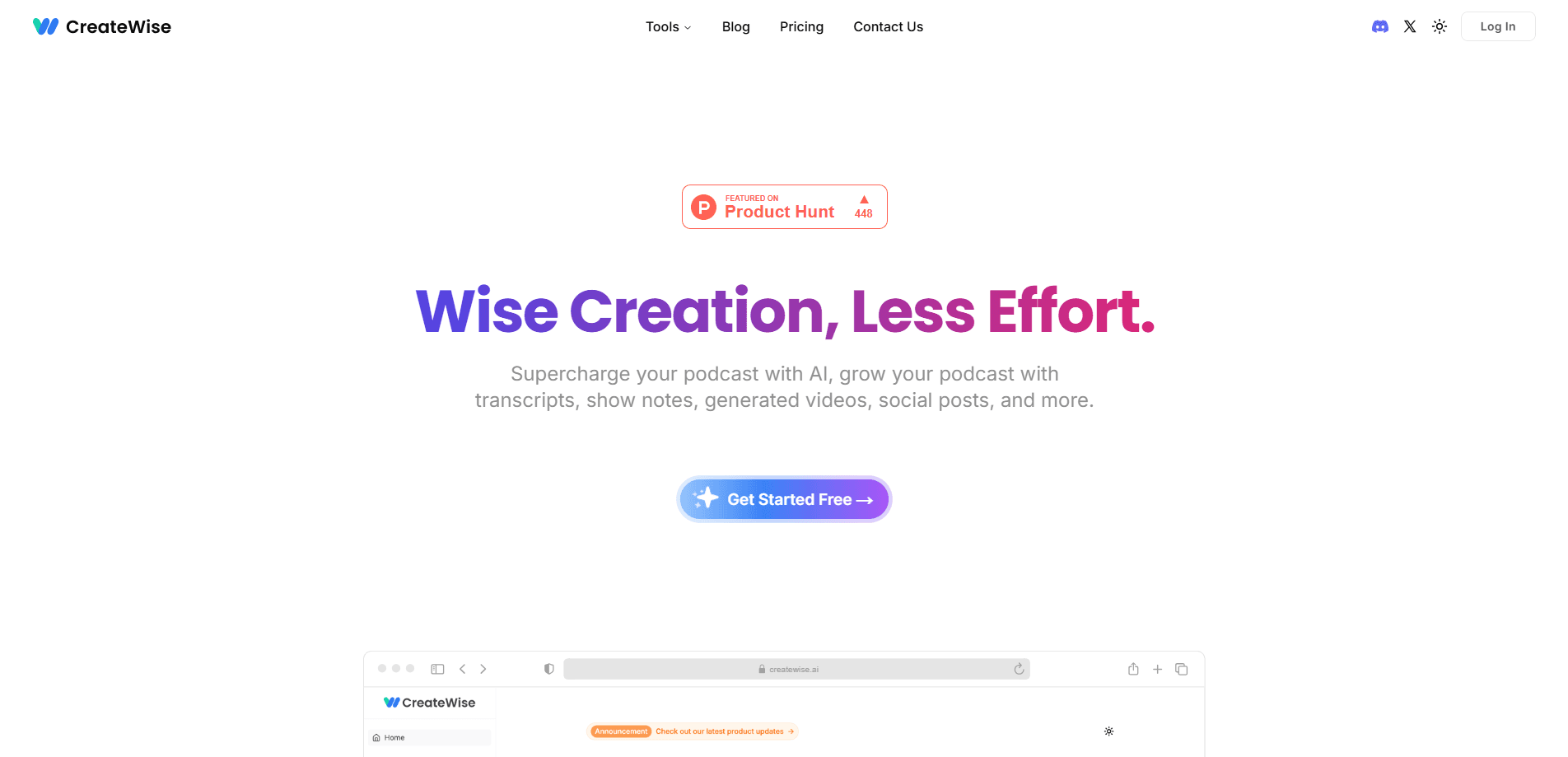
CreateWise AI is a web tool that turns podcast audio into transcripts, show notes, chapters, and highlight clips for TikTok, Instagram, and YouTube, so one recording can be reused across platforms.
About CreateWise AI
What Is CreateWise AI
CreateWise AI is a browser-based content tool built for podcasters and audio teams. You upload an episode, and the service runs it through speech recognition and a language model to produce the text and short-form assets that most shows need after recording.
The problem it targets is post-production. A one-hour episode often takes three to four hours of editing, transcription, and writing before it can go out, and then more time to cut clips for social media. CreateWise AI bundles those steps into one place instead of asking you to juggle a transcription service, a video editor, and a caption tool.
The main limitation is scope. CreateWise AI handles text generation and light audio cleanup, not full multitrack editing. It also processes a smaller set of languages than some competitors, and its clip tool is designed for highlight extraction rather than frame-level video editing.
Getting Started
- Sign up for a free account on the CreateWise AI website; no download is needed since it runs in the browser.
- Upload an audio file (MP3, WAV, M4A, or AAC), a video file, or paste a YouTube link, then choose the output language.
- Let the AI transcribe the episode with speaker labels, then review the text it produces.
- Generate the assets you want: show notes, chapter markers, keyword lists, social posts, or highlight clips.
- Copy or export each result, and download the cleaned audio or clips for your publishing workflow.
Product Information
A quick look at CreateWise AI's pricing, supported platforms, and performance.
Best for
The users, tasks, and scenarios where this tool fits best.
Users
- Podcast hosts who publish weekly
- Solo creators without an editor
- Agency and social teams managing several shows
Tasks
- Writing episode show notes
- Cutting highlight clips
- Producing social media posts
- Cleaning raw audio
Scenarios
- Publishing a long interview the day after recording
- Reviving an old episode for promotion
- Keeping a multi-host panel show consistent
Key features
Editable Transcript With Speaker Labels
CreateWise AI works as a podcast transcript tool: it transcribes your episode and separates speakers, then lets you edit the text directly in the browser. That matters for interviews and panel shows, where a raw transcript is hard to read. The output also works as a searchable reference you can quote from later.
Show Notes and Chapter Markers
This podcast show notes generator drafts a summary and breaks the episode into chapters, formatted so they can drop straight into Spotify or YouTube descriptions. You still decide the final wording, but the first draft and structure come from the audio itself rather than from memory.
Highlight Clips for Social Media
CreateWise AI cuts short clips from long episodes and sizes them for TikTok, Instagram, and YouTube, so you can turn a podcast into social posts without editing video by hand. This is the part that saves the most time for creators who already edit video, since finding the good moments is usually the slow step.
Keyword Generation
Each episode comes with a list of relevant keywords pulled from the content. They serve as a starting point for titles, tags, and descriptions, which helps the episode surface in search and on podcast platforms.
Filler Word and Silence Removal
The AI cleans up post-production audio by removing filler words and long silences. The result is a tighter episode with fewer dead spots, and the cleaned audio can be exported in your preferred format and quality.
Multi-Format Input Handling
CreateWise AI accepts MP3, WAV, M4A, and AAC audio, plus MP4 and MOV video, and it can pull directly from an RSS feed or a YouTube URL. That flexibility means you rarely need to convert a file before uploading.
Pros and cons
Pros
- Combines transcription, show notes, chapters, keywords, and clips in one browser tool, cutting the number of apps in a workflow.
- Turns around roughly ten to fifteen social posts from a single hour-long episode, which covers most of a week's promotion.
- Speaker diarization makes interview and panel episodes readable without manual labeling.
- Free plan lets you test the core features before paying, and the paid tier drops the processing limit.
Cons
- No public API, so teams that want to plug the tool into an automated pipeline can't.
- Generated text and clips need a review pass; the drafts are a starting point, not finished copy.
- Language coverage is narrower than some rivals, with the site listing only Chinese and English for content generation.
- Everything runs in the browser, so there is no desktop app or offline mode.
Frequently asked questions
It takes a podcast episode and produces the supporting content around it: a transcript, show notes, chapter markers, keywords, social posts, and highlight clips. Think of it as the post-production text and clip layer that sits on top of your recording.
Related content
Explore related tools, skills, and articles for CreateWise AI.
CreateWise AI Alternatives

Foley
Hanamori Labs, LLC · Voice & Language · Productivity · AI AssistantFoley is a voice to-do list that turns a spoken sentence into a filed task, complete with project, date and time, then helps you plan the day around what is already there.

HireKey
HireKey · Voice & Language · Productivity · LeaningHireKey is an AI job search copilot built by a former tech recruiter. It checks role fit, tailors resumes, runs interview practice and tracks every application.

Fluence
Yay Software (Yannick Huchard) · Writing · Voice & Language · ProductivityFluence is an Android app that reads PDFs, EPUBs, Word files and web articles aloud, follows each sentence as it speaks, and answers questions about the text on the phone itself.