

Creator Tools Translator
Creator Tools · Writing · Marketing
Creator Tools Translator is an AI YouTube translator that pushes titles, descriptions, and captions into 140+ languages and uploads them straight to YouTube Studio.
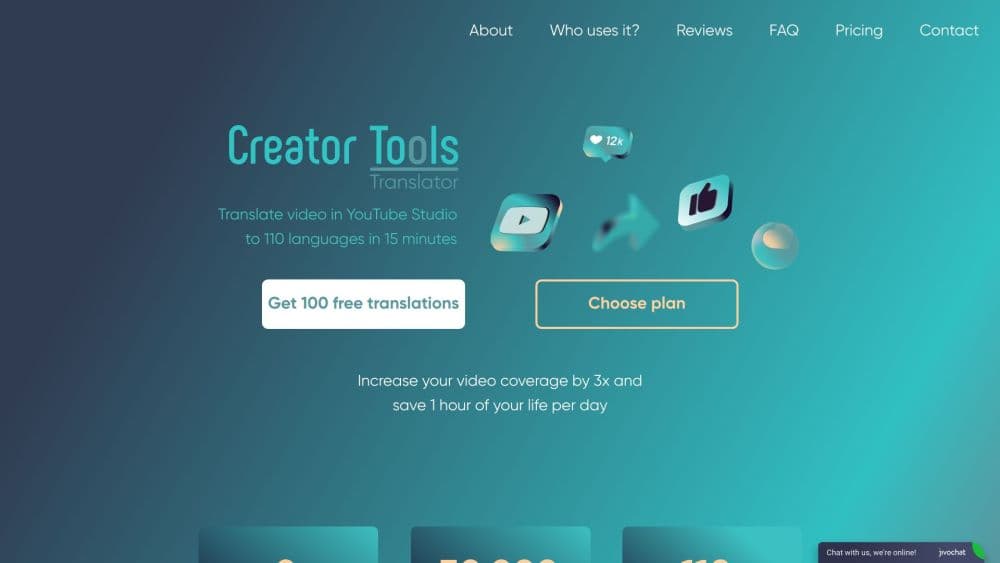
About Creator Tools Translator
What Is Creator Tools Translator
Creator Tools Translator is a web app for YouTubers who want the same video to earn in more than one ad market. You connect a channel through Google, pick the videos and the languages you want, and the tool writes translated titles, descriptions, and subtitle tracks, then uploads them to YouTube Studio on your behalf. No spreadsheets, no copy-paste between browser tabs.
It sits in a crowded field of AI video translation apps, and its pitch is narrower than most: publish faster inside YouTube, not everywhere at once. The problem it targets is money, not reach. A view from Switzerland or the United States is worth several times a view from a lower-RPM country, and YouTube only recommends a video to viewers in a language the listing supports. That is the case for running a multilingual YouTube channel instead of one English feed. Adding German or Japanese metadata gives the algorithm something to match. Whether that turns into revenue depends on your niche, your thumbnails, and how well your content travels.
Two limits matter before you sign up. The tool works on YouTube only, so TikTok, Instagram, and your own site are out of scope. And the output is machine translation, polished by a tone setting but not fact-checked by a human. Scripts with heavy slang, inside jokes, or fast technical jargon still need a native speaker to skim the result.
Getting Started
- Open creator-tools.com and sign in with the Google account that owns your channel. The OAuth screen grants access to your video library.
- Choose the videos you want to translate and pick a language pack: 50, 70, 90, or the full 140+. You can also load a saved group of your highest-RPM markets.
- Set the tone, dialect, and any words wrapped in [[double brackets]] that must survive translation untouched.
- Run the translation. Titles, descriptions, and captions land in YouTube Studio within about 30 seconds per video.
- Publish or schedule from YouTube Studio as usual. The first 300 translations are free, so you can test the lift before paying.
Product Information
A quick look at Creator Tools Translator's pricing, supported platforms, and performance.
Best for
The users, tasks, and scenarios where this tool fits best.
Users
- Solo YouTubers with an English-first channel
- Faceless and automation channels
- Small media teams without a localization budget
Tasks
- Working out how to translate YouTube titles and descriptions for search
- Adding subtitle tracks in dozens of languages
- Testing a new market before committing
- Keeping a repeatable multilingual release process
Scenarios
- Launching a channel in a high-RPM market
- Reviving an old catalog
- Music and lyric videos
Key features
Direct Upload to YouTube Studio
As a video localization tool, the product skips the step that makes most localization work painful. Translations do not land in a download folder. The tool writes them into YouTube Studio through the official API, so titles, descriptions, and captions appear where you already publish. That removes the step where most manual workflows break down: exporting a file, opening the right video, and pasting text into four fields per language.
140+ Languages With Regional Variants
You can translate into the top 50 markets or all 140+ in a single run, and the list includes regional choices such as American versus British English and Brazilian versus European Portuguese. The variant matters for ad targeting, since advertisers buy inventory by locale, not by broad language label.
Brand Protection With Double Brackets
Anything you wrap in [[double brackets]] stays exactly as written in every language. Brand names, sponsor tags, hashtags, and song titles survive untouched, which solves the usual failure mode of machine translation renaming your product or mangling a collaborator's handle.
Tone Presets and Song Mode
Five tone settings (Default, Emotional, Friendly, Scientific, Official) change how the model phrases the output. A finance channel can pick Scientific and get formal terminology; a lifestyle channel can pick Friendly. Song and poetry mode goes further and asks the model to keep rhyme, meter, and emotional weight instead of literal meaning.
Saved Language Groups
You can save the market sets that pay your bills and reuse them on every upload. A channel that always ships German, French, and Japanese gets that combination with one click, and the group can grow later without re-selecting the whole list.
Pay Only for New Languages
Adding a language to a group you already translated does not re-charge the old ones. Billing counts one translation as one language in one video, with no character limits or multipliers, which makes a 140-language rollout easy to budget in advance.
Pros and cons
Pros
- Uploads finished translations to YouTube Studio automatically, so the workflow ends in the place where you publish.
- 140+ languages with dialect control covers both reach and advertiser targeting.
- Double-bracket protection handles the brand-name problem that ruins most machine translations.
- The 300-translation free allowance is enough to test several videos across many markets before paying.
- Saved groups and per-language billing keep repeat releases predictable.
Cons
- YouTube only. There is no path to TikTok, Instagram, or a website CMS inside the tool.
- Captions are translated from the existing transcript, so errors in auto-generated captions carry into every language.
- No public API is documented, which blocks teams that want to trigger translations from their own pipeline.
- Tone presets adjust style, not facts. Names, numbers, and cultural references still need a human pass on important videos.
Frequently asked questions
It translates a YouTube video's title, description, and captions into up to 140+ languages and uploads the results to YouTube Studio. You connect your channel once, choose videos and languages, and the tool handles the writing and the upload.
Related content
Explore related tools, skills, and articles for Creator Tools Translator.
Creator Tools Translator Alternatives

Google EmbeddingGemma 2
Google DeepMind · Writing · Image · CodingGoogle EmbeddingGemma 2 is a 740M-parameter open model that turns text, code, images, audio, and video frames into vectors in one 768-dimension space, running on phones and laptops.

MePersona
MePersona, Inc. · Writing · Productivity · MarketingMePersona is an AI unified inbox for creators. It learns your voice, drafts replies to fan messages from 12 platforms, and sends only what you approve.

Fluence
Yay Software (Yannick Huchard) · Writing · Voice & Language · ProductivityFluence is an Android app that reads PDFs, EPUBs, Word files and web articles aloud, follows each sentence as it speaks, and answers questions about the text on the phone itself.