

CreatorCube AI
CreatorCube AI · Other
CreatorCube AI is an all-in-one creation hub that puts image, video, audio, and chat models from providers like OpenAI, Claude, and ElevenLabs into one workspace with built-in asset management.
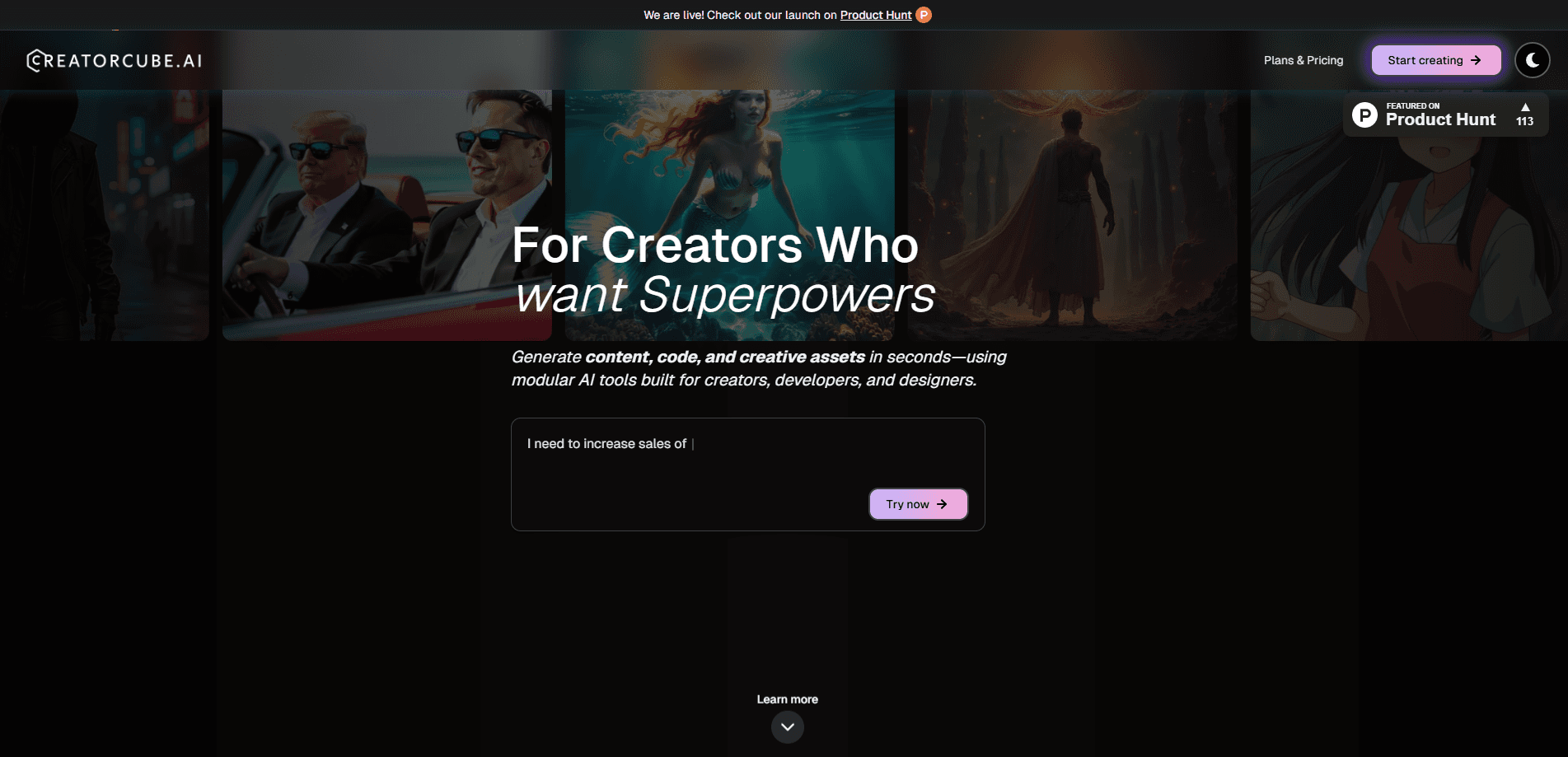
About CreatorCube AI
What Is CreatorCube AI
CreatorCube AI is a browser-based platform that gathers several top AI models into a single page so you can make images, video, audio, and text without hopping between apps. It launched in 2025 and pitches itself as a plug-and-play command center for creators, builders, and small teams who are tired of paying for a dozen separate subscriptions.
The core idea is consolidation. You prompt once from one interface, and the platform routes the work to whichever model fits the job, then keeps the result in a shared asset library. That library is the part that separates it from a plain model switcher. Assets stay searchable after you generate them, so a clip, a voiceover, or a paragraph does not get lost in a downloads folder.
The limits are worth knowing up front. CreatorCube AI leans on outside models rather than training its own, so quality depends on the provider you pick. Heavy, predictable workloads can also cost more than a single flat-rate subscription once credits stack up, and specialist tools still beat it for deep, single-format work.
Getting Started
- Open creatorcube.ai in a browser and try the guest tier, or sign up free for a larger token grant.
- Pick the kind of output you want, such as an image, a video, or a chat, from the cube interface.
- Write a prompt and choose a model from the built-in lineup, then generate the result.
- Save the output to the Asset Manager and organize it with pins and tags.
- Share finished pieces to the World Feed, or buy more credits when you run low.
Product Information
A quick look at CreatorCube AI's pricing, supported platforms, and performance.
Best for
The users, tasks, and scenarios where this tool fits best.
Users
- Freelance creators
- Small marketing teams
- Solo builders and indie makers
- Curious users new to AI models
Tasks
- Generating images from a prompt
- Producing short videos and animations
- Creating voiceovers and audio
- Drafting and researching with chat
- Organizing a growing asset library
Scenarios
- Running one campaign start to finish
- Testing which model handles a task best
- Keeping occasional access to many tools
Key features
Multimodal generation in one interface
CreatorCube AI gathers image, video, audio, and chat generation behind a single prompt box. You pick the output type, write a request, and the platform sends it to a matching model, so a creator who works across formats does not juggle four separate apps. The lineup draws on OpenAI, Claude, Grok, ElevenLabs, Kling 2.0, and Fal AI, and you can switch providers for the same task when one does a better job. For a mixed project, that keeps the whole workflow in one tab.
Model comparison
Because several providers sit behind one interface, you can run the same prompt through different models and compare the results before you settle on one. That is handy when the right model changes by task, such as an image model for stills and a chat model for research. It also removes the pressure to pick a single vendor up front. The tradeoff is that you are always working through CreatorCube's interface rather than each model's own advanced settings.
Built-in asset manager
Every result lands in an asset library where you can pin, tag, and search for it later. That solves the mess that follows a normal AI session, where files scatter across downloads and cloud folders. Pins keep current work within reach, and grouping by project means a clip, its thumbnail, and its script stay together. It is the feature that turns the platform from a model switcher into something closer to a workspace.
Pay-per-credit pricing with "Rubies"
CreatorCube AI runs on credits it calls Rubies, so you buy what you use instead of locking into a monthly plan per tool. A guest starts with 50 free tokens and a free account raises that to 100, which is enough to test the platform before spending. This suits people who need many tools occasionally rather than one tool constantly. The catch is that heavy, steady use can cost more than a flat subscription.
Goal-oriented guidance
The platform is built around outcomes rather than raw model settings. It offers personalized action plans that break a goal, such as launching an app or making marketing material, into steps with the prompts and tools each step needs. That lowers the barrier for someone who knows what they want to make but not which model to reach for. Experienced users may find the hand-holding unnecessary and head straight for the tools.
Pros and cons
Pros
- Consolidates image, video, audio, and chat tools behind one login, cutting subscription sprawl.
- Bundles a searchable asset manager, so generated files do not disappear into a downloads folder.
- Credit-based pricing lets you pay for occasional use instead of a flat monthly fee per tool.
- Pulls in established providers like OpenAI, Claude, Grok, and ElevenLabs, so output quality rides on proven models.
- Free entry points, 50 guest tokens and 100 with an account, make it easy to try before paying.
Cons
- Credits can add up for steady, high-volume work, sometimes costing more than a single subscription.
- It relies on third-party models rather than its own, so users still depend on providers staying available.
- Advanced settings live in each model's native tool, which caps how far you can tune output here.
- The platform launched in 2025 and is still maturing, so some features are limited or in progress.
Frequently asked questions
It is used to generate and manage AI content across several formats in one place. You can make images, video, audio, and text, then keep the results in a shared asset library rather than scattering them across separate apps.
Related content
Explore related tools, skills, and articles for CreatorCube AI.
CreatorCube AI Alternatives

Odyssey 3
Odyssey · OtherOdyssey-3 is Odyssey's foundation world model. It simulates physics in real time, turns a prompt into an interactive environment, and adapts to robots, cars and games.

JarvisCore
Prescott Data · Coding · Productivity · OtherJarvisCore is an open source Python runtime where AI agents work as equal peers on an agent mesh, claim tasks from a shared ledger, and reach external services through a zero-trust broker.
Clef
Cloudflare · Business · OtherClef is Cloudflare's open-source decision model for Workers AI. It returns calibrated probabilities for typed questions, not generated text, so agents can classify, route, and act fast.