

Text to Speech: Crikk
Monster Incorporation Inc. · Voice & Language
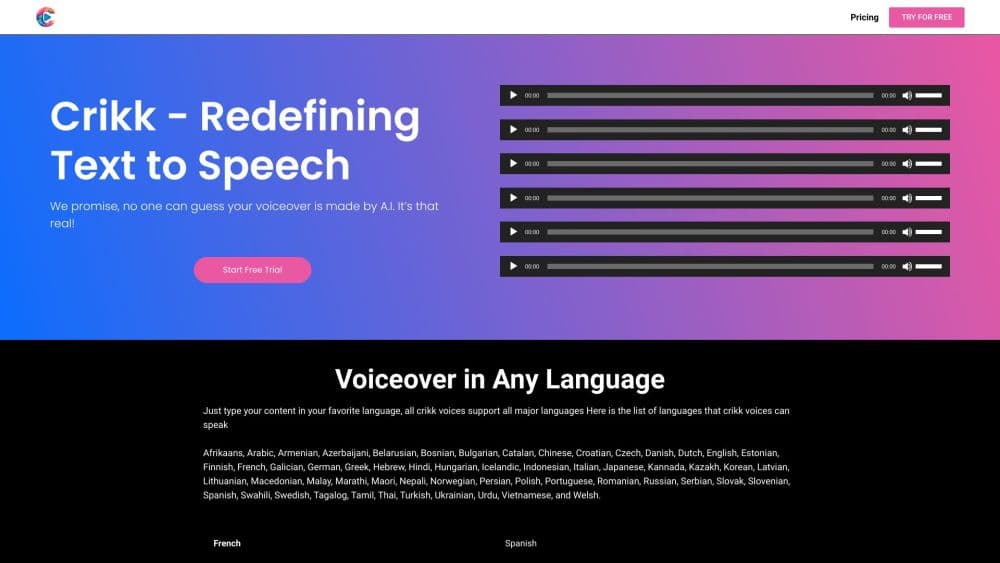
Crikk is an AI text to speech tool that reads PDFs, documents, images, and ebooks aloud in natural-sounding voices, with playback up to 4x, 100+ languages, and a free plan.
About Text to Speech: Crikk
What Is Crikk
Crikk is a text to speech reader built for people who want to get through long PDFs, documents, and articles by listening instead of reading. It works on iPhone and in a web app, and it handles the messy files most readers give up on: scanned PDFs, multi-column layouts, and pages that are just images.
The pitch is simple. Reading is slow and tiring, listening is not. Crikk takes the textbook, the research paper, the contract, or the ebook and reads it out loud in a voice that sounds close to a human, so you can work through your reading list while you walk, drive, cook, or work out.
Its main limitation is where it draws the line on features. There is no Android app yet, and the voice cloning and advanced voice editing options that some rival tools offer are not part of the package. You get solid reading and voiceover tools, not a full studio.
Getting Started
- Create a free account on crikk.com or download the iPhone app. The free tier includes 10,000 characters a month with unlimited imports.
- Add your content. You can type or paste text, snap a photo with your camera, pick an image from your gallery, or upload a document such as a PDF, DOCX, EPUB, or TXT file.
- Pick a voice and set the speed anywhere from 0.5x to 4x. For voiceovers, you can also adjust the speaking style and pitch and add pauses.
- Listen in the app or on the web, download the audio as an MP3 for offline use, or export it as a voiceover for a project.
Product Information
A quick look at Text to Speech: Crikk's pricing, supported platforms, and performance.
Best for
The users, tasks, and scenarios where this tool fits best.
Users
- Students drowning in PDF textbooks
- Professionals clearing a backlog of reports
- People with reading difficulties or low vision
Tasks
- Turning a PDF into an audiobook
- Creating a voiceover for a project
- Reading a printed page or handwritten note out loud
Scenarios
- Getting through a reading list on the move
- Listening offline on a flight or road trip
- Studying a second language
Key features
PDF text to speech built for real documents
Crikk reads the PDFs that trip up simpler readers, including textbooks, research papers with footnotes, scanned files, multi-column layouts, and image-based PDFs. You upload a file and it starts reading in seconds, which matters most when a document is long and unwieldy.
Four ways to turn text into speech
You can type or paste text, snap a photo with the camera, choose an image from your gallery, or upload a document in formats like PDF, DOCX, EPUB, and TXT. That range means a source does not have to be digital already for Crikk to read it.
Natural-sounding AI voices
The voices are designed to sound like real readers rather than robots, which keeps long listening sessions from wearing you out. You can also shape speaking style and pitch for voiceover work.
Live text highlighting
Each word lights up as it is spoken, so you can read along while you listen. Following the highlighted text is what makes dual-input reading work for study and language practice.
Playback speed from 0.5x to 4x
You can slow playback down for dense topics or speed it up to move through easy content faster, cutting the time it takes to finish a reading list.
Offline MP3 downloads
Any reading can be saved as an MP3, so you can listen on flights, road trips, or anywhere without a connection.
Web and mobile in sync
Crikk runs on iPhone and in the browser at crikk.com, and your library syncs across devices so you can start on one and finish on another.
Developer API access
Pro subscribers get API access with a 2 million character monthly limit, and a dedicated $100 a month API plan offers unlimited generation for teams that build speech into their own products.
Pros and cons
Pros
- The free plan is genuinely usable: 10,000 characters a month, unlimited imports, free voices, and round-the-clock support.
- It reads hard documents, including scanned and image-based PDFs that simpler readers reject.
- 100+ languages with multiple accents for popular ones, which is broad for a reading app.
- Web and iOS apps sync your library, so you are not locked to one device.
- API access is included in monthly Pro, useful if you also build with speech.
Cons
- There is no native Android app, so Android users are limited to the browser, which is less convenient on the go.
- The PDF and document tools do not replace a full voice studio; features like voice cloning are not offered.
- The free tier's 10,000 characters a month runs out quickly if you upload long files, so heavy readers need Pro.
Frequently asked questions
Crikk turns text, PDFs, documents, and images into natural-sounding speech, an easy way to handle text to audio on the go, so you can listen instead of read. People use it to get through textbooks, reports, papers, and ebooks, and to create voiceovers for projects.
Related content
Explore related tools, skills, and articles for Text to Speech: Crikk.
Text to Speech: Crikk Alternatives

Foley
Hanamori Labs, LLC · Voice & Language · Productivity · AI AssistantFoley is a voice to-do list that turns a spoken sentence into a filed task, complete with project, date and time, then helps you plan the day around what is already there.

HireKey
HireKey · Voice & Language · Productivity · LeaningHireKey is an AI job search copilot built by a former tech recruiter. It checks role fit, tailors resumes, runs interview practice and tracks every application.

Fluence
Yay Software (Yannick Huchard) · Writing · Voice & Language · ProductivityFluence is an Android app that reads PDFs, EPUBs, Word files and web articles aloud, follows each sentence as it speaks, and answers questions about the text on the phone itself.