

Crowd
CrowdApp · Marketing · Business
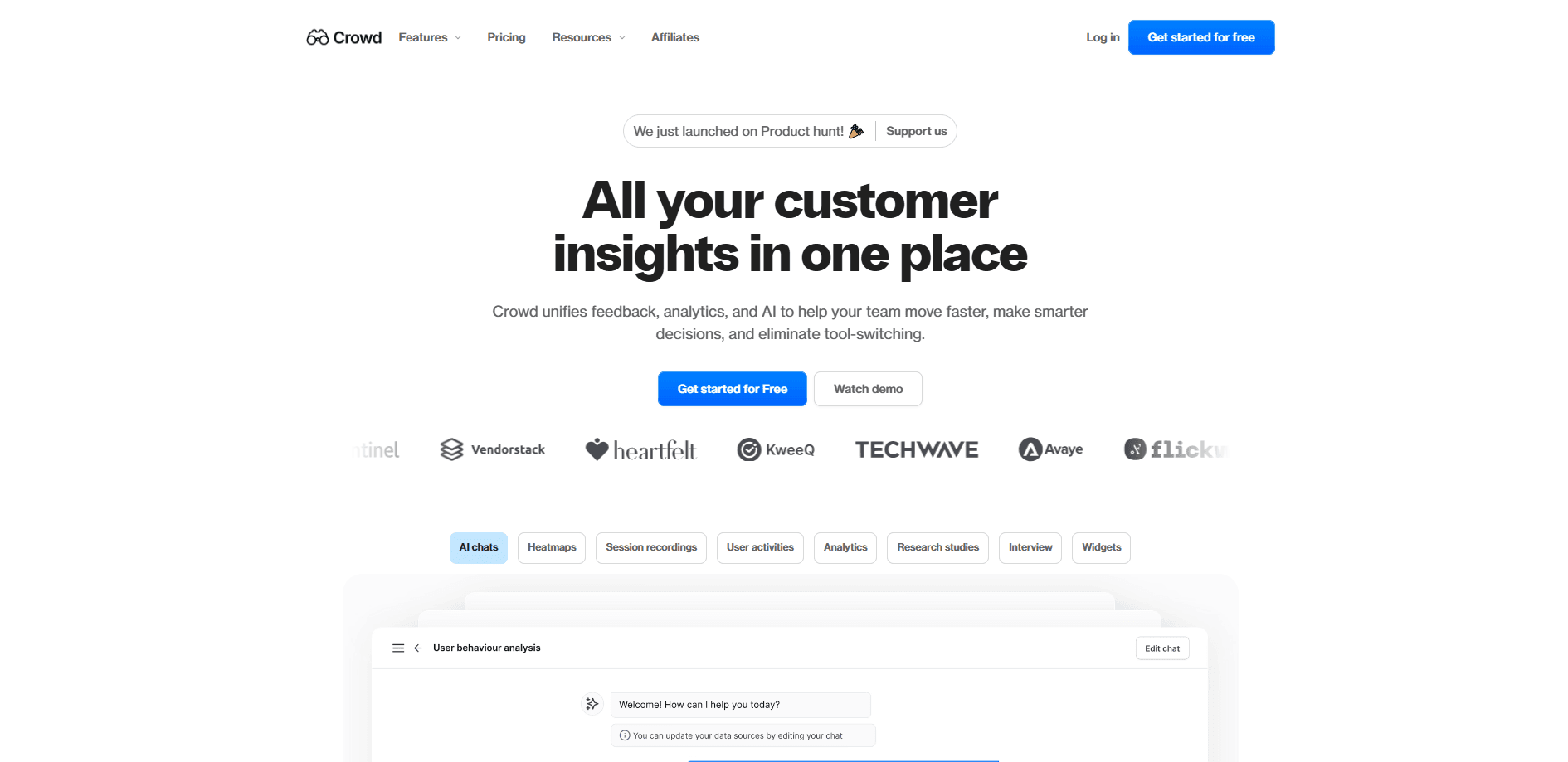
Crowd is a customer intelligence platform that brings feedback widgets, heatmaps, and session replays into one place and uses AI to turn scattered user data into clear product decisions.
About Crowd
What Is Crowd
Crowd is a web-based customer intelligence and user research platform built by CrowdApp, a company founded in 2023 and based in New York. It targets a familiar problem for product teams: insight tools are spread across analytics dashboards, survey apps, and session recorders, so nobody sees the full picture. Crowd puts behavior analytics, feedback collection, and research into a single workspace.
The platform pairs those tools with an AI layer. You can ask questions about your data in plain language and get summarized answers, and the widgets themselves produce AI summaries of the responses they collect. For teams without a dedicated researcher, that guidance is the main draw.
Two things are worth flagging before you commit. First, Crowd is a smaller player in a crowded category next to tools like Maze, UserTesting, and Hotjar, so its integration list and template library are narrower. Second, the product has gone through a major version shift to Crowd 2.0, so documentation and features from older write-ups may not match what you see today. Check the live pricing page and help center for current details.
Getting Started
- Go to the Crowd website and sign up with an email address; no credit card is needed to open the 14-day trial.
- Answer a few short questions about your business and goals so Crowd can set up your workspace.
- Install the tracking snippet or embed the feedback widget on your site to start collecting behavior and responses.
- Open the dashboard to review heatmaps, recordings, and widget feedback, then use AI Chat to ask what the data means.
- Build a research study or interview from a template when you need targeted answers, and share results with teammates.
Product Information
A quick look at Crowd's pricing, supported platforms, and performance.
Best for
The users, tasks, and scenarios where this tool fits best.
Users
- Product managers
- UX and design teams
- Startup founders without a researcher
Tasks
- Finding where visitors drop off
- Collecting in-product feedback
- Answering questions about user data
Scenarios
- After a redesign
- Early feature validation
- Recurring research on a budget
Key features
AI Chat With Your Data
Crowd's AI Chat lets product teams ask questions about their feedback and behavior in plain language and get written answers with suggested next steps. It pulls from the data you've already collected, so the value grows as more sessions and responses come in. For teams that aren't sure how to read a dashboard, this is often the feature that makes the platform usable.
Feedback Widgets
The Crowd AI feedback tool works as a widget you embed on your site to collect ratings, surveys, and open comments while users stay on the page. The widgets support customization so they blend into your design, and responses feed straight into the dashboard. AI summaries then condense the pile of comments into the themes users keep raising.
Heatmaps
Crowd generates click, scroll, and movement heatmaps that show which parts of a page hold attention and which get ignored. You can filter by audience, region, or session so you're comparing the right people, and you can layer a before-and-after view around a release. Comparing heatmaps over time is the core way to check whether a change actually helped.
Session Replays
Crowd session replay lets you watch real users move through your site, with related sessions tied to each heatmap. That pairing matters: a heatmap shows where people stop, and a replay shows what they were trying to do when they stopped. You can share recordings with teammates by inviting them into your workspace with editor or viewer roles.
Research Studies and Interviews
Beyond passive tracking, Crowd runs structured research. You can build surveys, tests, and interviews from templates and schedule and analyze them in the same workspace. It won't match the depth of a dedicated research platform, but it keeps qualitative work next to the behavioral data that explains it.
Integrations and Workspace Sharing
Crowd connects to the tools teams already use and lets you invite colleagues into a shared workspace with defined roles. Heatmaps, recordings, and feedback can all be shared, which keeps research visible to the people who'll act on it instead of trapped in one analyst's account.
Pros and cons
Pros
- Combines analytics, feedback, and research in one workspace instead of three separate subscriptions.
- AI Chat turns raw user data into written answers and next steps, which helps teams without a researcher.
- Widgets, heatmaps, and recordings share one dashboard, so you can move from "where do people stop" to "why" without switching tools.
- Free plan and a 14-day trial on paid tiers let you test the platform before committing.
- Role-based workspace sharing keeps insights in front of the whole team.
Cons
- Smaller set of templates and integrations than established rivals, so you may need to fit your workflow to the tool.
- The move to Crowd 2.0 means older tutorials and screenshots may not match the current product, which slows onboarding.
- Public pricing details are thin, so you'll likely need to contact sales to compare paid tiers.
- It's a young platform, so depth on advanced research methods trails dedicated research tools.
Frequently asked questions
Crowd is a customer intelligence platform that collects user feedback and behavior, then uses AI to help product teams interpret it. It bundles feedback widgets, heatmaps, session replays, and research studies into one web dashboard.
Related content
Explore related tools, skills, and articles for Crowd.
Crowd Alternatives

ngram 2.0
ngram · Video · Marketingngram 2.0 is an AI video generator for teams. It turns a prompt, a screen recording, or a product URL into a narrated explainer, product demo, or AI avatar video, and every scene stays editable.

shippedit.me
Krawlup · Marketing · Businessshippedit.me now redirects to Krawlup, a web platform that audits SEO, AEO and page speed every week, then hands the fixes to AI coding agents over MCP.

MePersona
MePersona, Inc. · Writing · Productivity · MarketingMePersona is an AI unified inbox for creators. It learns your voice, drafts replies to fan messages from 12 platforms, and sends only what you approve.