

CrowdSynthetic
mksimple-blip · Other
CrowdSynthetic is an open-source AI crowd safety simulator that models how people move through a concert-style venue. It builds risk inside configurable zones, predicts when an area will saturate, and flips into evacuation mode on its own when the numbers get dangerous. Running it means installing the Python project from GitHub and watching a live window that blends avatars, heatmaps, and alert overlays. Think of it as crowd simulation software you can pull apart and rebuild. You get the whole thing, source included, with nothing hidden behind a login.
About CrowdSynthetic
What Is CrowdSynthetic
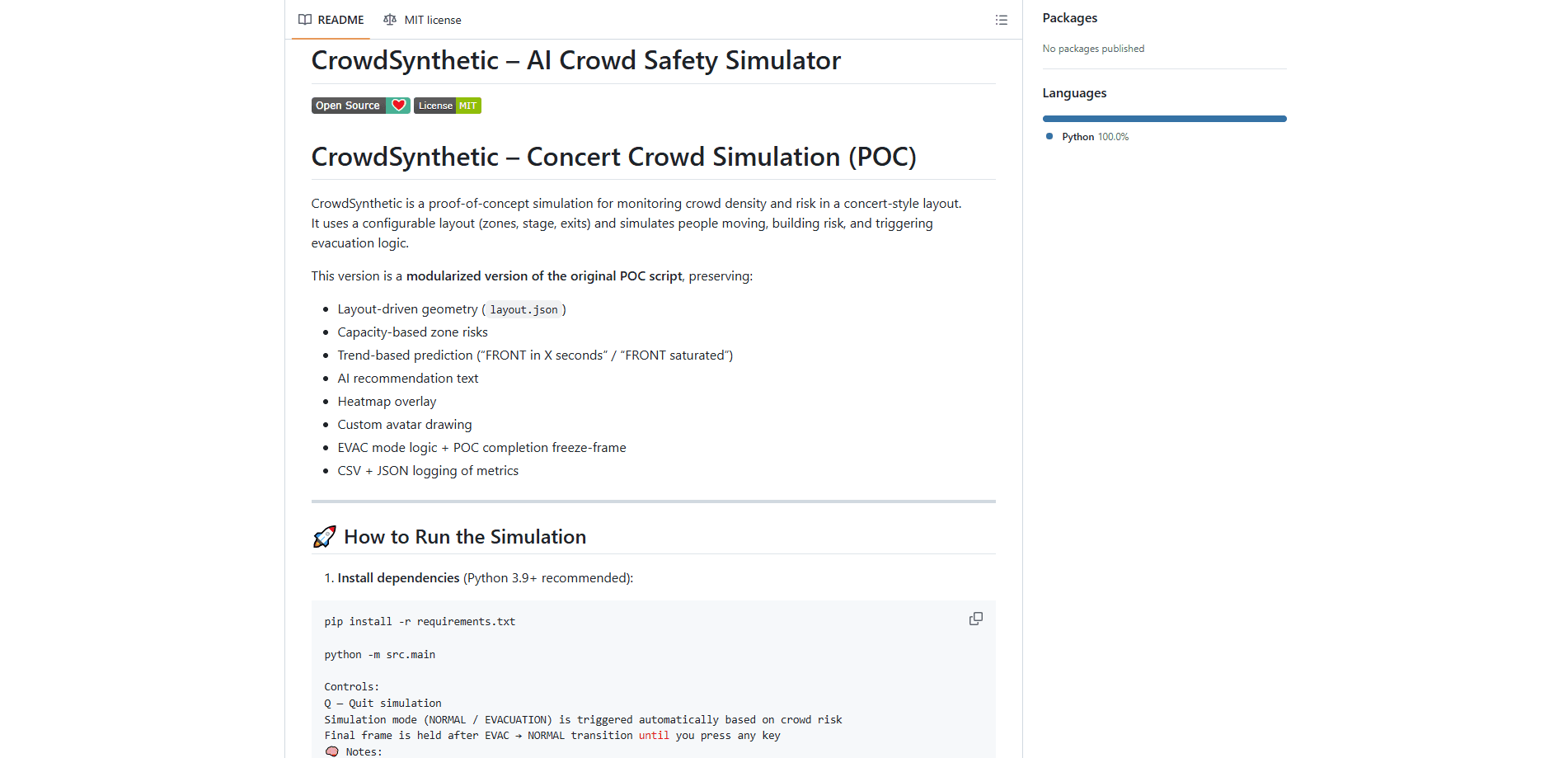
CrowdSynthetic is a proof-of-concept crowd density and risk monitoring tool for event venues. You hand it a layout file that describes zones, a stage, and exits, and it simulates a crowd filling those spaces over time. The point isn't a polished product. It's a working testbed for the logic that decides when a crowd is getting unsafe and what to do about it.
The project predicts trouble before it happens rather than only reporting it after the fact. Each zone gets a capacity, the sim tracks its fill level, and the risk engine warns you when the front of the crowd is about to saturate. It then writes an AI-style recommendation about what to do next. For anyone studying crowd management or prototyping a safety dashboard, that mix of prediction and response, where the tool both spots the danger and suggests the move you might make next, is the interesting part. It's the difference between a screen that tells you a room is full and one that tells you a room is about to be full, which is a far more useful warning when people are standing shoulder to shoulder.
The biggest limitation is scope. This is a POC, not a deployed system. It runs a synthetic crowd on your own machine, with no live camera feeds, no real sensor data, and no hosted dashboard. So can you point it at a real stadium and trust the output? No. It's Python only, it opens a desktop window, and it logs metrics to CSV and JSON for you to analyze yourself. Fine for research and demos. Not something you'd hand to a venue operator and walk away. As an open-source crowd safety tool, it earns its keep in the lab, not on the floor.
Getting Started
- Clone the GitHub repository and confirm you have Python 3.9 or newer installed.
- Install the dependencies with
pip install -r requirements.txt. This pulls in OpenCV, so an error here usually means the OpenCV install went wrong. - Open
layout.jsonand adjust zones, capacity limits, the stage, and exits to match the venue you want to simulate. - Run the simulation with
python -m src.main. A real-time window opens with avatars, a heatmap, and UI overlays. - Watch the mode flip between NORMAL and EVACUATION, then check
concert_risk_log.csvandconcert_risk_log.jsonfor the recorded metrics. Press Q to quit.
Product Information
A quick look at CrowdSynthetic's pricing, supported platforms, and performance.
Best for
The users, tasks, and scenarios where this tool fits best.
Users
- Event safety researchers
- Data science students
- Venue planning teams
Tasks
- Modeling crowd density across zones
- Testing evacuation triggers
- Generating visual heatmaps
- Logging session metrics
Scenarios
- Prototyping a safety dashboard
- Academic coursework on crowd dynamics
- Pre-event contingency planning
Key features
Configurable Venue Layout
The whole simulation is driven by a single layout.json file. You define zones, a stage, and exits, and the geometry shapes how the crowd moves and where risk accumulates. Change the file and the entire run adapts. That makes it easy to test the same scenario logic against different floor plans.
Capacity-Based Zone Risk
Each zone carries a capacity, and the simulator tracks how close it's getting to full. Risk isn't one global number. It's computed per zone, so you can see exactly which section is under pressure. That granularity is what makes the prediction useful instead of just decorative.
Trend-Based Congestion Prediction
Rather than only flagging an area as full, CrowdSynthetic reads the trend and forecasts ahead. It surfaces messages like "FRONT in X seconds" or "FRONT saturated," giving you a moving estimate of when a bottleneck will hit. This is the core safety value: a warning that arrives before the crowd packs in. Timing matters more than the raw count.
Automatic Evacuation Logic
When risk crosses the threshold, the sim switches itself from NORMAL into EVACUATION mode without you pressing anything. The crowd behavior changes, exits come into play, and the run holds on a final freeze-frame after the transition back. It's a self-contained demo. No buttons required. That automated loop is the reason the project exists.
Heatmap Overlay
A heatmap sits over the venue view and shows crowd density at a glance. Dense pockets light up, so you can spot congestion hotspots visually instead of reading numbers. Call it heatmap crowd visualization without the dashboard. It's the kind of overlay that turns a wall of raw coordinates into something a room full of people can actually read during a live demo. Useful for spotting a looming pinch point before the metrics spell it out.
AI Recommendation Text
The tool generates plain-language recommendations based on the current risk state. Instead of only a red number, you get a suggested action. It reads like an advisor sitting next to the operator. The wording comes from the simulation's own rules rather than a large language model. So while it sounds smart, the suggestions follow the same fixed thresholds that drive the rest of the risk engine, which makes them predictable and easy to audit but never particularly surprising or creative.
CSV and JSON Metric Logging
Every run writes its metrics to concert_risk_log.csv and concert_risk_log.json. That means you can replay a session's numbers, chart them, or compare layouts later. For anyone doing analysis rather than just watching, this is the part that turns a demo into a dataset.
Pros and cons
Pros
- Free and open source under the MIT license, so you can read and modify every part of it.
- Predictive alerts ("FRONT in X seconds") warn before a zone saturates, not after.
- Fully configurable venue geometry through a single JSON file, no code changes needed.
- Logs every run to CSV and JSON for real analysis.
- Automatic NORMAL-to-EVACUATION switching demonstrates a full response loop end to end.
Cons
- It's a proof of concept, so there's no production support, hosting, or live data feed to build on.
- Requires Python 3.9+ and a manual OpenCV setup, which trips up people without a dev environment.
- OpenCV errors like `cv2.error` are a known snag, and the fix falls on you.
- The "AI recommendation" text comes from built-in rules, not a real language model, so don't expect conversational depth.
Frequently asked questions
It simulates crowd movement in a concert-style venue to study congestion and safety. You watch density build up, get predictions about which zone will fill next, and see an automatic evacuation trigger when risk gets high enough.
Related content
Explore related tools, skills, and articles for CrowdSynthetic.
CrowdSynthetic Alternatives
BinkBink
BinkBink · OtherBinkBink is a free online game platform and AI game maker that lets anyone turn a short text description into a playable browser game. You can jump into hundreds of community-made games. Or describe your own idea and play it in seconds, then share it with friends. Want to create your own game? You don't need to code. No engine setup, no download, no hassle.

Audiogen
Audiogen Inc. · OtherAudiogen is an AI music generator built by Audiogen Inc., a small research team that spent about 2.5 years training its own generative music model and designing a web interface around it. Instead of a plain text box, this AI music tool turns the timeline into a beginner-friendly Generative Audio Workstation, or GAW, where inpainting, extending, remixing and stem editing work more like painting on a canvas. The product is still in beta, so access runs through a waitlist or an invite. Paid plans aren't published yet.

Aiml API
AIMLAPI OÜ · OtherAiml API is a unified AI model API that puts more than 1000 models from OpenAI, Google, Anthropic, and others behind one endpoint and one bill. You write code against a single OpenAI-compatible schema, then switch between chat, image, video, and audio models by changing a model string. It suits developers and small teams who want multi-model access without juggling a dozen separate provider accounts, and it removes the usual billing headache that comes with testing several vendors. One key covers it all.