

Crowny!
Amrit · Coding · Productivity · AI Assistant
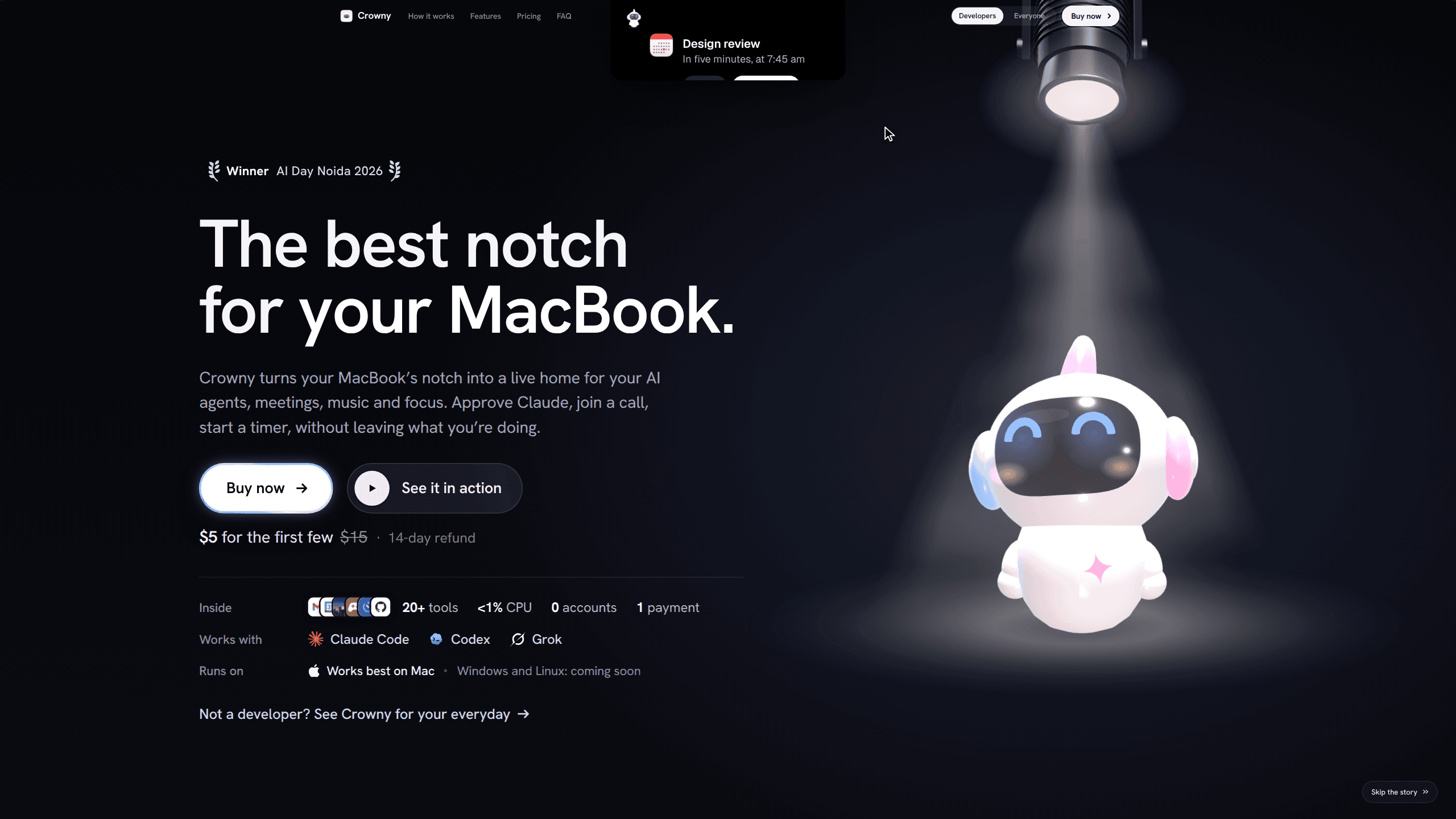
Crowny! turns the MacBook notch into a live strip for Claude Code, Codex and Grok sessions, alongside music, timers, clipboard history and about 20 other tools. It costs $5 once.
About Crowny!
What Is Crowny!
Crowny! is a notch app with an unusually broad job description. It shows the state of every coding agent you have running, the song that's playing, your next meeting, a timer and the last thing you copied, all in the strip of black next to the camera. You glance up instead of switching windows.
The agent view is the reason most people will install it. Each Claude Code, Codex or Grok session gets a face in the notch that shows whether it's working, waiting for input or finished. When Claude Code wants to run a command, the request appears there and you approve or deny it without finding the terminal tab. Codex shows up the same way, and tapping it takes you to its terminal rather than answering in place.
The rest is a collection of small utilities that share one surface: Spotify and Apple Music controls, Snake or 2048 while a build runs, a file shelf you can drag onto, clipboard history, water and stand reminders. Two display modes decide how much of that stays visible. Always on keeps Mochi, the app's small mascot, and whatever is live on screen. Minimal leaves the notch bare until something happens.
The limits are hardware and policy, not imagination. Crowny! is built for Macs with a notch, needs Apple Silicon and macOS 15 or later, and on a Mac without the cutout it sits as a small pill under the menu bar. Windows and Linux are listed as coming. The launch build is signed but not notarised, so macOS blocks the first open until you allow it in System Settings.
Getting Started
- Download the app from crowny.lol and drag it into Applications. On first launch, open System Settings, go to Privacy & Security, and choose Open Anyway next to Crowny!
- Open Setup and pick a display mode. Always on keeps the strip populated. Minimal hides everything until a song, timer or agent session goes live.
- Turn on the Claude Code hook if you want to approve prompts from the notch. Sessions you start yourself in Terminal, iTerm, Ghostty or Warp are detected on their own.
- Add your own Anthropic API key if you want spoken answers or Gmail triage. Everything else works without one.
- Buy the licence for $5 and activate it on the Mac you use. Updates arrive through a one-line Terminal command, and every version 1 release is included.
Product Information
A quick look at Crowny!'s pricing, supported platforms, and performance.
Best for
The users, tasks, and scenarios where this tool fits best.
Users
- Developers running several Claude Code or Codex sessions
- Freelancers and solo builders who work on one laptop screen
- Students and note takers
- MacBook owners who keep a menu bar full of utilities
Tasks
- Approving or denying an agent command while you're reading something else
- Checking Claude's 5-hour and weekly limits before starting a long refactor, so a session doesn't stall halfway.
- Keeping a focus session visible
- Recovering text you copied an hour ago
Scenarios
- A test suite running in one window while you write documentation in another
- A long call or a deep-work block on battery
- Five minutes between meetings
Key features
Every agent session, with a face
Crowny! watches the Claude Code, Codex and Grok sessions you start in Terminal, iTerm, Ghostty or Warp and reads each one's state from its own status and transcript. Nothing needs to be wrapped or relaunched. A finished session leaves a quiet note instead of a notification you have to dismiss.
Approve Claude Code from the notch
With the hook enabled, a permission request lands in the notch with the command it wants to run. You approve or deny it there. This is the difference between a twenty-second interruption and a two-minute context switch, and it's the feature that justifies the price on its own.
Claude usage limits, before you hit them
The 5-hour and weekly limits sit in the same strip. If you run agents all day, seeing the weekly bar at 80 percent changes what you delegate in the afternoon. It saves the surprise of a session that stops mid-task.
Voice questions with your own key
Hold Space, ask out loud, and the answer appears in the notch. Audio is transcribed on your Mac and the question goes to Anthropic with your API key. It's a quick way to settle a syntax question without opening a chat window.
Clipboard history and a picker
Every copy is kept, and Option-Shift-V opens a searchable list. Picking an item pastes it into whatever app has focus. For anyone who copies error messages, IDs and snippets all day, this replaces a dedicated clipboard manager.
Music, games and a file shelf
Spotify, Apple Music and YouTube controls sit next to a live visualiser and Mochi dancing in headphones. Snake, Tetris, 2048 and Flappy run in the same space while a build finishes. Dropping a file on the notch parks it until you drag it out.
20+ tools in one strip
Timers, alarms, a stopwatch, world clocks, weather with an hourly rain view, reminders, Apple Mail unread counts, AirPods battery, Home Assistant controls, pinned sites such as Gmail, Calendar and GitHub. Each one is smaller than a dedicated app, and that's the trade: fewer windows open.
Pros and cons
Pros
- A one-time purchase of $5 for a licence on one Mac. No subscription, no account, and every version 1 update is included.
- Approving agent prompts from the notch removes the most common reason to leave a task.
- It reads sessions you already run in four popular terminals, so there's no new workflow to learn.
- At rest it uses about a tenth of one percent of a single core, and your data stays on the machine apart from licence checks.
- A 14-day refund, handled by email, lowers the cost of trying it.
Cons
- Mac only, and only Apple Silicon with macOS 15 or later. Windows and Linux users have to wait.
- The licence binds to one computer. A second Mac needs a second purchase.
- Voice answers and Gmail triage need your own Anthropic key, and both send content to Anthropic.
- The launch build isn't notarised. The first open requires a trip to Privacy & Security, and updates come from a Terminal command rather than the App Store.
Frequently asked questions
It puts live information in the MacBook notch: the state of your Claude Code, Codex and Grok sessions, Claude usage limits, music controls, timers, clipboard history and a set of small utilities. You read it with a glance instead of switching apps.
Related content
Explore related tools, skills, and articles for Crowny!.
Crowny! Alternatives

Base Code
Base44 (Wix) · Coding · ProductivityBase Code is a shared cloud development environment from Base44. Teammates describe changes to an existing GitHub codebase in chat, preview them live and send them back as pull requests.

Google EmbeddingGemma 2
Google DeepMind · Writing · Image · CodingGoogle EmbeddingGemma 2 is a 740M-parameter open model that turns text, code, images, audio, and video frames into vectors in one 768-dimension space, running on phones and laptops.

GitGlow
GitGlow · Coding · ProductivityGitGlow is a local-first desktop Git client that lets independent developers review their own code and their AI agents' changes in one place before shipping.