

Automated Algorithmic Trading - CryptoMatic Bot
CryptoMatic · Business
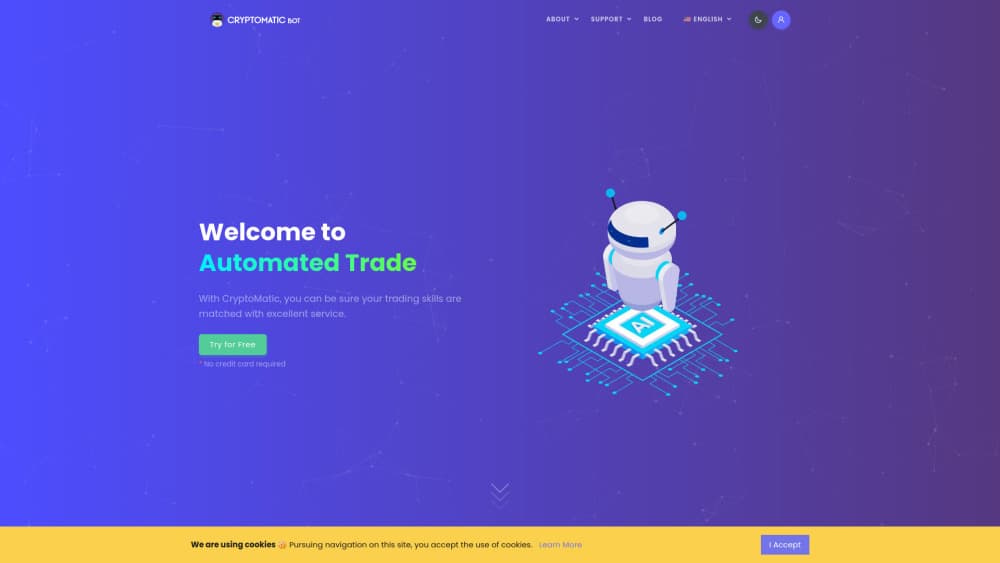
CryptoMatic Bot is a cloud-based platform that automates crypto and TradFi trading with AI strategies, TradingView webhooks, on-chain signals, and manual position management.
About Automated Algorithmic Trading - CryptoMatic Bot
What Is CryptoMatic Bot
CryptoMatic Bot is an algorithmic trading platform for people who want their trades to keep running after they close the laptop. You connect an exchange account with API keys you create yourself, pick a strategy, and the service opens and closes positions according to your settings. It covers crypto spot and futures plus TradFi instruments such as commodity and ETF futures, all from one web dashboard.
The product targets traders who already have a rough idea of entries, exits, and risk but don't want to stare at charts all day. Instead of building an automated crypto trading bot from scratch, you choose a built-in AI strategy, forward TradingView alerts through a webhook, or define on-chain triggers. Cloud execution means no VPS and no machine left humming overnight.
Two limits matter before you sign up. The exchange list is short, currently Binance, BingX, OKX, MEXC, and HTX, so accounts elsewhere won't connect. And automation does not remove market risk: losing trades still happen, and the profit figures shown on the site are illustrative, not promises.
Getting Started
- Create an account on cryptomatic.bot. No credit card is required, and a $3 trial credit lands in the balance so you can test the panel.
- Add an exchange by generating an API key with trading permission on and withdrawal permission off. Paste the key and secret into CryptoMatic Bot.
- Pick a strategy, or connect a TradingView alert to the webhook endpoint if you prefer your own signals. Adjust margin, position size, stop-loss, and take-profit levels.
- Activate automation and watch the dashboard. Push notifications report every entry and exit, and you can close a position by hand whenever you want.
Product Information
A quick look at Automated Algorithmic Trading - CryptoMatic Bot's pricing, supported platforms, and performance.
Best for
The users, tasks, and scenarios where this tool fits best.
Users
- Busy professionals
- Traders with their own TradingView setups
- Hands-off investors testing automation
Tasks
- Running a scalping or swing strategy overnight
- Automating a TradingView indicator
- Reacting to on-chain activity
- Managing positions opened by hand
Scenarios
- A nine-to-five schedule with no screen time
- Testing an idea with small capital
- Trading both crypto and traditional futures
Key features
AI Strategies for Spot and Futures
Built-in strategies split by market. Spot traders get Hourly, Daily, and Weekly models, while futures traders get Scalping, Intraday, and Swing. Each reads technical inputs such as RSI, momentum, volume, and moving averages to time entries and exits. You can change margin settings, position size, and signal strength per strategy instead of accepting a fixed preset.
TradingView Webhook Automation
TradingView webhook trading lets you keep your own charts and indicators and use CryptoMatic only as the execution layer. Point an alert at the webhook URL, map the payload to a buy or sell action, and the platform places the order on your connected exchange. This is the route for traders who already have a tested setup and don't want an AI model making the call.
On-Chain Signal Triggers
The platform can watch on-chain events, including Whale Alert activity, and open a position when conditions you define are met. That gives you a way to react to large wallet movements without monitoring a block explorer. Treat these signals as inputs, not as a complete strategy, since a big transfer does not always move price in the expected direction.
Risk Management Tools
Risk management tools go beyond a single stop order. You can set take-profit and stop-loss levels, choose from three stop-loss modes, configure a trailing stop that follows price once an activation level is hit, and add post stop-loss actions. Dollar cost averaging and multiple entry levels help you build a position in steps rather than all at once, and concurrent position limits cap how much exposure stays open.
Manual Trading with Automated Management
You don't have to hand every decision to a model. Open a position manually, then let the platform watch it and apply your exit rules. This suits traders who want their own entry timing but reliable management afterward. Reverse trading and detailed trade history are available for reviewing what happened and why.
One Dashboard for Crypto and TradFi
CryptoMatic Bot handles crypto and TradFi markets in the same panel, including commodity and ETF futures alongside digital assets. Performance statistics, multi-pair selection, paper trading, and push notifications sit in the same place. For someone who trades both sides, that removes the need for a second subscription and a second set of API keys.
Pros and cons
Pros
- Cloud execution runs around the clock, so you don't need a VPS, a spare PC, or a browser tab left open.
- Four signal sources in one account: built-in AI strategies, TradingView webhooks, on-chain triggers, and manual entries.
- Detailed risk controls, including three stop-loss modes, trailing stops, DCA, and concurrent position limits.
- Cheap first step: a $3 trial credit with no credit card required.
- Crypto spot, crypto futures, and TradFi futures share one dashboard.
Cons
- Only five exchanges connect today, so users of Bybit, Kraken, or Coinbase cannot use the bot without switching.
- Pricing is not published before signup, which makes it hard to compare plans against competitors.
- Purchased credit is non-refundable, so an unused balance stays inside the platform.
- Automated strategies still lose money in choppy markets, and past trade examples on the site do not predict your results.
Frequently asked questions
Yes. Registration adds a $3 trial credit with no credit card required, and you can explore the panel until the credit runs out. After that you move to the Shared Plan or a fixed monthly or annual plan.
Related content
Explore related tools, skills, and articles for Automated Algorithmic Trading - CryptoMatic Bot.
Automated Algorithmic Trading - CryptoMatic Bot Alternatives

Knocket
Knocket (Tencent RTC team) · Productivity · Business · ChatbotKnocket is a free live chat and contact page tool that lets visitors message you from your website, app, or a shareable link, with every reply handled from Telegram or one inbox.

shippedit.me
Krawlup · Marketing · Businessshippedit.me now redirects to Krawlup, a web platform that audits SEO, AEO and page speed every week, then hands the fixes to AI coding agents over MCP.

Ayven
Alknoma · Productivity · BusinessAyven is an AI control centre by Alknoma that turns a plain-language goal into a dated plan, hands the work to your people and AI agents, and asks for your approval only when the call is yours.