

CueBuddy
CueBuddy · Writing · Video
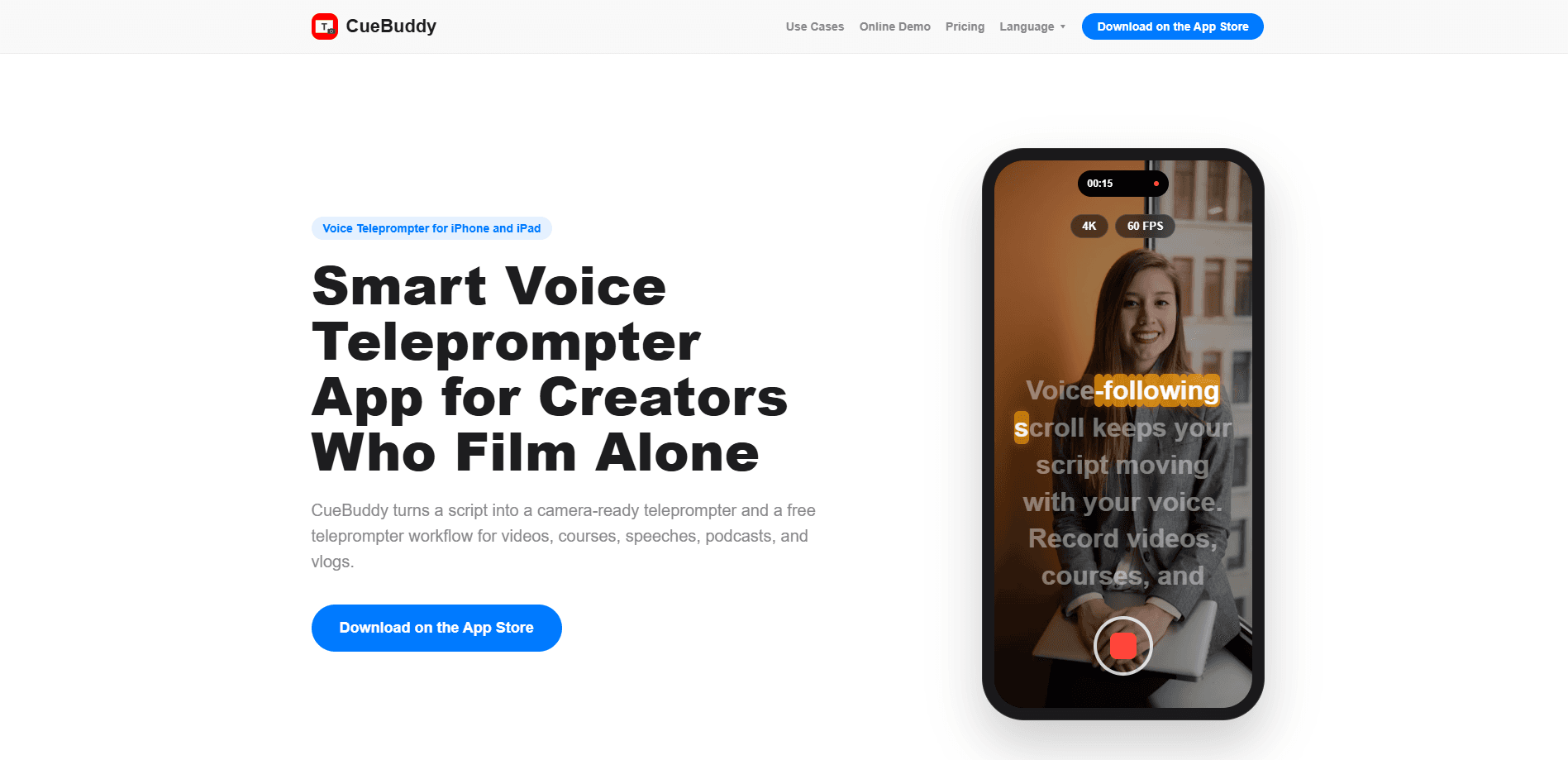
CueBuddy is a voice teleprompter app for iPhone, iPad, and Mac that turns a written script into a camera-ready prompt. Instead of scrolling at a fixed speed, it follows your actual speaking pace, which means you can pause, rephrase, or restart a line without losing your place. It also records video while you read, so a talking-head take, a course segment, or a podcast run doesn't need a second device. Core prompting is free and works without an account.
About CueBuddy
What Is CueBuddy
CueBuddy is a script reader app and video recorder in one place. You write or paste a script, the app shows it full screen in large type, and the text advances as you speak. That single behavior is what separates it from a classic teleprompter, where the words keep rolling no matter where the reader is. If you tend to improvise a sentence or hit a pause for emphasis, the script waits for you and picks back up when you do.
It's built mainly for solo creators. The pitch is simple: stop memorizing, stop re-shooting the same paragraph, and keep your eyes close to the lens instead of chasing a scrolling wall of text. The app covers talking-head videos, course recordings, speech practice, podcasts, and vlogs. A mirror mode flips the text horizontally for use with a beam-splitter rig, which is the setup you'd see in a small studio.
There are real limits worth knowing before you commit. The iPhone and iPad app needs iOS 17.0 or later, and the native Mac version needs macOS 14.0 plus an Apple M1 chip or newer. Older Intel Macs are out. Scripts stay on your device by default, and iCloud sync is something you turn on yourself. That's good for privacy. But it also means a script you write on your phone won't appear on your Mac until you enable syncing. The interface ships in 17 languages. The marketing site publishes official pages in 8.
Getting Started
- Download CueBuddy from the App Store on your iPhone, iPad, or Mac. No account is required for core prompting.
- Paste or type your script into the editor, then set font size, text color, and display style for readability.
- Pick a scroll mode. Use voice-following so the text tracks your speech, or switch to fixed-speed scrolling if you'd rather control the pace manually.
- Turn on mirror mode if you're reading through beam-splitter glass on a studio rig.
- Hit record and read. The app captures video while the prompt runs, and you can review the take without leaving the app.
Product Information
A quick look at CueBuddy's pricing, supported platforms, and performance.
Best for
The users, tasks, and scenarios where this tool fits best.
Users
- Solo video creators
- Course instructors and teachers
- Podcasters and speakers
Tasks
- Recording a talking-head video
- Rehearsing a speech or presentation
- Reading a course or explainer script
Scenarios
- Last-minute recording sessions
- Studio-style shoots with a teleprompter rig
- Practicing before an online meeting
Key features
Voice-Following Scroll
The script moves when you speak and holds when you stop. There's no fixed reading speed to match and no manual dragging to keep the text in frame. That matters most for unscripted moments, since you can add a sentence or slow down for emphasis and the prompt keeps up. It's the core reason people pick CueBuddy over a plain scrolling teleprompter.
Recording While You Read
CueBuddy records video while the prompt runs, so a single take covers both jobs. It's also a capable video teleprompter for longer shoots. You can film a talking-head video, a product explainer, or a course segment without a separate camera app. Keeping the recording and the prompt in one place is what makes the workflow workable for one person filming alone.
Full-Screen Prompting
Full-screen mode uses a dark background and large type, which is easier on the eyes during long sessions. It suits speech practice, podcast recording, and rehearsal before a call. You can start the core prompting flow without logging in. Nothing stands between you and a first take. Ever tried reading tiny text while talking to a camera? It's a mess.
Mirror Mode for Studio Rigs
If you use a beam-splitter teleprompter, mirror mode flips the text horizontally so it reads correctly after bouncing off the glass. This is the difference between an on-camera look that feels professional and one where your eyes drift to the side. It's aimed at course recording, interviews, and corporate video work.
On-Device Scripts and No Ads
Scripts are stored on your device by default, and iCloud sync is opt-in rather than automatic. It shows no ads. Your attention stays on the lens. For anyone who cares about where their drafts end up, this is a meaningful default. It also means you'll need to enable sync if you want the same script across devices.
Wide Language Support
The iPhone and iPad app offers a 17-language interface, and the website publishes official pages in 8 languages. If you record in something other than English, the menus and prompt controls will read in your language. The scripts themselves are just text, so they work in any language you type.
Pros and cons
Pros
- Voice-following scroll adapts to your real speaking pace, so pauses and restarts don't throw off the take.
- Doubles as a talking-head video app: it records video and shows the prompt at once, which suits solo creators without a second operator.
- Core prompting is free and needs no account, so you can test the workflow before committing.
- Scripts stay on your device with opt-in iCloud sync and no ads.
- Mirror mode supports beam-splitter rigs for more formal studio setups.
Cons
- No Android version, so the app is limited to Apple devices. Android users are out until a release ships.
- The Mac version requires an M1 chip or newer, which leaves Intel Mac owners unable to run it.
- Sync between devices isn't automatic by default, so you'll need to turn on iCloud manually to move scripts around.
Frequently asked questions
Yes. Core prompting and script tools are free, and you don't need to create an account to start. That covers the main workflow: paste a script, prompt, and record.
Related content
Explore related tools, skills, and articles for CueBuddy.
CueBuddy Alternatives

Claude for Google Workspace
Anthropic · Writing · Productivity · BusinessClaude for Google Workspace puts Claude in a sidebar inside Google Docs, Sheets, and Slides, where it reads the file you have open and edits it in place.

Claude Haiku 5.5
Anthropic · Writing · Coding · ChatbotClaude Haiku 5.5 is Anthropic's fastest and cheapest small model, built for high volume tasks at $0.10 per million input tokens with a 1M token context window.

NoteWorthy
Suman Hansada · Writing · Productivity · AI AssistantNoteWorthy is a notes app for iPhone, iPad and Mac that writes titles, tidies formatting, summarizes long notes and files each one with on-device AI. No account, no upload, no network requests.