

Custom.MT
Custom.MT (Custom Machine Translation), Prague · Writing
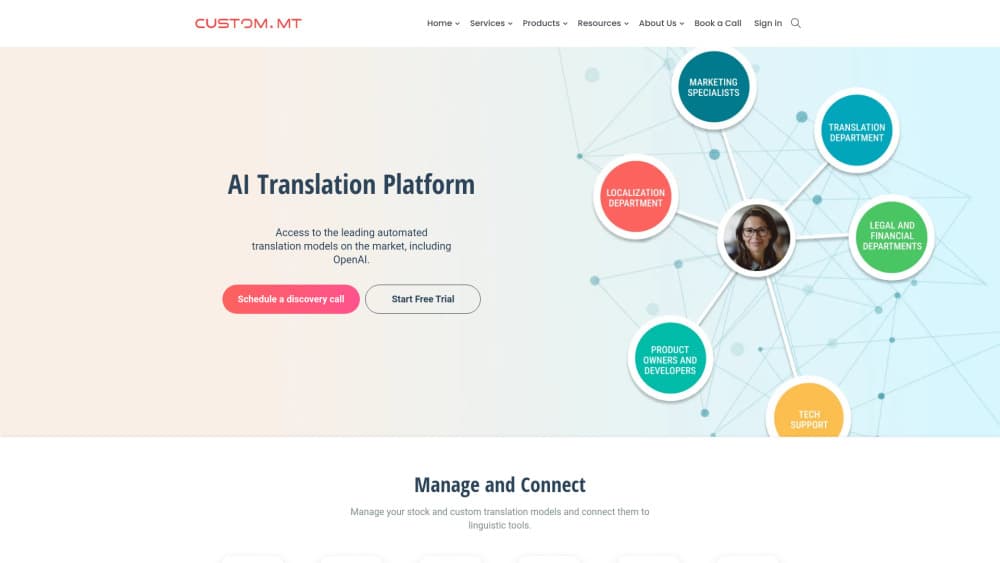
Custom.MT is a machine translation platform for localization teams: it connects stock and custom MT or LLM engines to Trados, memoQ and other tools, then tracks quality and cost in one console.
About Custom.MT
What Is Custom.MT
Custom.MT is the company behind Custom.MT Console, a browser-based platform for MT management that lets a translation team run many machine translation engines from one place. You pick a provider per language pair, attach a glossary, set how tags should be treated, and send the result straight into the tool your translators already use. Supported connectors include Trados, memoQ, Smartling, XTM, and Blackbird.
The problem it solves is mess. Most localization teams end up with several engine accounts, a spreadsheet of rates, and no shared record of which model performs best on which content. The console puts engine access, prompt templates, evaluation scores, and spend in one account, so a project manager can change providers without rebuilding the workflow.
The limits matter too. There's no mobile app and no standalone editor. Custom.MT works as an orchestration layer inside your CAT tool or content system, so the console is only useful if your team already runs a translation workflow. Paid subscriptions start at €200 per month.
Getting Started
- Register for a Console account and choose a plan. A free option is listed for testing, and paid editions unlock more capacity.
- Connect your provider accounts or use managed keys billed by Custom.MT, then set the engines you want for each language pair.
- Install the connector for your CAT tool or content system and paste the API key from the Console.
- Build a workflow template with your glossary, tag rules, and prompt, then run a test batch and review the output.
Product Information
A quick look at Custom.MT's pricing, supported platforms, and performance.
Best for
The users, tasks, and scenarios where this tool fits best.
Users
- Localization project managers
- Freelance translators who work in Trados or memoQ
- Language service providers with in-house linguists
Tasks
- Choosing an engine for a new language pair
- Cleaning old translation memories
- Cutting review time on high-volume content
- Keeping product names and legal terms fixed
Scenarios
- A software release with 12 languages and a tight deadline
- Testing LLM translation before committing
- Confidential material that can't leave the building
Key features
One console for every engine
Custom.MT connects stock engines such as DeepL, Google Cloud Translation, Microsoft Translator, Amazon Translate, ModernMT, and Systran, plus LLM providers like OpenAI, Anthropic, and Google Gemini. Your own fine-tuned custom MT models sit in the same list. A project manager can switch provider per language pair without touching the CAT tool.
Best Engine comparison
The Best Engine tool runs the same source segments through several engines and returns BLEU and WER scores, sample output, and a ranking. You see where a cheaper engine loses on terminology and where an expensive model adds nothing. That evidence is the main reason teams stop defaulting to one vendor.
AI Terminology and glossary control
You upload a termbase and the platform enforces it during translation. Entries can carry part of speech, case rules, and forbidden variants. For software strings, this is the difference between a usable build and a round of manual fixes.
Workflow templates and tag handling
Templates store engine choice, glossary, prompt, and tag rules in one reusable preset. Tag processing either preserves inline tags in software strings or strips them out when the target format doesn't need them. Ten templates come with Starter, 50 with Advanced, and 100 with Compliance.
Automatic post-editing and Prompt Studio
Automatic post-editing takes raw MT output and rewrites it with a prompt, which removes the most obvious machine phrasing before a linguist sees it. Starter uses Custom.MT default prompts. Advanced adds Prompt Studio, where you write and version your own prompts per client or content type.
Quality tracking and delivery options
Advanced adds machine translation quality estimation, so you can flag segments that need a human first. Compliance adds team dashboards, a corporate translation portal, TMX Cleaner, and deployment inside your own network. API access starts at Advanced, which is what most integrations rely on.
Pros and cons
Pros
- Engine coverage is unusually wide for one subscription, including regional providers that are hard to contract directly.
- Provider usage is passed through at zero markup, with only a small currency conversion fee, so the Console fee is the real added cost.
- Tag handling is built for software strings, a detail that generic MT plugins often get wrong.
- The Best Engine tool gives you BLEU and WER evidence, not just vendor claims.
- Connectors cover the tools most teams already own: Trados, memoQ, Smartling, XTM, and Blackbird.
Cons
- The entry plan costs €200 per month, which is hard to justify for a solo translator with light volume.
- API access and Prompt Studio require the €1,000 Advanced plan, so smaller teams hit that wall quickly.
- There's no mobile app and no built-in editor, so you can't work outside a connected CAT tool or content system.
- LLM billing is per token, and prompt length changes the bill in ways that are harder to forecast than per-character MT rates.
Frequently asked questions
It routes your translation requests to the engine you choose, applies your glossary and tag rules, and returns the text to your CAT tool. It also records scores and spend so you can compare engines over time.
Related content
Explore related tools, skills, and articles for Custom.MT.
Custom.MT Alternatives

Google EmbeddingGemma 2
Google DeepMind · Writing · Image · CodingGoogle EmbeddingGemma 2 is a 740M-parameter open model that turns text, code, images, audio, and video frames into vectors in one 768-dimension space, running on phones and laptops.

MePersona
MePersona, Inc. · Writing · Productivity · MarketingMePersona is an AI unified inbox for creators. It learns your voice, drafts replies to fan messages from 12 platforms, and sends only what you approve.

Fluence
Yay Software (Yannick Huchard) · Writing · Voice & Language · ProductivityFluence is an Android app that reads PDFs, EPUBs, Word files and web articles aloud, follows each sentence as it speaks, and answers questions about the text on the phone itself.