

CX Assist
AMK Coding · Writing · Marketing · Leaning
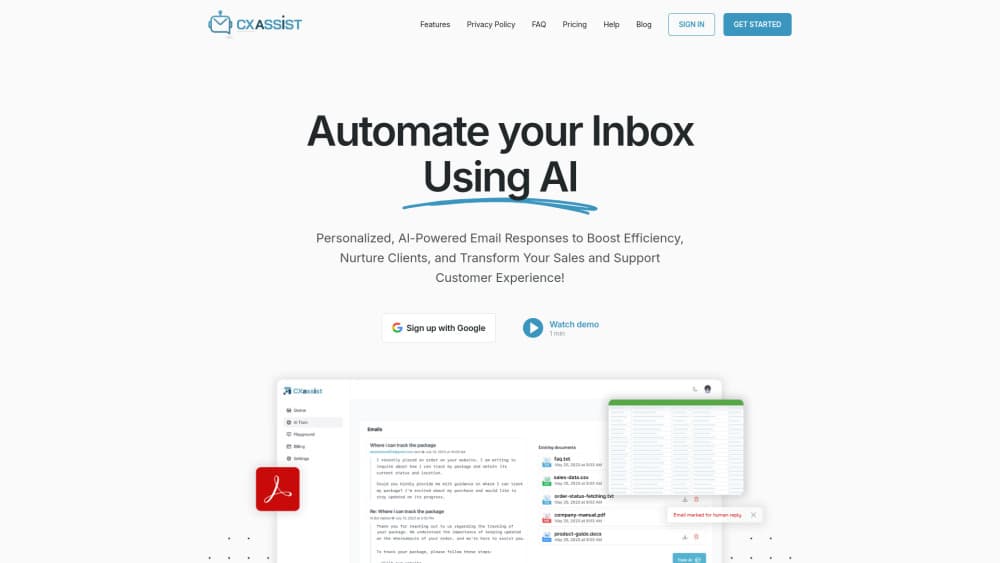
CX Assist is an AI email assistant for Gmail and Outlook. It sorts incoming mail, drafts replies in your tone, and can auto-send once you approve the rules.
About CX Assist
What Is CX Assist
CX Assist is a web app that sits on top of the mailbox you already use. It reads new mail, labels it, and writes a reply draft in your voice, then leaves that draft in a queue for you to send or edit. You don't move your company to a new email provider, and you don't forward anything by hand.
The problem it targets is boring and expensive: triage plus repeated answers. A support inbox at a small company gets the same eight questions all week, mixed in with invoices, partner notes and noise. A plain AI email replier answers each message in isolation, which is how tone drifts. CX Assist handles that mix with email triage rules and AI draft replies, so the morning block of 40 unread messages becomes 40 drafts you can scan in a few minutes.
What separates it from a generic chatbot is the training step. You feed it past replies, FAQ pages and product docs, and it keeps a separate persona per sender group. The main limit is that serious automation sits behind the Pro plan, and the whole product lives in a browser tab.
Getting Started
- Connect Gmail or Outlook with one click and approve the OAuth consent screen.
- Create a persona and add training material: past replies, FAQs, product docs, or URLs on Pro.
- Set labels and rules so Priority, Support, FYI and Spam mail land in the right place. This inbox management layer runs on both providers, and the Gmail AI auto reply setup uses the same one-click connection as Outlook.
- Open the queue, review each draft, then send it or edit it first.
- On Pro, switch auto-send on for the labels where a wrong reply costs you little.
Product Information
A quick look at CX Assist's pricing, supported platforms, and performance.
Best for
The users, tasks, and scenarios where this tool fits best.
Users
- Solo founders and one-person businesses
- Support teams of two to five people
- Freelancers and consultants with long client threads
Tasks
- Daily inbox triage
- Repetitive support replies
- Follow-ups and quote requests
- Multilingual replies
Scenarios
- The morning catch-up
- A shared support mailbox with several owners
- Launch weeks and seasonal spikes
Key features
AI Draft Replies Trained on Your Writing
Every new email gets a reply drafted in your tone, built from the material you upload plus previous threads. The point isn't a polished template, it's a draft you'd actually send after a small edit. Training accepts plain text and files on Starter, and adds URLs on Pro.
Queue with Status and Usage Tracking
The queue lists every message CX Assist processes and moves each one from Pending to Drafted to Sent. A usage counter shows how close you are to the plan limit, which matters on a 500 email month. You also get a per-email detail view for checking what the model saw.
Inbox Manager with Automatic Labels
Smart categorization sorts mail into Priority, To Respond, FYI and Spam, then keeps spam and newsletters out of the reply flow. You can adjust the label rules, so an AI email assistant that guesses wrong once doesn't keep guessing wrong.
Auto-Send Rules per Label or Persona
Draft mode is the default: nothing leaves your account without a click. On Pro you can turn on auto-send for specific labels or personas, which is how teams clear routine questions in minutes. The control is per rule, so invoices can stay manual while shipping questions go out alone.
Magic Rewrite and Translation
Magic Rewrite takes any text and reworks it as formal, friendly, shorter or in a chosen persona voice. Translation handles emails and snippets in more than 100 languages on Pro. Useful when you want to fix a draft mid-thread without starting over.
Integrations and Webhooks
Pro connects Slack for real-time alerts, HubSpot for contacts and notes, Stripe and Shopify for customer context in the sidebar, plus Instantly for cold outreach. Webhooks cover Zapier, Make and custom systems, so a drafted reply can trigger work elsewhere.
Pros and cons
Pros
- Draft-first is the default, so a wrong reply can't reach a customer without your approval.
- Training on your own documents beats generic prompts for brand voice and policy accuracy.
- Setup takes one OAuth click, no IT ticket and no mailbox migration.
- Per-plan email caps and a usage counter make cost predictable as volume grows.
- Pro integrations put Stripe, Shopify and HubSpot context next to the draft, which cuts tab switching.
Cons
- There's no permanent free tier, only a 14-day trial with 150 processed emails in total.
- Auto-send, translation and most integrations sit behind the $24.99 Pro plan.
- The Starter cap of 500 emails a month runs out fast for a busy support inbox.
- No public API is documented, so custom automation has to go through webhooks.
Frequently asked questions
It connects to Gmail or Outlook, labels incoming mail, writes a reply draft in your voice, and holds that draft in a queue until you send it. On Pro it can also send replies on its own for labels you choose.
Related content
Explore related tools, skills, and articles for CX Assist.
CX Assist Alternatives

Claude for Google Workspace
Anthropic · Writing · Productivity · BusinessClaude for Google Workspace puts Claude in a sidebar inside Google Docs, Sheets, and Slides, where it reads the file you have open and edits it in place.

Claude Haiku 5.5
Anthropic · Writing · Coding · ChatbotClaude Haiku 5.5 is Anthropic's fastest and cheapest small model, built for high volume tasks at $0.10 per million input tokens with a 1M token context window.

NoteWorthy
Suman Hansada · Writing · Productivity · AI AssistantNoteWorthy is a notes app for iPhone, iPad and Mac that writes titles, tidies formatting, summarizes long notes and files each one with on-device AI. No account, no upload, no network requests.