

Cypher Scribe
Cypher Scribe · Coding
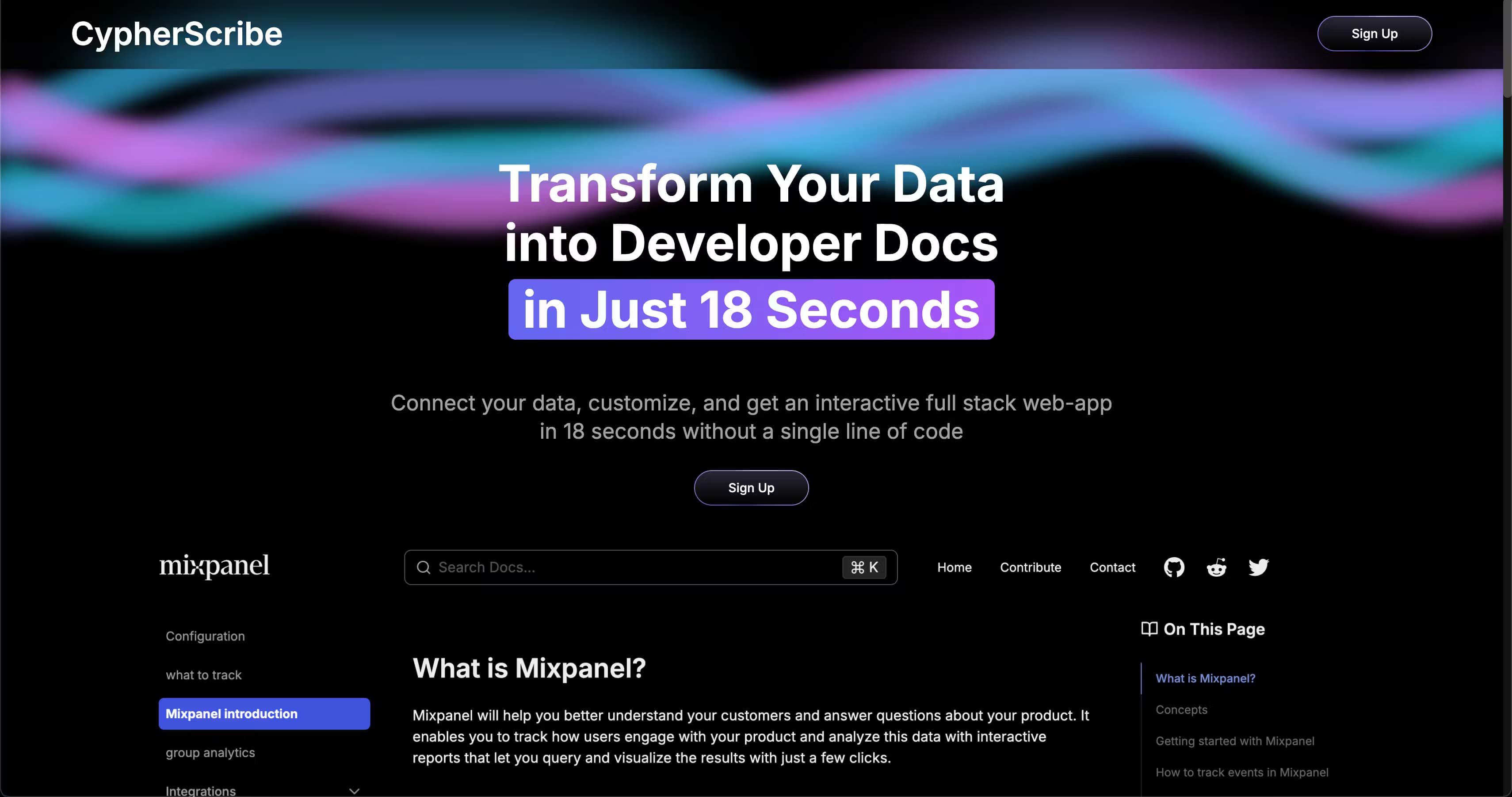
Cypher Scribe is a no-code developer documentation platform that turns your dataset into an interactive, SEO-optimized docs site in about 18 seconds.
About Cypher Scribe
What Is Cypher Scribe
Cypher Scribe is a documentation platform built for people who have data to explain and no time to build a site around it. You connect a dataset, pick a theme, and the tool spins up a full-stack docs web app with pages, search, and a permanent subdomain. The pitch is speed: the company claims the whole thing goes live in about 18 seconds.
It's aimed at solo developers, small teams, and companies that need API reference pages or product docs without hiring a front-end developer to build and maintain the whole thing from scratch. The editor handles Markdown and custom blocks, so you can drop in multilingual code snippets, banners, and toasts without touching HTML.
The catch is the pricing. There's no free tier, and the cheapest plan starts at $45/month. For a solo developer testing an idea, that's a real commitment. You also get one project on that plan. Anyone running several side projects will feel the squeeze fast.
Getting Started
- Sign up for an account on the Cypher Scribe site and pick a plan.
- Connect your data source so the platform can read the content you want to publish.
- Customize the look: upload your logo, choose a theme, and set colors.
- Write or edit pages in the Markdown editor, adding custom blocks where needed.
- Claim your docs site, then point a custom subdomain at it if you want your own branding.
Product Information
A quick look at Cypher Scribe's pricing, supported platforms, and performance.
Best for
The users, tasks, and scenarios where this tool fits best.
Users
- Solo developers
- Growing teams
- API-first companies
Tasks
- Publishing API reference docs
- Building a product help center
- Improving docs SEO
- Applying custom branding
Scenarios
- Launching docs alongside a new product
- Migrating scattered notes into one portal
- Standing up a documentation side project
Key features
18-Second Site Generation
The core promise is that connecting a dataset and claiming a site takes about 18 seconds. That's the headline number from Cypher Scribe itself, and it's the reason the product exists: no build step, no deploy pipeline, no waiting. Whether every project hits that exact time depends on your data, especially when your docs pull from a large or messy dataset spread across multiple sources. Treat it as a best-case figure rather than a guarantee.
No-Code Builder
This is the no-code docs builder the product is built around. You customize everything through the browser: the logo, the themes, the colors. No HTML to write. Pick a theme, upload your logo, and the site updates without a rebuild. It won't give you pixel-level control the way hand-coding would. It does remove the need to have a front-end developer on call.
Markdown Editor with Custom Blocks
The editor supports standard Markdown plus custom blocks such as multilingual code snippets, banners, and toasts. That mix lets you build structured docs that look intentional instead of a wall of text. Code snippets stay readable, and banners let you flag deprecations or beta features right where readers will see them.
Built-In SEO Tools
Cypher Scribe ships with SEO tooling, pre-built components, and what the company calls automated programmatic SEO to help pages rank. Documentation often gets ignored in SEO planning. Having it baked in saves you from bolting on a separate tool later. Results still depend on the content you write.
Custom Subdomains
Every plan includes a permanent free Cypher Scribe subdomain, and you can also attach a custom subdomain like docs.your-company.com. The custom option matters when docs are customer-facing and brand trust is on the line. Your own subdomain looks more established than a shared one. Setup is a DNS record and a quick verification.
In-App Search and SSL
Fast, accurate in-app search helps readers find a specific function or endpoint without scrolling through hundreds of lines to locate one method signature. Free SSL encryption comes standard, so your docs load over HTTPS without extra configuration. Both are table-stakes for a docs platform, but worth confirming they're included at every tier.
Pros and cons
Pros
- Generates a full-stack docs site from your data with no coding required.
- Markdown editor plus custom blocks covers most documentation needs.
- Built-in SEO tools and programmatic SEO save you from separate tooling.
- Custom subdomain support gives docs a branded, professional address.
- Support replies within 2 hours, according to the company.
Cons
- No free plan, so you can't test the workflow before paying.
- The $45/month Starter plan allows only one project and 50 pages.
- The 18-second claim is a vendor figure and can vary with larger datasets.
- API availability isn't documented on the site, which is a gap if you want to automate publishing.
Frequently asked questions
It's a no-code platform for building developer documentation sites. Connect your data and it generates an interactive, SEO-optimized docs web app with pages, search, and a subdomain.
Related content
Explore related tools, skills, and articles for Cypher Scribe.
Cypher Scribe Alternatives

Base Code
Base44 (Wix) · Coding · ProductivityBase Code is a shared cloud development environment from Base44. Teammates describe changes to an existing GitHub codebase in chat, preview them live and send them back as pull requests.

Google EmbeddingGemma 2
Google DeepMind · Writing · Image · CodingGoogle EmbeddingGemma 2 is a 740M-parameter open model that turns text, code, images, audio, and video frames into vectors in one 768-dimension space, running on phones and laptops.

GitGlow
GitGlow · Coding · ProductivityGitGlow is a local-first desktop Git client that lets independent developers review their own code and their AI agents' changes in one place before shipping.