

Dashwave
Dashwave · Other
Dashwave is a cloud development platform for Android that pairs an AI prompt to app builder with cached cloud builds and shareable emulators, helping teams ship mobile apps faster.
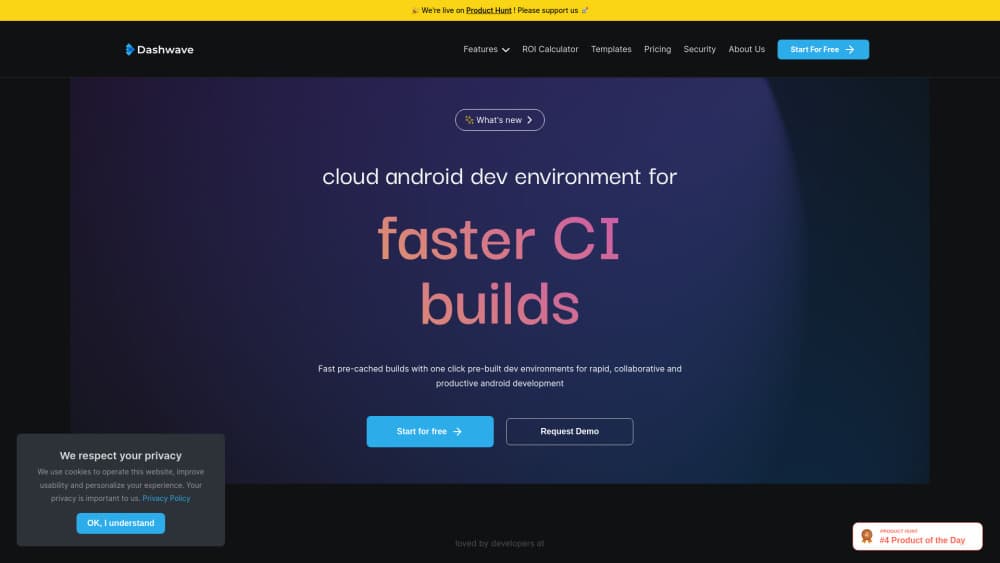
About Dashwave
What Is Dashwave
Dashwave is a browser-based workspace for people who build Android apps. It runs two things side by side: a fast Android cloud build system and DashwaveAI, an agent that turns plain-English prompts into working screens, logic, and release builds. The build system exists because compiling Android projects on a laptop burns time on the same Gradle cycles over and over. Dashwave keeps those artifacts warm in the cloud and hands them back instantly.
The AI side is aimed at the part of mobile development that generic app builders skip. Dashwave reads your existing repository, pulls the relevant files into context, and writes code that fits the stack already in place. Java, Kotlin, React Native, and Flutter projects are all supported, including older codebases that most prompt-based tools won't touch.
The limits are worth knowing up front. The platform is Android-first, so iOS work is still largely outside its scope. Build and emulation time is metered, which means heavy teams eventually pay by usage. And the AI agent works best when your project follows standard Android structure, so unusual custom build setups may need hand-holding.
Getting Started
- Create an account at dashwave.io with email or a Git provider login, then connect the repository you want to work on.
- Choose a workspace. Dashwave spins up a pre-built environment with the SDK, dependencies, and build cache already in place.
- Either open the cloud IDE to edit code directly or describe the feature in the prompt chat and let the AI agent draft it.
- Run the project on a cloud Android emulator, then share the session link so a teammate or tester can poke at the same running device.
- Sign the build with your keystore and push a release artifact, or pull the changes back to your local machine through the JetBrains plugin.
Product Information
A quick look at Dashwave's pricing, supported platforms, and performance.
Best for
The users, tasks, and scenarios where this tool fits best.
Users
- Android developers on small teams
- Indie builders without a mobile background
- QA and product folks who need to see a build
Tasks
- Rebuilding an aging Android codebase
- Cutting build times on a slow laptop
- Reproducing a device-specific bug
- Getting a first testable APK out the door
Scenarios
- A two-person team shipping weekly Android updates and tired of waiting four minutes per build.
- A founder validating a mobile app idea before hiring an engineering team.
- A cross-platform project where React Native or Flutter code needs the same fast iteration loop as native Android.
- Agencies handing a running build to a client for review without a screen-share session.
Key features
Prompt to App Generation
You describe the screen or feature you want in the chat panel, and DashwaveAI writes the UI, wires up the logic, and returns something you can run. It works on top of an existing repo rather than in an empty sandbox, which is the difference between a demo and a patch you can merge.
Cloud Build Engine With Distributed Caching
Builds run on Dashwave's servers with dependencies and previous outputs cached across projects. The company claims build acceleration of up to 20 times, and the practical effect is that the second build of the day feels closer to a file save than a coffee break.
Collaborative Cloud Emulators
An emulator session runs in the browser and can be shared by link. A teammate can tap through the same device state you're looking at, so bug reports turn into "look here" instead of "it works on my machine."
Repo-Aware AI Context
Dashwave indexes your project and pulls only the files that matter for a given request. That keeps generated code consistent with your naming, architecture, and libraries instead of inventing a parallel structure you'd have to untangle later.
Multi-Stack Support for Legacy Projects
Java, Kotlin, React Native, and Flutter are all handled by the same pipeline. Older codebases with unusual module layouts are the stated target, which matters for teams maintaining apps that started life a decade ago.
Built-In Signing and Release Workflows
Keystore management and release builds are part of the platform, so you can produce a signed artifact without stitching together a separate CI configuration. Distribution steps that usually live in shell scripts become a few clicks.
Pros and cons
Pros
- Build caching delivers a real speed gain on repeated Android cloud build runs, not just the first compile.
- The AI Android app builder reads your existing repo, so it can extend a live product instead of only generating new projects.
- Shareable emulator links cut the back-and-forth between developers, testers, and clients.
- A free tier with monthly build, emulation, and workspace hours lets you test the workflow before spending anything.
- Native and cross-platform Android stacks sit in one workspace, which suits teams that maintain both.
Cons
- Android is the center of gravity. Teams that also ship iOS will need a different tool for that half of the job.
- Everything depends on the browser and a solid connection, so offline work isn't an option.
- Usage is metered by the hour for builds and emulation, and heavy iteration can push a small team past the free allowance quickly.
- The AI agent assumes a conventional Android project layout, so heavily customized build setups may need manual fixes.
Frequently asked questions
It gives you a cloud workspace for Android development with two parts: an AI agent that writes app code from prompts, and a build and emulation system that runs your project on remote machines with cached dependencies.
Related content
Explore related tools, skills, and articles for Dashwave.
Dashwave Alternatives

Odyssey 3
Odyssey · OtherOdyssey-3 is Odyssey's foundation world model. It simulates physics in real time, turns a prompt into an interactive environment, and adapts to robots, cars and games.

JarvisCore
Prescott Data · Coding · Productivity · OtherJarvisCore is an open source Python runtime where AI agents work as equal peers on an agent mesh, claim tasks from a shared ledger, and reach external services through a zero-trust broker.
Clef
Cloudflare · Business · OtherClef is Cloudflare's open-source decision model for Workers AI. It returns calibrated probabilities for typed questions, not generated text, so agents can classify, route, and act fast.