

DataBrain
DataBrain · Coding · Marketing
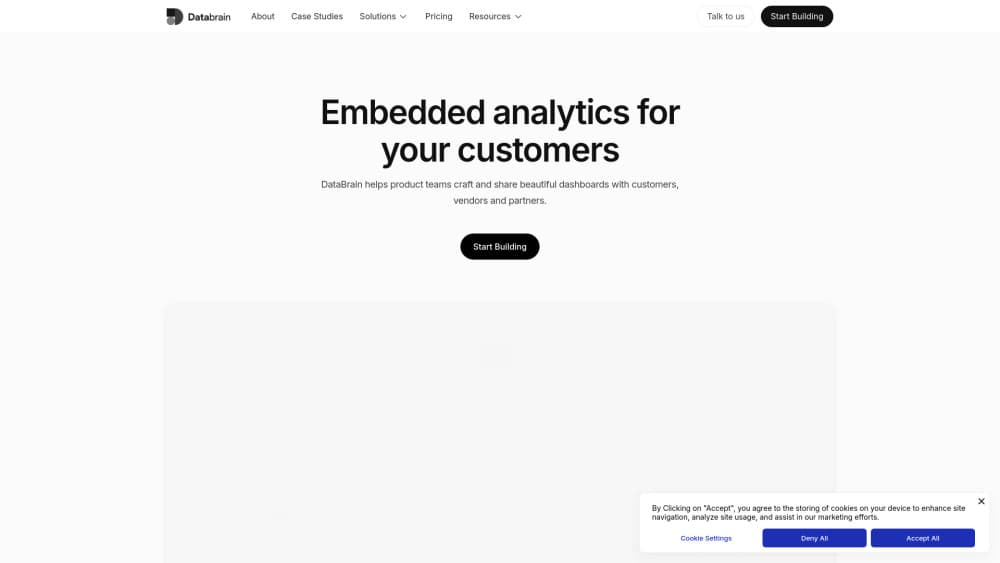
DataBrain is an AI embedded analytics platform for B2B SaaS teams, letting you ship multi-tenant, white-label dashboards and natural-language insights fast.
About DataBrain
What Is DataBrain
DataBrain sits between your data warehouse and the analytics your customers see inside your own product. The pitch is aimed at B2B SaaS product and engineering teams that keep getting asked for reports and dashboards they can't ship fast enough. Instead of building a BI stack from scratch, you connect a warehouse, embed the analytics layer and go live in weeks rather than months. Simple enough.
The company frames the alternative in hard numbers. Building analytics in-house is put at six or more months of engineering time before anything ships, plus the cost of pulling three engineers off your core product. That's a lot of work. DataBrain's answer is a production-ready engine with the semantic layer, AI front end and multi-tenant security already in place. Metadata stays in DataBrain while queries run against your own warehouse, so your data doesn't get copied into someone else's system.
Every AI answer is grounded in a governed semantic layer, which is the part that matters if you plan to let end users type questions and get numbers back. Ungoverned text-to-SQL is a support ticket waiting to happen. So what's the catch? The limits are practical. This is infrastructure priced for companies, not individuals, with plans starting at $999 per month and no free tier. There's also a 14-day trial so you can test it against your own data before committing. Smaller teams and side projects should look elsewhere.
Getting Started
- Sign up and start the 14-day trial, then connect a data source. The Growth plan covers one source, Pro adds unlimited sources.
- Define your metrics in the semantic layer so every dashboard and AI answer pulls from the same governed definitions. Do this early.
- Build customer-facing reports and dashboards, then apply your own branding with custom themes and white-label styling.
- Set up multi-tenancy and row or column level security so each customer only sees their own data.
- Embed the dashboards in your product and turn on natural-language search for end users. That's the whole loop.
Product Information
A quick look at DataBrain's pricing, supported platforms, and performance.
Best for
The users, tasks, and scenarios where this tool fits best.
Users
- SaaS product teams
- Engineering leads
- Data analysts
- Non-technical end users
Tasks
- Shipping customer-facing dashboards
- Adding natural language analytics
- Replacing an existing BI tool
- Scaling across tenants
- Automating reporting
Scenarios
- A SaaS company keeps losing deals because it can't ship an analytics module fast enough
- Customers ask for reports your team builds by hand every month
- A compliance review asks how tenant data stays separated
- An enterprise needs analytics running on-prem
Key features
Multi-Tenant, White-Label Dashboards
DataBrain is built multi-tenant from the ground up, so one analytics layer serves every customer without each tenant getting its own rebuild. Custom UI themes, per-customer styling and local display languages let the dashboards look like they belong inside your product. It looks native. If your team already lost a deal over a half-finished analytics module, this is the feature that changes that timeline.
AI Analytics Grounded in a Semantic Layer
Natural-language search lets end users ask questions and get answers, and follow-up questions work as a conversation. The difference from raw text-to-SQL is governance: every AI answer pulls from metric definitions you control, so users don't get confident answers built on a misunderstood column. That's the part that makes self-serve analytics safe to hand to customers. Without it, you're shipping a liability.
Text to SQL API
The platform exposes a text-to-SQL API, so the same natural-language layer that powers dashboards can feed other tools and workflows. Teams wanting to add analytics to a chatbot or internal tool can call it directly rather than rebuilding the query logic. That saves real work.
Role Based Access and Row-Column Security
Access control runs on roles, with row and column level security enforced inside the analytics layer. For B2B products where one customer must never see another's data, that's not a nice-to-have. It's the baseline. SSO through OAuth and SAML is available, along with SAML and SCIM provisioning on higher plans.
Forecasting, Outlier Detection and Recommendations
Beyond basic charts, DataBrain includes forecasting, outlier detection and predictive algorithms with recommendations. Those capabilities suit products where customers want more than a chart, like spotting an anomaly before it becomes a problem. Useful, not decorative.
Deployment Flexibility
The Growth and Pro plans run in the cloud, while Enterprise supports self-hosted, on-prem and multi-region deployment with VPC peering and a bastion host. It reports SOC 2, GDPR and ISO 27001 compliance, with a 99.5% uptime SLA. HIPAA is listed as coming soon. Healthcare teams should check current status before relying on it.
Metric Store and Semantic Layer
A shared metric store and semantic layer for datasets, datamarts and dashboards means a metric defined once is reused everywhere. Fewer definitions means fewer arguments about which dashboard is right. It's also what keeps the AI answers consistent as the product grows.
Pros and cons
Pros
- Ships customer-facing analytics in weeks instead of the six-plus months an in-house build is estimated to take.
- Multi-tenant and white-label support is built in rather than assembled per customer.
- AI answers are grounded in a governed semantic layer, which reduces the risk of confidently wrong numbers.
- Queries run against your warehouse while only metadata is stored, keeping data in your control.
- Unlimited seats, embeds and clients on the published plans.
Cons
- No free plan, and the cheapest published tier is $999 per month, so it's priced out of reach for small teams and side projects.
- The Growth plan covers only one data source, and unlimited sources need the $1995 per month Pro tier.
- Enterprise features like self-hosting and multi-region deployment require talking to sales, so pricing there isn't transparent.
- HIPAA compliance is still listed as coming soon, which rules it out for healthcare use until that ships.
Frequently asked questions
DataBrain is an embedded analytics platform for B2B SaaS companies. You connect your warehouse, embed the analytics into your own product and give customers dashboards, reports and natural-language insights. It's the layer behind customer-facing analytics, not an internal BI tool for your own team.
Related content
Explore related tools, skills, and articles for DataBrain.
DataBrain Alternatives

Base Code
Base44 (Wix) · Coding · ProductivityBase Code is a shared cloud development environment from Base44. Teammates describe changes to an existing GitHub codebase in chat, preview them live and send them back as pull requests.

Google EmbeddingGemma 2
Google DeepMind · Writing · Image · CodingGoogle EmbeddingGemma 2 is a 740M-parameter open model that turns text, code, images, audio, and video frames into vectors in one 768-dimension space, running on phones and laptops.

GitGlow
GitGlow · Coding · ProductivityGitGlow is a local-first desktop Git client that lets independent developers review their own code and their AI agents' changes in one place before shipping.