

Databuddy Analytics
Databuddy · Coding · Marketing
Databuddy Analytics is a privacy-first web analytics platform built for developers who want useful traffic data without cookies, fingerprinting, or a heavy client bundle. It puts page views, error tracking, Core Web Vitals, feature flags, short links, and uptime monitoring behind a single lightweight script and a typed API. Teams that care about GDPR compliance and data ownership get a dashboard they can actually query, plus an AI assistant called Databunny for plain-English questions.
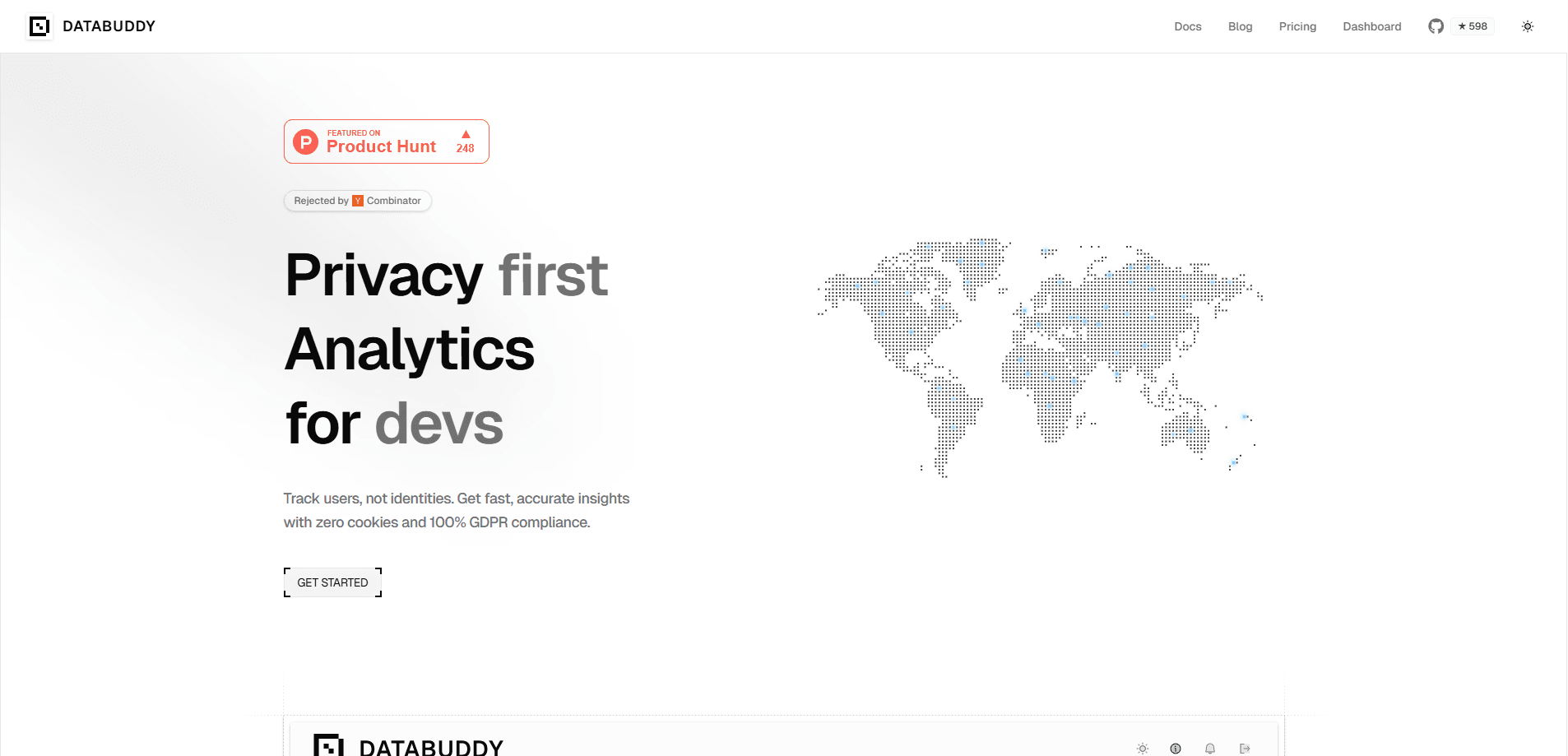
About Databuddy Analytics
What Is Databuddy Analytics
Databuddy Analytics is a cookieless analytics service aimed at developers and small product teams. It's a GDPR compliant analytics option for teams that don't want a legal review every time they add a tag. Instead of dropping a bloated tracking script on a page, it loads one asynchronous browser tracker that collects analytics, errors, and web vitals together. Everything flows into the same dashboard, so you're not stitching together three separate tools to answer why a page feels slow.
The pitch is privacy with controls. Databuddy uses browser storage instead of cookies, lets you turn off user identification entirely, and supports path masking and opt-out. That matters if you sell to EU customers or just don't want a consent banner hijacking every page load. Need real user data without the cookie mess? That's the whole point here.
It isn't a full marketing suite, and it doesn't try to be. There's no ad attribution layer or heatmap recorder. If you need session replays for UX research, you'll still look elsewhere. What you get is clean product analytics, error triage, and feature flags in one place, which is usually enough for a web app team. Simple as that.
Getting Started
- Create an account on the Databuddy site and add your site to the dashboard.
- Copy the tracker snippet and paste it into your site or app layout.
- Configure collection options, such as disabling user identification or masking sensitive paths.
- Verify the first page views and events show up in real time, then set up funnels or goals.
- Optionally connect feature flags, short links, or the MCP server for AI-assisted workflows.
That's it.
Product Information
A quick look at Databuddy Analytics's pricing, supported platforms, and performance.
Best for
The users, tasks, and scenarios where this tool fits best.
Users
- Web developers
- Small product teams
- Privacy-conscious founders
Tasks
- Tracking site traffic without cookies
- Diagnosing slow pages
- Testing feature rollouts
- Running conversion analysis
Scenarios
- Launching a landing page and watching early traffic
- Keeping a status page for a side project
- Asking plain questions about your data
Key features
Cookieless Tracking
Databuddy collects analytics through browser storage rather than cookies, so there's no cookie banner fighting your page for attention. You can also turn off user identification entirely or mask specific paths, depending on how much detail you actually want. The trade-off is that some cross-site attribution tricks simply aren't available, which is fine for a product team tracking its own app. No banner. No fingerprinting.
One Tracker for Analytics, Errors, and Vitals
A single asynchronous script handles page views, JavaScript errors, and Core Web Vitals, which means one tracker instead of the usual pile of vendor tags stacked in your head. Loading one tracker instead of three keeps your bundle small and avoids the ordering bugs that come with stacking tags. Core Web Vitals covers LCP, INP, and CLS, the numbers Google actually uses when it grades page experience. Less weight, fewer breakages.
Databunny AI Assistant
Databunny is a chat assistant that answers questions about your analytics in plain English and can run scheduled investigations, which saves you from building a dashboard report every time someone asks what changed. Instead of building a report from scratch, you ask what changed last week and get an answer. Business plans include 100 investigations a month and Scale includes 500, with extras at $1 each. Just ask.
Feature Flags with Targeting Rules
Feature flags ship inside the same dashboard, so you can roll out a change to a segment of users and widen the group as confidence grows. The Free plan allows 3 flags, Pro allows 100, and higher tiers go unlimited. Targeting rules let you keep experiments off for visitors who'd notice a half-finished feature. Ship small. Widen later.
Funnels, Goals, and Revenue Events
Custom events track checkout and product flows, and funnels show where people drop off between steps. Revenue analytics via payment webhooks is in alpha, so expect the basic shape to work but the edges to shift. Goals are simple counters tied to an action, useful when you just want a conversion number without a full funnel. Keep it simple.
Uptime Monitoring and Status Pages
Uptime monitoring watches your endpoints and alerts you when something goes down, and it can publish a branded status page. It's a lightweight answer to "is it just me," and it saves standing up a separate monitoring vendor for a small app. All plans include it. That's rare.
Developer APIs and MCP Server
The REST API is typed and documented with an OpenAPI spec, and there's a Streamable HTTP MCP server for AI agents, so you can pull Databuddy numbers into your own tooling without reverse-engineering undocumented endpoints. You can authenticate with an API key in the x-api-key header or a bearer token. Teams that want analytics in their own tooling, or want an AI assistant to pull numbers, get a real path to do it. It works.
Pros and cons
Pros
- Cookieless by default, which reduces the consent work for sites with EU visitors.
- One script covers analytics, error tracking, and Core Web Vitals.
- Free plan with 10,000 monthly events and unlimited websites.
- Solid developer story: typed API, OpenAPI spec, and MCP server.
- Feature flags and uptime monitoring bundled instead of sold separately.
Cons
- No session replay or heatmaps, so UX researchers will need another tool.
- Business and Scale plans are invite only, which slows down fast-growing teams.
- Error tracking starts on the Hobby plan, so the free tier only shows basic errors.
- Revenue analytics is still in alpha, so you shouldn't build billing reports on it yet.
Frequently asked questions
Yes. The Free plan covers 10,000 events a month with unlimited websites and team members, which is enough for a personal project or small site. Paid plans start at $9.99/mo for Hobby and go up to $799/mo for Scale, with custom Enterprise pricing. No credit card needed.
Related content
Explore related tools, skills, and articles for Databuddy Analytics.
Databuddy Analytics Alternatives
Forefront
Forefront · CodingForefront is a web platform for building with open-source AI. It lets you fine-tune leading open-source language models on your own data, evaluate how they perform, and run them through an API or export them to host yourself. Developers who want the convenience of a closed-source platform but insist on owning their models and data are the target audience here.

Startkit
StartKit.AI · CodingStartkit is a boilerplate for building AI SaaS and AI wrapper products. Think of it as an AI startup boilerplate with the boring parts already wired up: authentication, Stripe and Lemon Squeezy payments, usage limits, transactional email, and an AI API starter that talks to OpenAI, Anthropic, Groq, or Llama. You clone the repo, set your price, and start on the part of your product that people actually pay for. It's Next.js under React and Tailwind, so most of the boilerplate code already feels familiar.
Testim
Tricentis · CodingTestim is an AI-powered test automation platform for building and running end-to-end tests across web, mobile, and Salesforce applications. It leans on machine learning to keep tests stable when an interface changes, so teams spend less time fixing broken selectors. Not bad for an automated testing tool you can start using today. You create tests by recording actions in a browser, then optionally add JavaScript when you need more control. It's a solid pick for busy QA teams.