

Databutton
Databutton (now Riff) · Coding
Databutton was an AI app builder that turned a plain language prompt into a working web app with a Python backend. Its domain now redirects to Riff, an agent platform for industrial operations.
About Databutton
What Is Databutton
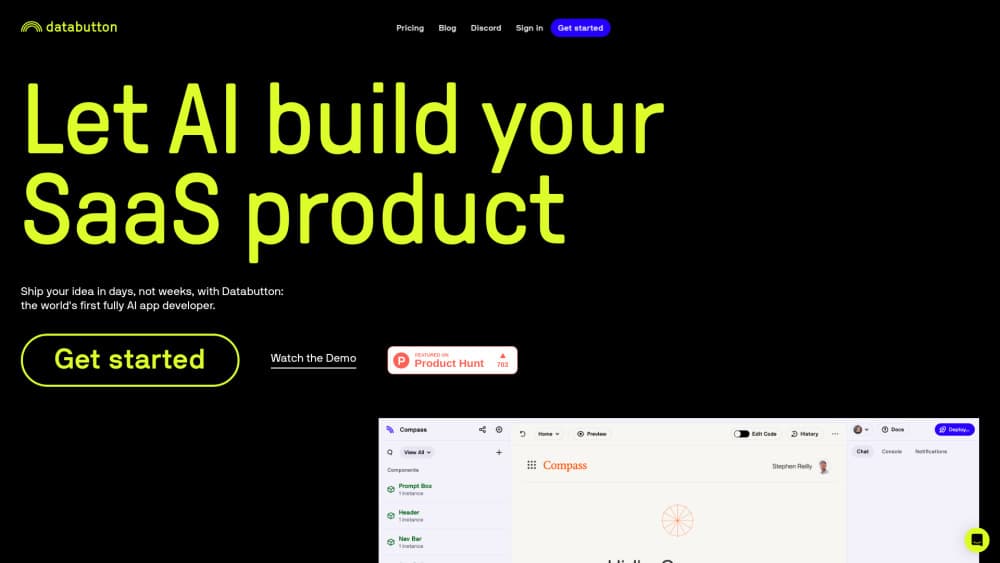
Databutton was a browser based AI app builder for people who could describe software but not write it. You typed what you wanted, the built in AI agent that writes code produced a React front end and a Python backend, and the platform handled hosting, sign in, and deployment. Teams used it for internal dashboards, data tools, and small customer facing apps that never would have survived a sprint planning meeting.
The pitch was the short distance between an idea and a URL. An operations lead could build a working prototype in an afternoon instead of filing a ticket and waiting a quarter. As a Python app builder it also accepted the scripts people already had, so a pandas notebook with three useful functions could become a small app with a login screen and a shareable link.
The status of the product matters more than any feature list now. The databutton.com domain redirects to riff.ai, and the documentation subdomain no longer resolves. Riff sells agents for order handling, procurement, logistics, and production planning, delivered with engineers who work inside the customer's organisation rather than through self serve plans. Public Riff materials don't mention the old studio or say what happens to existing workspaces. Anyone shopping for a no-code internal tools builder today should look at products that still sell one.
Getting Started
- Create a workspace with an email address or a Google account. Databutton opened straight into a project list rather than a setup wizard.
- Describe the app in the chat panel: what it should do, who uses it, and which data it reads. Screenshots and pasted sample rows helped the agent pick sensible fields.
- Connect data or drop in existing Python code. The agent turned the logic into backend functions and wired buttons to them.
- Review what the AI agent that writes code produced, then ask for changes in the same conversation. It edited files in place instead of regenerating the project.
- Publish to a Databutton hosted URL and share the link with the people who needed the tool. Custom domains and access rules were set from the same dashboard.
Product Information
A quick look at Databutton's pricing, supported platforms, and performance.
Best for
The users, tasks, and scenarios where this tool fits best.
Users
- Operations and support leads who know exactly what a tool should do but can't get engineering time, because a described app plus a connected data source is usually enough to produce something usable in a day.
- Founders working before a technical hire, who need a clickable prototype for customer conversations and investor calls rather than a production system, on the condition that the prototype is throwaway.
- Data analysts with working Python scripts, since the Python app builder could wrap existing pandas or API logic in an interface other people can use without opening a notebook.
Tasks
- Internal dashboards
- Spreadsheet replacement
- Customer facing MVPs
- Glue apps between services
Scenarios
- Testing an app idea before spending money on it, where the goal is a link you can put in front of five users this week and a decision about whether the idea deserves more.
- Replacing a fragile spreadsheet workflow, when the manual process has grown past the point where copying and pasting is safe and someone needs permissions and an audit trail.
- Time boxed builds like a hackathon or an internal demo day, because the hosted deployment removed the part of the schedule that usually slips.
Key features
Prompt to full stack app
The core loop was conversation. You described a screen, a data source, or a rule, and Databutton wrote the front end and backend to match. Most prompts produced something runnable in the same session, which made the tool feel closer to pair building than to a form based website builder. That loop is what most people mean by build apps with AI, and Databutton shipped it earlier than most.
A Python backend you could read
Generated apps ran on Python, and the code sat in a file tree you could open and edit. That mattered for anyone who wanted to check the logic, add a library, or paste in a function from an existing script. It also meant the output wasn't locked inside a visual editor you couldn't inspect.
Hosted deployment and shareable links
Publishing was a button, not a pipeline. Databutton hosted the app, issued a URL, and handled the parts that usually eat a week: environment variables, build steps, and a domain. Sharing a working link was the fastest way to end an argument about what a feature should do.
Built in accounts, storage, and secrets
Sign in, a database, and secret storage came with the project, so a prototype could have real users without a separate auth service. Small teams got a login screen, per user data, and API keys stored server side without writing the plumbing themselves.
Connections to outside services
Apps could call third party APIs and reach common business tools, which is what turned a generated interface into something an operations team could rely on. Typical builds read from a warehouse, posted to Slack, or wrote rows into a CRM. Databutton also leaned on model providers, since most apps people asked for had an LLM step inside them.
An agent that kept the project in context
The assistant remembered the workspace and edited existing files rather than starting over, so a second and third round of changes built on the first. That continuity is the difference between a demo and a tool that survives contact with real users, and it was the feature former users mention most.
Pros and cons
Pros
- The distance from description to deployed app was short, which made it practical for one person to test an idea without a team.
- Generated Python stayed readable, so a developer could audit or extend the app instead of inheriting a black box.
- Hosting, auth, and secrets were included, removing the three setup tasks that usually stall a prototype.
- Iterating in plain language worked well for layout and small logic changes, which is where non technical users spend most of their time.
- Applications were ordinary web apps with shareable URLs, so testing with real users needed no install or training.
Cons
- The product is effectively gone. The domain redirects to Riff, which sells industrial agent work to enterprises and lists no self serve builder or pricing.
- Existing Databutton apps face an uncertain future, and Riff's public materials say nothing about workspace support, so treating old projects as permanent would be a mistake.
- No current pricing page exists, which makes cost comparison against an AI app builder that still ships impossible.
- Prompt driven development still produced rough edges. Layout quirks and backend logic that quietly did the wrong thing needed a code literate reviewer.
Frequently asked questions
Databutton was a browser based AI app builder. You described an app in chat, an AI agent wrote a React front end and a Python backend, and the platform hosted the result at a shareable URL with sign in and a database built in.
Related content
Explore related tools, skills, and articles for Databutton.
Databutton Alternatives

Base Code
Base44 (Wix) · Coding · ProductivityBase Code is a shared cloud development environment from Base44. Teammates describe changes to an existing GitHub codebase in chat, preview them live and send them back as pull requests.

Google EmbeddingGemma 2
Google DeepMind · Writing · Image · CodingGoogle EmbeddingGemma 2 is a 740M-parameter open model that turns text, code, images, audio, and video frames into vectors in one 768-dimension space, running on phones and laptops.

GitGlow
GitGlow · Coding · ProductivityGitGlow is a local-first desktop Git client that lets independent developers review their own code and their AI agents' changes in one place before shipping.