

Datarails
Datarails · Business
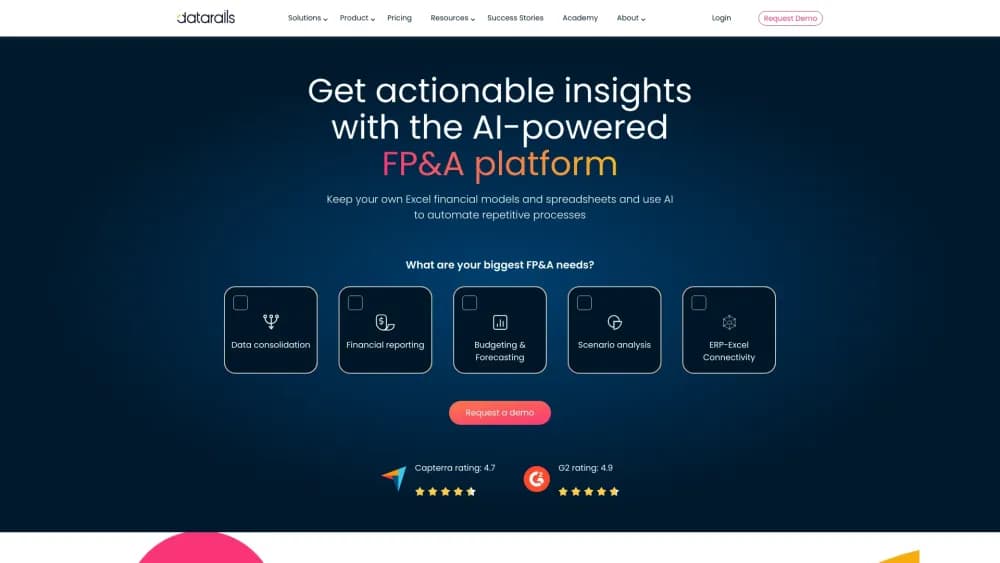
Datarails is an AI FP&A platform for Excel-based finance teams. It unifies ERP, CRM, and spreadsheet data into one governed source, adding budgeting, reporting, close, and cash tools.
About Datarails
What Is Datarails
Datarails is a financial planning software platform from a company founded in 2015. The core idea is simple. Your CFO team keeps building models in Excel, and Datarails makes sure the numbers flowing into those models are consolidated, current, and traceable back to the ERP or CRM they came from.
That matters because most finance departments run on Excel plus a pile of exports. Someone pulls the general ledger out of NetSuite, someone else exports the CRM pipeline, and a controller stitches it together with formulas nobody else understands. The file works until it doesn't. Datarails replaces the export routine with a live data layer, and it keeps you inside the spreadsheet you already know.
The scope has widened well past budgeting. The company now markets an umbrella product called FinanceOS, with modules for month-end close, cash visibility, spend control, and a finance help desk. Its pricing page lists three plans, and each one is quoted rather than posted. That's the first thing to know before you demo it: there's no self-serve price tag and no free tier.
Getting Started
- Request a demo on datarails.com. Sales qualifies your team size, how many data sources you plan to connect, and which modules you need, then sends a quote.
- Connect your ERP, CRM, and any other source through the built-in integrations. A data mapper lets you link general ledger accounts, departments, and cost centers to your own reporting structure once, so reports stay aligned later.
- Keep building in Excel. Existing workbooks pull from the linked data layer through functions your team already uses, so old models keep working instead of getting rebuilt from scratch.
- Set up planning, reporting, and workflows. Budget owners get a submit button, reviewers get routed approvals, and dashboards update from the same numbers.
- Add optional modules as needed, such as the close checklist, cash forecasting, spend control, or AI agents that answer questions against your governed data.
Product Information
A quick look at Datarails's pricing, supported platforms, and performance.
Best for
The users, tasks, and scenarios where this tool fits best.
Users
- Finance directors and controllers at companies with 50 to 2,000 staff
- FP&A analysts
- CFOs and VPs of finance
- Accounting teams running a multi-entity close
Tasks
- Consolidating several entities and currencies
- Building next year's budget
- Producing monthly management reports
- Cash forecasting
- Answering ad hoc questions
Scenarios
- A finance team outgrowing manual consolidation
- A company adopting AI without exposing raw data
- An audit or board cycle
Key features
Excel-Native Planning
Datarails doesn't ask your team to abandon the spreadsheet. Existing workbooks stay in place and pull from the connected data layer, so models built over years keep working. Budget managers submit through web forms, and reviewers approve without passing files around.
Automated Consolidation
The platform handles financial consolidation: it maps general ledger accounts, departments, and cost centers to your reporting structure once, then runs intercompany eliminations, currency translation, and multiple charts of accounts automatically, which is where most multi-entity teams lose days every month.
AI Suite and AI Agents
You can ask questions in plain language, run agents for recurring analyses, and build custom agents for your own workflows. The answers rest on consolidated, reconciled data rather than a raw export, which is the difference between a figure you can take to a board meeting and one you have to check first.
FinanceOS AI Connector
This connector links governing financial data to outside AI tools such as Claude. Permissions and an audit trail travel with the data, so an analyst can use a general assistant without pasting the general ledger into a chat window.
Month-End Close Workflows
The month-end close module puts checklists, reconciliations, task assignments, and sign-offs into one place with an audit trail. Each entity's status is visible, so a controller spends less time chasing confirmations by email.
Cash Visibility and Forecasting
The Cash module syncs bank balances, shows positions across accounts and currencies, and projects a rolling forecast. Treasury can drill into a variance instead of waiting for a month-end report to explain what happened.
Spend Control Tied to the Plan
Requests, purchase orders, invoices, and corporate cards connect back to the budget, so you see the impact on plan before money leaves the account. Approval routes and coding rules run as workflows rather than reminders.
Board-Ready Reporting and Dashboards
Reporting, dashboards, and custom report builders pull from the same dataset. AI Storyboards turns dashboard output into an editable presentation for leadership, which cuts the manual slide assembly before each board meeting.
Pros and cons
Pros
- Excel stays at the center, so your team's existing models and skills carry over instead of a rebuild from zero.
- One governed data layer feeds planning, reporting, close, and cash, which removes the reconciliation step between separate tools.
- Version control and audit trails make AI output checkable, a real advantage when numbers reach an auditor or a board.
- The module structure lets you start with FP&A and add close, spend, or cash later without switching vendors.
- Integrations cover a wide range of ERP and CRM systems, and the data mapper keeps the reporting structure consistent after setup.
Cons
- Every plan is quote-based. You can't price the product from the website, and comparing it to fixed-price tools takes a sales call.
- There's no free tier and no self-serve signup, so a small team can't test the workflow without a demo.
- The Professional plan caps you at 2 users and 1 integration, which is tight for teams with more than one data source.
- Features arrive in steps. Close, Cash, and Desk sit in the Expert plan, so a mid-sized team may pay for modules it needs early.
Frequently asked questions
Datarails is a platform for financial planning and analysis. It consolidates data from ERP, CRM, and spreadsheets into one governed source, then supports budgeting, forecasting, reporting, month-end close, and cash planning. Finance teams keep working in Excel while the platform supplies live, reconciled numbers.
Related content
Explore related tools, skills, and articles for Datarails.
Datarails Alternatives

Knocket
Knocket (Tencent RTC team) · Productivity · Business · ChatbotKnocket is a free live chat and contact page tool that lets visitors message you from your website, app, or a shareable link, with every reply handled from Telegram or one inbox.

shippedit.me
Krawlup · Marketing · Businessshippedit.me now redirects to Krawlup, a web platform that audits SEO, AEO and page speed every week, then hands the fixes to AI coding agents over MCP.

Ayven
Alknoma · Productivity · BusinessAyven is an AI control centre by Alknoma that turns a plain-language goal into a dated plan, hands the work to your people and AI agents, and asks for your approval only when the call is yours.