
Ddict
Ddict · Writing · Coding
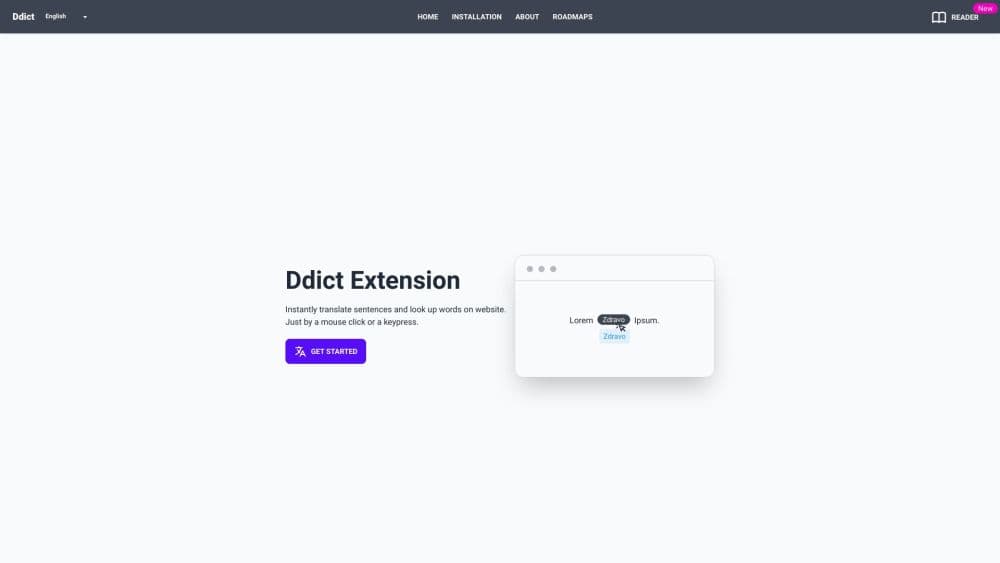
Ddict is a browser extension that translates words and sentences on any webpage without leaving it. It adds a dictionary, text-to-speech, AI summaries, and writing checks, plus a free tier.
About Ddict
What Is Ddict
Ddict is a browser translation extension that doubles as an AI writing assistant, living in your toolbar as the Ddict extension. Highlight a word or a sentence on any site, and it returns a translation, a dictionary entry, and pronunciation in the same popup. There's no tab switching and no copy-pasting into a separate translator. The idea is to make reading in a foreign language feel like reading in your own.
It started as a Firefox add-on back in 2011 and has grown into a multi-browser extension used by hundreds of thousands of people each month. On top of plain translation, AI features handle the messier jobs: summarizing a long article, polishing an email, or checking grammar and spelling. Saved words flow into a flashcard system that uses spaced repetition, so the vocabulary you look up once comes back for review.
The limits are worth knowing before you commit. The free plan caps AI requests at 30 per month, so heavy use of summarization and writing tools runs into that ceiling quickly. Each translation request is limited to 5,000 characters as well. The basic AI model favors speed over nuance, which shows on tricky or idiomatic text. Advanced contextual translation sits behind Ddict Premium.
Getting Started
- Install the Ddict extension from your browser's add-on store. It's available for Chrome, Edge, Opera, Brave, Vivaldi, Yandex, and Firefox, with Safari listed as coming soon.
- Open any webpage and select the text you want to understand. You can also translate with a double-click or a hotkey, depending on your settings.
- Click the Ddict icon. A popup shows the translation, a dictionary definition with synonyms and examples, and a play button for text-to-speech.
- Save the words you want to keep. They sync to your account and turn into flashcards for spaced-repetition review.
- Open a PDF, DOCX, or EPUB in Ddict Reader to translate and look up words inside documents.
- Upgrade to Premium from your account page if you need unlimited AI features. There's no free trial, but the free plan stays free forever.
Product Information
A quick look at Ddict's pricing, supported platforms, and performance.
Best for
The users, tasks, and scenarios where this tool fits best.
Users
- Language learners
- Students and researchers
- Professionals who write in a second language
Tasks
- Reading foreign-language articles
- Translating documents
- Building a vocabulary list
- Polishing an email or message
Scenarios
- Working through dense research papers in another language
- Shopping or booking on foreign-language sites
- Studying for a language exam
Key features
Instant On-Page Translation
Ddict translates selected text right where it sits on the page. You can double-click a word, select a sentence, or use a hotkey, and the result appears in a popup instead of a new tab. The extension skips the copy-paste step that makes most browser translators slow. Toggle it off and the page looks untouched.
AI Translation and Summarization
The AI layer runs on large language models and targets better context than a word-by-word dictionary pass. The summary tool condenses long articles into a short overview, which is handy when you're scanning several sources. The basic model leans toward fast translations, while the advanced model, available on Premium, handles nuance and idioms with more care. Each request covers up to 5,000 characters.
Built-In Dictionary and Text-to-Speech
Beyond a quick gloss, the dictionary shows definitions, synonyms, and example sentences. A play button reads the text aloud, so you hear the pronunciation instead of guessing it. It's a small addition that matters for learners, since hearing a word once often beats reading it three times.
Flashcard Learning with Spaced Repetition
Words you save sync to your account and convert into interactive flashcards on the Ddict learning platform. A spaced-repetition schedule brings each card back at the right interval, so review time goes to the words you're actually forgetting. This is what separates Ddict from a plain translation popup: it closes the loop from looking a word up to remembering it.
Document Translation with Ddict Reader
Ddict Reader opens PDF, DOCX, and EPUB files and lets you translate and look up words inside them with a click or a keypress. The same popup, dictionary, and text-to-speech tools carry over, so a document reads much like a webpage. For students and researchers, that covers textbooks, papers, and reports.
Writing Improvement and Grammar Check
The writing tools help you refine emails, messages, and documents. Grammar and spelling checks flag errors, and the writing assistant suggests clearer phrasing. Combined with translation in the same toolbar, you can draft, check, and refine a message in a second language without switching between apps.
Pros and cons
Pros
- Translation, a dictionary, text-to-speech, summaries, and writing checks all sit in one extension, so you're not juggling separate tools.
- The free plan works forever with no time limit, which is enough for casual reading and light lookups.
- Premium is inexpensive at $3.99 a month, and the first month drops to $0.99.
- Saved words feed a spaced-repetition flashcard system, turning daily browsing into vocabulary practice.
- Cross-browser support covers Chrome, Edge, Opera, Brave, Vivaldi, Yandex, and Firefox.
Cons
- The free tier caps AI requests and flashcard submissions at 30 each per month, so regular use of summaries and writing tools hits the limit fast.
- The basic AI model is tuned for speed over nuance, which shows on idiomatic or technical text.
- Comparisons across languages and long sentences can come back awkward, and you'll want to sanity-check anything important.
- Each translation request is limited to 5,000 characters, so very long passages need to be handled in chunks.
Frequently asked questions
Ddict is a browser extension that translates words and sentences on any webpage without leaving the page. It also adds a dictionary, text-to-speech, AI summaries, writing and grammar checks, and a flashcard system for building vocabulary.
Related content
Explore related tools, skills, and articles for Ddict.
Ddict Alternatives

Google EmbeddingGemma 2
Google DeepMind · Writing · Image · CodingGoogle EmbeddingGemma 2 is a 740M-parameter open model that turns text, code, images, audio, and video frames into vectors in one 768-dimension space, running on phones and laptops.

MePersona
MePersona, Inc. · Writing · Productivity · MarketingMePersona is an AI unified inbox for creators. It learns your voice, drafts replies to fan messages from 12 platforms, and sends only what you approve.

Fluence
Yay Software (Yannick Huchard) · Writing · Voice & Language · ProductivityFluence is an Android app that reads PDFs, EPUBs, Word files and web articles aloud, follows each sentence as it speaks, and answers questions about the text on the phone itself.